1. 서론
This manual provides detailed instructions for the setup, operation, and maintenance of your Memorex MX-CR160 Bluetooth Clock Radio. Please read this manual thoroughly before using the device to ensure proper functionality and to maximize your user experience.
The Memorex MX-CR160 is a versatile bedside device featuring a digital clock, FM PLL radio with presets, dual alarms, Bluetooth wireless audio streaming, a USB charging port, and battery backup for power outag에스.
상자에 포함된 것:
- Memorex MX-CR160 블루투스 시계 라디오
- AC/DC Adapter (100–240V 50/60Hz, DC5V 1.8A)
- 사용 설명서 (본 문서)
2. 안전 정보
- 전원: Use only the provided AC/DC adapter. Ensure the voltage는 귀하의 지역 전원 공급 장치와 일치합니다.
- 물과 습기: 본 제품을 비, 습기 또는 액체가 떨어지거나 튀는 곳에 노출시키지 마십시오. 꽃병 등 액체가 담긴 물건을 제품 위에 올려놓지 마십시오.
- 통풍: 충분한 환기를 유지하세요. 환기구를 막지 마세요.
- 열: 라디에이터, 난방 장치, 스토브 또는 기타 장치(예: 열원)에서 장치를 멀리 두십시오. amp열을 생성하는 발전기.
- 청소: Unplug the unit from the power outlet before cleaning. Use a soft, dry cloth only.
- 서비스: 이 제품을 직접 수리하려고 하지 마십시오. 모든 서비스는 자격을 갖춘 서비스 담당자에게 문의하십시오.
- 배터리: 사용한 배터리는 지역 규정에 따라 폐기하십시오. 배터리를 과도한 열에 노출시키지 마십시오.
3. 제품 오버view 및 제어
Familiarize yourself with the main components and controls of your Memorex MX-CR160.
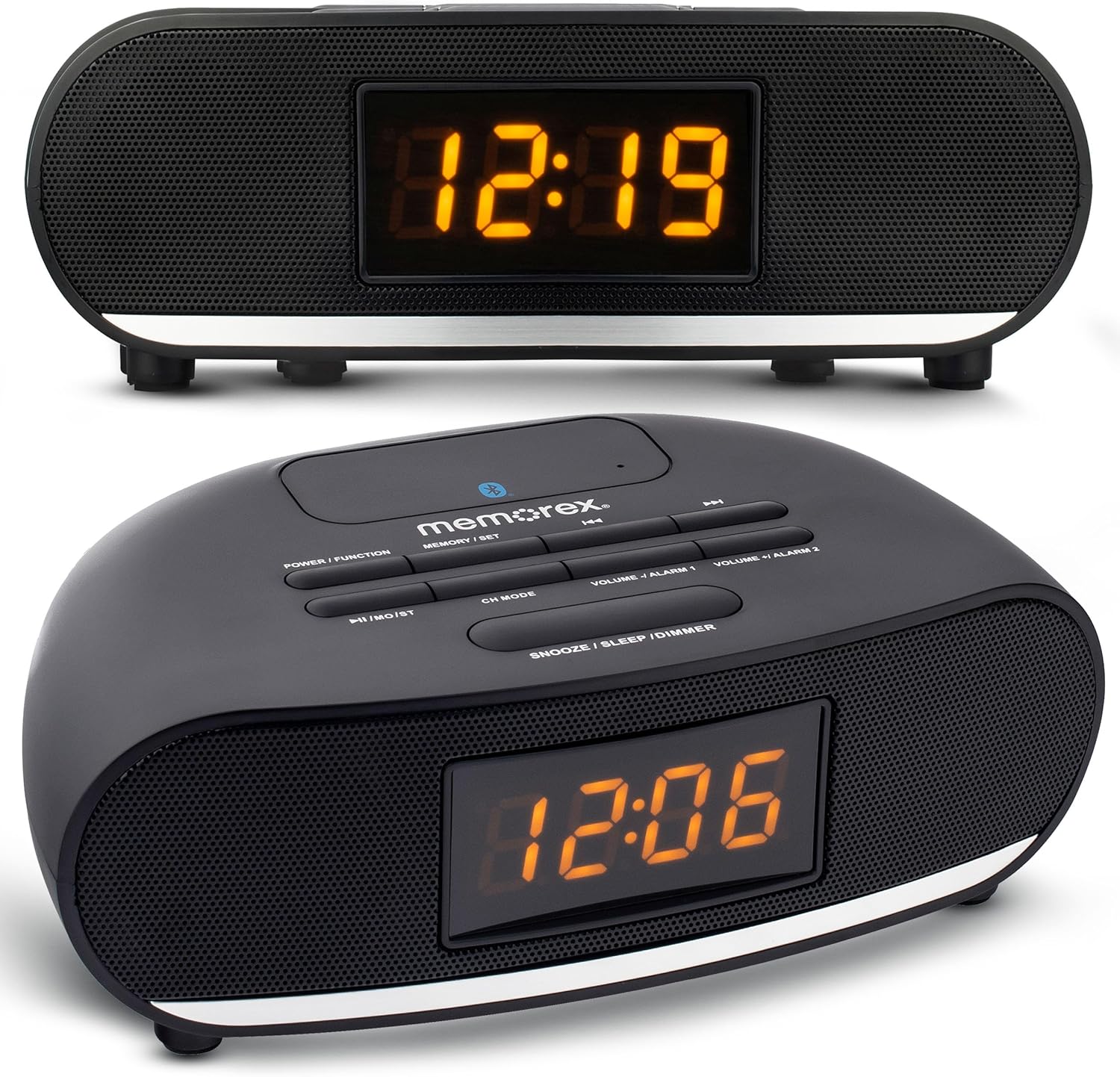
그림 1: 전면 및 상단 view of the Memorex MX-CR160 Bluetooth Clock Radio, showing the LED display and control buttons.
상단 패널 컨트롤:

그림 2: 자세한 상단 view of the Memorex MX-CR160 control buttons.
- POWER / FUNCTION: Press to turn the unit ON/OFF. Press repeatedly to cycle through modes (FM Radio, Bluetooth).
- MEMORY / SET: Used to save FM radio presets and to set time/alarm.
- ◄◄ / ►►: In FM mode, short press to tune frequency, long press for auto-scan. In Bluetooth mode, short press for previous/next track.
- ►►I / MO/ST: In FM mode, short press to play/pause. In Bluetooth mode, short press for play/pause.
- CH 모드: In FM mode, press to cycle through saved presets.
- VOLUME - / ALARM 1: Press to decrease volume. Long press to set Alarm 1.
- VOLUME + / ALARM 2: Press to increase volume. Long press to set Alarm 2.
- SNOOZE / SLEEP / DIMMER: Press for snooze. Long press to set sleep timer. Press repeatedly to adjust display brightness.
전면 디스플레이:

그림 3: 클로즈업 view of the Memorex MX-CR160's amber LED display.
The 0.9-inch amber LED display shows the current time, radio frequency, and alarm indicators. It features 2-step dimmer control for adjustable brightness.
4. 설정
4.1 전원 연결
- Plug the AC/DC adapter into the DC 5V input jack on the back of the unit.
- Plug the other end of the adapter into a standard wall outlet (AC 100-240V, 50/60Hz).
- The unit will power on, and the display will show a flashing time (e.g., 12:00 AM).
4.2 배터리 백업 설치
The battery backup feature ensures that your time and alarm settings are retained during a power outage. 배터리는 포함되어 있지 않습니다.
- 장치 하단에서 배터리 칸을 찾으세요.
- 배터리 덮개를 엽니다.
- Insert two (2) AAA batteries, observing the correct polarity (+ and -) as indicated inside the compartment.
- 배터리 덮개를 단단히 닫으세요.
메모: The battery backup only maintains time and alarm settings; it does not power the display or audio functions during a power outage.
5. 사용 설명서
5.1 시간 설정
- Ensure the unit is powered ON.
- 를 누르고 계세요 MEMORY / SET 시 숫자가 깜빡일 때까지 버튼을 누르세요.
- 사용하세요 ◄◄ or ►► buttons to adjust the hour. Pay attention to the AM/PM indicator (a small dot on the display).
- 를 누르세요 MEMORY / SET 버튼을 다시 누르세요. 분 숫자가 깜빡입니다.
- 사용하세요 ◄◄ or ►► 버튼을 사용하여 분을 조정합니다.
- 를 누르세요 MEMORY / SET 버튼을 한 번 더 눌러 시간 설정 모드를 확인하고 종료합니다.
5.2 알람 설정(알람 1 및 알람 2)
The unit features two independent alarms. The alarm indicator (a small dot) will appear on the display when an alarm is active.
- 알람 1 설정 방법: 를 누르고 계세요 VOLUME - / ALARM 1 알람 시간 숫자가 깜빡일 때까지 버튼을 누르세요.
- 사용하세요 ◄◄ or ►► 알람 시간을 조정하는 버튼을 사용하세요. 오전/오후 표시를 확인하세요.
- 누르다 VOLUME - / ALARM 1 다시 한번. 알람 분 숫자가 깜빡일 것입니다.
- 사용하세요 ◄◄ or ►► 알람 시간을 조정하는 버튼입니다.
- 누르다 VOLUME - / ALARM 1 again to select the alarm source: FM radio or Buzzer. The display will show 'FM' or 'BUZ'.
- 누르다 VOLUME - / ALARM 1 one more time to confirm and activate Alarm 1. A small dot will appear on the display indicating Alarm 1 is set.
- 알람 2 설정 방법: 알람 1과 동일한 단계를 따르지만 다음을 사용합니다. VOLUME + / ALARM 2 button. A separate small dot will appear for Alarm 2.
5.3 Disabling/Enabling Alarms
To disable an active alarm, press the corresponding 경보 1 or 경보 2 button once. The alarm indicator dot will disappear. To re-enable, press the button again.
5.4 스누즈 기능

그림 4: Demonstrating the snooze function by pressing the large button on top.
알람이 울리면 큰 버튼을 누르세요. 스누즈 / 슬립 / 디머 button to temporarily silence the alarm for approximately 9 minutes. The alarm will sound again after the snooze period. To cancel the alarm completely, press the corresponding 경보 1 or 경보 2 단추.
5.5 슬립 타이머
수면 타이머를 사용하면 라디오를 들으며 잠들 수 있으며, 설정한 시간이 지나면 라디오가 자동으로 꺼집니다.
- 라디오가 재생되는 동안 버튼을 길게 누르세요. 스누즈 / 슬립 / 디머 button. The display will show the sleep timer duration (e.g., '90').
- 를 누르세요 스누즈 / 슬립 / 디머 button repeatedly to cycle through available sleep times (90, 80, 70, ..., 10 minutes, OFF).
- Release the button when your desired sleep time is displayed. The radio will play for the selected duration and then automatically turn off.
5.6 FM 라디오 작동
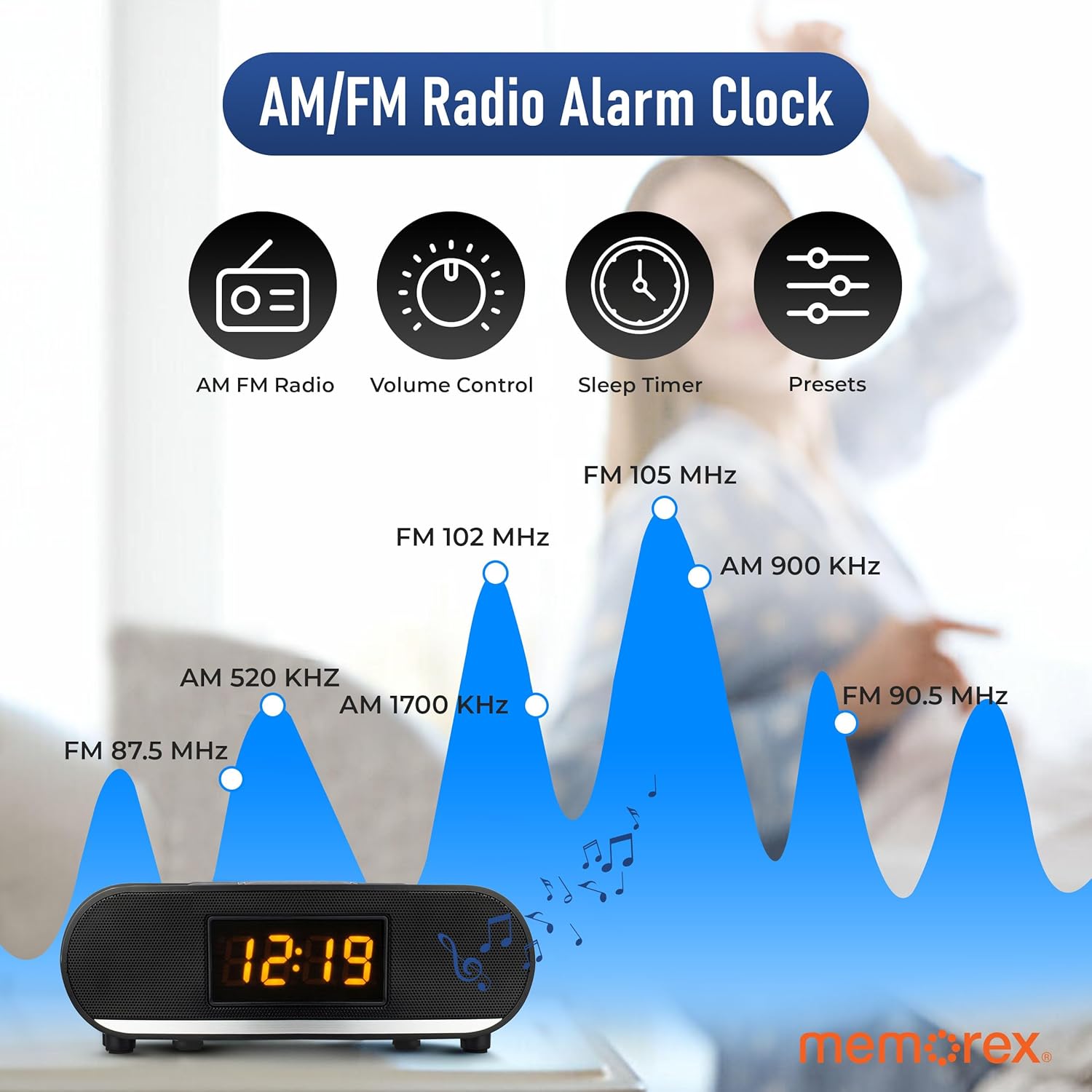
그림 5: Visual representation of FM radio tuning capabilities.
- 라디오를 켜세요: 를 누르세요 전원 / 기능 화면에 'FM'이 나타날 때까지 버튼을 반복해서 누르세요.
- 수동 조정 : 짧게 누르세요 ◄◄ or ►► buttons to tune the frequency step-by-step.
- 자동 스캔: 길게 누르세요 ◄◄ or ►► 버튼을 눌러 다음에 청취 가능한 방송국을 자동으로 검색합니다.
- 볼륨 조절: 사용하세요 용량 - or 볼륨 + 버튼.
Saving FM Presets:
You can save up to 20 FM radio stations.
- 원하는 FM 방송국을 선택하세요.
- 를 누르고 계세요 MEMORY / SET button. A preset number (e.g., 'P01') will flash on the display.
- 사용하세요 ◄◄ or ►► 원하는 사전 설정 번호를 선택하려면 버튼을 누르세요.
- 를 누르세요 MEMORY / SET 버튼을 다시 눌러 방송국을 확인하고 저장하세요.
Recalling FM Presets:
While in FM mode, press the 채널 모드 button repeatedly to cycle through your saved preset stations.
5.7 블루투스 작동

그림 6: The Memorex MX-CR160 highlighting its Bluetooth connectivity.
- 블루투스 모드 진입: 를 누르세요 전원 / 기능 button repeatedly until 'BT' appears on the display and the Bluetooth indicator flashes, indicating pairing mode.
- 편성: On your Bluetooth-enabled device (smartphone, tablet, etc.), enable Bluetooth and search for new devices. Select 'MX-CR160' from the list.
- 연결: Once paired, the Bluetooth indicator on the clock radio will stop flashing and remain solid. You can now stream audio from your device.
- 재생 제어: 사용하세요 ►►I / MO/ST button to play/pause. Use the ◄◄ or ►► 트랙을 건너뛰려면 버튼을 사용하세요. 볼륨은 다음 버튼으로 조절하세요. 용량 - or 볼륨 + 기기 또는 연결된 장치의 버튼.
메모: The effective operating range between the unit and a paired Bluetooth device is approximately 10 meters (33 feet).
5.8 USB 충전 기능
The built-in USB port allows you to charge compatible devices.
- Connect your smartphone, smartwatch, or other USB-powered device to the USB charging port (5V/1A) on the back of the Memorex MX-CR160 using your device's USB charging cable.
- 기기가 자동으로 충전을 시작합니다.
메모: This port is for charging only and does not support data transfer or audio playback.
5.9 디스플레이 디머
LED 디스플레이의 밝기를 조정하려면:
- 를 누르세요 스누즈 / 슬립 / 디머 버튼을 반복해서 누릅니다.
- The display will cycle between two brightness levels (High and Low). Select the desired brightness.
6. 유지관리
6.1 청소
To clean the unit, first unplug it from the power outlet. Use a soft, dry cloth to wipe the surfaces. Do not use abrasive cleaners, waxes, or solvents as these may damage the finish.
6.2 배터리 교체
If the unit is unplugged and the time/alarm settings are no longer retained, the AAA backup batteries may need replacement. Refer to Section 4.2 for battery installation instructions.
7. 문제 해결
| 문제 | 가능한 원인 | 해결책 |
|---|---|---|
| 전원 없음 / 디스플레이 꺼짐 | 전원 어댑터가 연결되지 않았거나 결함이 있습니다. | Ensure the AC/DC adapter is securely plugged into the unit and a working wall outlet. |
| 전원이 꺼진 후 시간/알람 설정이 손실되었습니다.tage | 백업 배터리가 방전되었거나 설치되어 있지 않습니다. | Install two fresh AAA batteries or replace existing ones. Ensure correct polarity. |
| 알람이 울리지 않습니다 | 알람이 설정되지 않았거나 비활성화되었습니다. 볼륨이 너무 작습니다. | Verify alarm settings (time, AM/PM, source). Ensure alarm is enabled (dot visible). Increase volume if alarm source is FM. |
| Poor FM radio reception / Static | Weak signal. Unit placed near interference sources. | Adjust the position of the unit. Move away from other electronic devices that may cause interference. Try manual tuning. |
| 블루투스 장치를 페어링할 수 없습니다. | Unit not in pairing mode. Device too far. Bluetooth disabled on device. | Ensure the unit is in Bluetooth pairing mode (flashing 'BT'). Move device closer. Enable Bluetooth on your device and search again. |
| USB 충전이 작동하지 않음 | Cable faulty. Device incompatible. | Try a different USB cable. Ensure your device is compatible with 5V/1A charging. |
| 화면이 너무 밝습니다 | Brightness setting is on High. | 를 누르세요 스누즈 / 슬립 / 디머 button to cycle to the lower brightness setting. |
8. 사양
| 특징 | 사양 |
|---|---|
| 모델 | MX-CR160 |
| 전원 | AC 100-240V ~ 50/60Hz, DC 5V 1.8A (Adapter) |
| 배터리 백업 | AAA 배터리 2개 (포함되지 않음) |
| 디스플레이 유형 | 0.9-inch Amber LED |
| FM 라디오 | PLL Tuning, 20 Presets |
| 블루투스 버전 | Not specified (Wireless Streaming) |
| USB 충전 출력 | 5V / 1A |
| 제품 치수 | 9.43" W x 2.67" H (approximate) |
| 무게 | 14.9온스(대략) |
9. 보증 및 지원
Memorex products are designed for reliability and performance. For warranty information or technical support, please refer to the warranty card included with your purchase or visit the official Memorex web사이트. 보증 청구를 위해 구매 증빙 자료로 구매 영수증을 보관하세요.


