1. 서론
1.1개 제품 이상view
The EVERSOLO DMP-A10 is a high-performance digital music player designed for audiophiles. It functions as a network streamer, MQA full decode DAC, and pre-amplifier, offering exceptional sound quality and versatile connectivity options for your home audio system. Its intuitive touchscreen interface and robust build quality ensure a premium listening experience.
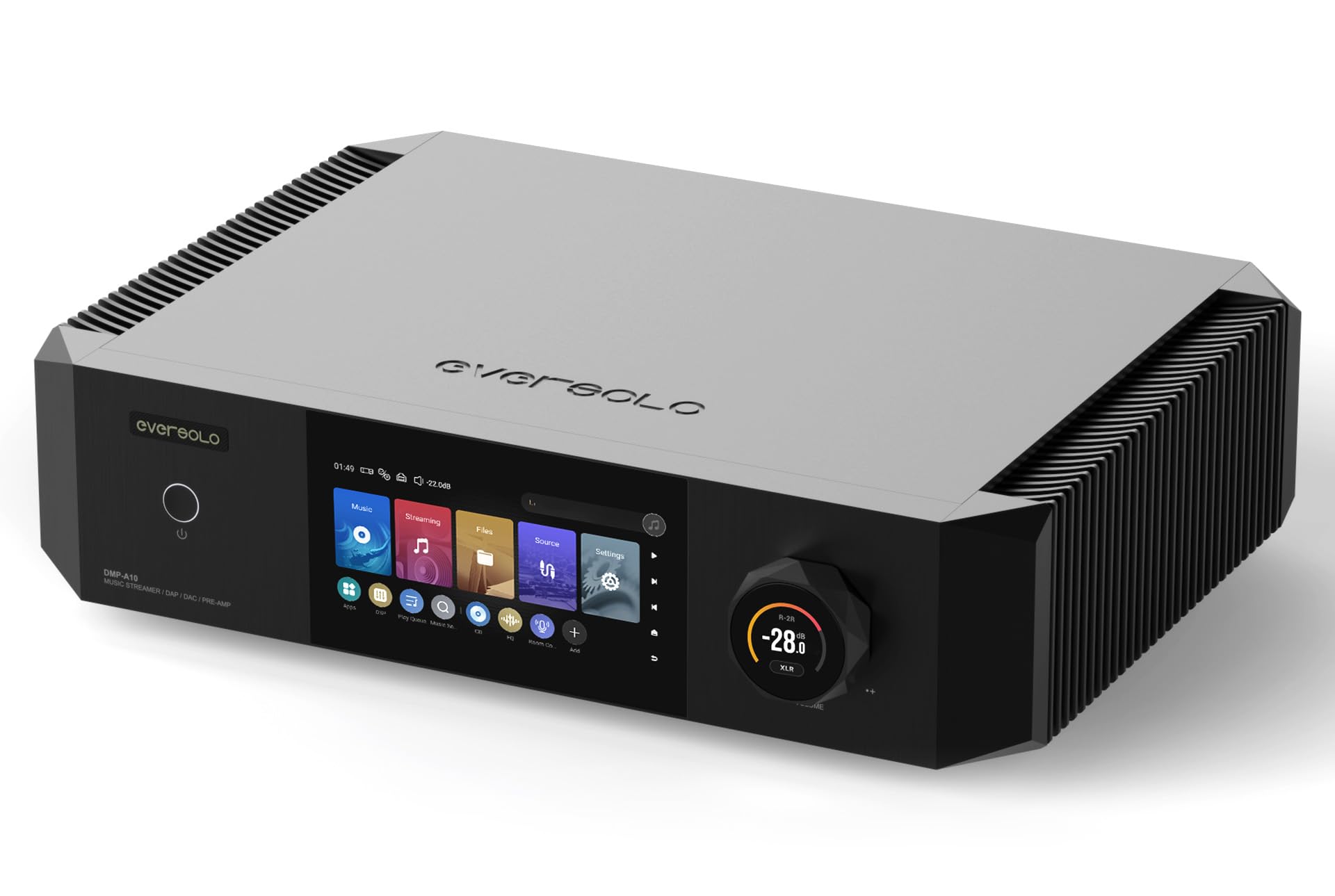
이미지 1.1: 앞쪽 view of the EVERSOLO DMP-A10, showcasing its sleek design and interactive touchscreen display.
1.2 패키지 내용
다음 품목이 패키지에 포함되어 있는지 확인하세요.
- EVERSOLO DMP-A10 Digital Music Player
- 전원 케이블
- 원격 제어
- USB 케이블
- 사용 설명서 (본 문서)
2. 안전 정보
안전한 작동을 보장하고 손상을 방지하려면 다음 예방 조치를 준수하세요.
- 전원: Connect the device only to an AC power outlet that matches the voltage 장치에 지정되어 있습니다.
- 통풍: Ensure adequate ventilation around the unit. Do not block ventilation openings or place the unit on soft surfaces that may impede airflow.
- 수분: 제품을 비, 습기 또는 과도한 습도에 노출시키지 마십시오. 액체가 제품에 닿지 않도록 하십시오.
- 열: 라디에이터, 난방기, 스토브 또는 기타 열 발생 기기와 같은 열원 근처에 제품을 두지 마십시오.
- 청소: 청소하기 전에 전원을 차단하십시오. 마른 부드러운 천을 사용하십시오. 액체 세척제나 스프레이형 세척제는 사용하지 마십시오.
- 서비스: 이 제품을 직접 수리하려고 하지 마십시오. 모든 서비스는 자격을 갖춘 서비스 담당자에게 문의하십시오.
3. 제품 특징
The EVERSOLO DMP-A10 incorporates advanced technologies for superior audio performance and user convenience:
- High-Performance Audio Architecture: Delivers rich, detailed playback with impressive clarity.
- Precision Engineered DAC: Ensures accurate sound reproduction for various audio formats.
- Vibrant Touchscreen Interface: For effortless browsing, settings adjustment, and service management.
- Extensive Format Support: Compatible with high-resolution audio files.
- 다중 연결 옵션: Supports both wired (Ethernet, SFP Fiber, USB, Coaxial, Optical, HDMI) and wireless setups.
- OCXO Clock System: Provides high-precision timing for reduced jitter and improved audio fidelity.
- SFP Fiber Port: Offers advanced network connectivity with electrical isolation.
- Digital Room Correction: Allows for acoustic optimization within your listening environment.
- 균형 잡힌 사전amp: Features balanced XLR outputs for professional audio connections.
- Multi-service Streaming Support: Access popular streaming platforms like TIDAL, Qobuz, Amazon Music, and more.
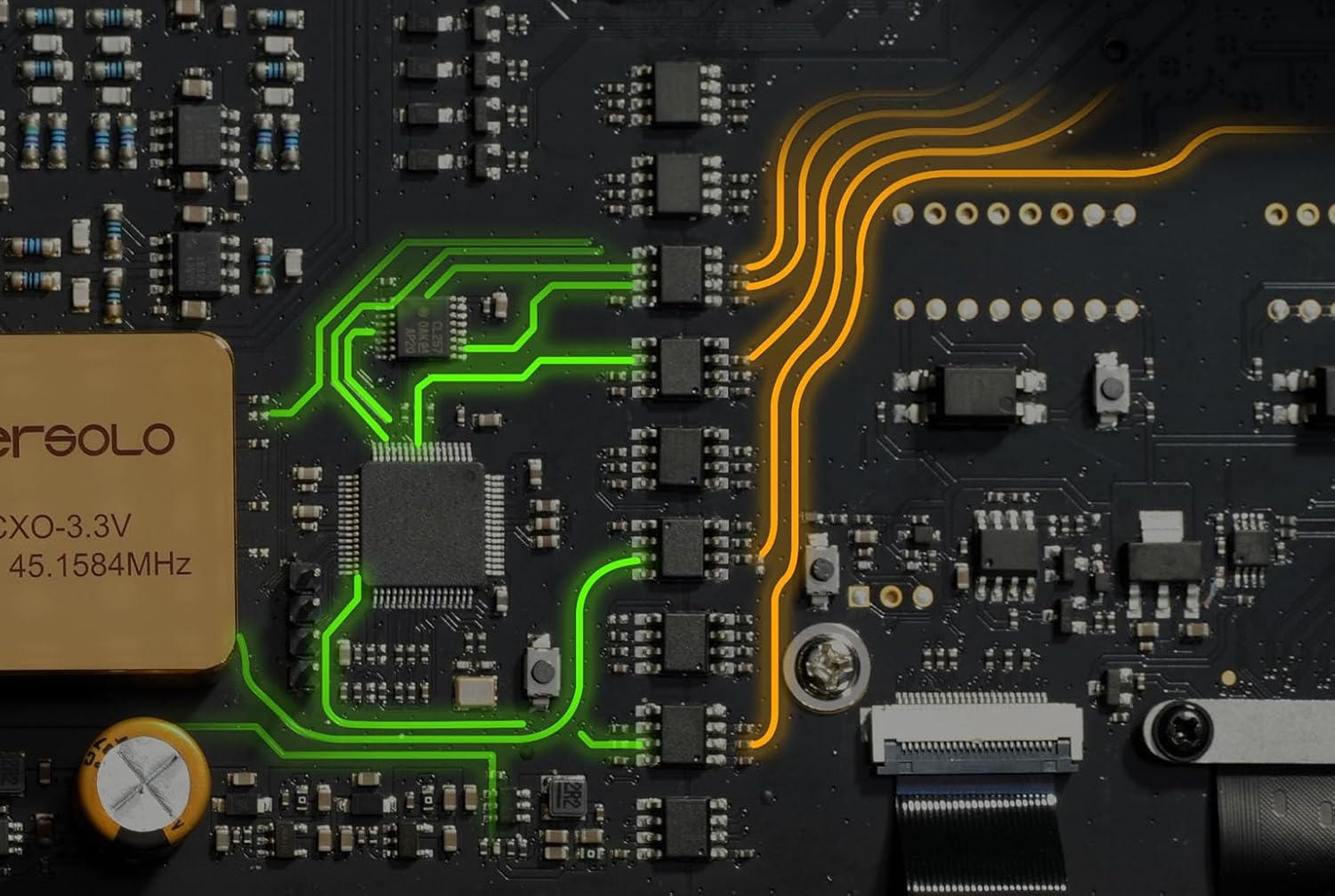
이미지 3.1: 내부 view of the EVERSOLO DMP-A10 circuit board, highlighting the precision engineering and component layout.
4. 설정
4.1 포장 풀기 및 배치
Carefully remove the DMP-A10 from its packaging. Place the unit on a stable, level surface with sufficient space for ventilation. Avoid placing it directly on top of other heat-generating components.
4.2 장치 연결
Refer to the rear panel diagram below for connection points:

이미지 4.1: Rear panel connections of the EVERSOLO DMP-A10, detailing analog, digital, and network ports.
- 전원 연결: Connect the supplied power cable to the AC IN port and then to a wall outlet.
- 네트워크 연결 : For optimal streaming, connect an Ethernet cable to the GIGABIT LAN port or an SFP fiber module to the SFP FIBER port.
- 오디오 출력:
- 아날로그 아웃: Use RCA (L/R) or XLR (L/R) cables to connect to your amp리파이어 또는 액티브 스피커.
- 디지털 아웃: Use Coaxial, Optical, or USB (AUDIO OUT) to connect to an external DAC or digital amp리퍼.
- 오디오 입력:
- 아날로그 입력: Use RCA (L/R) cables to connect external analog sources.
- Digital In: Use Coaxial 1/2 or Optical 1/2 to connect external digital sources.
- HDMI 출력: Connect an HDMI cable to a display for visual interface.
- USB 저장: Connect USB drives to the USB 3.0 ports for local music playback.
- 방아쇠: Use the 12V Trigger IN/OUT for synchronized power control with other compatible devices.
4.3 초기 전원 켜기
After all connections are made, flip the main power switch on the rear panel to the ON position. Then, press the power button on the front panel or the remote control to turn on the unit. The touchscreen display will illuminate, guiding you through the initial setup process, including network configuration and language selection.
5. 사용 설명서
5.1 전면 패널 컨트롤
- 전원 버튼: 기기를 켜거나 끄려면 누르세요(대기 모드).
- 볼륨 노브: 돌려서 출력 볼륨을 조절하세요. 눌러서 음소거/음소거 해제하세요.
- 터치스크린 디스플레이: Navigate menus, select sources, control playback, and access settings by touching the screen.
5.2 원격 제어 작동
포함된 리모컨을 사용하면 다양한 기능에 편리하게 접근할 수 있습니다.

이미지 5.1: The EVERSOLO remote control, showing its layout and primary function buttons.
- 힘: 기기를 켜거나 끕니다.
- 원천: 입력 소스를 선택합니다.
- 탐색 버튼: 메뉴 탐색에는 위, 아래, 왼쪽, 오른쪽, 그리고 확인 버튼이 있습니다.
- 볼륨 +/- : 볼륨 레벨을 조정합니다.
- 무음: 오디오를 음소거/음소거 해제합니다.
- 재생 컨트롤: 재생/일시정지, 앞으로 건너뛰기, 뒤로 건너뛰기.
- 홈/뒤로: Returns to the main screen or previous menu.
5.3 Basic Navigation and Playback
The DMP-A10 features an intuitive Android-based operating system. Use the touchscreen or remote to:
- 소스 선택: Choose between streaming services, local files, or external inputs.
- 음악 찾아보기: Navigate through your music library, streaming service content, or connected storage.
- 재생 제어: 재생, 일시 정지, 트랙 건너뛰기 및 재생 목록 관리.
- 액세스 설정: 네트워크, 오디오, 디스플레이 및 시스템 설정을 구성합니다.
5.4 스트리밍 서비스
The DMP-A10 supports various integrated streaming services. Access them from the main menu:
- 조수
- 코부즈
- 아마존 뮤직
- Tuneln
- 이다지오
- 라디오 파라다이스
- 사운드클라우드
- 차분한 라디오
- KKbox
- Highresaudio
Log in with your account credentials for each service to begin streaming.
5.5 지역 File 재생
음악을 재생하다 files from connected USB storage devices or network-attached storage (NAS). Navigate to the 'Files' section on the touchscreen to browse and select your audio content.
6. 유지관리
6.1 청소
To clean the unit, first disconnect it from the power supply. Use a soft, dry, lint-free cloth to wipe the exterior surfaces. Do not use abrasive cleaners, waxes, or solvents as they may damage the finish.
6.2 펌웨어 업데이트
EVERSOLO regularly releases firmware updates to improve performance and add new features. You can check for updates via the 'Settings' menu on the device. Ensure a stable internet connection during the update process and do not power off the unit until the update is complete.
7. 문제 해결
If you encounter issues with your DMP-A10, refer to the following common problems and solutions:
- 전원 없음:
- 전원 케이블이 본체와 벽면 콘센트에 제대로 연결되어 있는지 확인하십시오.
- Ensure the rear panel power switch is in the ON position.
- 벽면 콘센트가 제대로 작동하는지 확인하십시오.
- 사운드 출력 없음:
- Check all audio cable connections (RCA, XLR, Coaxial, Optical, USB Audio Out) to your ampliifier 또는 스피커.
- 올바른 입력 소스가 선택되었는지 확인하십시오. amp스피커
- Verify the volume level on the DMP-A10 and your amplifier가 최소 또는 음소거로 설정되어 있지 않습니다.
- Confirm the correct output is selected in the DMP-A10's audio settings.
- 네트워크 연결 문제:
- Ensure the Ethernet cable is properly connected or the SFP module is correctly inserted.
- Check your router/modem for proper operation.
- Restart the DMP-A10 and your network equipment.
- Verify network settings in the DMP-A10's system menu.
- 리모콘이 응답하지 않음:
- Ensure there are no obstructions between the remote and the unit.
- 리모컨의 배터리를 확인하고 필요하면 교체하십시오.
8. 사양
| 상표 | 에버솔로 |
| 모델명 | DMP-A10 |
| 품목 무게 | 6.5킬로그램(14.3파운드) |
| 색상 | 검은색 |
| 폼 팩터 | TV 박스 |
| 연결 기술 | Ethernet, HDMI, SFP Fiber |
| 해결 | 4k (for HDMI output) |
| 지원되는 인터넷 서비스 | TIDAL, Qobuz, Amazon Music, Tuneln, IDAGIO, Radio Paradise, SoundCloud, Calm Radio, KKbox, Highresaudio |
| 호환 장치 | 텔레비전, 스마트폰, 개인용 컴퓨터, 노트북, 태블릿 |
| 특별 기능 | High-speed Electrical Isolation, Advanced USB Isolation, Multi-service Streaming Support, OCXO Clock System, SFP Fiber Port, Digital Room Correction, DDC, Balanced Preamp, Multi-format Connectivity |
9. 보증 및 지원
9.1 보증 정보
The EVERSOLO DMP-A10 comes with a manufacturer's warranty. Please refer to the warranty card included in your product packaging or visit the official EVERSOLO web보증 범위 및 기간에 대한 자세한 약관은 해당 사이트를 참조하세요.
9.2 고객 지원
For technical assistance, troubleshooting beyond this manual, or service inquiries, please contact EVERSOLO customer support through their official website or the contact information provided with your purchase. Have your model number (DMP-A10) and purchase details ready when contacting support.


