소개
The MINIX B21 Wireless HDMI Adapter provides a seamless solution for transmitting high-definition video and audio wirelessly from your USB-C enabled devices to an HDMI display. This plug-and-play system eliminates the need for long cables, offering flexibility and convenience for various applications including presentations, home entertainment, and multi-screen expansion. It supports 1080p Full HD resolution at 60Hz and features a wireless range of up to 50 meters (164 feet).
패키지 내용
아래 나열된 모든 품목이 패키지에 포함되어 있는지 확인하세요.
- 무선 HDMI 송신기(TX) 2개
- 무선 HDMI 수신기(RX) 1개
- USB 케이블(Type-C to A) x 1
- 사용설명서 x 1
- Product Packaging x 1

Image: Contents of the MINIX B21 Wireless HDMI Adapter package, showing two transmitters, one receiver, a USB-C to A cable, and the user manual.
제품 끝view
The MINIX B21 system consists of two main components: the Transmitter (TX) and the Receiver (RX).
송신기 (TX)
The Transmitter (TX) connects to your source device (e.g., laptop, smartphone, tablet) via a USB-C port. It captures the video and audio signal and transmits it wirelessly to the Receiver. Each TX unit features an indicator light and a function button.

Image: Diagram illustrating the Transmitter (TX) connecting to USB-C output devices like phones, iPads, and laptops, and the Receiver (RX) connecting to HDMI input devices such as projectors, monitors, and HDTVs.
수신기(RX)
The Receiver (RX) connects to your display device (e.g., TV, monitor, projector) via an HDMI port. It receives the wireless signal from the TX unit and outputs the video and audio. The RX unit requires external power, typically supplied via a USB-C port connected to a power adapter (5V, current above 2A).
Video: An official MINIX video demonstrating the setup and functionality of the Wireless HDMI system with two transmitters and one receiver.
설치 지침
Follow these steps to set up your MINIX B21 Wireless HDMI Adapter:
- 수신기(RX) 연결: Plug the HDMI connector of the Receiver (RX) into an available HDMI port on your display device (TV, monitor, or projector).
- 수신기(RX)에 전원을 공급합니다. Connect the provided USB-C to A cable to the USB-C power supply port on the Receiver (RX). Plug the USB-A end into a USB power adapter (5V, 2A or higher recommended) or a powered USB port on your display device.
- HDMI 입력 선택: On your display device, use the remote control or menu buttons to select the corresponding HDMI input source where the Receiver (RX) is connected. The MINIX boot screen should appear.
- 송신기(TX) 연결: Plug the USB-C connector of a Transmitter (TX) into the USB-C port of your source device (laptop, smartphone, tablet).
- 중요 참고 사항: Your source device's USB-C port must support video signal transmission (DP-Alt Mode).
- Some devices may require external power for the Transmitter (TX) to function correctly. If no signal appears after a few seconds, connect a power supply to the TX unit's USB-C port.
- 연결 시작: The Transmitter (TX) indicator light will flash and then become solid when a connection is established. The display from your source device should appear on your screen within approximately 10 seconds.

Image: A visual quick guide demonstrating the four steps for connecting the MINIX B21 Wireless HDMI Adapter: connecting the RX to the display, powering the RX, selecting the HDMI source, and connecting the TX to the source device.
작동 지침
플러그 앤 플레이 기능
The MINIX B21 is designed for ease of use. Once connected, it operates as a plug-and-play device, requiring no driver installation or complex software setup. Your device's display will automatically mirror or extend to the connected screen.
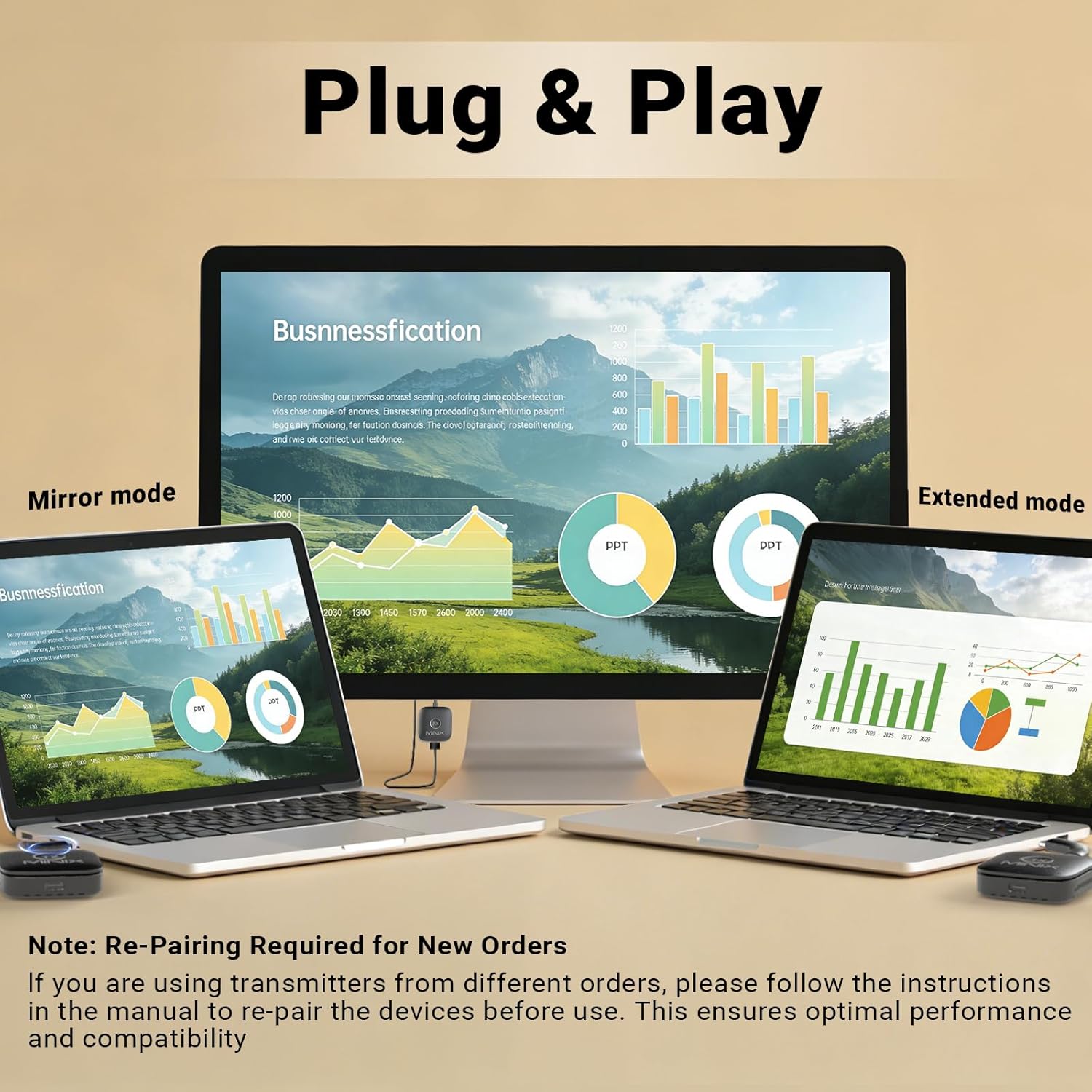
Image: A laptop connected to a monitor via the MINIX B21, demonstrating both mirror mode (duplicate display) and extended mode (separate display) functionality.
미러 및 확장 디스플레이 모드
Depending on your operating system settings, you can configure the external display to either mirror your primary screen or extend your desktop, providing more workspace. Adjust these settings directly from your source device's display preferences.
다중 장치 연결
The MINIX B21 system includes two Transmitters (TX) and one Receiver (RX). This allows you to connect two source devices simultaneously and switch between them with ease. A single Receiver (RX) can be paired with up to four Transmitters (TX), enabling flexible management of multiple video sources. To pair additional Transmitters, refer to the re-pairing instructions in the manual.

Image: Two individuals in a meeting setting using MINIX B21 Transmitters connected to their laptops, wirelessly displaying content on a shared large screen, highlighting the multi-device capability.
원클릭 연결 해제/재연결
For privacy or to temporarily stop transmission, simply press the function button on the Transmitter (TX) to disconnect. Press it again to reconnect and resume display.
응용 프로그램
The MINIX B21 is suitable for a variety of environments:
- 홈 엔터테인먼트: Stream movies, videos, or games from your devices to your TV.
- Office Presentations: Conduct professional presentations without the clutter of cables.
- 교육 환경: Share content from laptops or tablets with students on a larger display.
- 노름: Enjoy mobile or handheld console gaming on a big screen with minimal latency.

Image: Collage showing the versatility of the MINIX B21 in different scenarios, including a classroom, a home theater, a fitness session, and an outdoor movie night.
Video: An official MINIX video highlighting the plug-and-play functionality and various applications of the B21 Wireless HDMI adapter, including home entertainment, presentations, and gaming.
문제 해결
If you encounter issues with your MINIX B21, refer to the following common solutions:
- 디스플레이에 신호가 없습니다:
- Ensure the Receiver (RX) is properly connected to the HDMI port of your display and is receiving adequate power (5V, 2A or higher).
- Verify that the correct HDMI input source is selected on your display.
- Confirm that your source device's USB-C port supports video output (DP-Alt Mode). Not all USB-C ports support this function.
- If your source device requires it, ensure the Transmitter (TX) is also connected to an external power source.
- Try disconnecting and reconnecting both the TX and RX units.
- Occasional Lag or Stuttering:
- Ensure the distance between the Transmitter (TX) and Receiver (RX) is within the recommended 50-meter range and there are no significant obstructions.
- Minimize interference from other wireless devices operating on the 5GHz band.
- Check if your source device is running too many applications, which might affect performance.
- Receiver (RX) Gets Warm:
- It is normal for the Receiver (RX) unit to become warm during extended use. Ensure it has adequate ventilation and is not covered. If it becomes excessively hot or malfunctions, discontinue use and contact support.
- Cannot Switch Between Transmitters:
- Press the function button on the desired Transmitter (TX) to activate its signal. The RX unit should automatically switch to the active TX.
- If you have new Transmitters or are using them from a different order, they may need to be re-paired with the Receiver (RX). Refer to the manual for specific re-pairing instructions.
- Resolution Issues (Only 1080p Supported):
- The MINIX B21 supports a maximum resolution of 1080p at 60Hz. It does not support 4K resolution. Ensure your source content and display settings are configured for 1080p for optimal performance.
명세서
| 모델 번호 | B21 |
| 상표 | MINIX |
| 연결 기술 | Wireless HDMI (WiFi 5G/60Hz) |
| 비디오 해상도 | 1080p Full HD at 60Hz |
| 무선 범위 | 개방된 공간에서 최대 50미터(164피트) |
| 호환 장치 | Laptops, Personal Computers, Projectors, Smartphones, Televisions (with USB-C DP-Alt Mode support for source devices) |
| 특별 기능 | Plug and Play, Long Range, Multi-Device Connectivity (2 TX, 1 RX; supports up to 4 TX per RX) |
| 오디오 출력 모드 | Stereo, Surround (5.1) |
| 비디오 인코딩 | H.264, H.265/HEVC |
| 제품 치수 | 1.97 x 0.5 x 5.91 인치 |
| 품목 무게 | 2.89 온스 |
안전 정보
기기의 올바른 작동을 보장하고 기기 손상이나 부상을 방지하기 위해 다음 안전 지침을 읽고 준수하십시오.
- 기기를 물, 습기 또는 극한 온도에 노출시키지 마세요.
- 장치를 떨어뜨리거나 강한 충격을 가하지 마십시오.
- 기기를 분해하거나 개조하지 마십시오. 보증이 무효화됩니다.
- Use only the provided or recommended power adapters and cables.
- 장치를 열원이나 직사광선으로부터 멀리 두십시오.
- Ensure adequate ventilation around the Receiver (RX) unit during operation to prevent overheating.
보증 및 지원
MINIX products come with a standard manufacturer's warranty. For detailed warranty information, technical support, or service inquiries, please visit the official MINIX website or contact MINIX customer service directly. Please retain your proof of purchase for warranty claims.
제조업체: MINIX Technology Limited


