소개
This manual provides essential information for the proper setup, operation, and maintenance of your Xiaomi Smart Skipping Rope. Designed for effective fitness training, this smart skipping rope features precise jump tracking, flexible training modes, and smart data analysis. Please read this manual thoroughly before using the product to ensure optimal performance and safety.
제품 끝view
The Xiaomi Smart Skipping Rope integrates innovative technology with a user-friendly design to enhance your fitness routine. It features high-precision sensors for accurate jump counting and offers both wired and wireless skipping options.
주요 특징:
- Precise Jump Counting: Equipped with three high-precision Hall sensors and a self-developed intelligent counting algorithm for accurate repetition tracking, even offline.
- Flexible Training Modes: Easily switch between wired (with rope) and wireless (with air swing balls) skipping for versatile indoor and outdoor workouts.
- 스마트 디스플레이: A hidden curved LED screen integrated into the handle provides clear display of training data in various lighting conditions.
- Detailed Fitness Analysis: Generates weekly, monthly, and annual performance reports to monitor progress and calorie burn.
- 최신 연결성: Utilizes Bluetooth Low Energy 5.0 for connection to the Xiaomi Fitness app and features a USB-C charging port.
- 내구성 있는 디자인: Constructed from high-quality PC and ABS plastic with an ergonomic handle for comfortable and long-lasting use.
구성 요소:
The product consists of two handles, a main rope for wired skipping, and two air swing balls for wireless skipping. The handles contain the smart display, sensors, and charging port.
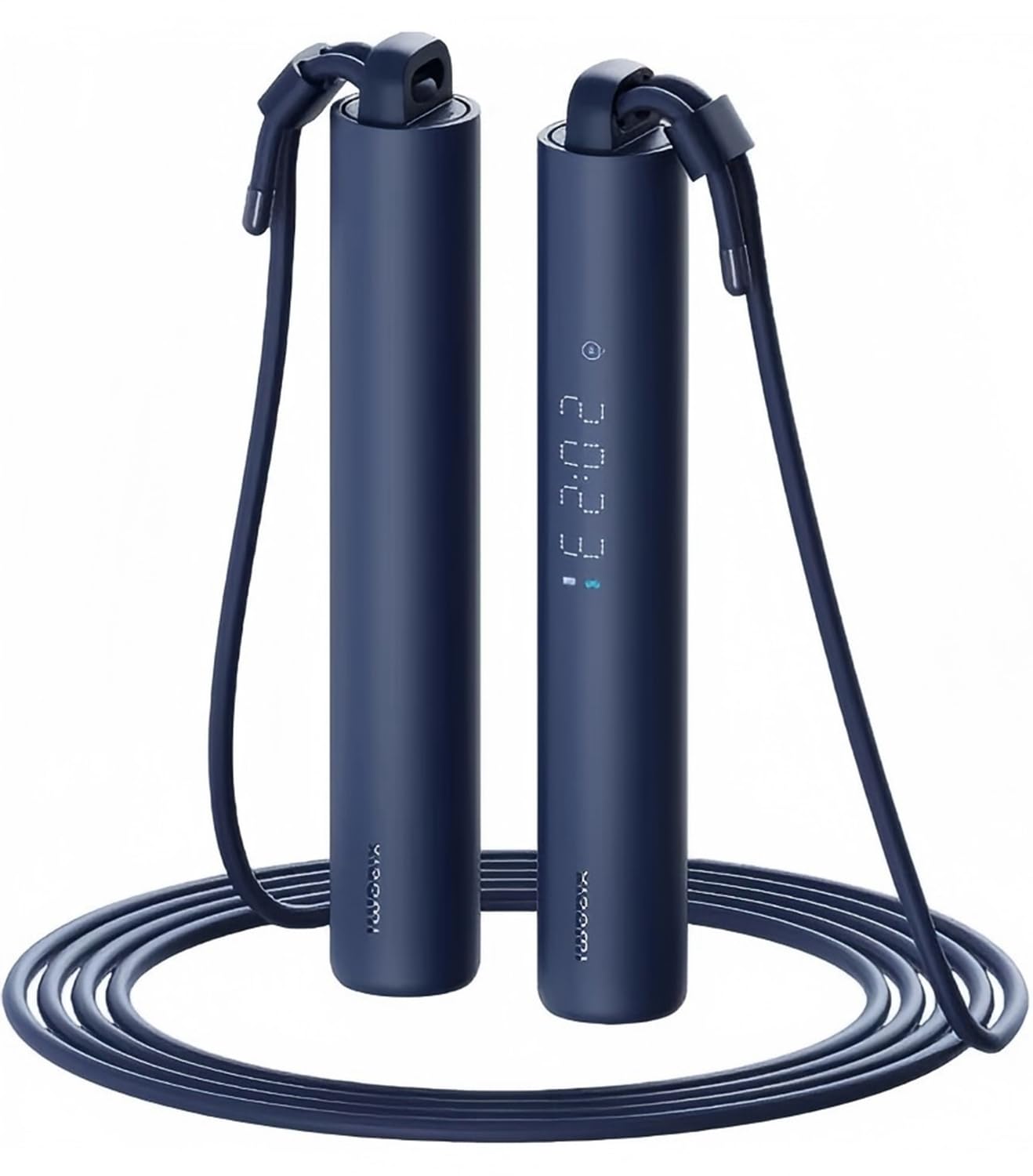
그림 1: 이상view of the Xiaomi Smart Skipping Rope, showing both handles and the rope attachment.
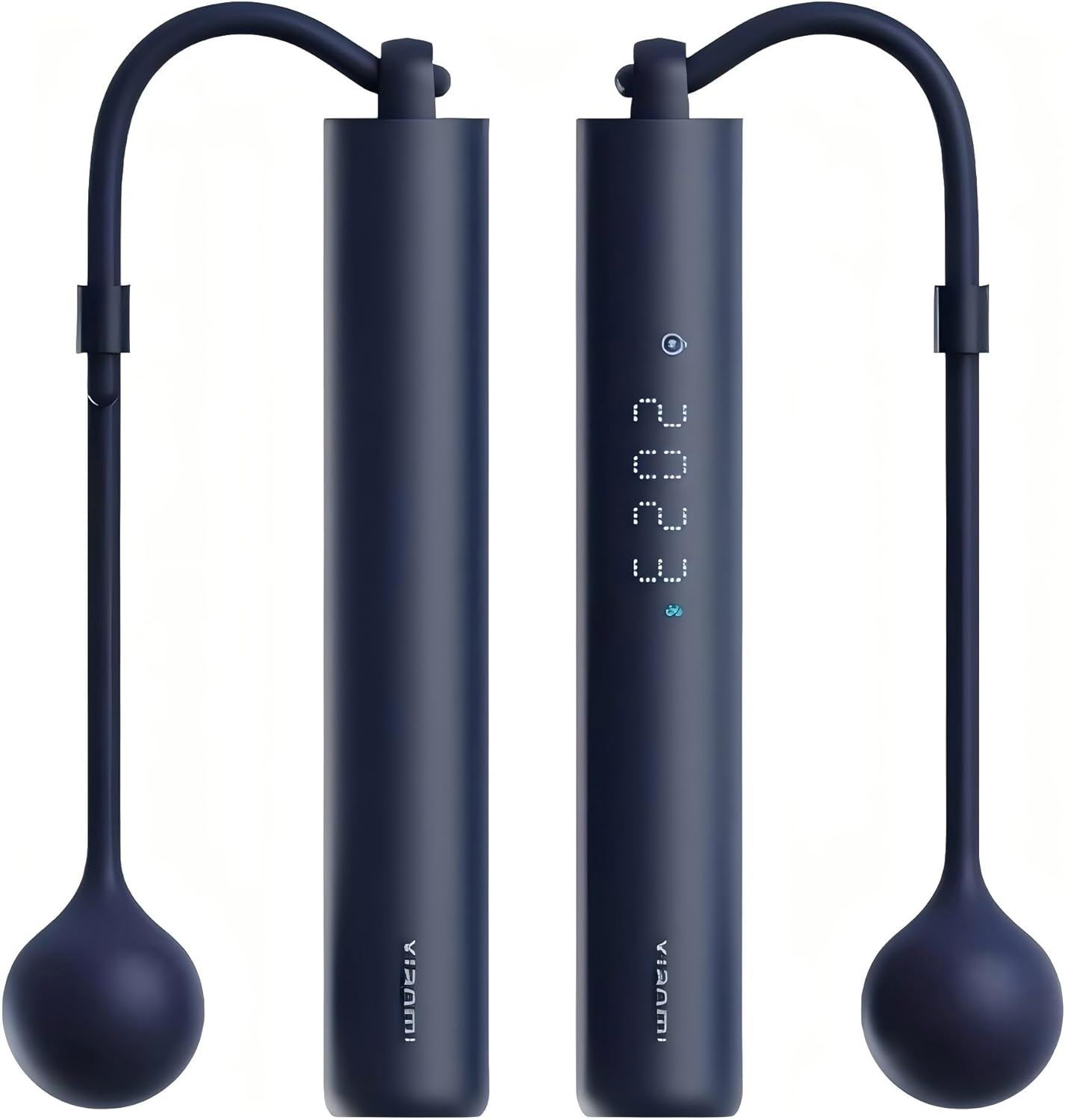
그림 2: 클로즈업 view of one handle, highlighting the integrated LED display.
설정
1. 장치 충전
Before first use, fully charge the smart skipping rope. Locate the USB-C charging port on one of the handles. Connect the provided USB-C cable to the port and the other end to a standard USB power adapter (not included). The LED display will indicate charging status.
2. App Connection (Bluetooth)
- 다운로드 Xiaomi Fitness App from your device's app store (compatible with Android 8.0+ and iOS 12.0+).
- 스마트폰에서 Bluetooth가 활성화되어 있는지 확인하세요.
- Open the Xiaomi Fitness App and follow the on-screen instructions to add a new device.
- Turn on the smart skipping rope (if not already on). The app will detect the device via Bluetooth Low Energy 5.0.
- Confirm the pairing request on both the app and the skipping rope (if prompted).
3. Selecting Training Mode: Wired or Wireless
The Xiaomi Smart Skipping Rope supports both traditional wired skipping and a cordless mode using air swing balls.
- 유선 모드 : Attach the main rope to both handles. Ensure the rope is securely fastened. This mode is suitable for outdoor use and traditional skipping.
- 무선 모드: Detach the main rope. Attach the two air swing balls to each handle. These balls simulate the resistance and feel of a rope, making this mode ideal for indoor use or in confined spaces to prevent tripping.

Figure 3: Illustration of the dual cord mode, demonstrating the setup for both wired (Exercise Rope) and wireless (Air Flick) skipping.
작동 지침
1. 전원 켜기/끄기
Press and hold the power button (usually located on one of the handles) for a few seconds to turn the device on or off. The LED display will light up upon activation.
2. Selecting Display Modes
The integrated dot matrix display cycles through different information modes. Short press the function button (if available, or the power button if it doubles as one) to switch between:
- 계산 모드: Displays the total number of jumps.
- 시간 표시 모드: Shows the duration of your skipping session.
- 칼로리 모드: 운동 중 소모되는 칼로리를 추정해 줍니다.

Figure 4: The smart handle display illustrating the three primary modes: Counting, Timekeeping, and Calorie tracking.
3. 운동 시작하기
Once powered on and your preferred mode (wired or wireless) is set, simply begin skipping. The smart sensors will automatically detect and record your jumps. Ensure a smooth, consistent motion for accurate tracking.
4. Real-Time Data Logging and Analysis
The device continuously logs your motion data. For detailed analysis, connect the skipping rope to the Xiaomi Fitness App. The app provides:
- Real-time workout statistics.
- Comprehensive reports (weekly, monthly, annual) on performance, jump count, duration, and estimated calories burned.
- Progress tracking and goal setting.

Figure 5: The Xiaomi Fitness App displaying real-time workout data, including jump count, duration, and calorie burn.
5. Custom Training Modes and Guided Courses
The Xiaomi Fitness App offers various training modes and guided courses to help you achieve specific fitness goals. You can customize exercise modes and intensity based on your personal objectives and physical condition.

Figure 6: A user engaging in a custom training mode with the smart skipping rope, demonstrating flexible workout options.

Figure 7: The Xiaomi Sports Health App providing guided coaching for skipping rope exercises, offering rich and engaging courses.
유지
- 청소: Wipe the handles and rope with a soft, damp 옷감. 연마성 세제를 사용하거나 장치를 물에 담그지 마십시오.
- 저장: Store the skipping rope in a cool, dry place away from direct sunlight and extreme temperatures. Avoid bending or kinking the rope excessively.
- 배터리 관리 : 배터리 수명을 연장하려면 자주 사용하지 않더라도 정기적으로 충전하세요. 장시간 배터리를 완전히 방전시키지 마세요.
- 로프 검사: Periodically check the rope and air swing balls for any signs of wear or damage. Replace if necessary to ensure safe operation.
문제 해결
| 문제 | 가능한 원인 | 해결책 |
|---|---|---|
| 장치의 전원이 켜지지 않습니다. | 배터리가 부족합니다. 기기가 고장났습니다. | 기기를 완전히 충전하십시오. 문제가 지속되면 고객 지원팀에 문의하십시오. |
| 블루투스 연결에 실패했습니다. | Bluetooth off; device out of range; app issue. | Ensure Bluetooth is on. Bring device closer to phone. Restart the app and the skipping rope. Check app permissions. |
| Inaccurate jump counting. | Incorrect skipping technique; loose rope/balls; sensor obstruction. | Maintain a consistent skipping rhythm. Ensure rope/balls are securely attached. Check for any physical obstructions around the handles. |
| Display is not visible. | Device off; low battery; display malfunction. | Turn on the device. Charge the battery. If still not visible, contact customer support. |
명세서
- 모델 번호: 44578
- 상표: 샤오미
- 치수(길이 x 너비 x 높이): 16.22 x 2.5 x 2.5 cm (handles)
- 무게: 180그램
- 재료: ABS Plastic, Silicone (handle)
- 로프 길이: 3 Meters (adjustable)
- 연결성: 블루투스 저에너지 5.0
- 충전 포트: USB-C
- 배터리: 통합 충전식 배터리
- 특별 기능: Digital display, Anti-friction, Ergonomic handle, Padded handle, Wireless mode
- 권장 사용: Bodybuilding, Exercise and fitness, Speed and endurance training
- 호환성: 안드로이드 8.0 이상, iOS 12.0 이상
안전 정보
- 새로운 운동 프로그램을 시작하기 전에 의사와 상담하세요.
- Ensure adequate space around you when skipping to avoid injury or damage to property.
- 장치가 손상된 경우 사용하지 마십시오.
- 기기를 물과 과도한 습기로부터 멀리하세요.
- 어린이와 애완동물의 손이 닿지 않는 곳에 보관하세요.
- 충전 시에는 제공된 충전 케이블이나 인증된 USB-C 케이블만 사용하세요.
- 장치를 직접 분해하거나 수리하려고 하지 마십시오.
보증 및 지원
For warranty information or technical support, please refer to the warranty card included with your product or visit the official Xiaomi web해당 웹사이트를 참조하십시오. 도움이 필요하시면 가까운 판매점에 문의하셔도 됩니다.


