소개
Thank you for choosing the LIORQUE SM-01 White Noise Machine with Alarm Clock. This device is designed to enhance your sleep, relaxation, and wake-up experience with a variety of soothing sounds, an adjustable night light, and a customizable alarm clock. Please read this manual carefully to ensure proper use and to fully enjoy all its features.
안전 정보
- 주의: Use only with the provided power cable.
- 습도가 높은 환경에서는 사용하지 마십시오.
- 과도한 열에 노출시키지 마십시오.
- 이 장치는 장난감이 아닙니다.
- Risk of sunburn or electric shock if mishandled.
- Avoid prolonged exposure to high sound levels.
- 어린이의 손이 닿지 않는 곳에 보관하세요.
패키지 내용

The image displays the LIORQUE SM-01 White Noise Machine, a charging cable, a power adapter, and the user manual, all neatly arranged with the product packaging.
짐을 풀 때 다음 품목이 모두 있는지 확인하세요.
- LIORQUE SM-01 White Noise Machine with Alarm Clock (x1)
- 충전 케이블(x1)
- 전원 어댑터(x1)
- 사용 설명서(x1)
제품 끝view 및 제어

This image illustrates the top panel of the device, highlighting the various buttons and their corresponding functions for easy identification and operation.
Familiarize yourself with the control buttons located on the top of the device:
- 알람 스위치: 경보를 작동시키거나 해제합니다.
- Time Set / Dimmer: Long press to set the time; short press to adjust display brightness.
- 볼륨 -: 볼륨을 낮춥니다.
- Snooze / Light Button: Activates snooze during an alarm; short press to turn on/off or adjust the night light.
- 볼륨 + : 볼륨을 높입니다.
- 사운드 버튼: Selects soothing sounds.
- 타이머 버튼: Sets the sleep timer duration.
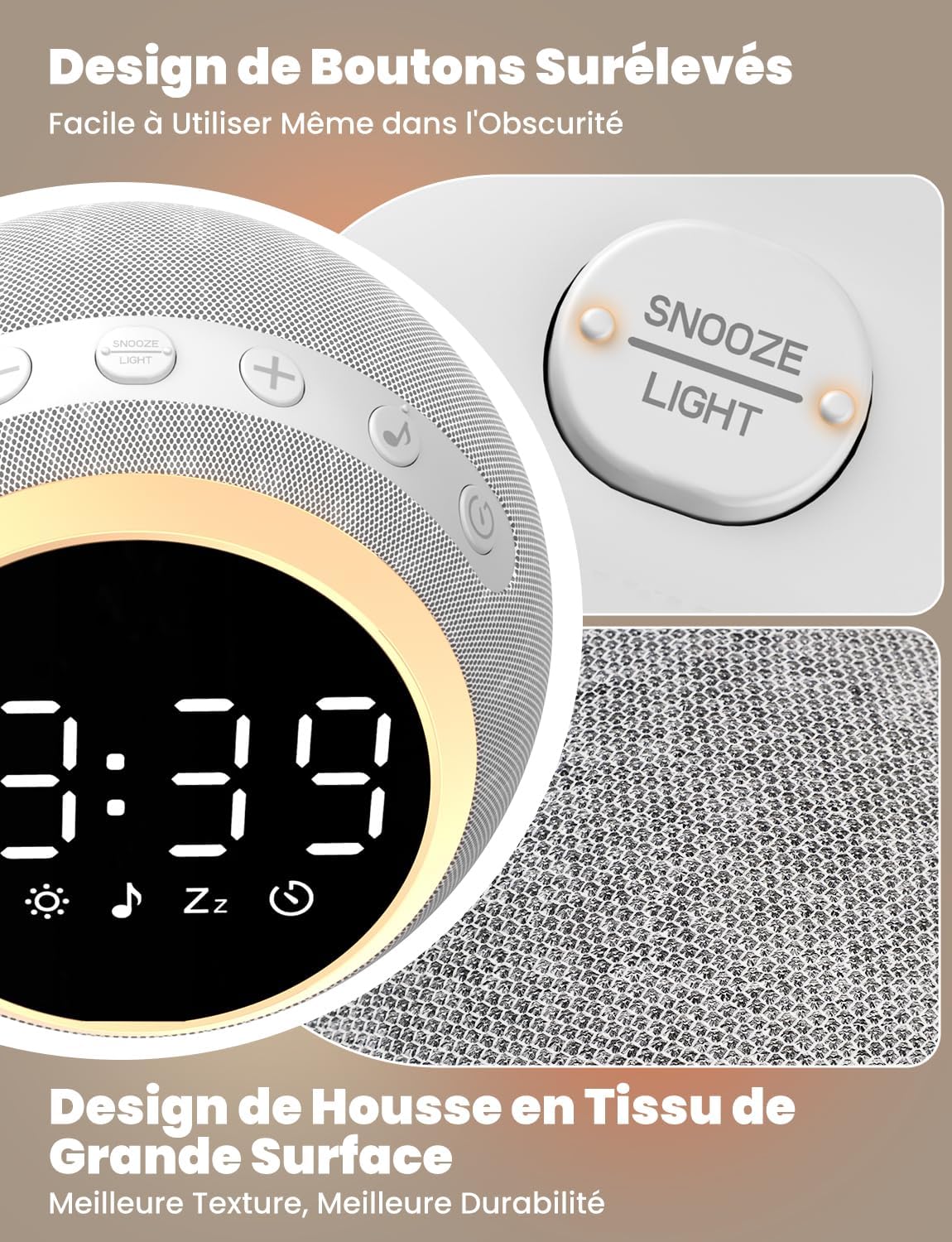
The device features raised buttons for intuitive operation, even in low light conditions, and a durable fabric-wrapped casing.
설정
- 전원 연결: Connect the provided power cable to the device and plug the adapter into a standard electrical outlet. The device will power on automatically.
- 초기 시간 설정: 길게 누르세요 시간 설정 button. Use the Volume +/- buttons to adjust the hour and minute. Press the Time Set button again to confirm each setting.
작동 지침
1. White Noise and Soothing Sounds

The device offers 25 natural sounds, including various nature sounds and lullabies, to promote relaxation and sleep.
- 소리 선택: 를 누르세요 사운드 버튼 to cycle through the 25 available natural sounds (e.g., thunderstorms, rain, lullabies).
- 볼륨 조절: 사용하세요 볼륨 + 그리고 볼륨- buttons to set your desired sound level. The device offers 16 levels of volume adjustment.
2. 알람 시계 기능
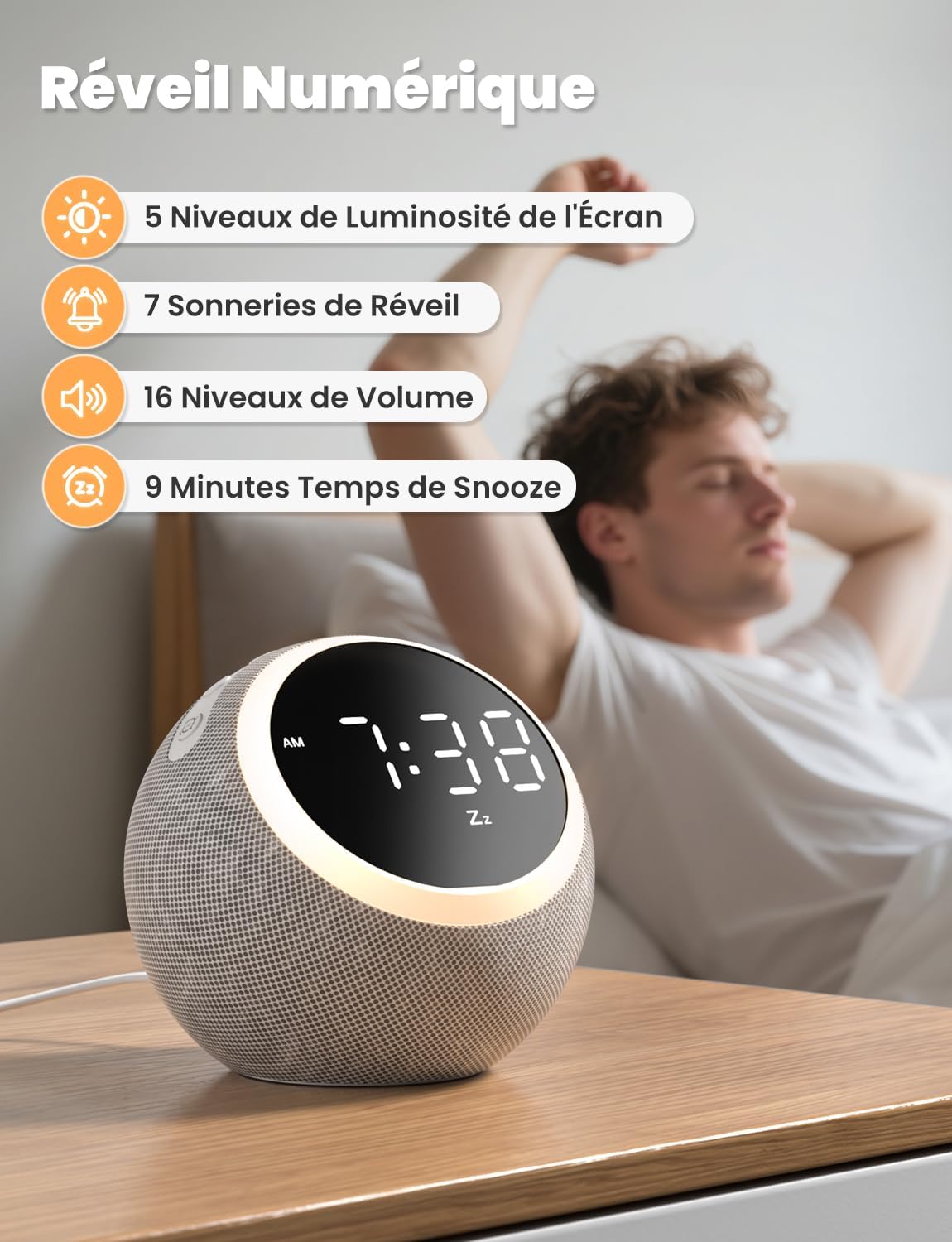
The digital alarm clock features 5 display brightness levels, 7 alarm tones, 16 volume levels, and a 9-minute snooze function.
- 알람 설정: 길게 누르세요 알람 스위치 button. Use the Volume +/- buttons to set the alarm time. Press the Alarm Switch again to confirm.
- Choosing Alarm Tone: While setting the alarm, you can select from 7 pleasant alarm tones.
- 스누즈 기능 : 알람이 울리면 버튼을 누르세요. Snooze / Light Button to get an additional 9 minutes of sleep.
- 경보 해제: 를 누르세요 알람 스위치 button to turn off the alarm for the day.
3. 야간 조명

The night light offers 10 adjustable levels of brightness and color temperature from 1500K to 6500K, allowing for personalized ambiance.
- Activating/Adjusting Light: 짧게 누르세요 Snooze / Light Button to turn on the night light. Continue pressing to cycle through 10 levels of brightness and color temperature (1500K to 6500K).
- Turning Off Light: 를 누르세요 Snooze / Light Button 불이 꺼질 때까지.
4. 디스플레이 밝기

The display brightness can be adjusted across 5 levels, including a completely dark mode, suitable for light-sensitive sleepers.
- 화면 표시 조정: 짧게 누르세요 Time Set / Dimmer button to cycle through 5 levels of display brightness, including a complete blackout mode.
5. 취침 타이머

The sleep timer allows you to set the device to automatically turn off sounds and lights after a duration between 5 and 480 minutes.
- 타이머 설정: 를 누르세요 타이머 버튼 to select a desired sleep timer duration (e.g., 5, 15, 30, 60, 90, 120, 180, 240, 300, 360, 420, 480 minutes). The sound and light will automatically turn off after the set time.
- Disabling Timer: Continue pressing the Timer Button until the timer indicator disappears from the display.
유지
- 청소: Disconnect the power before cleaning. Wipe the device with a soft, dry cloth. Do not use liquid cleaners or abrasive materials.
- 저장: 장기간 사용하지 않을 때는 기기를 서늘하고 건조한 곳에 보관하세요.
문제 해결
- 장치가 켜지지 않음: 전원 케이블이 기기와 콘센트에 제대로 연결되어 있는지 확인하십시오. 콘센트가 정상적으로 작동하는지 확인하십시오.
- 소리가 나지 않습니다: 볼륨 +/- 버튼을 사용하여 볼륨 레벨을 확인하십시오. 소리가 선택되어 있는지 확인하십시오.
- 알람이 울리지 않습니다: Verify the alarm is set and activated (check the alarm icon on the display). Ensure the alarm volume is not set to zero.
- Display too bright/dark: Adjust the display brightness using the Time Set / Dimmer button.
명세서
| 특징 | 사양 |
|---|---|
| 모델 번호 | 에스엠-01 |
| 상표 | 리오르크 |
| 치수 | 14.7 x 13.6 x 13.5cm |
| 무게 | 480그램 |
| 전원 | 전기 케이블 |
| Number of Soothing Sounds | 25 |
| 디스플레이 밝기 수준 | 5 (including off) |
| 야간 조명 밝기 | 10 |
| 야간 조명 색온도 | 1500K - 6500K |
| 경보음 | 7 |
| 다시 알림 시간 | 9 분 |
| Sleep Timer Duration | 5~480분 |
보증 및 지원
LIORQUE products are designed and manufactured to the highest quality standards. For any questions, technical support, or warranty claims, please refer to the contact information provided on the product packaging or visit the official LIORQUE web대지.
보증을 위해 구매 증빙서류를 보관하세요.


