1. 제품 오버view
The SUNVIVI ZEH003 Helmet & Cap Care Machine is designed to clean, dry, and reshape various types of headwear, including helmets and caps. It utilizes high-temperature steam, UV light, and ozone to remove odors, sanitize, and restore shape, ensuring your gear remains hygienic and fresh.

이미지: 이상view of the SUNVIVI Helmet & Cap Care Machine highlighting its key features.
구성 요소

이미지: 상세 view of the machine's components, including the removable support frame, steam outlet, touch control panel, UV light, water tank inlet, and air outlet.
- Removable Support Frame: For holding hats and helmets in shape during the care process.
- 증기 배출구: Releases high-temperature steam for cleaning and reshaping.
- 터치 제어판: For selecting modes and controlling operations.
- 자외선: Provides efficient sterilization.
- Water Tank Inlet: Where water is added for steam generation.
- 공기 배출구: For hot and gentle air drying.
2. 설정 지침
Follow these steps to set up your SUNVIVI Helmet & Cap Care Machine for first use.
- 물 탱크 채우기: Locate the water tank inlet. Carefully pour clean water into the tank. The maximum capacity is 200ml. Do not overfill.
- Place Headwear on Support Frame: Place your helmet or cap onto the removable support frame. Ensure it is seated securely. If the headwear is very tight, you may remove the support frame and place the headwear directly on the machine.
- 전원 연결: Plug the machine into a standard 120V power outlet.

Image: Instructions for filling the water tank and positioning a helmet.

Image: Instructions for filling the water tank and positioning a cap.
3. 사용 설명서
The machine offers multiple modes for diverse care needs. Use the touch control panel to select your desired function.
사용 가능한 모드:

Image: The control panel displaying the six operational modes and their typical durations.
- 자동 모드: A comprehensive 30-minute cycle combining steam, hot wind, and gentle wind for general care.
- 스팀 모드: A 5-minute steam cycle for refreshing and reshaping.
- Hot Wind Mode: A 13-minute cycle using hot wind and ozone for drying and deodorizing.
- Gentle Wind Mode: A 12-minute cycle using gentle wind and ozone for delicate drying and deodorizing.
- UV 모드: A 15-minute cycle for sterilization using UV light.
- 다크 모드: Activated by touching the SET button for 3 seconds, this mode operates without ambient lighting.
Temperature Control and Drying:
The machine features smart temperature control, maintaining a range of 55-70°C during drying cycles. This prevents dampness, eliminates odors, and ensures thorough drying.
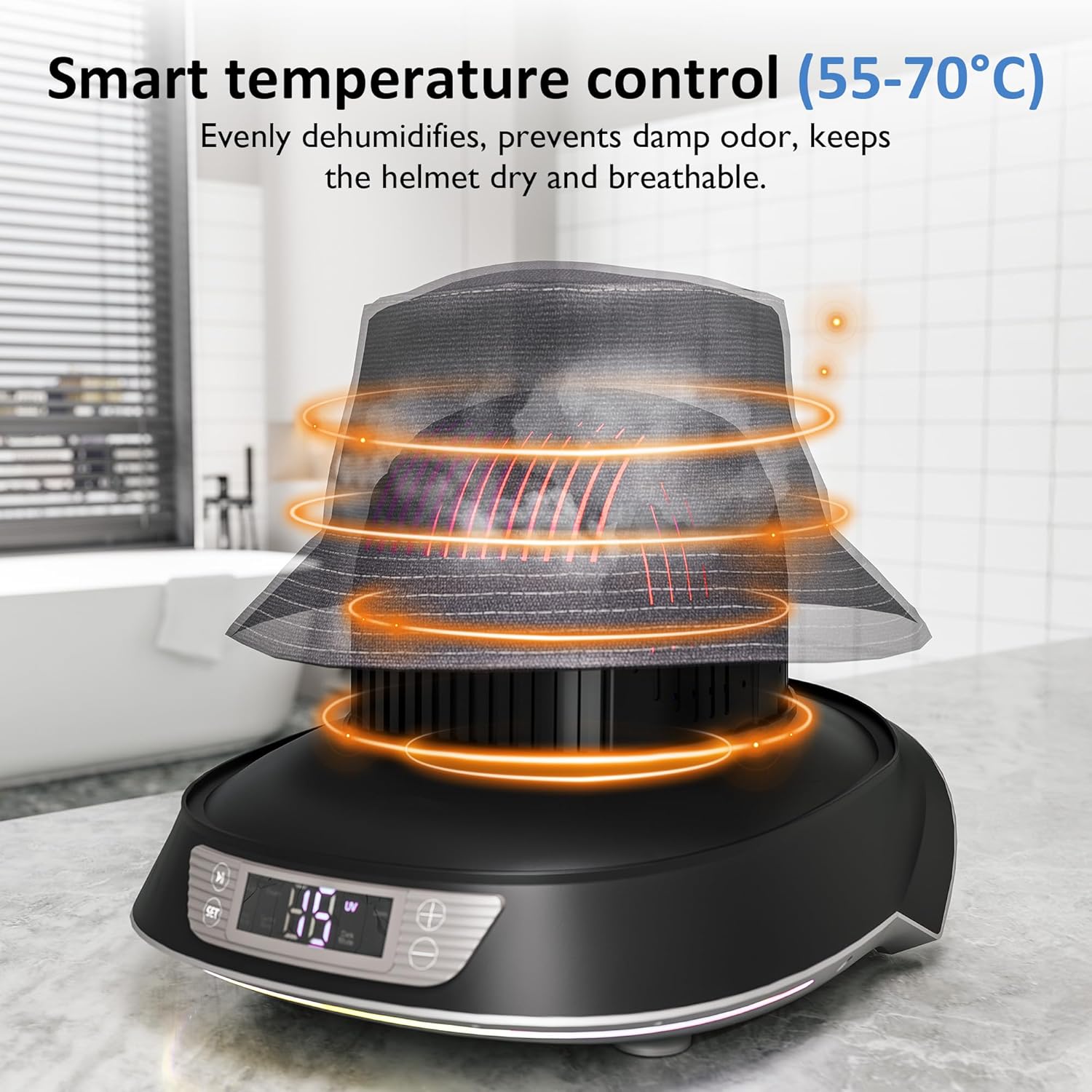
Image: The machine in operation, demonstrating the smart temperature control for drying and dehumidification.
다재:
The detachable hat holder structure accommodates various headwear types and materials, including helmets, baseball caps, bucket hats, berets, and beanies. It is suitable for polyester, cotton, linen, denim, wool, velvet, and nylon.

이미지: 전amples of different hat and helmet types, along with fabric types, compatible with the care machine.
결과:
After using the care machine, headwear will be refreshed, odor-free, and have its shape restored, providing a hygienic and comfortable experience.

Image: Visual comparison illustrating the benefits of using the machine, showing a fresh and clean hat after treatment.
4. 유지관리
Regular maintenance ensures the longevity and efficient performance of your machine.
석회질 제거 알림:
The machine features a smart descaling reminder. After approximately 100 uses, the device will alert you with a beep, indicating that descaling is recommended to remove limescale buildup and maintain powerful steam output.
석회질 제거 과정:
To begin descaling, press and hold the "Start" and "Pause" buttons simultaneously for 2 seconds.

Image: Visual guide for the smart descaling reminder and how to initiate the descaling process.
수조:
The 200ml water tank provides sufficient capacity for multiple uses, reducing the frequency of refills. Ensure the tank is clean and free of residue.
5. 문제 해결
이 섹션에서는 일반적으로 발생할 수 있는 문제에 대한 해결책을 제공합니다.
- 기계가 켜지지 않음:
- 전원 코드가 기계와 작동하는 전기 콘센트에 모두 단단히 꽂혀 있는지 확인하세요.
- 다른 장치를 연결해 콘센트가 작동하는지 확인하세요.
- 증기 생산 없음:
- Verify that the water tank is filled to the appropriate level (max 200ml).
- Perform a descaling cycle if the descaling reminder has activated or if you suspect limescale buildup.
- Headwear Remains Damp After Cycle:
- Ensure the headwear is not excessively wet before placing it in the machine.
- Select a longer drying mode or repeat a hot wind/gentle wind cycle if necessary.
- Ensure proper air circulation around the machine.
- 작동 중 이상한 냄새:
- This may be normal during the ozone cycle. Ensure the area is well-ventilated.
- If the odor persists or is unusual, clean the water tank and internal components.
6. 사양
| 상표 | 순비비 |
| 모델명 | ZEH003 |
| 색상 | 검은색 |
| 특별 기능 | Automatic Operation, Hat Drying, Hat Ironing, Shape Restoration, UV, Ozone, Steam |
| 제품 치수 | 13.19" 길이 x 11.61" 너비 x 10.8" 높이 |
| 추천 용도 | Cap Maintenance, Cleaner for Various Hats and Helmets, Hat Shape Restoration |
| 기본 소재 | 폴리카보네이트 |
| 권tage | 120 볼트 |
| 왓tage | 1000 와트 |
| 품목 무게 | 6.07파운드 |
| 물탱크 용량 | 200ml |

이미지: 제품 크기를 나타내는 도표.
7. 보증 및 지원
No specific warranty or detailed support information was provided in the product details. For warranty claims or technical assistance, please refer to the contact information provided with your product packaging or visit the official SUNVIVI web대지.


