1. 서론
This manual provides detailed instructions for the setup, operation, maintenance, and troubleshooting of your MOREFINE M9 Pro Mini PC. Please read this manual thoroughly before using the device to ensure proper functionality and longevity.

이미지: 앞면 view of the MOREFINE M9 Pro Mini PC, showcasin컴팩트한 디자인과 전면 포트가 특징입니다.
2. 패키지 내용
패키지에 모든 품목이 들어 있는지 확인하세요.
- 1 x MOREFINE M9 Pro Mini PC
- 1 x HDMI 케이블
- 1 x 전원 어댑터
- 1 x 사용자 매뉴얼(이 문서)
3. 설정 지침
3.1 주변기기 연결하기
- 디스플레이 연결: Use the provided HDMI cable to connect the Mini PC to a monitor or TV. The device supports up to three displays simultaneously via two HDMI 2.0 ports and one Type-C port.
- USB 장치 연결: Plug in your keyboard, mouse, and other USB peripherals into the available USB 3.2 and USB 2.0 ports.
- 네트워크 연결(선택 사항): For a wired internet connection, connect an Ethernet cable to the 2.5G LAN port. Alternatively, the device supports WiFi 6 for wireless connectivity.
- 전원 연결: Plug the power adapter into the DC Power port on the Mini PC, then connect the adapter to a power outlet.

이미지: 후면 및 측면 view of the MOREFINE M9 Pro Mini PC, illustrating the various ports including HDMI, USB, Type-C, LAN, and power input.
3.2 초기 전원 켜기
After connecting all necessary peripherals and power, press the power button located on the front of the Mini PC. The system will boot up. Follow any on-screen instructions for initial operating system setup.
4. 사용 설명서
4.1 전원 관리
- 전원 켜기: 전원 버튼을 누르세요.
- 종료: 운영체제의 종료 기능을 사용하십시오.
- 다시 시작: 운영체제의 재시작 기능을 사용하십시오.
- 수면 모드 : 운영체제의 절전 기능을 사용하십시오.
- 자동 전원 켜기: This feature can be enabled in the BIOS settings. Consult your operating system documentation for accessing BIOS.
- Wake on LAN(WoL): This feature can be enabled in the BIOS settings to power on the device remotely via the network.
4.2 디스플레이 구성
The Mini PC supports triple display output at 4K resolution (3840x2160 pixels) via its two HDMI 2.0 ports and one Type-C port. To configure multiple displays, access your operating system's display settings. You can extend, duplicate, or use only one display.
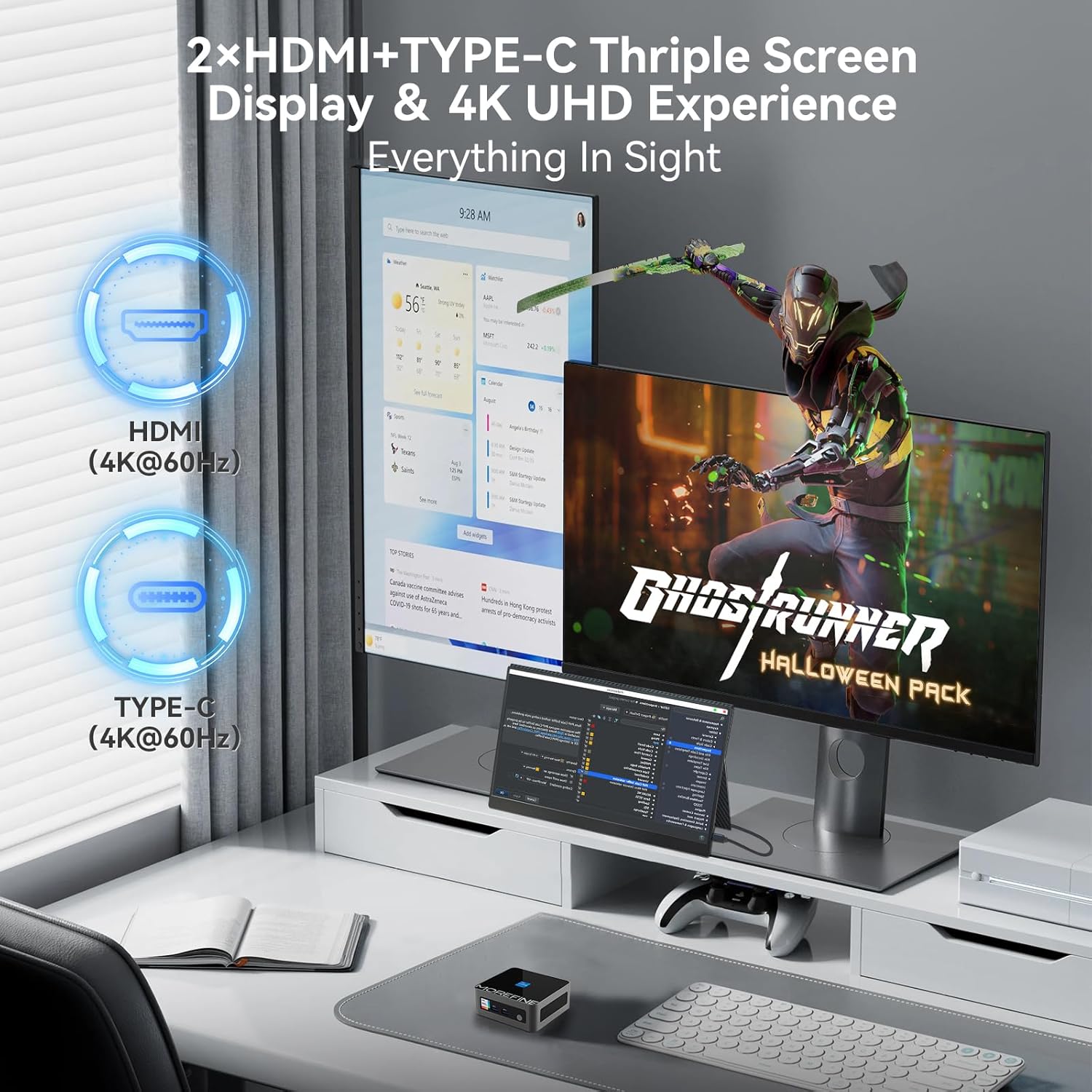
Image: A MOREFINE M9 Pro Mini PC connected to a triple monitor setup, demonstrating its multi-display capability.
4.3 네트워크 연결
- 유선 연결: Connect an Ethernet cable to the 2.5G LAN port for a stable wired network connection.
- 무선 연결(WiFi 6): The device features an integrated WiFi 6 module. Access your operating system's network settings to connect to available wireless networks.
- 블루투스 5.2 : For connecting wireless peripherals such as keyboards, mice, or headphones, use the integrated Bluetooth 5.2. Pair devices through your operating system's Bluetooth settings.

Image: The MOREFINE M9 Pro Mini PC with visual indicators for WiFi 6 and Bluetooth 5.2 connectivity, emphasizing its wireless capabilities.
5. 유지관리
5.1 청소
- 청소하기 전에 장치의 전원이 꺼져 있고 플러그가 뽑혀 있는지 확인하십시오.
- 부드럽고 마른 천으로 미니 PC의 외부를 닦아주세요.
- 환풍구에 쌓인 먼지는 압축 공기를 사용하여 제거하십시오. 환풍구에 물건을 넣지 마십시오.
- 액상 세척제나 연마재의 사용은 피하세요.
5.2 저장 및 업그레이드
The Mini PC is equipped with dual-channel DDR4 SO-DIMM memory, supporting up to 64GB. It also includes one M.2 2242 slot and one M.2 2280 slot for storage expansion, supporting up to 4TB. The pre-installed storage is an M.2 NVME Gen3 X4 SSD. For memory or storage upgrades, consult a qualified technician or refer to detailed upgrade guides available from MOREFINE.

이미지: 내부 view of the MOREFINE M9 Pro Mini PC, illustrating the DDR4 SO-DIMM memory slots and M.2 SSD slots for potential upgrades.
6. 문제 해결
| 문제 | 가능한 원인 | 해결책 |
|---|---|---|
| 전원이 없습니다 | Power adapter not connected; power outlet issue | Ensure power adapter is securely connected to both the Mini PC and a working power outlet. Test the outlet with another device. |
| 디스플레이 출력 없음 | Display cable loose; incorrect input selected on monitor | Check HDMI/Type-C cable connections. Ensure the monitor is set to the correct input source. Try a different display cable or port. |
| 인터넷 연결 없음(유선) | Ethernet cable loose; router/modem issue | Verify Ethernet cable is securely connected. Restart your router/modem. Check network settings in the operating system. |
| 인터넷 연결 없음 (무선) | WiFi disabled; incorrect password; signal interference | Ensure WiFi is enabled in OS settings. Re-enter WiFi password. Move closer to the router or reduce interference. |
| 시스템이 느리거나 응답하지 않음 | Too many applications running; insufficient RAM/storage; overheating | Close unnecessary applications. Check system resources (Task Manager/Activity Monitor). Ensure proper ventilation. Consider RAM/SSD upgrade if issues persist. |
7. 사양
| 특징 | 세부 사항 |
|---|---|
| 모델 | M9Pro-1340p |
| 프로세서 | 13th Gen Intel Core i5-1340P (12 Cores, 16 Threads, up to 4.6GHz, 12MB Cache) |
| 제도법 | Intel Iris Xe 그래픽(통합) |
| 숫양 | 16GB DDR4 SO-DIMM (Dual-channel, expandable up to 64GB) |
| 저장 | 1TB PCIe3.0 NVME SSD (1x M.2 2280 slot, 1x M.2 2242 slot, max 4TB total) |
| 디스플레이 출력 | 2 x HDMI 2.0, 1 x Type-C (Supports 4K UHD Triple Display) |
| USB 포트 | 3 X USB 3.2, 1 X USB 2.0 |
| 회로망 | 2.5G LAN, WiFi 6 (2.5G/5G/6G Tri-band) |
| 블루투스 | 블루투스 5.2 |
| 오디오 | 1 x MIC (Audio Jack) |
| 운영 체제 | 운영체제 (사전 설치됨, 구체적인 버전은 다를 수 있음) |
| 치수 | 약 4.48 x 4.17 x 1.77cm(11.2 x 10.5 x 4.3인치) |
| 무게 | 약 2.2kg(1파운드) |
| 특별 기능 | Auto Power On, PXE Boot, Wake on LAN |
8. 보증 및 지원
8.1 보증 정보
The MOREFINE M9 Pro Mini PC comes with a standard manufacturer's warranty. Please refer to the warranty card included in your package or visit the official MOREFINE web자세한 보증 약관은 해당 사이트를 참조하세요. 보증 청구를 위해 구매 증빙 자료를 보관하세요.
8.2 기술 지원
For technical assistance, troubleshooting beyond this manual, or service inquiries, please contact MOREFINE customer support. Contact information can typically be found on the official MOREFINE web사이트 또는 제품 포장에 표시되어 있습니다.
온라인 리소스: Visit the MOREFINE Store on Amazon


