1. 제품 오버view
The MOUNTUP Lockable RV TV Mount MU2101 is designed for secure and flexible TV mounting in recreational vehicles, campers, travel trailers, motorhomes, and trucks. It features a full-motion design allowing for tilt, swivel, and extension, along with a patented pull-cord locking mechanism to secure the TV during travel.

Figure 1: MOUNTUP Lockable RV TV Mount MU2101
2. 안전수칙
- Ensure the mounting surface in your vehicle is a wooden board at least 1/2 inch thick to provide adequate support.
- 최대 중량 용량은 33파운드(15kg)를 초과하지 마십시오.
- Verify that your TV's VESA pattern is compatible with the mount (75x75mm to 200x200mm).
- Always engage the pull-cord locking mechanism before moving the vehicle to prevent TV movement.
- Perform a stability check after installation and periodically thereafter.
- Keep children and pets away from the TV and mount during installation and adjustment.

Figure 2: Wall thickness requirement for secure installation.
3. 패키지 내용
설치를 시작하기 전에 모든 구성품이 있는지 확인하십시오.
- 벽판 조립체
- TV 브래킷 암 (4개)
- 장착 하드웨어 키트(다양한 나사, 와셔, 스페이서, 앵커)
- 설치 설명서
4. 제품 사양
| 특징 | 사양 |
|---|---|
| TV 크기 호환성 | 13~43인치 |
| 중량 용량 | 최대 33kg(15파운드) |
| VESA 호환성 | 75x75mm, 100x100mm, 100x200mm, 200x100mm, 200x200mm |
| 기울기 각도 | +5° / -15° |
| 회전 각도 | ±90° |
| 벽에서 연장된 부분 | 2.7인치(수축 시)에서 14인치(확장 시)까지 |
| 설치 후 레벨링 | ±3° |
| 재료 | 합금강 |

Figure 3: Visual representation of TV size, max load, and VESA compatibility.

Figure 4: Detailed VESA pattern compatibility chart.
5. 설치 가이드
Follow these steps carefully for a secure installation. It is recommended to have a second person assist during certain steps.
5.1 설치 전 확인 사항
- Confirm your TV's weight and VESA pattern are within the mount's specifications.
- Identify the exact mounting location on your RV wall. Ensure the wooden board is at least 1/2 inch thick.
- Gather necessary tools (e.g., drill, screwdriver, level, stud finder).
5.2 Step 1: Attach Brackets to TV
Carefully place your TV face down on a soft, clean surface. Attach the TV bracket arms to the back of your TV using the appropriate screws, washers, and spacers from the hardware kit. Ensure the brackets are centered and securely fastened.
5.3 Step 2: Mount Wall Plate
Position the wall plate on your desired mounting location. Mark the drill holes. Drill pilot holes into the wooden wall. Secure the wall plate to the wall using the provided lag screws. Ensure the wall plate is level before tightening all screws.
5.4 Step 3: Hang and Secure TV
With assistance, carefully lift the TV with the attached brackets and hook them onto the wall plate. Ensure the TV is properly seated. The mount features a patented dual latch design for secure attachment. Once the TV is hung, engage the pull-cord lock to secure it in place.

Figure 5: Close-up of the patented dual latch design, showing locked and unlocked positions.
5.5 Post-Installation Adjustment
After installation, you can make minor leveling adjustments of up to ±3° to ensure the TV is perfectly horizontal. This feature allows for fine-tuning even after the mount is secured to the wall.
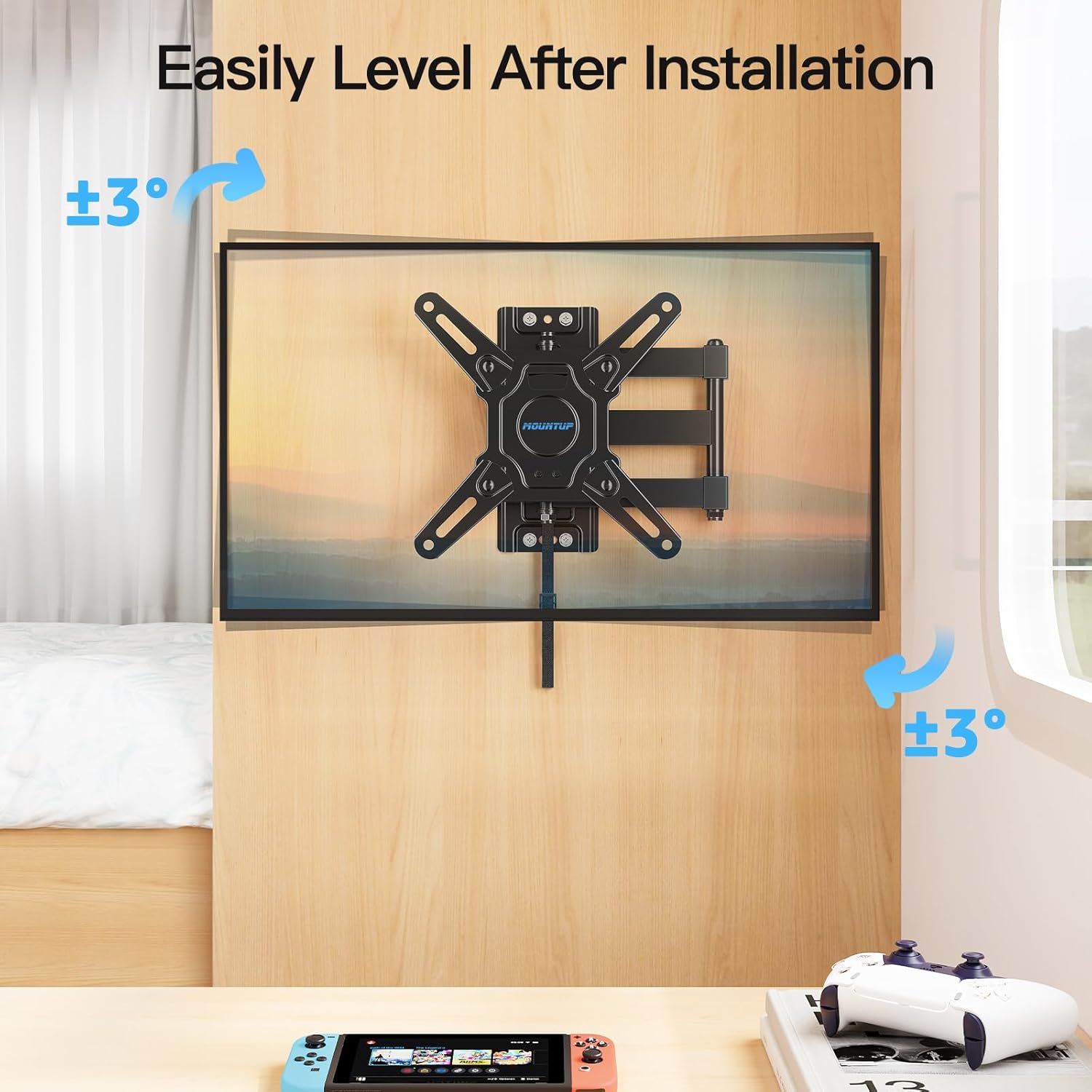
Figure 6: Adjusting the TV level after installation.
6. 사용 설명서
The MOUNTUP RV TV Mount offers various adjustments for optimal viewing and secure travel.
6.1 기울기 조정
The mount allows for a tilt range of +5° (upward) to -15° (downward). This helps reduce glare and provides a comfortable viewing angle from different positions within your RV.

Figure 7: Illustrates the tilt and extension capabilities of the mount.
6.2 회전 조절
The mount can swivel up to ±90° (left or right), allowing you to position the TV for viewing from various angles in your living space.

Figure 8: Demonstrates the swivel range of the mount.
6.3 확장 및 수축
The mount extends up to 14 inches from the wall and retracts back to a slim 2.7 inches, providing flexible positioning and space-saving when not in use.
6.4 Using the Lockable Design
The mount features a pull-cord locking mechanism to secure the TV in its retracted position during travel. To lock, push the TV fully back against the wall until it clicks into place. To unlock, simply pull the cord, and the spring lock will release, allowing you to extend the TV.
Video 1: Demonstration of the MOUNTUP Lockable RV TV Mount's features, including the locking mechanism, extension, swivel, and tilt.
7. 유지관리
- 모든 나사와 볼트가 단단히 조여져 있는지 정기적으로 점검하세요. 필요하면 다시 조이세요.
- Inspect the mount for any signs of wear or damage, especially after long periods of travel.
- 부드럽고 마른 천으로 마운트를 닦으십시오. 연마성 세척제나 용제를 사용하지 마십시오.
8. 문제 해결
| 문제 | 가능한 원인 | 해결책 |
|---|---|---|
| 설치 후 TV가 수평이 아닙니다. | Minor misalignment during wall plate installation. | Use the post-installation leveling feature to adjust the TV up to ±3°. |
| 마운트가 불안정하거나 흔들리는 느낌이 듭니다. | Screws are loose; TV weight exceeds capacity; improper wall material. | Ensure all screws are tightened. Verify TV weight and VESA compatibility. Confirm wall is a solid wooden board at least 1/2 inch thick. |
| Pull-cord lock is difficult to engage/disengage. | TV not fully retracted; mechanism obstruction. | Ensure the TV is pushed completely back against the wall. Check for any obstructions around the locking mechanism. |
9. 보증 및 고객 지원
MOUNTUP is committed to providing quality products and excellent customer service. If you have any questions regarding your MOUNTUP RV TV Mount MU2101, including pre-purchase inquiries or installation assistance, please contact the MOUNTUP professional support team. They are available to provide comprehensive and advanced technology solutions.
For support, please refer to the contact information provided with your product packaging or visit the official MOUNTUP web대지.


