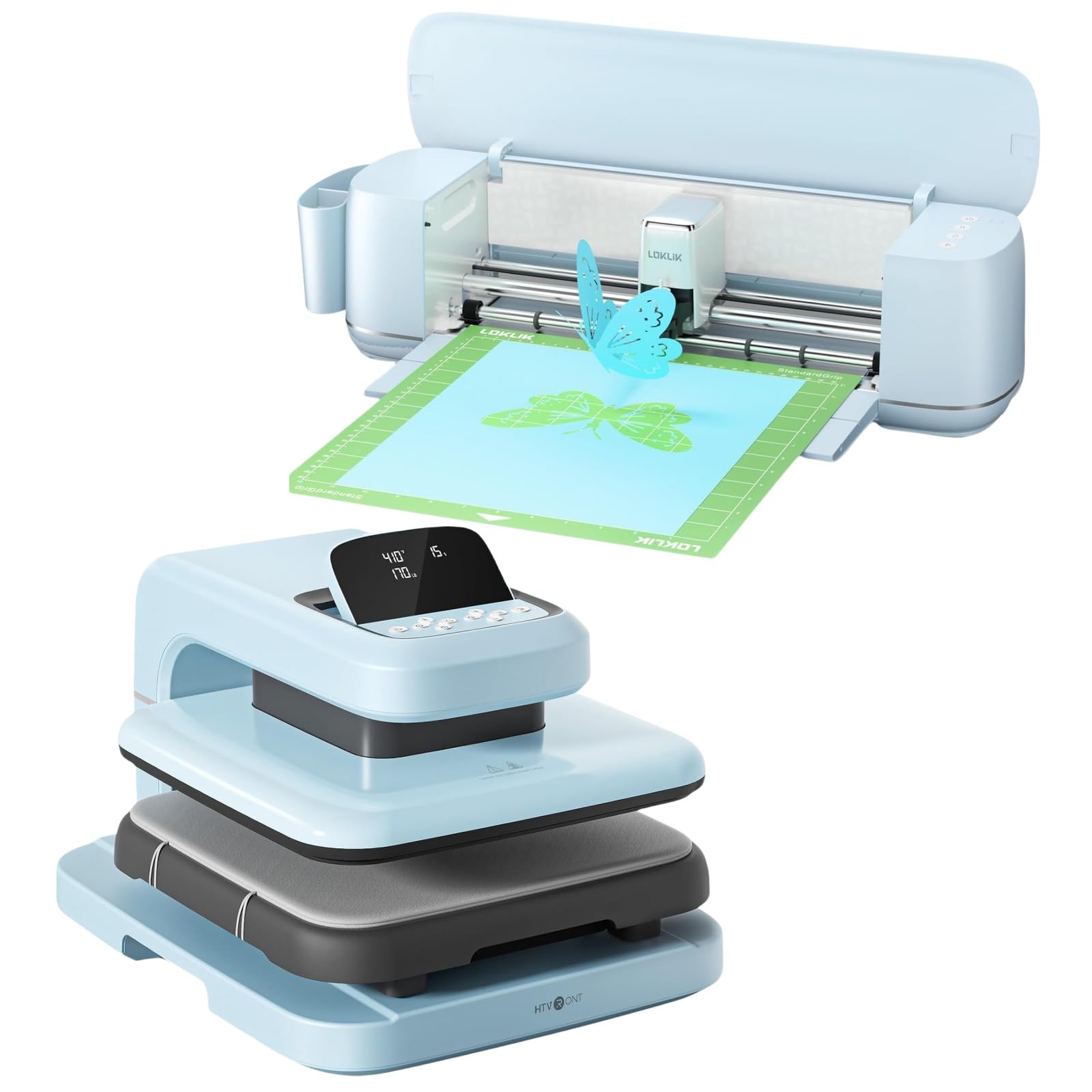
LOKLiK Cutting Machine & Auto Heat Press 2 15x15

LOKLiK Cutting Machine & Auto Heat Press 2 15x15 User Manual

Model: Cutting Machine & Auto Heat Press 2 15x15

소개

This manual provides detailed instructions for the safe and efficient operation, setup, and maintenance of your LOKLiK Cutting Machine and Auto Heat Press 2 15x15. Please read this manual thoroughly before using the product to ensure optimal performance and safety.

중요한 안전 정보

WARNING: To reduce the risk of injury, electric shock, fire, or damage to the product, always follow these basic safety precautions.

패키지 내용

패키지에 모든 품목이 들어 있는지 확인하세요.

제품 끝view

The LOKLiK Cutting Machine and Auto Heat Press 2 15x15 combine precision cutting with automated heat transfer capabilities, designed for various crafting and small business applications.

LOKLiK Cutting Machine Features:

LOKLiK Auto Heat Press 2 15x15 Features:

설치 가이드

1. 풀기 및 배치

2. 전원 연결

3. Cutting Machine Software Installation

LOKLiK IdeaStudio software interface on a laptop, showing a vast image library and design options.
Figure 1: LOKLiK IdeaStudio software interface, demonstrating its vast image library and design capabilities. The software is zero-cost and supports Bluetooth/USB connection.

작동 지침

A. LOKLiK Cutting Machine Operation

1. Preparing Your Design

Various craft projects made with the LOKLiK cutting machine, including paper flowers, cards, keychains, and decorated bottles, showcasing its versatility with over 100 materials.
그림 2: 예amples of diverse projects created using the LOKLiK cutting machine, demonstrating its ability to work with over 100 different materials from 0.1mm to 2mm.

2. 재료 로딩

A LOKLiK cutting machine performing a matless full-length cut of a 'sunflower' design on a wall, with a person feeding the material.
Figure 3: The LOKLiK cutting machine demonstrating its matless full-length cutting capability, supporting smart materials up to 21 feet long.

3. Performing a Cut

Close-up of the LOKLiK cutting machine's blade precisely cutting an intricate 'Good Vibes' design on a material.
그림 4: 자세한 view of the LOKLiK cutting machine's precise cutting action, capable of intricate designs with ultra-precision.

B. LOKLiK Auto Heat Press 2 15x15 Operation

1. Power On and Pre-heating

Three panels showing the LOKLiK Auto Heat Press 2 features: Auto Pressing & Auto Releasing, Fast & Even Heat with dual-zone heating, and Auto Shut-off after 15 minutes.
Figure 5: Key operational features of the LOKLiK Auto Heat Press 2, including automatic pressing and releasing, fast and even dual-zone heating, and a 15-minute auto shut-off for safety and convenience.

2. Preparing Your Item for Pressing

Diagram illustrating the 1.77-inch increased heating height of the LOKLiK Auto Heat Press 2, showing how it accommodates both t-shirts and thicker hoodies.
Figure 6: The increased 1.77-inch heating height of the heat press allows for wider substrate application and greater material compatibility, suitable for items like t-shirts and hoodies.

3. 압력 조절

Image showing the LOKLiK Auto Heat Press 2 with an adjustable pressure range up to 170 LB, and a bar chart indicating pressure levels for different materials like HTV, DTF, Sublimation Paper, and Heat Transfer Paper.
Figure 7: The heat press offers adjustable pressure up to 170 LB, allowing customization for various materials and professional results. Consult the user manual for specific material parameter recommendations.
Comparison image showing two pressed garments, one with 'HTVRONT Auto 2' (Maximum 170 LB Pressure) and another with 'OTHERS' (Maximum 110 LB Pressure), highlighting improved transferred adherence, higher transfer rate, and stronger washable ability with higher pressure.
Figure 8: Demonstrates the benefits of higher pressure (up to 170 LB) for heat transfers, resulting in improved adherence, higher transfer rates, and enhanced washability compared to lower pressure presses.

4. Initiating the Press Cycle

유지

1. Cleaning the Cutting Machine

2. Cleaning the Heat Press

문제 해결

문제가능한 원인해결책
Cutting Machine not powering on.전원 코드가 제대로 연결되지 않았거나 전원 콘센트에 문제가 있는 것 같습니다.전원 연결을 확인하세요. 다른 콘센트에 꽂아 보세요.
Cutting is inaccurate or incomplete.Dull blade; incorrect cut settings; material not loaded correctly.Replace blade. Adjust cut settings in IdeaStudio. Ensure material is flat and aligned.
Heat Press not heating up.Power cord not connected; power switch off; internal fault.Verify power connections and switch. If problem persists, contact support.
Transfer material not adhering properly.Incorrect temperature, time, or pressure settings; material incompatibility.Adjust settings according to material manufacturer's recommendations. Ensure even pressure.
Heat Press auto-shuts off unexpectedly.15-minute standby auto shut-off activated.This is a safety feature. Simply power on again to resume operation.

명세서

특징세부 사항
상표LOKLiK
모델Cutting Machine & Auto Heat Press 2 15x15
Cutting Machine Material Compatibility0.1mm to 2mm thick, over 100 materials
Cutting Machine Max Cut Width13 inches (matless)
Cutting Machine Max Cut Length21 feet (matless)
Cutting Machine Accuracy0.5 mm (print-then-cut)
Heat Press Plate Size15x15인치
Heat Press Max Pressure170파운드
Heat Press Max Temperature화씨 410도(섭씨 210도)
Heat Press Heating TimeReaches 410°F in 5 min 30 sec
Heat Press Adjustable Time Range1~999초
Heat Press Heating Height1.77인치(4.5cm)
Heat Press Auto Shut-off15 minutes standby
작동 모드오토매틱
색상터키 옥
재료(구조)플라스틱(본체)

보증 및 지원

For warranty information, technical support, or service inquiries, please refer to the official LOKLiK web사이트에서 확인하거나 고객 서비스에 직접 문의하세요. 구매 증빙 자료로 구매 영수증을 보관하세요.

LOKLiK Official Web대지: Visit the LOKLiK Store on Amazon

관련 문서 - Cutting Machine & Auto Heat Press 2 15x15

사전view DIY 공예용 LOKLİK ImPress Mini 3 열 프레스
DIY 공예 애호가를 위해 설계된 작고 다재다능한 열 프레스, LOKLİK ImPress Mini 3를 만나보세요. 곡면/평면 이중 열판, 정밀 팁, 그리고 유연한 온도 설정(100~200°C)을 갖춰 머그컵, 신발, 모자, 봉제 인형 등 다양한 물체에 열 전사 및 승화 인쇄를 하는 데 이상적입니다. 빠른 시작 가이드와 안전 기능이 포함되어 있습니다.
사전view LOKLIK Easy Heat Press Machine 사용 설명서 및 사양
LOKLIK Easy Heat Press 기계를 작동하고 유지 관리하는 방법에 대한 포괄적인 가이드로, 자세한 지침, 재료 설정, 안전 예방 조치 및 보증 정보가 포함되어 있습니다.
사전view LOKLIK ImPress Mini 3 사용 설명서: 열 프레스 및 승화 인쇄 가이드
LOKLIK ImPress Mini 3 열 프레스에 대한 포괄적인 사용 설명서입니다. 열전사 비닐, 승화 인쇄 등을 위한 기기의 사용, 설정 및 문제 해결 방법을 알아보세요. 사양, FAQ 및 안전 주의사항이 포함되어 있습니다.
사전view LOKLIK iEngrave LEF02 레이저 조각기 사용 설명서 및 안전 가이드
이 LOKLIK iEngrave LEF02 사용 설명서는 LOKLIK iEngrave 레이저 조각기에 대한 포괄적인 안전 예방 조치, 제품 사양, LightBurn 및 LaserGRBL 소프트웨어의 설치 지침, 자주 묻는 질문을 제공합니다.
사전view LOKLIK iEngrave™ 커버 사용 설명서
LOKLIK iEngrave™ Cover 레이저 조각기(모델 LEF02/LEF01)의 종합 사용 설명서입니다. 안전 주의 사항, 제품 사양, 자세한 설치 가이드, LightBurn 및 Laser GRBL 소프트웨어 설정, 자주 묻는 질문, 유지 관리, 보증 및 FCC 규정 준수에 대한 내용을 담고 있습니다.
사전view VEVOR 다기능 디지털 열 프레스 기계 사용자 가이드
승화 및 열전달 응용 분야에 대한 설정, 작동, 온도 제어, 인쇄 기술 및 문제 해결을 다루는 VEVOR 다기능 디지털 열 프레스 기계에 대한 자세한 사용자 가이드입니다.