소개
Thank you for choosing the OSCAL Hibuds 6 Wireless Earbuds. This manual provides detailed instructions for setting up, operating, and maintaining your earbuds to ensure optimal performance and longevity. Please read this manual thoroughly before use.
상자 안에 무엇이 들어있나요?
패키지에 모든 품목이 들어 있는지 확인하세요.
- OSCAL Hibuds 6 Wireless Earbuds (Left and Right)
- 무선 충전 케이스
- USB-C 충전 케이블
- 사용자 설명서
- Two Extra Pairs of Eartips (Small, Medium, Large)

Image: Contents of the OSCAL Hibuds 6 package, showing the earbuds, charging case, USB-C cable, user manual, and additional eartips.
제품 끝view
The OSCAL Hibuds 6 are designed for comfort and high-fidelity audio. Key features include 13mm dynamic drivers, Bluetooth 5.4 connectivity, and an IPX7 water-resistant rating.
이어버드 및 충전 케이스

Image: The OSCAL Hibuds 6 wireless earbuds resting in their charging case. The case features an LED display indicating the battery percentag케이스와 개별 이어버드 모두에 적용됩니다.
가벼운 디자인

Image: A person wearing the OSCAL Hibuds 6 earbuds, demonstrating their lightweight and comfortable fit. The image also shows the compact charging case, emphasizing portability.
Dynamic Driver and Noise Cancelling Mic

이미지: 폭발된 view diagram of an earbud, highlighting the 13mm dynamic driver responsible for rich bass and crisp mids. Text also indicates the use of DNS algorithms for clearer calls.
실리콘 이어 팁

Image: A visual representation of an earbud with three different sizes of silicone ear tips (Small, Medium, Large) to ensure a comfortable and secure fit for various ear shapes.
설정
1. 이어버드와 케이스 충전
Before first use, fully charge the earbuds and the charging case. Connect the USB-C charging cable to the charging port on the case and to a power source. The LED display on the case will show the charging status and battery levels.
- 완전히 충전하면 이어버드는 최대 8시간, 충전 케이스를 사용하면 총 40시간 동안 재생할 수 있습니다.
- A 10-minute quick charge can provide approximately 50 minutes of listening time.

Image: The OSCAL Hibuds 6 charging case with its LED display showing a full charge (100%), illustrating the extended 40-hour total playtime capability.
2. 장치와 페어링
The OSCAL Hibuds 6 utilize Bluetooth 5.4 for stable and fast connections.
- 충전 케이스를 여세요. 이어버드가 자동으로 페어링 모드로 진입합니다.
- 기기(스마트폰, 태블릿, 노트북)에서 Bluetooth를 활성화하고 사용 가능한 기기를 검색하세요.
- Select "OSCAL Hibuds 6" from the list of found devices to connect.
- 한 번 페어링하면 이어버드를 케이스에서 꺼낼 때 자동으로 기기에 연결됩니다.

Image: The OSCAL Hibuds 6 earbuds and charging case shown connecting to both a tablet and a smartphone, demonstrating the multipoint connection feature.
작동 지침
Smart Tap Control
The earbuds feature touch controls for easy management of audio playback and calls:
- 재생/일시 중지: 양쪽 이어버드를 한 번 탭하세요.
- 다음 트랙: 오른쪽 이어버드를 두 번 탭하세요.
- 이전 트랙 : 왼쪽 이어버드를 두 번 탭하세요.
- 전화 받기/종료: 양쪽 이어버드를 한 번 탭하세요.
- 전화 거부: 양쪽 이어버드를 2초 동안 길게 누릅니다.
- Voice Assistant 활성화 : Press and hold the right earbud for 2 seconds (in standby or music mode).
통화 기능
The integrated AI-enhanced ENC microphones suppress ambient noise, ensuring clear voice transmission during calls, gaming chats, or voice recordings.
다 지점 연결
The Hibuds 6 can connect to two devices simultaneously, allowing for seamless switching between them without manual re-pairing.

Image: A visual representation of the OSCAL Hibuds 6 maintaining simultaneous connections to both a tablet and a smartphone, illustrating the multipoint connection feature for seamless device switching.
유지 보수 및 관리
청소
최적의 성능과 위생을 유지하려면 이어버드와 충전 케이스를 정기적으로 청소하세요.
- 부드럽고 마른 보푸라기 없는 천으로 이어폰과 충전 케이스를 닦으세요.
- 작고 부드러운 솔이나 면봉을 사용하여 이어팁과 스피커 메시에 묻은 귀지나 이물질을 조심스럽게 제거하세요.
- 연마성 세척제, 알코올, 화학 용제는 사용하지 마세요.
방수 기능(IPX7)
The earbuds are IPX7 rated, meaning they are protected against immersion in water up to 1 meter for 30 minutes. This makes them suitable for use during sports, light rain, or sweating.
- 충전 케이스는 ~ 아니다 water-resistant. Avoid exposing the charging case to liquids.
- 손상을 방지하기 위해 이어버드를 충전 케이스에 다시 넣기 전에 완전히 건조되었는지 확인하십시오.
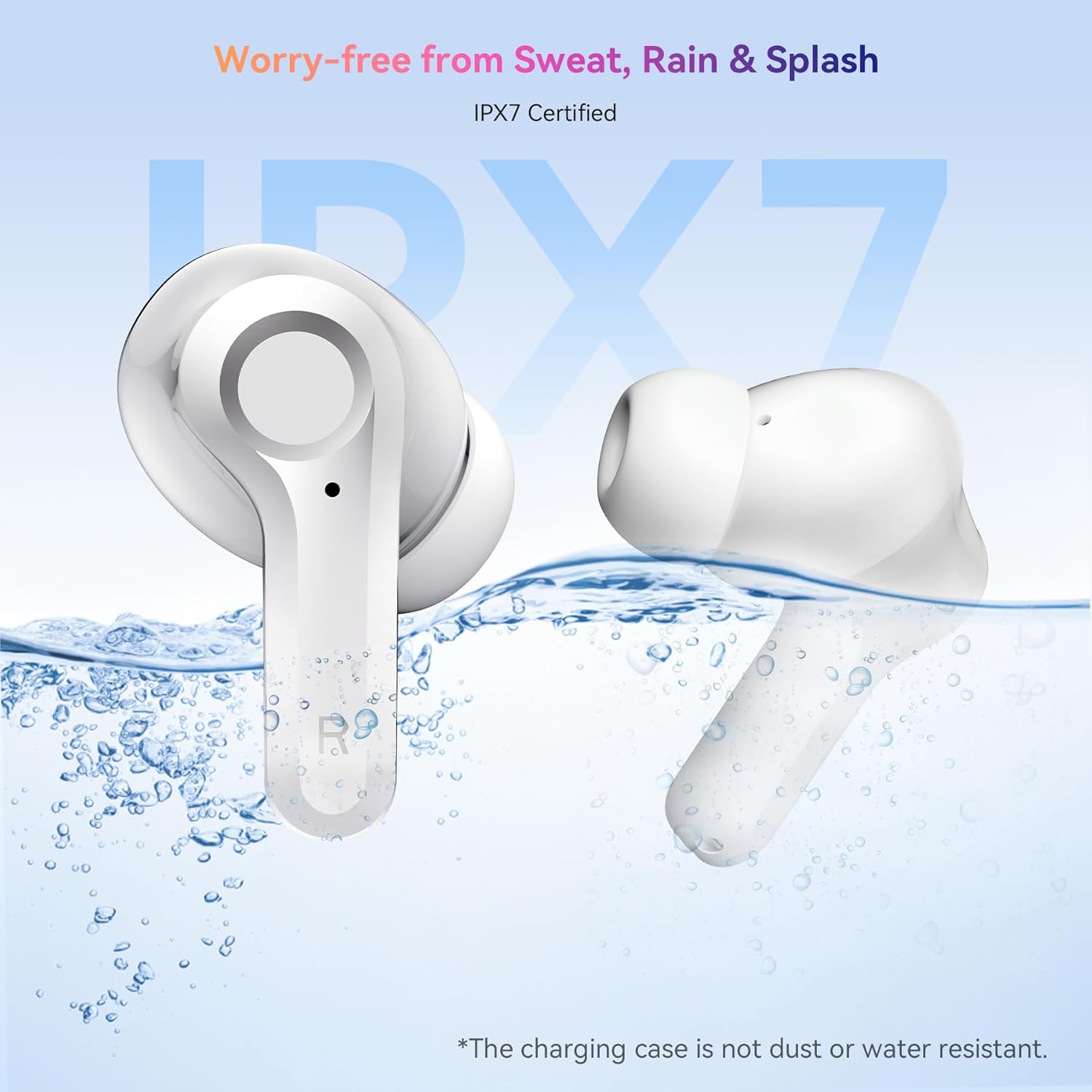
Image: The OSCAL Hibuds 6 earbuds shown partially submerged in water, visually confirming their IPX7 water-resistant certification. A note clarifies that the charging case is not water-resistant.
문제 해결
If you encounter issues with your OSCAL Hibuds 6, refer to the following common solutions:
| 문제 | 해결책 |
|---|---|
| 이어폰이 페어링되지 않음 | Ensure earbuds are charged. Place them back in the case, close, then reopen. Check your device's Bluetooth settings and try re-pairing. |
| 하나의 이어폰만 작동 | Ensure both earbuds are charged. Try placing both back in the case, closing it, and then taking them out again to re-establish the connection. |
| 볼륨이 낮거나 음질이 좋지 않음 | Adjust volume on your device. Clean ear tips and speaker mesh. Ensure ear tips provide a good seal in your ear. |
| 충전 케이스가 충전되지 않음 | USB-C 케이블과 전원 어댑터를 확인하십시오. 케이블이 케이스와 전원에 제대로 연결되어 있는지 확인하십시오. |
| 케이스에 이어폰이 충전되지 않아요 | Ensure the charging case has power. Clean the charging contacts on both the earbuds and inside the case. |
명세서
Detailed technical specifications for the OSCAL Hibuds 6 Wireless Earbuds:
| 특징 | 사양 |
|---|---|
| 모델명 | Hibuds 6 |
| 블루투스 버전 | 5.4 |
| 오디오 드라이버 크기 | 13mm 다이나믹 드라이버 |
| 소음 제어 | AI-enhanced ENC Microphones |
| 방수성 | IPX7(이어버드만 해당) |
| 배터리 수명(이어버드) | 충전당 최대 8시간 |
| 총 재생 시간(케이스 포함) | 최대 40시간 |
| 충전 포트 | USB-C |
| 제어 유형 | 터치 컨트롤 |
| 이어 버드 무게 | Approximately 4.15g (0.15oz) each |
| 충전 케이스 무게 | 약 35g |
| 호환성 | iOS, Android, Windows 기기 |
| 한국어: | 810175529004 |
보증 및 지원
OSCAL products are designed for reliability and performance. For specific warranty details, please refer to the warranty card included in your product packaging or visit the official OSCAL web대지.
If you require technical assistance or have questions not covered in this manual, please contact OSCAL customer support through their official channels.


