소개
This manual provides comprehensive instructions for the installation, operation, and maintenance of your LUDOMIDE 52 Inch Low Profile Ceiling Fan. Please read all instructions carefully before beginning installation and retain this manual for future reference.
안전 정보
Always disconnect power at the circuit breaker before installing, cleaning, or servicing the fan. Ensure all electrical connections comply with local codes and ordinances. If you are unfamiliar with electrical wiring, consult a qualified electrician. The fan must be mounted to a ceiling joist or a fan-rated outlet box capable of supporting the fan's weight. Do not bend the blade holders during installation or cleaning. Ensure all screws are tightened securely.
패키지 내용
Verify that all components are present before beginning installation. If any parts are missing or damaged, contact LUDOMIDE customer service.
- 팬 모터 어셈블리
- 팬 블레이드 (3)
- 장착 브래킷
- 천개
- LED 조명 키트
- 원격 제어
- 벽면 제어
- 하드웨어 팩(나사, 와이어 너트 등)
- 사용 설명서

Image: All components of the LUDOMIDE 52 Inch Ceiling Fan laid out for inspection.
설치 가이드
Follow these steps carefully for proper installation. It is recommended to have a second person assist during certain stag에스.
1. 마운팅 브라켓 설치
- 회로 차단기에서 전원을 끄세요.
- Secure the mounting bracket to the ceiling outlet box using the provided screws. Ensure the bracket is firmly attached to a structural support.
Video: Installation steps for the CJOY Black Flush Mount Ceiling Fan, demonstrating mounting bracket attachment.
2. 배선 연결
- Connect the fan's ground wire (green) to the household ground wire.
- Connect the fan's neutral wire (white) to the household neutral wire.
- Connect the fan's live wire (black) to the household live wire.
- Ensure all connections are secure with wire nuts and tucked neatly into the outlet box.
Video: Smart Ceiling Fan with Light installation, showing wiring connections.
3. 블레이드 어셈블리
- Attach each fan blade to the motor assembly using the provided screws. Ensure they are securely fastened.
- The blades are reversible, offering a choice between a black finish or a wood grain finish. Select your preferred side before attaching.
4. 조명 조립
- LED 조명 키트의 전선을 팬 모터 어셈블리의 해당 전선에 연결하십시오.
- Secure the LED light kit to the fan motor assembly.
5. 최종 조립
- Carefully lift the fan assembly and attach it to the mounting bracket, ensuring all wires are safely tucked away.
- Secure the canopy to the mounting bracket with the remaining screws.
- 회로 차단기에서 전원을 복구하세요.
작동 지침
Your LUDOMIDE ceiling fan offers multiple control options for convenience and comfort.
1. 원격 제어 기능
The remote control allows comprehensive management of your fan and light settings.
- 팬 켜기/끄기: Power the fan on or off.
- 팬 속도(1-6): Adjust fan speed from gentle breeze (1) to powerful airflow (6).
- 앞으로/뒤로: Change blade direction for summer (downdraft) or winter (updraft) modes.
- 조명 켜기/끄기: Turn the LED light on or off.
- Light Dimmer (+/-): 조명 밝기를 10%에서 100%까지 조절하세요.
- 색온도(CCT): Cycle through 3000K (warm), 4500K (neutral), and 6500K (cool) light.
- 야간 조명: Activates a subtle night light mode.
- 자연풍 : Simulates natural breeze by cycling through various fan speeds.
- 타이머(1시간/2시간/4시간/8시간): Set the fan to automatically turn off after the selected duration.
- 도난 방지 기능: (Home icon) Turns the light on every 2 hours for 5 minutes.
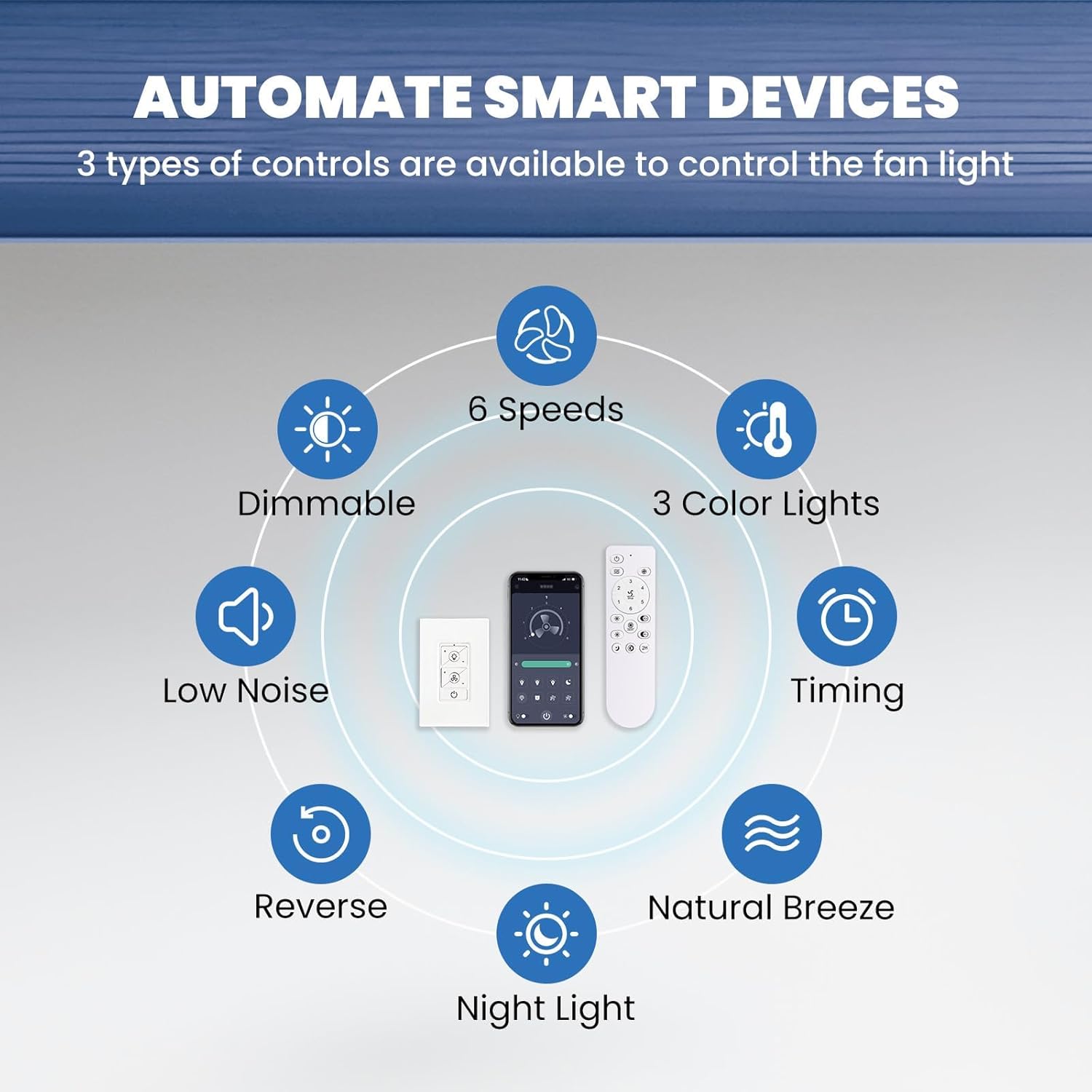
Image: The remote control and a smartphone app interface for controlling the LUDOMIDE ceiling fan.
2. 앱 제어 기능
Download the companion app to control your fan via smartphone. The app offers similar functions to the remote, including scheduling and advanced timer options.
3. Wall Control Functions
The included wall control provides basic ON/OFF functionality for the fan and light. For full control, use the remote or app.
4. Fan Speed & Direction
The fan features 6 adjustable speeds (up to 250 RPM, 2860 CFM) and a reversible DC motor. Use the remote or app to switch between summer (downdraft) and winter (updraft) modes for optimal air circulation.

Image: Illustration of the LUDOMIDE ceiling fan's 6 adjustable speeds, categorized as Soft Wind, Comfortable Wind, and Cool Wind.

Image: The LUDOMIDE ceiling fan demonstrating its reversible motor, with arrows indicating downdraft (summer mode) and updraft (winter mode).
5. Light Settings
The integrated LED light is dimmable (10%-100% brightness, up to 1600 LM) and offers 3 color temperatures (3000K warm, 4500K neutral, 6500K cool). The smart fan remembers your last light settings.
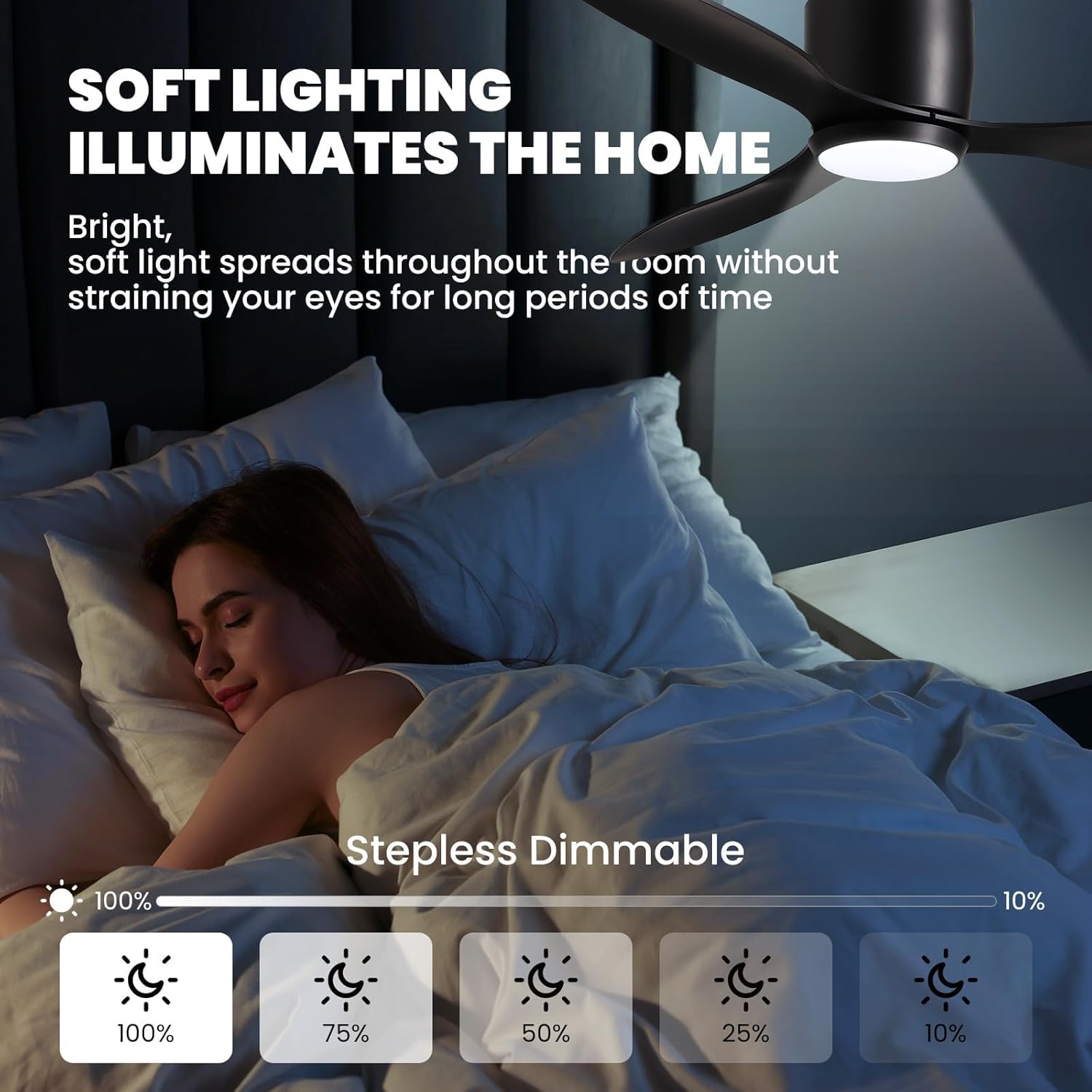
Image: The LUDOMIDE ceiling fan's soft, stepless dimmable lighting feature, adjustable from 10% to 100% brightness.
유지
To ensure optimal performance and longevity of your LUDOMIDE ceiling fan, follow these maintenance guidelines:
- 청소: 팬 날개와 모터 하우징을 주기적으로 부드러운 천으로 닦아주세요.amp 천. 연마성 세척제나 용매를 사용하지 마십시오.
- 블레이드 밸런스: If the fan wobbles, check that all blade screws are tightened. A balancing kit (not included) may be used if wobbling persists.
- 빛의 출처: The LED light source is integrated and not user-replaceable. If the light fails, contact customer service.
문제 해결
팬에 문제가 발생하면 다음의 일반적인 문제와 해결 방법을 참조하세요.
- 팬이 시작되지 않음: Check power supply at the circuit breaker. Ensure all wiring connections are secure. Verify remote control battery.
- 팬이 흔들립니다. Ensure mounting bracket is securely fastened to the ceiling. Check that all blade screws are tight. Verify blades are not bent or damaged.
- 빛이 작동하지 않습니다: Check power supply. Ensure light kit wires are properly connected. If LED is integrated, contact customer service.
- 리모컨이 응답하지 않습니다: Replace remote control battery. Ensure fan is receiving power.
명세서
| 특징 | 세부 사항 |
|---|---|
| 상표 | 루도마이드 |
| 모델명 | CFL-1212-03 |
| 크기 | 52인치 |
| 색상 | 검은색 |
| 재료 | Acrylonitrile Butadiene Styrene, Iron, Plastic |
| 모터 유형 | Noiseless DC Reversible Motor |
| 팬 속도 | 6 |
| 최대 RPM | 250 RPM |
| 최대 CFM | 2860 퀴놀론 |
| 소음 수준 | 최대 35dB |
| 라이트 타입 | 디 밍이 가능한 LED |
| 명도 | 10%-100% (up to 1600 LM) |
| 색온도 | 3000K Warm / 4500K Neutral / 6500K Cool |
| 제어 방법 | Remote Control, Wall Control, APP Control |
| 타이머 기능 | 2H (Remote); 1/2/4/8H (APP) |
| 품목 무게 | 12 파운드 |
| 제품 치수 | 15 x 13 x 8 인치 |
보증 및 지원
LUDOMIDE stands behind its product with a 24-month worry-free warranty. If you encounter any issues during installation or use, our customer service team is available 24/7 to assist you. Please feel free to contact our brand service through Amazon for support.


