1. 서론
This user manual provides comprehensive instructions for the Callsky 10-inch Wi-Fi Tablet, Model Ctab 10. Please read this manual carefully before using your device to ensure proper operation and to maximize its features. Keep this manual for future reference.
2. 제품 오버view
2.1 패키지 내용
패키지를 열면 아래 나열된 모든 품목이 들어 있는지 확인하세요.
- Callsky Ctab 10 Tablet
- USB Type-C 충전 케이블
- 전원 어댑터
- 사용자 매뉴얼(일본어)

Image: Package contents including the tablet, charging cable, power adapter, and user manual.
2.2 장치 구성 요소
Familiarize yourself with the physical layout and ports of your tablet:
- 전면 카메라: 화상 통화와 셀카를 위한 5MP.
- 후방 카메라: 8MP with autofocus for high-resolution photos.
- 전원 버튼: 기기의 전원 켜기/끄기 및 화면 잠금 버튼은 측면에 있습니다.
- 볼륨 버튼: 오디오 레벨을 조정합니다.
- USB 타입-C 포트: 충전 및 데이터 전송용입니다.
- 3.5mm 헤드폰 잭 : 오디오 출력용.
- 듀얼 스피커: 향상된 오디오 경험을 위해.
- MicroSD 카드 슬롯: For storage expansion up to 2TB.

이미지: 이상view of tablet features including face recognition, wireless projection, and physical dimensions.
2.3 주요 특징
- 가벼운 디자인: Ultra-thin at 8.7mm and weighing 425g for easy portability.
- 안드로이드 14 OS: Enhanced privacy, personalized settings, and improved user experience.
- 고성능: 1.8GHz Allwinner A523 Octa-core processor and Mali-G57 GPU for smooth multitasking, gaming, and HD video.
- 메모리 및 스토리지 : 3GB RAM + 9GB virtual memory, 128GB internal storage, expandable up to 2TB via MicroSD.
- 생생한 디스플레이: 10.1-inch 1280x800 Incell IPS display with eye protection mode and Widevine L1 support for high-quality streaming.
- 연결성: Wi-Fi 6 and Bluetooth 5.4 for stable and high-speed connections.
- 고급 기능: Wireless projection, face recognition, and split-screen functionality.
- 오래 지속되는 배터리: 장시간 사용을 위한 6000mAh 배터리.

Image: Visual summary of the tablet's core specifications and features.
3. 설정
3.1 초기 전원 켜기 및 기본 설정
- Press and hold the Power button until the Callsky logo appears.
- Follow the on-screen prompts to select your language (e.g., English).
- Connect to a Wi-Fi network. Select your network from the list and enter the password if required.
- Review and accept the Google Services terms.
- Set up a screen lock (PIN, pattern, or password) for security. You can skip this step and set it up later.
- Complete the remaining setup steps as guided by the Android 14 interface.
3.2 MicroSD 카드 삽입
To expand your tablet's storage:
- 태블릿 측면에 있는 MicroSD 카드 슬롯을 찾으세요.
- 마이크로SD 카드를 슬롯에 딸깍 소리가 날 때까지 부드럽게 삽입하십시오. 카드의 방향이 올바른지 확인하십시오.
- 태블릿이 새 저장 장치를 감지합니다. 기기에서 최적의 사용을 위해 카드를 포맷하라는 메시지가 나타날 수 있습니다.
4. 사용 설명서
4.1 기본 탐색
- 터치 제스처: 탭하여 선택하고, 스와이프하여 스크롤하고, 핀치하여 확대/축소합니다.
- 홈 화면: 앱, 위젯, 알림에 액세스합니다.
- 알림: 화면 상단에서 아래로 스와이프하여 view 알림 및 빠른 설정.
4.2 메모리 및 저장소 관리
The tablet comes with 3GB of physical RAM and 9GB of virtual memory, totaling 12GB, along with 128GB of internal storage. You can expand storage up to 2TB using a MicroSD card.
- To check storage: Go to 설정 > 저장소.
- To manage apps: Go to 설정 > 앱.

Image: Details on memory and storage, including RAM, internal storage, and MicroSD expansion.
4.3 디스플레이 및 시각적 경험
The 10.1-inch 1280x800 Incell IPS display provides clear and vibrant visuals. It supports Widevine L1 for high-definition streaming from platforms like Netflix and YouTube.
- 눈 보호 모드: Activate this mode in settings to reduce blue light and eye strain during prolonged use.
- 분할 화면: Use two applications simultaneously for enhanced productivity.

Image: Tablet demonstrating Widevine L1 support for streaming services.
4.4 연결성
The tablet supports Wi-Fi 6 and Bluetooth 5.4 for reliable and fast wireless connections.
- 와이파이: Connect to 2.4G or 5G networks. Go to 설정 > 네트워크 및 인터넷 > Wi-Fi 연결을 관리하기 위해.
- 블루투스: Pair with wireless devices like headphones or keyboards. Go to 설정 > 연결된 기기 > 블루투스.
- 무선 프로젝션: Share your screen with compatible displays. Access this feature from the quick settings panel.
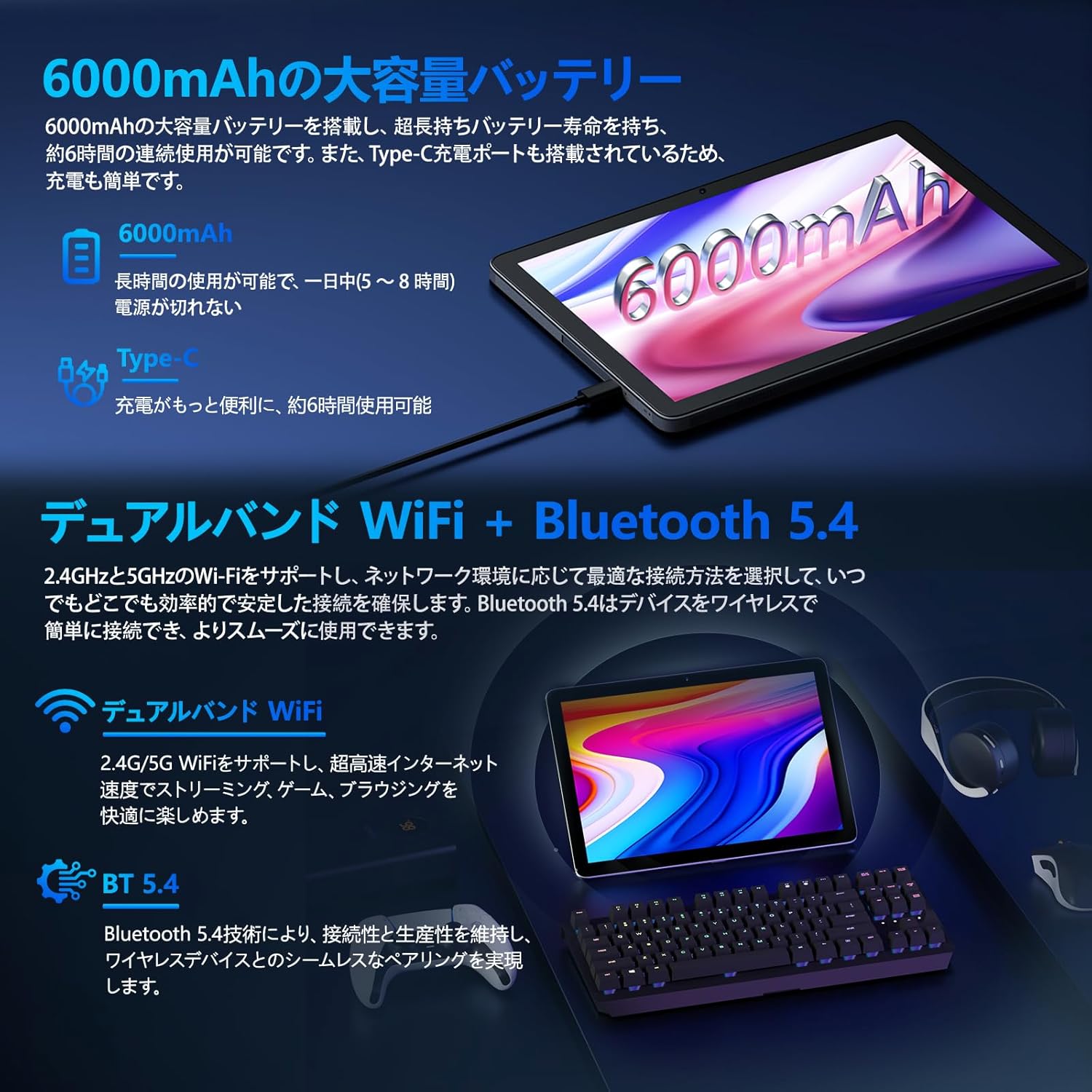
Image: Tablet highlighting battery capacity, Type-C charging, Wi-Fi, and Bluetooth features.
4.5개의 카메라
The tablet features a 5MP front camera and an 8MP rear camera with autofocus, suitable for video calls and capturing photos.
- Open the Camera app to take photos or record videos.
- 얼굴 인식 : Use the front camera for quick and secure unlocking. Set this up in 설정 > 보안 및 개인정보 보호 > 얼굴 인식 잠금 해제.

Image: Illustration of the tablet's front and rear cameras and their resolutions.
4.6 Kids Mode (Parental Controls)
The tablet includes a dedicated Kids Mode and parental control features to ensure a safe and controlled environment for children.
- Access Kids Mode to provide curated content and limit screen time.
- Parents can manage app usage and content access through parental control settings.
4.7 센서
The tablet is equipped with various sensors for enhanced functionality:
- GPS: 위치 서비스 및 탐색을 위해.
- 지자기 센서: Functions as a compass.
- 근접 센서: Prevents unintended screen operations.
- 주변 광 센서: Automatically adjusts screen brightness.
- 자이로 스코프 : For tilt operations and AR applications.
- 가속도계: Detects tilt, shock, and movement.
5. 유지관리
5.1 배터리 관리
The 6000mAh battery provides long usage times. To prolong battery life:
- 극한의 온도를 피하세요.
- 배터리가 자주 완전히 방전되지 않도록 하세요.
- 제공된 충전기와 케이블을 사용하세요.
- Optimize battery usage in 설정> 배터리.

Image: Tablet connected to a Type-C charger, highlighting the 6000mAh battery.
5.2 청소
부드럽고 보풀이 없는 천을 사용하여 태블릿 화면과 본체를 닦으세요. 강한 화학 물질이나 연마재는 사용하지 마세요.
6. 문제 해결
태블릿 사용 중 문제가 발생하면 다음의 일반적인 문제 및 해결 방법을 참조하십시오.
| 문제 | 가능한 원인 / 해결책 |
|---|---|
| 태블릿 전원이 켜지지 않습니다 | 배터리가 충전되었는지 확인하세요. 충전기를 연결하고 몇 분 정도 기다린 후 다시 전원을 켜보세요. |
| 화면이 반응하지 않습니다 | Restart the tablet by holding the power button. If unresponsive, force restart by holding the power button for a longer duration (e.g., 10-15 seconds). |
| Wi-Fi 연결 문제 | 설정에서 Wi-Fi가 활성화되어 있는지 확인하세요. 공유기를 다시 시작하세요. 네트워크를 삭제하고 다시 연결하세요. |
| Device overheating / unexpected shutdowns | Close background applications. Avoid using the tablet in direct sunlight or hot environments. If the issue persists, contact customer support. |
| 앱이 충돌하거나 정지됨 | 앱 캐시를 삭제하세요(설정 > 앱 > [앱 이름] > 저장소 및 캐시 > 캐시 지우기). 앱을 업데이트하거나 다시 설치하세요. |
| 느린 성능 | 불필요한 백그라운드 앱을 종료하세요. 캐시와 임시 파일을 삭제하세요. files. Ensure sufficient storage space. |
If the problem persists after trying these solutions, please contact Callsky customer support.
7. 사양
| 특징 | 세부 사항 |
|---|---|
| 상표 | 콜스키 |
| 모델명 | Ctab 10 |
| 운영 체제 | 안드로이드 14 |
| 화면 크기 | 10.1인치 |
| 디스플레이 해상도 | 1280x800 pixels (Incell IPS) |
| CPU | Allwinner A523 Octa-core (1.8 GHz) |
| 그래픽 카드 | Mali-G57 (Integrated) |
| 숫양 | 물리적 용량 3GB + 가상 용량 9GB (총 12GB) |
| 내부 저장소 | 128GB (XNUMX기가바이트) |
| 확장 가능한 스토리지 | MicroSD 카드를 통해 최대 2TB까지 |
| 후방 카메라 | 8 MP |
| 전면 카메라 | 5 MP |
| 와이파이 | Wi-Fi 6 (802.11ac, 802.11b, 802.11g, 802.11n) |
| 블루투스 | 블루투스 5.4 |
| 배터리 용량 | 6000mAh (22.8 Watt-hours, 1 Lithium Polymer cell) |
| 충전 포트 | C타입 |
| 치수 | 32.4 x 20.3 x 3.4cm |
| 무게 | 425g |
| 인증 | GMS Certified, PSE Certified |
8. 보증 및 지원
The Callsky Ctab 10 tablet comes with a 2년 보증. This warranty covers manufacturing defects and ensures long-term reliability.
8.1 고객 지원
If you encounter any issues or have questions regarding your Callsky tablet, please contact our customer support team. We are committed to providing prompt assistance.
- 연락 방법: Refer to your purchase platform (e.g., Amazon) for specific contact details. Typically, you can find seller contact information through your order history.
- 응답 시간: We aim to respond to inquiries within 24 hours on weekdays and within 48-72 hours on weekends or holidays.
Please have your product model (Ctab 10) and purchase details ready when contacting support.


