1. 서론
This manual provides detailed instructions for the installation, operation, and maintenance of your Irfora Cordless Expandable Phone System D1015TAM-D. Please read this manual thoroughly before using the phone system to ensure proper functionality and to prevent damage.
2. 안전 정보
- 제공된 전원 어댑터와 배터리만 사용하세요.
- Do not expose the phone system to water or excessive moisture.
- Avoid placing the base unit or handsets near heat sources or direct sunlight.
- Keep the phone system away from strong electromagnetic fields.
- The distance between the main unit and the handset should not exceed 80 meters for optimal performance.
3. 패키지 내용
패키지에 모든 품목이 들어 있는지 확인하세요.
- 핸드셋 2개
- 2 x Charging Cradles
- 1 x Phone Line Cord
- 4 x 1.2V 400MAh Ni-MH AAA Batteries
- 2 x 전원 어댑터
4. 제품 오버view
The Irfora Cordless Expandable Phone System features large buttons and a clear display for ease of use. It includes an integrated answering machine and supports multiple handsets.

그림 4.1: Handset with large buttons and a 1.8-inch LCD screen, designed for clear visibility and ease of use.

그림 4.2: Handset keypad layout, showing M1, M2, M3 for speed dialing and the standard numeric keys.

그림 4.3: The phone system features an integrated telephone answering machine for message recording.

그림 4.4: 위에view of phone and answering machine features, including LCD display, handset registration, call memories, and recording capabilities.

그림 4.5: The base unit and handset feature an incoming call indicator.
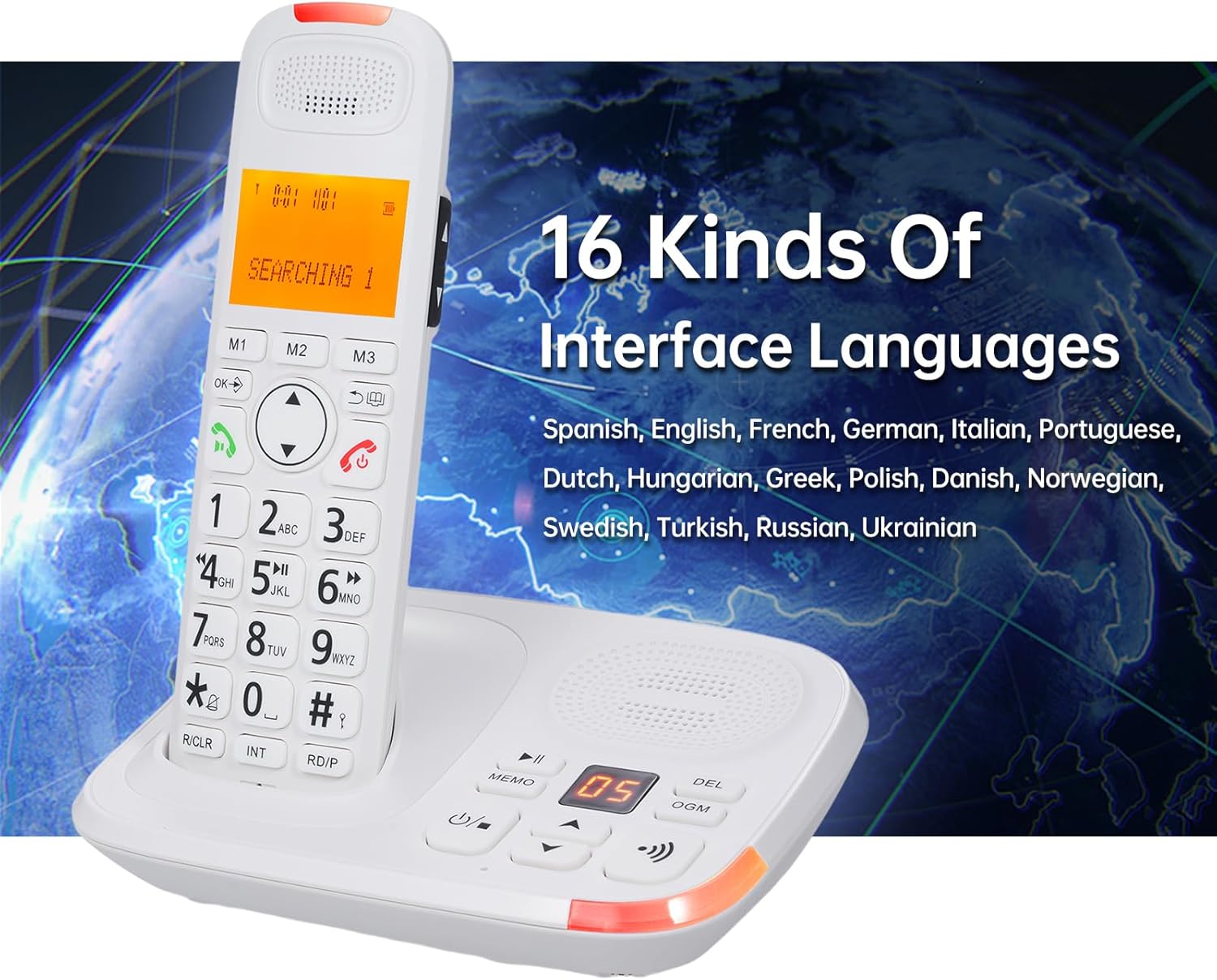
그림 4.6: The phone system supports 16 interface languages, including Spanish, English, French, German, Italian, Portuguese, Dutch, Hungarian, Greek, Polish, Danish, Norwegian, Swedish, Turkish, Russian, and Ukrainian.
5. 설정
5.1 배터리 설치
- 각 핸드셋 뒷면의 배터리 덮개를 엽니다.
- Insert the two 1.2V 400MAh Ni-MH AAA batteries, ensuring correct polarity.
- 배터리 덮개를 닫습니다.
- Place the handset in its charging cradle to charge for at least 12 hours before first use.
5.2 베이스 유닛 연결
- Connect one end of the phone line cord to the LINE jack on the base unit.
- Connect the other end of the phone line cord to your telephone wall jack.
- Plug the power adapter into the DC IN jack on the base unit.
- 전원 어댑터를 표준 전기 콘센트에 연결하십시오.
- For the second charging cradle, plug its power adapter into a standard electrical outlet.
5.3 핸드셋 등록
The system supports a maximum of 5 handsets registered to the same base unit. Refer to the on-screen menu for specific registration steps if additional handsets need to be registered or re-registered.
6. 사용 설명서
6.1 기본 호출 함수
- 전화 걸기: 전화번호를 입력하고 누르세요 부르다 단추.
- 전화 받기 : 전화가 울리면 누르세요 부르다 button. The system supports auto/manual answering.
- 통화 종료: 를 누르세요 통화 종료 버튼을 누르거나 수화기를 거치대에 다시 놓으세요.
- 재 다이얼 : 를 누르세요 재 다이얼 마지막으로 전화를 건 번호로 전화를 걸려면 버튼을 클릭하세요.
- 정지시키다: Use the pause function during dialing as needed.
- 무음: 를 누르세요 무음 button during a call to temporarily disable your microphone.
- 오디오 부스트: Use the dedicated key for audio boost during a call to increase volume.
6.2 Answering Machine (TAM)
- The digital answering machine can record up to 60 minutes of messages.
- The base unit has a 2-digit LCD display to indicate messages.
- 메모 녹음: Record memos up to 2 minutes in length.
- Outgoing Message (OGM): Two groups of OGM can be recorded by the user.
- Voice prompts are available in English, Spanish, French, and German.
6.3 Phone Book and Call Memories
- 전화 번호부: Store up to 50 entries with a maximum of 12 characters and 20 digits.
- Incoming Call Memories: Stores up to 30 incoming numbers.
- Outgoing Call Memories: Stores up to 10 outgoing numbers.
- 단축 다이얼: Utilize M1, M2, M3 buttons for quick access to frequently called numbers.
6.4 인터콤 및 전화 회의
- 기내 통화 장치: Initiate calls between two registered handsets.
- 통화 전환: Transfer an external call to another handset.
- 전화 회의: Conduct a three-way conference call involving an external call and two handsets.
6.5 설정 및 기능
- Interface Languages: Select from 16 languages including Spanish, English, French, German, Italian, Portuguese, Dutch, Hungarian, Greek, Polish, Danish, Norwegian, Swedish, Turkish, Russian, and Ukrainian.
- Flash Time: Adjustable settings for 100/300/600/1000ms.
- Ringing Tones: 10 selectable ringing tones. Adjustable ringing tone, earpiece, and hands-free volume. Different melodies can be set for different calls.
- 키패드 잠금: Function to lock the keypad to prevent accidental dialing.
- Dialing Barring: Function to restrict certain outgoing calls.
- LCD 백라이트: The LCD screen features a backlight function.
- 알람 시계: An alarm clock function is available.
7. 유지관리
- 부드러운 도구를 사용하여 전화 시스템을 청소하십시오.amp 천. 연마성 세척제나 용매를 사용하지 마십시오.
- Ensure the charging contacts on the handset and cradle are clean for proper charging.
- 배터리가 더 이상 효과적으로 충전되지 않으면 교체하십시오.
8. 문제 해결
- 발신음 없음:
- Check if the phone line cord is securely connected to both the base unit and the wall jack.
- 전원 어댑터가 제대로 연결되어 있고 작동하는 콘센트에 꽂혀 있는지 확인하십시오.
- 핸드셋이 충전되지 않음:
- 휴대폰이 충전 거치대에 제대로 장착되었는지 확인하십시오.
- Clean the charging contacts on both the handset and cradle.
- Check if the charging cradle's power adapter is connected.
- Poor Call Quality or Range Issues:
- Ensure the handset is within 80 meters of the base unit.
- Relocate the base unit away from other electronic devices that may cause interference.
- Base Unit and Handset Ring Simultaneously, Cannot Answer Both:
- This is normal operation. When a call comes in, both the main unit and handset will ring. You can only choose one of them to answer the call, not both simultaneously.
9. 사양
| 모델 | 디1015TAM-D |
| Handset Dimensions | 19 x 5.7 x 2.7cm(7.48 x 2.24 x 1.06인치) |
| 크래들 치수 | 16.8 x 12.5 x 6 cm (6.61 x 4.92 x 2.36 inches) and 10 x 11.2 x 7 cm (3.94 x 4.41 x 2.76 inches) |
| 배터리 | 4 x 1.2V 400MAh Ni-MH AAA batteries |
| LCD 화면 | 1.8 inches, 3 lines display, backlight function |
| 확장성 | Max. 5 handsets per base unit, Max. 4 bases per handset |
| Phone Book Memory | 50 entries (12 characters & 20 digits max) |
| Call Memories | 수신 30건, 발신 10건 |
| 응답기 녹음 시간 | 최대 60분 |
| Memo Recording Time | 최대. 120 초 |
| Flash Time Settings | 100/300/600/1000ms |
| 인터페이스 언어 | 16 options (Spanish, English, French, German, Italian, Portuguese, Dutch, Hungarian, Greek, Polish, Danish, Norwegian, Swedish, Turkish, Russian, Ukrainian) |
| 제조업체 | 이르포라 |
| ASIN | B0DRG4WSDY |


