1. 서론
The Offgridtec Autark Pro XL 24V 800W Solar System is a comprehensive solution designed for independent energy supply. This system integrates high-efficiency solar panels, a robust LiFePO4 battery, an intelligent MPPT charge controller, and a powerful sine wave inverter to provide reliable power for various applications, including recreational vehicles, remote cabins, and off-grid installations. This manual provides essential information for safe installation, operation, and maintenance of your solar system.
2. 안전 지침
Please read all safety instructions carefully before installing or operating the system. Failure to follow these instructions may result in electric shock, fire, serious injury, or property damage.
- 적격 직원: 설치 및 유지관리는 자격을 갖춘 인력만이 수행해야 합니다.
- 전기 안전: Always disconnect power before making or breaking electrical connections. Use insulated tools.
- 배터리 안전: LiFePO4 batteries are generally safe, but avoid short-circuiting terminals, puncturing, or exposing to extreme temperatures. Do not open the battery casing.
- Solar Panel Handling: Solar panels generate electricity when exposed to light. Cover panels during installation to prevent electrical shock.
- 통풍: Ensure adequate ventilation around the inverter and charge controller to prevent overheating.
- 물과 습기: Keep all components dry and away from water or excessive moisture.
- 접지: 모든 구성 요소가 현지 전기 규정에 따라 적절하게 접지되었는지 확인하십시오.
3. 패키지 내용
Verify that all components listed below are present and undamaged upon unpacking.
- 4 x Offgridtec MONO 200W V2 Solar Modules
- 1 x 100Ah LiFePO4 Battery with integrated BMS
- 1 x MPPT Charge Controller
- 1 x Sine Wave Voltage Converter (2000W continuous, 3200W peak)
- 8m Solar Cable (for panel connection)
- 1 x 1.5m 10mm² Battery Cable with MIDI fuse holder and M8 screw terminal
- 5 x 40A 58V MIDI Fuses
- 5 x 150A 32V MEGA Fuses
- 1 x MEGA Fuse Holder
- Necessary connection accessories (e.g., MC4 connectors, Y-branch connectors)
4. 시스템 구성 요소 이상view

그림 4.1: Complete Offgridtec Autark Pro XL 24V 800W Solar System kit, showing all major components including solar panels, battery, charge controller, and inverter.

그림 4.2: Four Offgridtec MONO 200W V2 Solar Modules, designed for high efficiency energy generation.
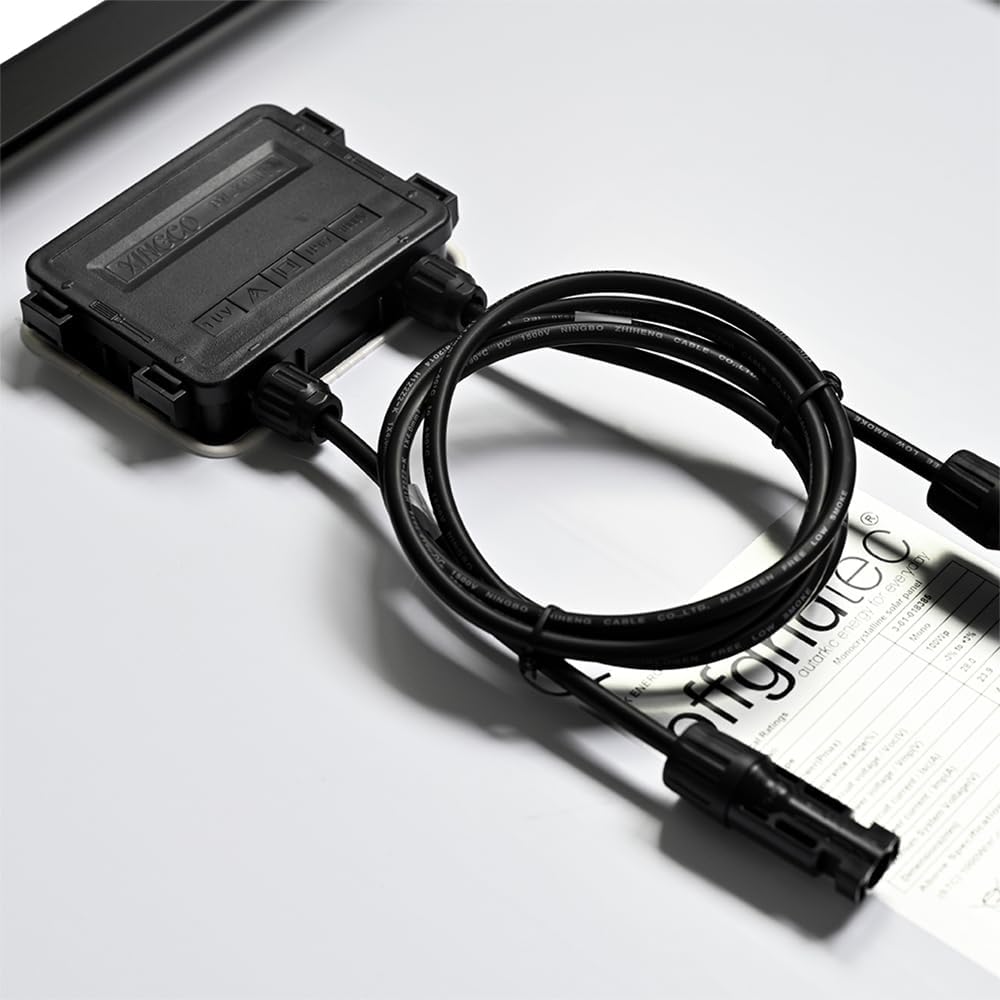
그림 4.3: Detail of a solar panel's junction box and MC4 connectors, showing the robust cabling for outdoor use.
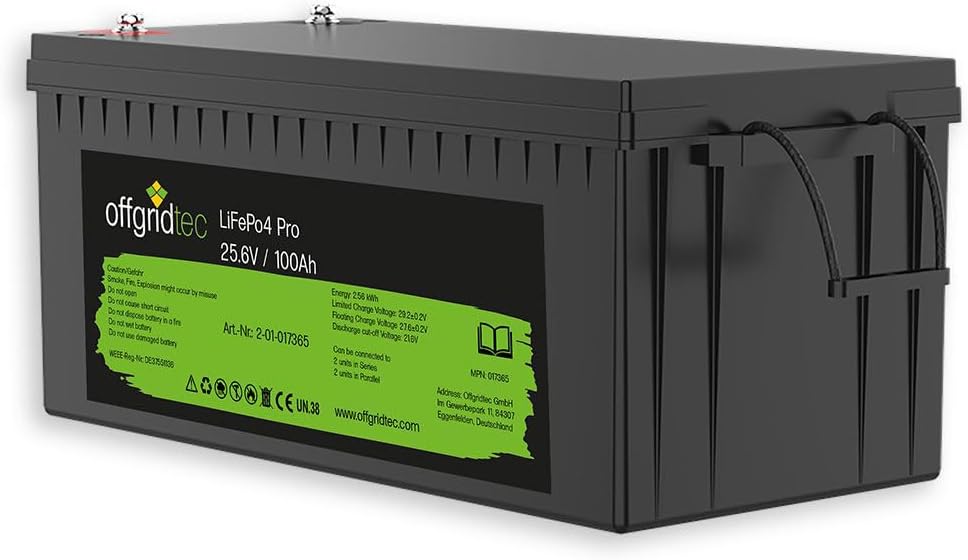
그림 4.4: The 100Ah LiFePO4 Battery with integrated Battery Management System (BMS), providing stable and long-lasting power storage.

그림 4.5: The MPPT Solar Charge Controller, featuring an LCD display for monitoring system status and optimizing energy harvest.
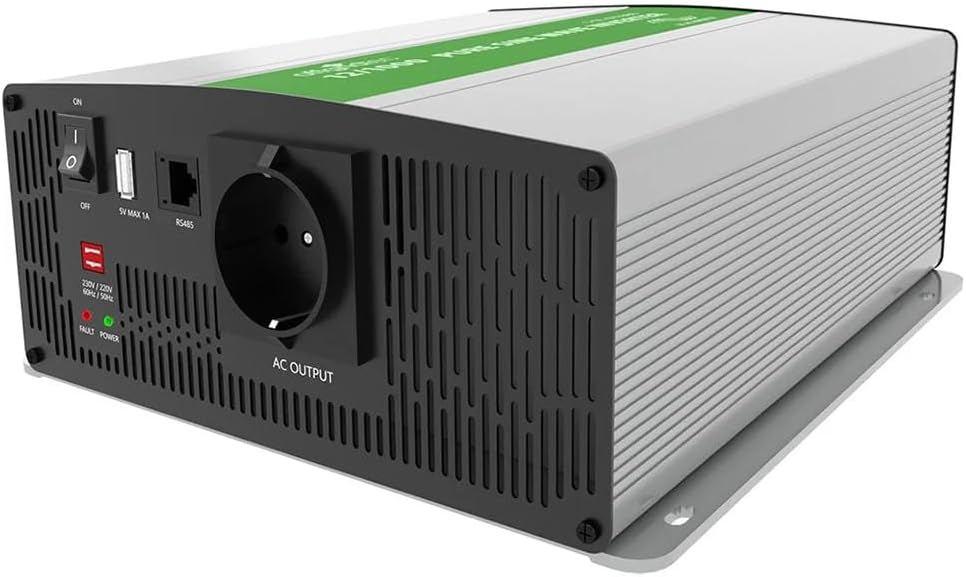
그림 4.6: The Sine Wave Voltage Converter (Inverter), capable of delivering 2000W continuous AC power for household appliances.

그림 4.7: Various connection cables and accessories, including solar cables and battery connection cables, for system integration.

그림 4.8: Fuse holder with included MIDI and MEGA fuses, essential for protecting the system from overcurrents.
5. 설정 및 설치
Follow these steps carefully to set up your Offgridtec Autark Pro XL solar system. Ensure all safety precautions are observed.
5.1. Mounting Solar Panels
- Choose a location for the solar panels that receives maximum direct sunlight throughout the day, free from shading.
- Securely mount the four 200W solar panels using appropriate mounting hardware (not included) for your specific application (e.g., roof mounts for RVs, ground mounts for stationary use).
- Ensure proper tilt and orientation for optimal energy harvest based on your geographical location.
5.2. Wiring Solar Panels to Charge Controller
- Connect the solar panels in series or parallel as required to meet the MPPT charge controller's input voltage and current specifications. For this 24V system, typically panels are wired in series-parallel configuration.
- Use the provided 8m solar cable and MC4 connectors to connect the solar panel array to the 'PV Input' terminals on the MPPT charge controller. Ensure correct polarity (+ to + and - to -).
- 중요한: Cover the solar panels with an opaque material during wiring to prevent voltage generation and potential shock.
5.3. Connecting Battery to Charge Controller
- Place the 100Ah LiFePO4 battery in a secure, well-ventilated location.
- Connect the provided 1.5m 10mm² battery cable with the MIDI fuse holder to the positive terminal of the battery. Install one of the 40A MIDI fuses into the holder.
- Connect the other end of the battery cable (with M8 screw terminal) to the 'Battery Input' positive terminal on the MPPT charge controller.
- Connect a separate negative battery cable (not included, but typically part of the system wiring) from the battery's negative terminal to the 'Battery Input' negative terminal on the MPPT charge controller.
- 메모: 배터리를 항상 충전 컨트롤러에 연결하십시오. ~ 전에 connecting the solar panels.
5.4. Connecting Inverter to Battery
- Mount the sine wave voltage converter in a dry, well-ventilated area, ensuring sufficient clearance for cooling.
- Install the MEGA fuse holder between the inverter's positive input terminal and the battery's positive terminal. Insert one of the 150A MEGA fuses.
- Connect the inverter's positive input to the battery's positive terminal (via the MEGA fuse).
- Connect the inverter's negative input directly to the battery's negative terminal.
- 모든 연결이 단단하고 안전한지 확인하세요.
5.5. Initial Power-Up Sequence
- Once all connections are verified, first connect the battery to the MPPT charge controller. The controller's display should illuminate.
- Next, uncover the solar panels. The charge controller will begin to detect the solar input and start charging the battery.
- Finally, switch on the sine wave inverter. Check for any error indicators on the inverter.
6. 운영
Understanding the operation of your solar system components is key to maximizing its efficiency and lifespan.
6.1. MPPT Charge Controller Operation
- LCD 디스플레이: The integrated LCD display provides real-time information on battery voltage, 충전 전류, 태양광 패널 볼륨tage, and accumulated energy.
- 설정: Use the buttons on the controller to navigate through menus and adjust settings such as battery type (though LiFePO4 is pre-configured), load control, and timer functions. Refer to the specific charge controller manual for detailed programming.
- 에너지 최적화: The MPPT (Maximum Power Point Tracking) technology automatically optimizes the power output from your solar panels to ensure maximum charging efficiency for your battery.
- 보호 기능: The controller includes protections against overcharge, over-discharge, reverse polarity, and short circuits.
6.2. Sine Wave Voltage Converter (Inverter) Usage
- AC 기기 전원 공급: Plug your 230V AC appliances into the inverter's output sockets. Ensure the total continuous power consumption does not exceed 2000W.
- 피크 파워 : The inverter can handle peak loads up to 3200W for short durations, suitable for starting motors or compressors.
- 순수 사인파 출력: The pure sine wave output ensures compatibility with sensitive electronics, preventing damage and ensuring efficient operation.
- USB 출력: Use the integrated USB ports (5V) for charging small electronic devices.
- 모니터링: The inverter typically has indicator lights for power, fault, and battery status. Consult the inverter's specific manual for detailed error codes.
7. 유지관리
Regular maintenance ensures the longevity and optimal performance of your solar system.
- 태양 전지 패널: Periodically clean the surface of the solar panels with a soft cloth and water to remove dirt, dust, and debris that can reduce efficiency. Inspect for any physical damage or loose connections.
- 배터리: The LiFePO4 battery is maintenance-free. However, ensure its terminals are clean and connections are tight. Monitor the battery voltage via the charge controller display.
- 사이: Annually inspect all electrical connections for tightness and corrosion. Loose connections can cause resistance, heat, and power loss.
- 통풍: Ensure that the charge controller and inverter have unobstructed airflow for cooling. Clean any dust buildup from vents.
- 퓨즈 : Check fuses if a component stops working. Replace blown fuses only with fuses of the same type and rating.
8. 문제 해결
이 섹션에서는 태양계에서 발생할 수 있는 일반적인 문제에 대해 설명합니다.
| 문제 | 가능한 원인 | 해결책 |
|---|---|---|
| No power from solar panels to charge controller | Panels are shaded; Loose or incorrect wiring; Blown PV fuse; Faulty panel. | Check for shading; Verify all PV connections and polarity; Check/replace PV fuse; Test individual panels. |
| 배터리가 충전되지 않거나 충전 속도가 느립니다 | Insufficient sunlight; Dirty panels; Incorrect charge controller settings; Battery fault. | Ensure full sun exposure; Clean panels; Verify charge controller settings (e.g., battery type); Check battery health. |
| Inverter not turning on or no AC output | 배터리 용량이 부족합니다tage; Overload; Blown inverter fuse; Loose battery connections. | Charge battery; Reduce load; Check/replace inverter fuse (MEGA fuse); Tighten battery cables. |
| MPPT controller display is off | No battery connected; Battery voltage too low; Loose battery connection. | Connect battery first; Charge battery; Check battery wiring to controller. |
9. 기술 사양
Detailed specifications for the Offgridtec Autark Pro XL 24V 800W Solar System.
| 요소 | 사양 |
|---|---|
| 태양광 패널 | 4 x Offgridtec MONO 200W V2 Modules (Total 800W) 전지 효율: 22.3% |
| 배터리 | 1 x 100Ah LiFePO4 Battery (25.6V nominal) 통합 BMS Cycle Life: >4000 cycles at 100% DoD |
| MPPT 충전 컨트롤러 | Automatic energy yield optimization LCD display for status monitoring RS485 port for PC configuration |
| 사인파 볼륨tag전자 변환기 | 지속적인 전력: 2000W 최대 전력: 3200W 출력 볼륨tag전자: 230V AC USB Outputs: 5V |
| 시스템 볼륨tage | 24V 직류 |
| Average Daily Yield | Approx. 3200Wh (March to October, optimal conditions) |
| 케이블 포함 | 8m Solar Cable 1.5m 10mm² Battery Cable with MIDI fuse holder |
| 보호 기능 | Overload protection, Undervoltag전자 보호, 단락 보호, 역 극성 보호 |
10. 보증 및 지원
For warranty information and technical support, please refer to the documentation provided with your purchase or contact Offgridtec customer service directly. Keep your proof of purchase for warranty claims.
제조업체: 오프 그 리드텍
모델 번호: 4-01-019940


