1. 서론
This manual provides detailed instructions for the proper setup, operation, and maintenance of your MageGee K2 Wired RGB Backlit 104-Key Ergonomic Keyboard. Please read this manual thoroughly before using the product to ensure optimal performance and longevity.
2. 패키지 내용
The MageGee K2 Keyboard package includes the following items:
- MageGee K2 Wired RGB Backlit 104-Key Ergonomic Keyboard
- 사용 설명서 (본 문서)
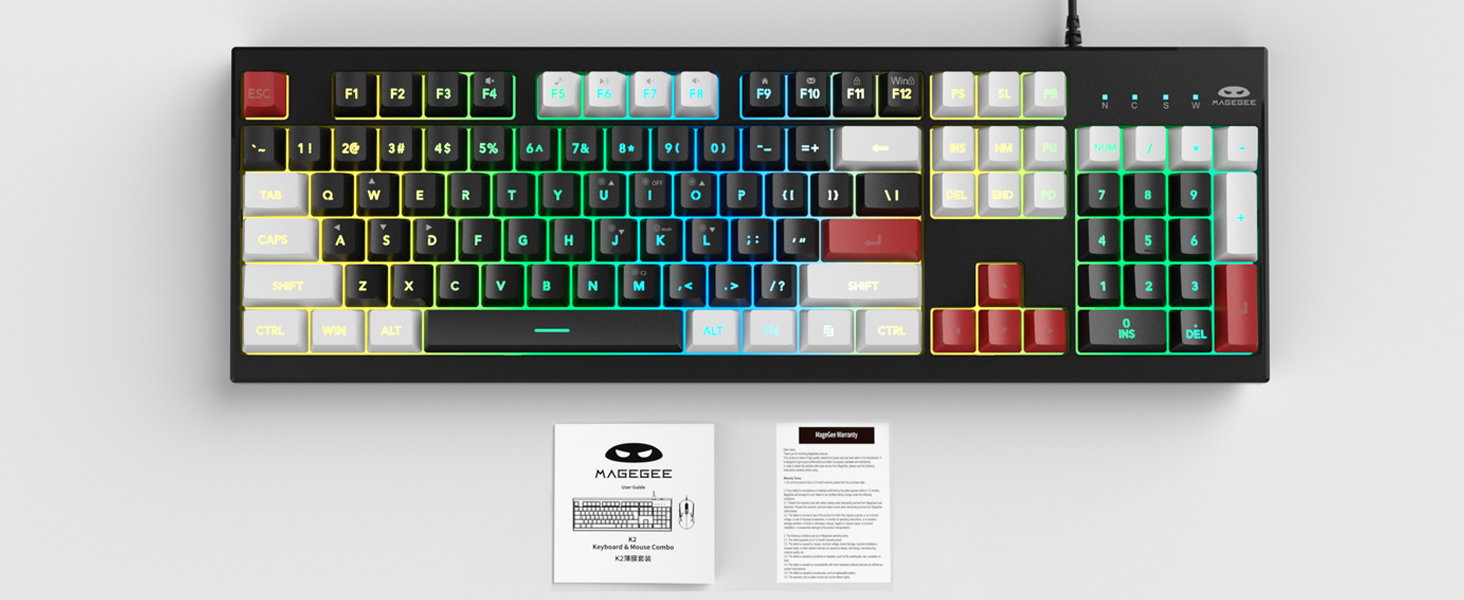
Image: MageGee K2 Keyboard shown with its accompanying user manual.
3. 설정 지침
3.1 키보드 연결
- Locate an available USB port on your computer (PC, laptop, or Mac).
- Plug the USB connector of the MageGee K2 keyboard into the USB port.
- The keyboard is plug-and-play and should be automatically recognized by your operating system (Windows 2000/XP/ME/Vista/7/8/10, Android, Linux, Mac). No additional drivers are typically required.
3.2 키보드 높이 조정
The keyboard features a foldable bracket at the bottom, allowing you to adjust its height for a more comfortable typing angle.
- To raise the keyboard, gently pull out the foldable feet located on the underside of the keyboard.
- To lower the keyboard, fold the feet back into their recessed positions.

Image: The MageGee K2 Keyboard demonstrating its ergonomic design with adjustable feet.
4. 사용 설명서
4.1 RGB 백라이트 제어
The MageGee K2 keyboard features vibrant RGB backlighting with multiple modes and brightness levels. Use the following key combinations to control the lighting:
- 에프엔 + 엘: 백라이트 밝기를 높입니다.
- FN + J: 백라이트 밝기를 낮춥니다.
- FN + 케이백라이트 모드를 전환하세요.
- 에프엔+엠: Switch between constant color and multi-color backlight modes.
- FN + 나백라이트를 켜거나 끕니다.

Image: Visual guide to RGB backlight control keys on the MageGee K2 Keyboard.
4.2 멀티미디어 바로 가기
Access common multimedia functions quickly using the FN key in combination with the F1-F12 keys:
- FN + F1-F12: Quickly switch between multimedia playback, volume adjustment, and other functions. Refer to the keycap legends for specific functions.
4.3 앤티고스팅 및 N키 롤오버
The MageGee K2 keyboard features advanced anti-ghosting technology, allowing up to 19 keys to be pressed simultaneously without conflicts. This ensures accurate and fast input, especially during gaming or rapid typing.
- 19키 롤오버: Allows simultaneous pressing of multiple keys without issues.
- FN + 승: Switch between the W, A, S, D keys and the arrow keys for enhanced gaming control.
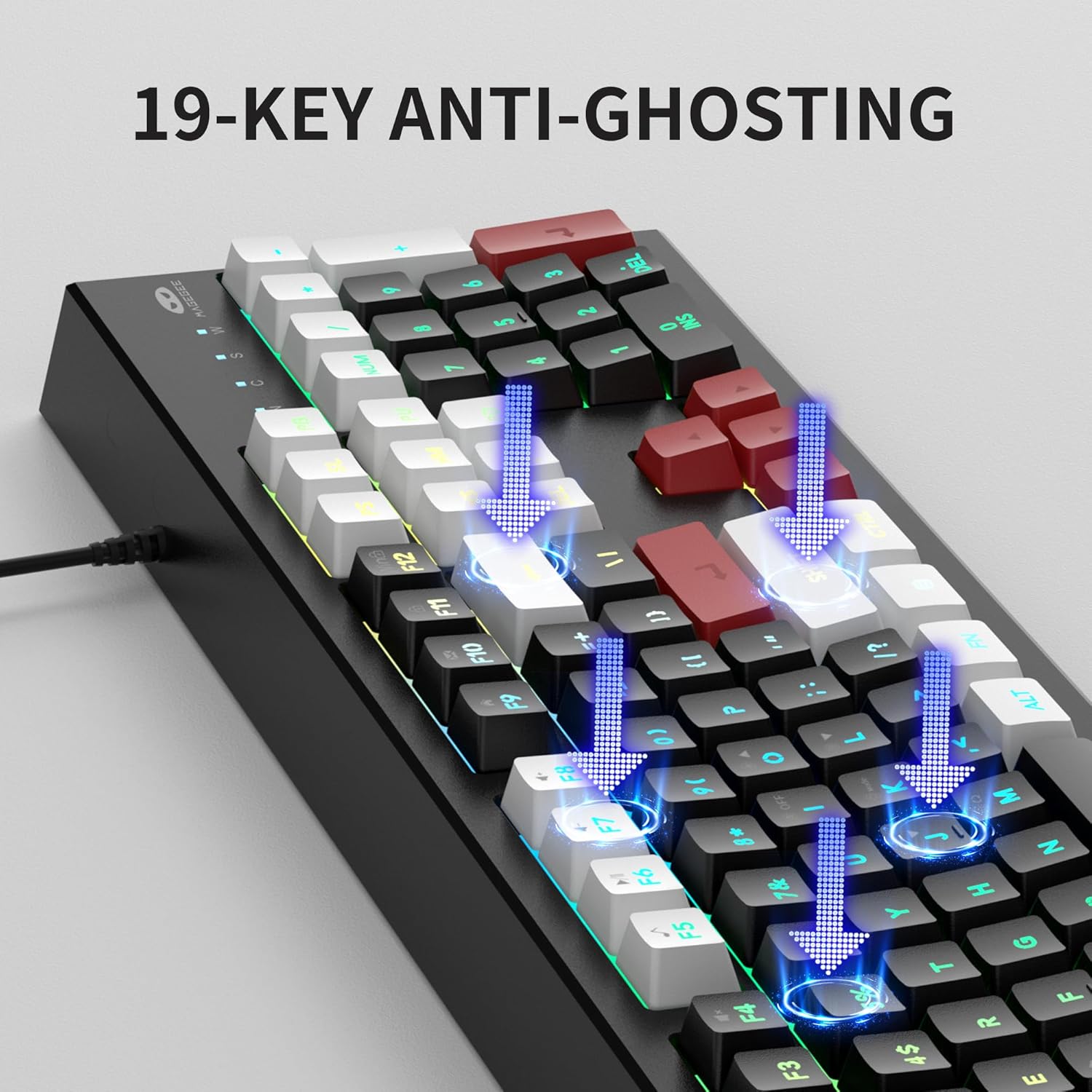
Image: Illustration of 19-key anti-ghosting functionality on the MageGee K2 Keyboard.
4.4 인체공학적 디자인
The keyboard is designed with carefully crafted high and low keys and a stepped layout to provide an ergonomic angle, reducing strain during long typing sessions and promoting comfortable finger movement.
5. 유지관리
5.1 키보드 청소
- 청소하기 전에 키보드를 컴퓨터에서 분리하세요.
- 부드러운 d를 사용하세요amp cloth to wipe the surface of the keyboard. Avoid using harsh chemicals or abrasive materials.
- 키캡 사이를 청소하려면 압축 공기를 사용하여 먼지와 이물질을 제거하세요.
5.2 일반 관리
- 키보드를 극한 온도, 직사광선 또는 높은 습도에 노출시키지 마십시오.
- While the keyboard is designed to be waterproof, avoid submerging it in liquids. In case of accidental spills, disconnect immediately and allow it to dry completely before reconnecting.
- 키보드를 분해하려고 시도하지 마십시오. 분해할 경우 보증이 무효화될 수 있습니다.
6. 문제 해결
6.1 키보드가 응답하지 않음
- USB 케이블이 키보드와 컴퓨터에 모두 단단히 꽂혀 있는지 확인하세요.
- 키보드를 컴퓨터의 다른 USB 포트에 연결해 보세요.
- 컴퓨터를 다시 시작하세요.
- 다른 컴퓨터에서 키보드를 테스트하여 문제가 키보드에 있는지, 아니면 원래 컴퓨터에 있는지 확인하세요.
6.2 백라이트가 작동하지 않거나 올바르지 않음
- 백라이트가 켜져 있는지 확인하십시오. FN + 나.
- 밝기를 조절하려면 다음을 사용하세요. 에프엔 + 엘 (증가) 그리고 FN + J (감소하다).
- Cycle through different modes using FN + 케이 그리고 에프엔+엠.
6.3 키가 등록되지 않거나 두 번 입력됨
- Clean the keyboard as described in the Maintenance section to remove any debris under the keycaps.
- Ensure the keyboard is connected directly to the computer and not through a USB hub, which can sometimes cause power or signal issues.
7. 사양
| 특징 | 세부 사항 |
|---|---|
| 상표 | 메이지 |
| 모델 | K2 |
| 색상 | Knight Red |
| 연결 기술 | USB 유선 |
| 키보드 설명 | Ergonomic, 104 Keys |
| 특별 기능 | RGB Backlighting, Foldable Bracket, 19-Key Anti-Ghosting, Multimedia Shortcuts |
| 호환 장치 | Gaming Console, Laptop, PC (Win2000, XP, ME, Vista, Win7, Win8, Win10, Android, Linux, Mac) |
| 재료 | 플라스틱 |
| 품목 무게 | 2.07파운드 |
| 패키지 크기 | 17.68 x 7.09 x 1.93 인치 |
| 제조업체 | 마지 |

Image: Detailed dimensions of the MageGee K2 Keyboard.
8. 공식 제품 영상
영상: 공식 제품 영상 쇼asing the MageGee K2 PC Gaming Keyboard features and RGB lighting.
9. 보증 및 지원
MageGee products are designed for reliability and performance. For any issues or inquiries, please refer to the following information:
- After-Sales System: The product is supported by MageGee's after-sales system. For specific warranty details or technical support, please contact the retailer or visit the official MageGee web대지.
- 반품 정책: This product typically comes with a 30-day return policy. Please check with your point of purchase for exact return terms.


