1. 설정 가이드
1.1 패키지 내용
시작하기 전에 패키지에 모든 품목이 들어 있는지 확인하세요.
- 기본 유닛
- 3개의 무선 단말기
- AC 어댑터 3개
- 전화선 코드
- 니켈수소 배터리 3개
- 벽걸이 브라켓
- Abridged User’s Manual
- 빠른 시작 가이드

Image: The VTech CS5329-3 cordless phone system, showing the main base unit and three cordless handsets with their charging cradles.
1.2 배터리 설치
Each cordless handset requires a NiMH battery for operation. To install:
- 핸드셋 뒷면의 배터리 덮개를 엽니다.
- 배터리 팩 플러그를 수납 공간 내부의 잭에 단단히 연결하세요.
- 배터리 팩을 수납공간에 넣으세요.
- 배터리 덮개를 닫습니다.
1.3 베이스 유닛 연결
Connect the base unit to your telephone line and a power outlet:
- 전화선 코드의 한쪽 끝을 기본 장치 뒷면의 TEL LINE 잭에 꽂습니다.
- 전화선 코드의 다른 쪽 끝을 전화 벽면 잭에 꽂습니다.
- AC 어댑터의 작은 끝을 베이스 유닛 뒷면의 POWER 잭에 꽂습니다.
- AC 어댑터의 큰 쪽 끝을 벽 스위치로 제어할 수 없는 벽면 콘센트에 꽂습니다.
1.4 휴대폰 충전
Place each handset in its respective charging cradle or the main base unit. The handsets will begin charging automatically. Allow at least 10-12 hours for the initial charge before first use to ensure optimal battery performance.
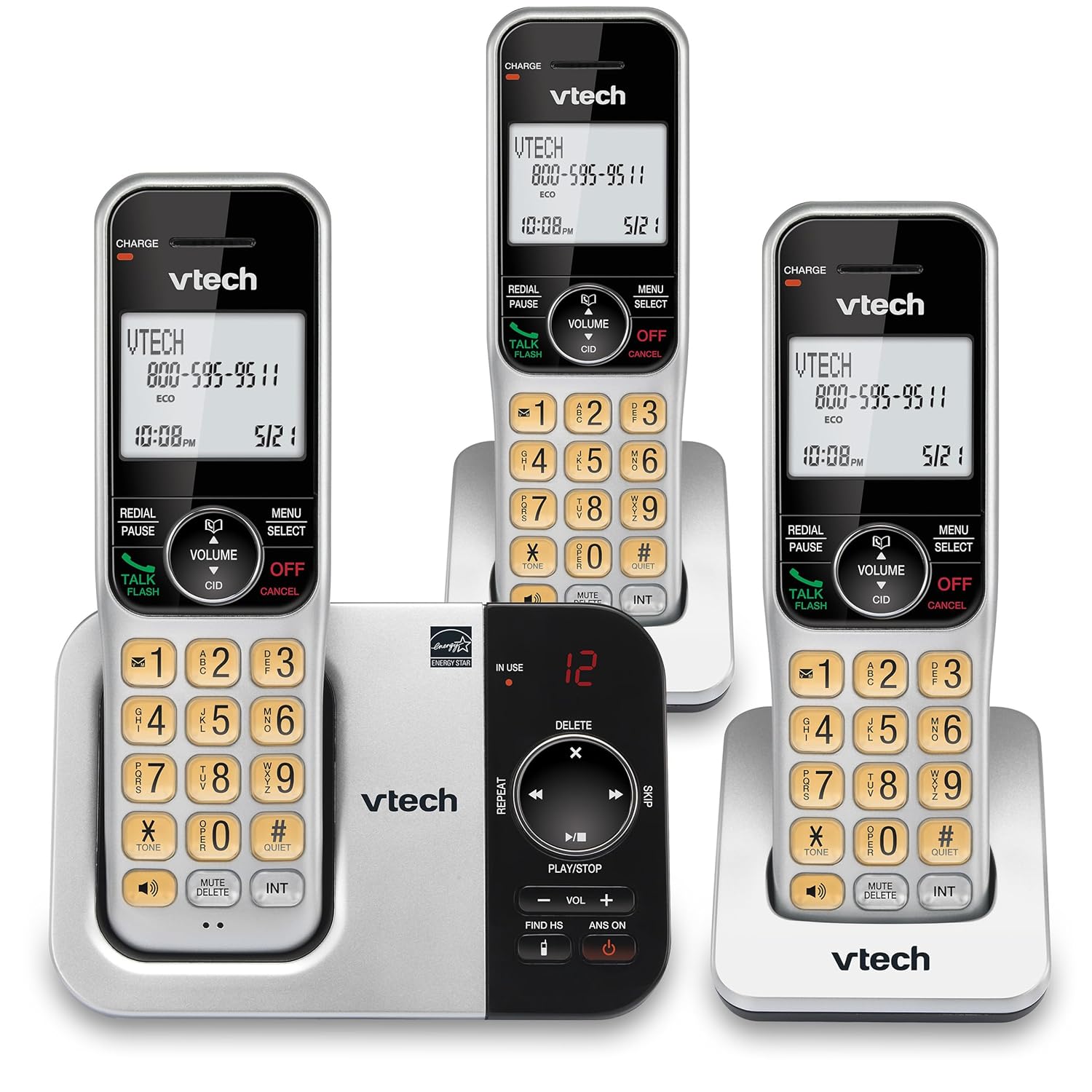
이미지: 대안 view of the VTech CS5329-3 phone system, highlighting the compact design of the handsets and charging cradles.
2. 사용 설명서
2.1 전화 걸기 및 받기
전화를 걸려면 토크 / 플래시 button, then dial the number. To receive a call, simply lift the handset from the cradle or press any key (except 끄기/취소).
2.2 디지털 응답 시스템
The integrated digital answering system offers up to 23 minutes of recording time for incoming messages, announcements, and memos. You can play back messages directly from the base unit or any handset. The lighted display on the handset indicates the number of new messages waiting.
2.3 Full Duplex Speakerphone
Enjoy clear, natural conversations with the full-duplex handset speakerphone. This feature allows both parties to speak and be heard simultaneously, enhancing call quality and participation.
2.4 발신자 ID
Caller ID entries are displayed on the large, backlit LCD screen of the handset, making it easy to identify callers even in low-light conditions. The screen provides high-contrast text for readability.
2.5 통화 차단
Effectively manage unwanted calls by utilizing the Call Block feature. You can input and/or save up to 150 names and numbers in the call block directory to prevent them from ringing through.
2.6 확장성
The VTech CS5329-3 system is expandable up to 5 handsets using only one phone jack. Additional CS5309 accessory handsets (sold separately) can be placed anywhere in your home or office near an outlet, providing flexible and convenient communication throughout your space.

Image: Another perspective of the VTech CS5329-3 phone system, showcasing the sleek design and keypad layout of the handsets.
3. 유지관리
3.1 휴대폰 청소
부드럽고 가벼운 천으로 전화기와 베이스 유닛을 닦으세요.amp 천으로 닦으세요. 세척 스프레이나 강한 화학 약품은 마감재나 전기 부품을 손상시킬 수 있으므로 사용하지 마세요.
3.2 배터리 관리
To maintain optimal battery life, ensure handsets are placed on their charging cradles when not in use. Avoid exposing batteries to extreme temperatures.
4. 문제 해결
If you experience issues with your VTech CS5329-3 phone system, try the following common troubleshooting steps:
- 발신음 없음: Ensure the telephone line cord is securely connected to both the base unit and the wall jack. Check if other phones in your home have a dial tone.
- 전원 없음: Verify that the AC adapter is properly plugged into the base unit and a working electrical outlet.
- 나쁜 음질: 베이스 유닛에 더 가까이 다가가세요. 신호를 방해하는 큰 금속 물체나 기타 전자 장치가 없는지 확인하세요.
- 핸드셋이 충전되지 않음: Make sure the handset is properly seated in the charging cradle and the charging contacts are clean.
- 응답 시스템이 녹음되지 않음: Check the recording time available. Ensure the answering system is turned ON.
For more detailed troubleshooting, refer to the Abridged User’s Manual included in your package.
5. 사양
| 특징 | 세부 사항 |
|---|---|
| 제품 치수 | 5.54 x 7.31 x 2.99인치; 2.36파운드 |
| 품목 모델 번호 | CS5329-3 |
| 배터리 | AAA 배터리 3개 필요(포함) |
| 제조업체 | VTECH |
| 색상 | 실버 / 블랙 |
| 전화 유형 | 무선 |
| 재료 | 플라스틱 |
| 전원 | 코드식 전기 |
| 응답 시스템 유형 | 디지털 |
| 품목 무게 | 1.07 킬로그램 |
| 호환 장치 | PSTN Landline Connections |
6. 보증 및 지원
Your VTech CS5329-3 Cordless Phone System is covered by a manufacturer's warranty. Please refer to the warranty information provided in your Abridged User’s Manual for specific terms and conditions.
For technical support, product registration, or to purchase additional accessories, please visit the official VTech website or contact their customer service. Contact details can typically be found in your product documentation or on the VTech brand store page.
자세한 내용은 다음을 방문하세요. Amazon의 VTech 스토어.


