1. 제품 오버view
The Lockly Smart Lock Secure Pro offers advanced security and convenience with multiple access methods including biometric fingerprint recognition, a patented PIN Genie keypad, built-in Wi-Fi for remote control, and traditional physical keys. Designed for easy installation and robust performance, it integrates seamlessly into modern smart homes.

Figure 1: Lockly Smart Lock Secure Pro and companion mobile application.
2. 설정 및 설치
This section provides step-by-step instructions for installing your Lockly Smart Lock Secure Pro. Please ensure you have all necessary tools and components before beginning.
2.1. 설치 전 점검
Before starting the installation, verify your door's dimensions and ensure it meets the requirements for the Lockly Secure Pro.
- Cross-bore hole: 2 1/8" (54mm) diameter.
- Deadbolt bore hole: 1" (25mm) diameter.
- 문 두께: Between 1 3/8" (35mm) to 2" (50mm).
- Back-set: 2 3/8인치(60mm) 또는 2 3/4인치(70mm).

Figure 2: Essential door measurements for proper installation.
2.2. 설치 안내 영상
For a detailed visual walkthrough of the installation process, please refer to the official Lockly Secure Pro Installation Guide video below.
Video 1: Official Lockly Secure Pro Installation Guide. This video provides comprehensive instructions for setting up your smart lock.
2.3. Step-by-Step Installation Summary
- 문 준비: Remove any existing lock hardware. Ensure the cross-bore hole and deadbolt bore hole meet the specified dimensions.
- 잠금장치를 설치하세요: Adjust the deadbolt to the correct back-set (2 3/8" or 2 3/4"). Insert the deadbolt into the door edge hole, ensuring the slot is vertical, and secure it with the provided screws.
- 외부 어셈블리 설치: Align the exterior assembly with the door hole and deadbolt. Ensure the torque blade is in the vertical position. Peel off the adhesive film and carefully place the assembly, guiding the connection cables under the deadbolt.
- Install the Interior Mount Plate: Guide the connection cables through the gasket's notch. Align the mounting plate and secure it with screws, ensuring the cables are not pinched. Verify the deadbolt operates smoothly with the physical key.
- Install the Interior of Lock: Remove the battery cover. Connect the cables from the exterior assembly to the interior lock. Ensure the thumb turn is vertical and align the torque blade. Insert the connector and excess wire into the door hole. Secure the interior assembly to the mounting plate with screws.
- Install Batteries & Perform Self-Check: Insert four AA batteries into the interior assembly. With the door open and deadbolt fully extended, press and hold the program button for 4 seconds to initiate the self-check. Release the button once the self-check begins. The lock will determine the door's swing direction. Ensure the deadbolt extends and retracts smoothly without binding. Once complete, slide the battery cover into place.
- Install Door Frame Strike Plate: Select the appropriate strike plate (O or L) based on your door frame size. If using the strike reinforcement (N), install it first with the provided screws, ensuring the groove depth is less than 5mm. Then secure the strike plate with its screws.
- Install the Wired Door Sensor: The door sensor provides real-time open/close notifications and enables voice control. Use adhesive foam pads to adjust the sensor's height if needed. Trim the tab from the sensor if your door back-set is 2 3/8". Remove the film from the adhesive and attach the sensor close to the door edge. Manually retract the deadbolt and close the door. Align the sensor magnet to the door frame, ensuring the arrows are aligned and the gap is less than 3/4" (20mm).
3. Operating Your Lockly Smart Lock
The Lockly Secure Pro offers multiple convenient ways to access your home.
3.1. Multiple Ways to Unlock
- AI Biometric Fingerprint: Fast 0.2-second recognition with 99.99% accuracy. Supports up to 99 different fingerprints and uses AI learning for improved speed.
- PIN Genie 디지털 키패드: Patented technology that shuffles numbers after each use to prevent code guessing, enhancing security.
- 물리적 키: Two physical keys are included for traditional access. The rekey capability allows for easy cylinder replacement.
- 내장 Wi-Fi 및 앱 제어 기능: Full remote control from anywhere via the Lockly Home app, no bridge required.
- 음성 제어: Seamless integration with Alexa and Google Assistant for voice commands to lock/unlock and check status.
- eKey & eBadge: Grant temporary or permanent access to guests via the app.
- 오프라인 액세스 코드(OAC): Create access codes even when the lock is not connected to the network.
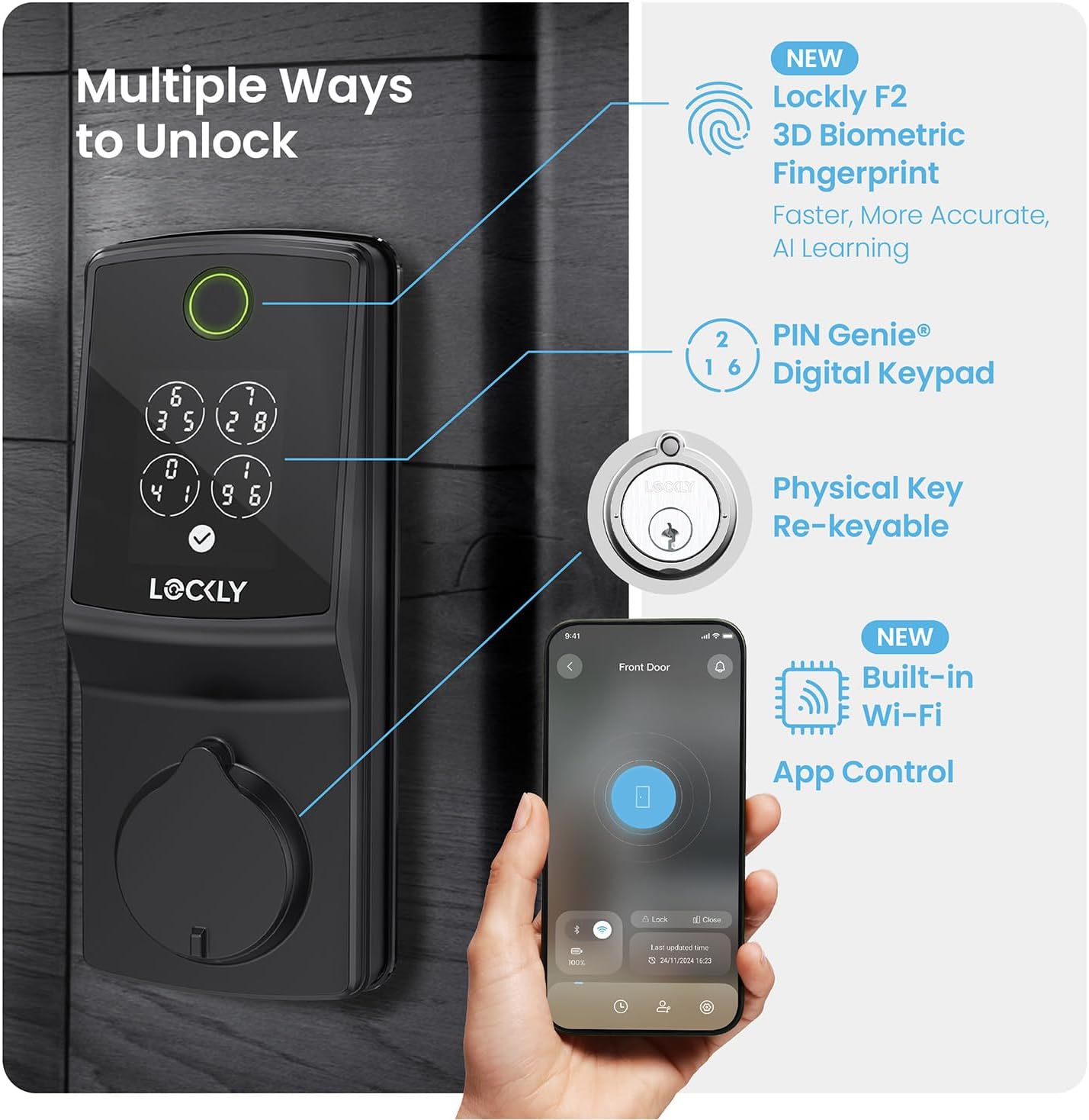
그림 3: 이상view of the various unlocking methods available.
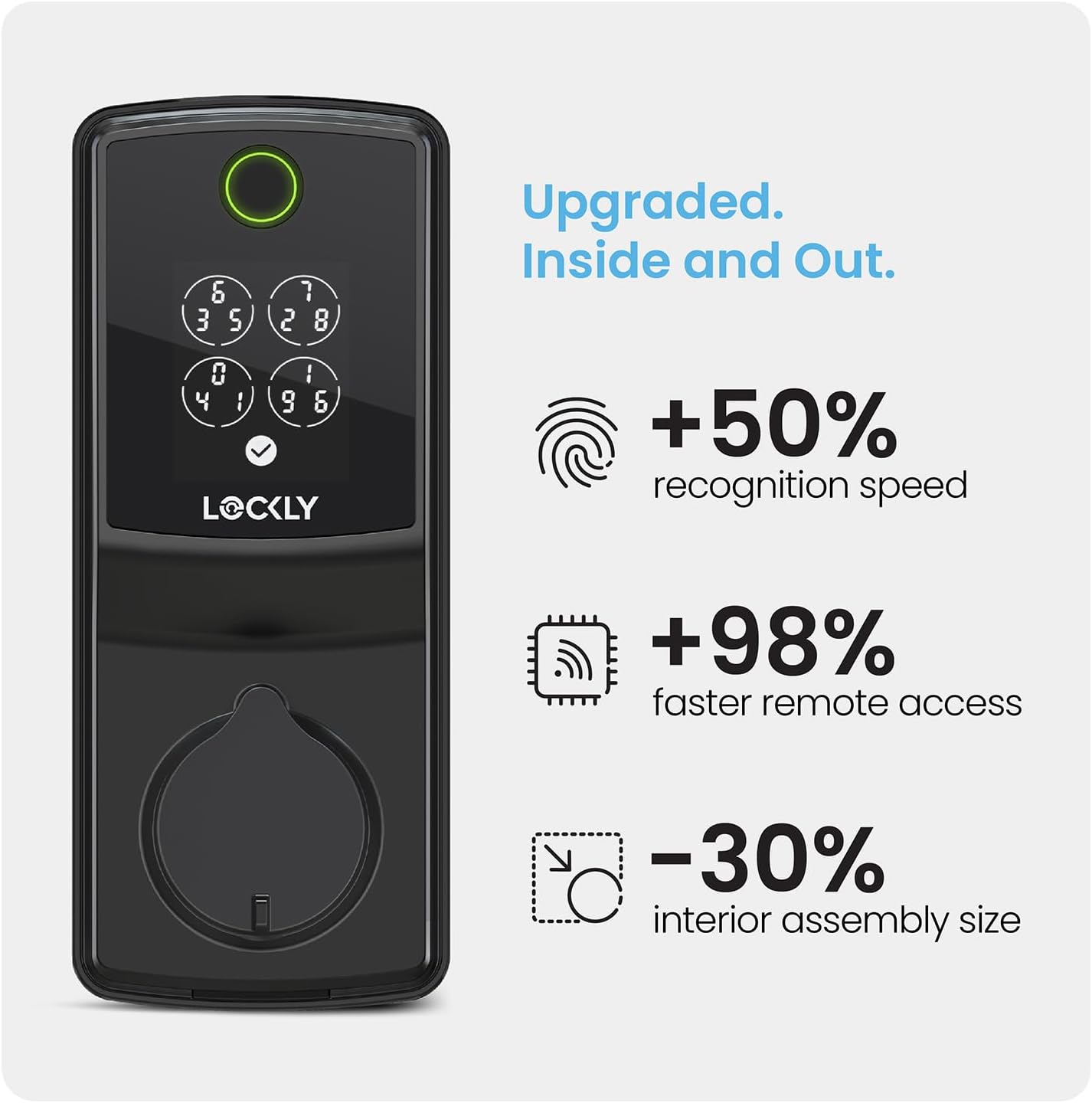
Figure 4: The patented PIN Genie keypad dynamically shuffles digits to prevent code guessing.
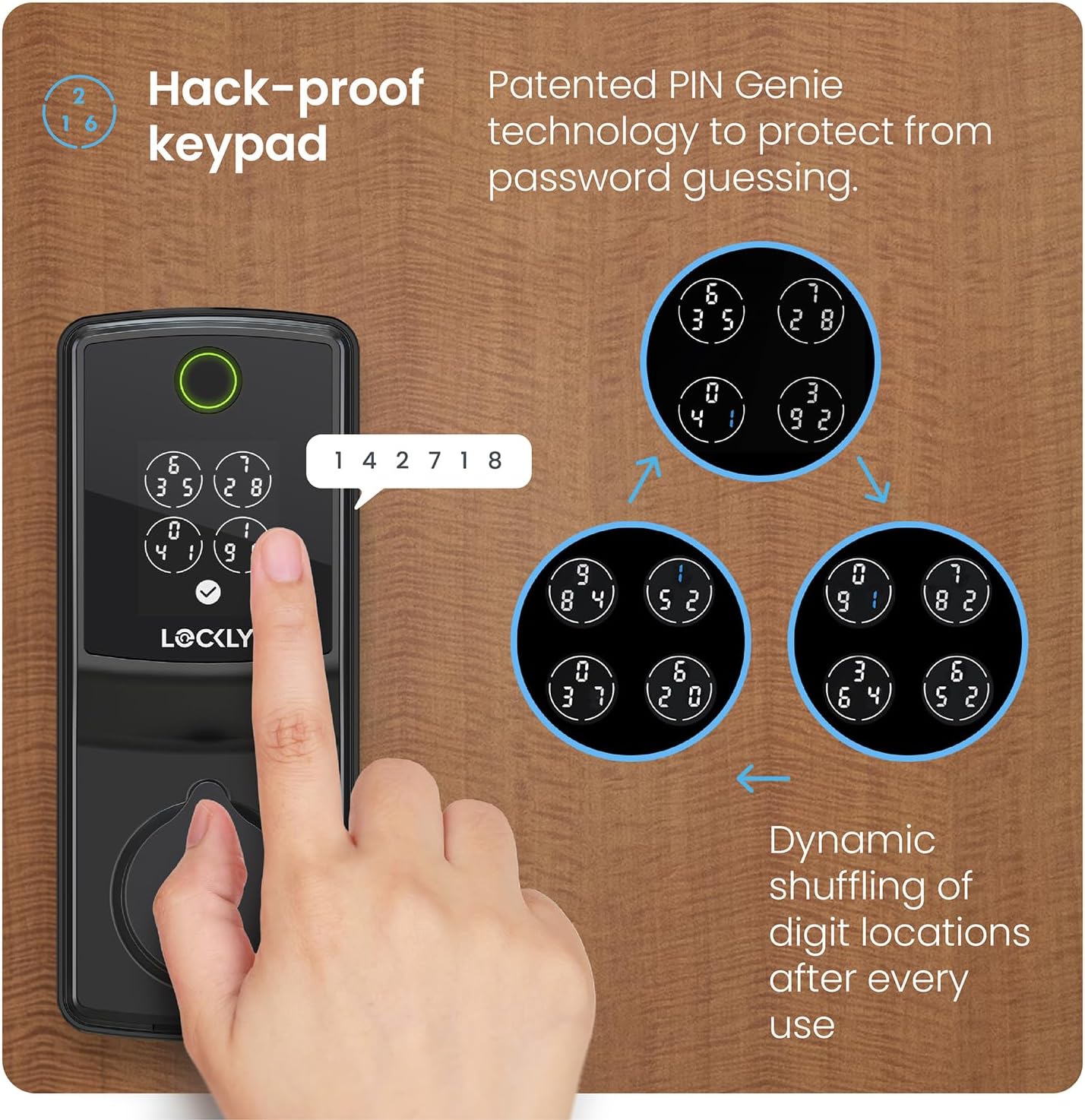
Figure 5: Advanced 3D Biometric Fingerprint sensor for quick and accurate unlocking.
3.2. 앱 제어 및 기능
The Lockly Home app provides comprehensive control and monitoring capabilities.
- 원격 제어: 어디서나 문을 잠그거나 잠금 해제하세요.
- 알림: Receive real-time alerts for lock/unlock events and door status.
- 접근 기록: View detailed logs of who entered and when.
- 접근 관리: Create and manage permanent, recurring, or one-time access codes for users.

Figure 6: Built-in Wi-Fi enables faster remote access and comprehensive app control.
Figure 7: The Lockly Home app allows you to lock/unlock, receive notifications, and view 액세스 기록.
3.3. Programmable Auto-Lock
The smart lock features a programmable auto-lock function, ensuring your door is always secured. This feature can be customized from 5 to 300 seconds.

Figure 8: Customizable auto-lock feature for peace of mind.
3.4. 음성 제어
Integrate your Lockly Smart Lock with popular voice assistants for hands-free control.
- 아마존 알렉사와 연동됩니다.
- Google 어시스턴트와 함께 작동합니다.

Figure 9: Control your Lockly Smart Lock using voice commands.
4. 유지관리
4.1. 배터리 수명
With typical usage, the battery lasts up to 5 months. Frequency of use may vary. The lock uses Alkaline battery cells.
4.2. Backup Access
In case of battery depletion, the lock is equipped with a USB-C charging port for backup access, allowing you to temporarily power the lock to gain entry.
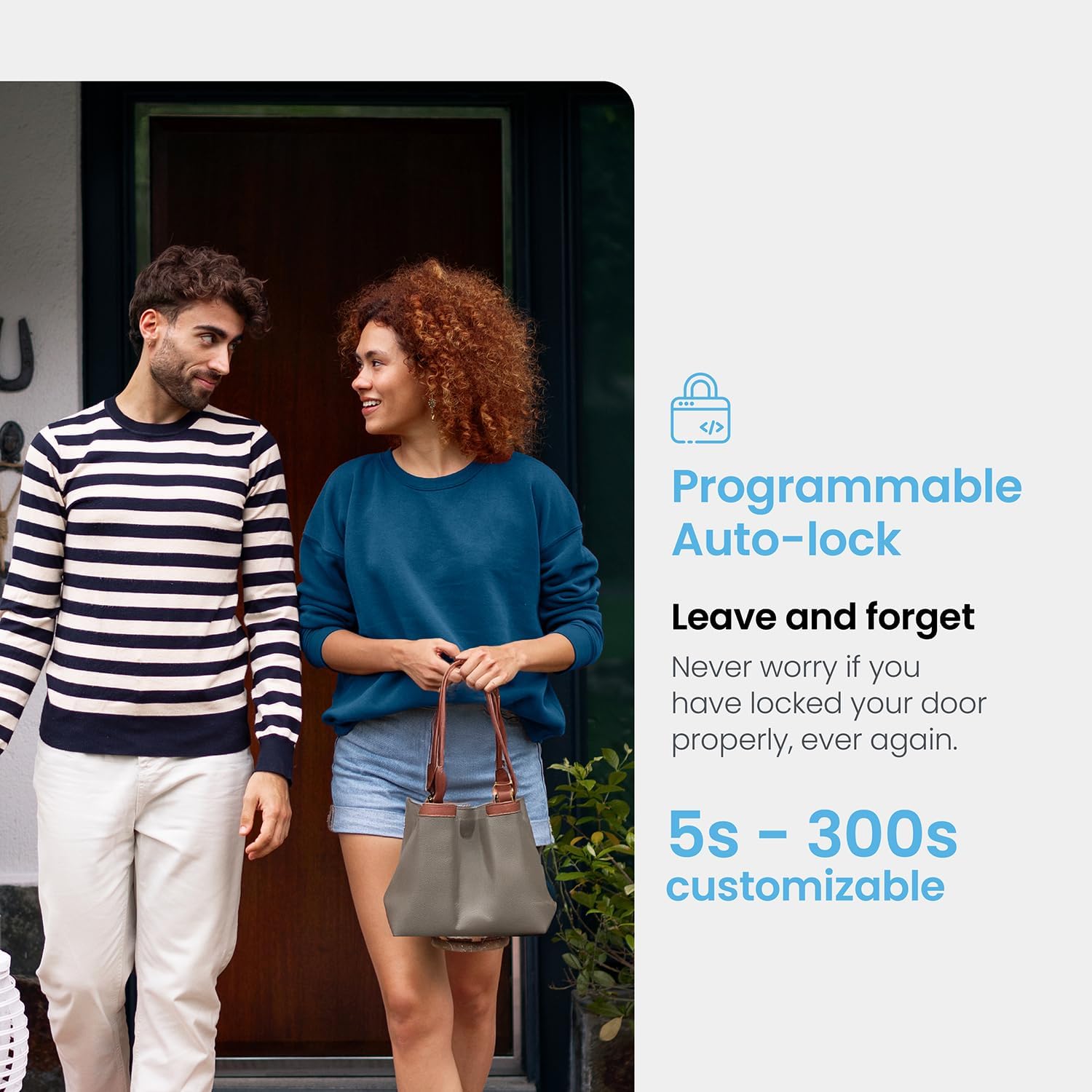
Figure 10: Physical keys and USB-C port provide reliable backup access.
5. 문제 해결
5.1. Key Not Turning / Deadbolt Binding
If the physical key does not turn smoothly or the deadbolt binds, re-check the installation steps, particularly the alignment of the mounting plate and the deadbolt. Improper installation can lead to increased power consumption and reduced battery life due to unusual motor operation.
5.2. Low Battery Alerts
The Lockly Home app will provide notifications when your battery levels are low, prompting you to replace them.
6. 사양
| 특징 | 세부 사항 |
|---|---|
| 상표 | 로클리 |
| 특별 기능 | Fingerprint, PIN Genie Keypad, Auto-Lock, Built-in Wi-Fi |
| 잠금 유형 | 데드 볼트 |
| 품목 치수(L x W x H) | 8.4 x 8.8 x 4.6 인치 |
| 재료 | 아연 |
| 스타일 | Secure Pro - Built in Wi-Fi |
| 색상 | 매트블랙 |
| 포함된 구성 요소 | Lockly Secure Pro smart lock |
| 제어 방법 | 앱, 원격, 터치, 음성 |
| 연결 프로토콜 | 와이파이 |
| 한국어: | 810055605934 |
| 모델명 | Lockly Secure Pro 2025 |
| 품목 무게 | 4.38파운드 |
| 품목 모델 번호 | PGD728WMBE1 |
| 배터리가 포함되어 있나요? | 예 |
| 배터리 셀 유형 | 알칼리성 |
7. 보증 및 지원
Lockly provides 24/7 customer support for all its products. If you have any questions or require technical assistance, please feel free to contact us.
For additional support and resources, you may visit the official Lockly Store: Lockly Store on Amazon.


