1. 서론
This manual provides detailed instructions for the safe and efficient use of your Beafon Fold10 LTE flip phone. Please read this manual thoroughly before operating the device and keep it for future reference. The Beafon Fold10 LTE is a 4G flip phone designed for ease of use, featuring large buttons, dual color displays, and an emergency call button.

Image: The Beafon Fold10 LTE flip phone shown on its charging cradle, with the phone open to display its keypad and internal screen. The 4G LTE logo is visible, indicating its network capability.

Image: The Beafon Fold10 LTE phone depicted with a graphical overlay of a 4G LTE network, emphasizing its advanced connectivity features.
2. 안전 정보
Always follow basic safety precautions when using this product to reduce the risk of injury, fire, or electric shock. Keep the device away from water and high humidity. Do not attempt to disassemble or repair the device yourself. Use only approved accessories. Avoid exposing the device to extreme temperatures.
- 배터리 안전: Use only the specified battery. Do not short-circuit, puncture, or expose the battery to fire or high temperatures.
- 청력 보호: 청력 손상을 예방하려면 높은 볼륨으로 장시간 듣는 것을 피하세요.
- 운전 안전: 운전 중에는 휴대전화를 사용하지 마십시오. 항상 도로 안전을 최우선으로 생각하십시오.
- 의료 기기: Maintain a safe distance between the phone and medical implants like pacemakers. Consult your physician and medical device manufacturer for specific guidelines.
3. 패키지 내용
패키지에 모든 품목이 들어 있는지 확인하세요.
- Beafon Fold10 LTE Flip Phone
- Battery (1 P76 Lithium-ion)
- 충전 크래들
- USB A to USB Type C Cable
- 사용 설명서 (본 문서)
4. 디바이스 오버view
Familiarize yourself with the main components of your Beafon Fold10 LTE phone.

이미지: 앞면 view of the Beafon Fold10 LTE flip phone in its closed position, highlighting the external color display and the camera lens.

이미지: 측면 view of the Beafon Fold10 LTE flip phone, illustrating the location of the volume control buttons and the charging port.

이미지: 뒤로 view of the Beafon Fold10 LTE flip phone, clearly showing the dedicated SOS emergency button.
주요 구성 요소:
- External Color Display (1.44"): Shows time, date, battery status, and caller ID when closed.
- Internal Color Display (2.2"): Main display for menus, calls, and messages.
- 키패드 : Large, backlit keys for easy dialing and navigation. Keys can announce numbers when pressed.
- SOS 버튼: Located on the back for emergency calls to pre-programmed numbers.
- 카메라: 사진 촬영용.
- 플래시: 통합된 광원.
- 충전 포트: USB 타입 C.
- 볼륨 버튼: Adjust call and ringtone volume.
5. 설정
5.1 SIM 카드 및 배터리 설치
- 휴대전화 뒷면 덮개를 여세요.
- Insert your SIM card(s) into the designated slot(s). Ensure the SIM card is correctly oriented.
- 배터리를 배터리 칸에 넣고 접점을 맞춥니다.
- 뒷커버를 제자리에 딸깍 소리가 날 때까지 다시 끼웁니다.
5.2 초기 충전
처음 사용하기 전에 휴대폰 배터리를 완전히 충전하십시오.
- Connect the USB cable to the charging cradle and a power adapter (not included) or a computer.
- Place the phone into the charging cradle. The charging indicator will illuminate.
- Allow the phone to charge until the battery icon shows full.
5.3 전원 켜기/끄기
- 전원을 켜려면: 화면이 켜질 때까지 전원/통화 종료 버튼을 길게 누르세요.
- 전원을 끄려면: Press and hold the Power/End Call button, then confirm "Power Off" on the screen.
6. 기본 동작
6.1 전화 걸기 및 받기
- 전화 걸기:
- Open the flip.
- 키패드를 사용하여 원하는 번호를 다이얼합니다.
- 통화를 시작하려면 녹색 통화 버튼을 누르세요.
- 통화를 종료하려면 빨간색 통화 종료 버튼을 누르세요.
- 전화 받기:
- When the phone rings, open the flip or press the Green Call button.
- 통화를 종료하려면 빨간색 통화 종료 버튼을 누르세요.
- 핸즈프리 통화: The phone supports hands-free operation via Bluetooth or speakerphone.
6.2 SMS 송수신
- "메시지" 메뉴로 이동합니다.
- Select "New Message" to compose an SMS.
- 수신자의 전화번호와 메시지를 입력하세요.
- "보내기"를 선택하세요.
- Incoming messages will be displayed on the screen and a light signal may activate.
6.3 SOS 비상 버튼
The SOS button on the back of the phone allows for quick emergency calls.
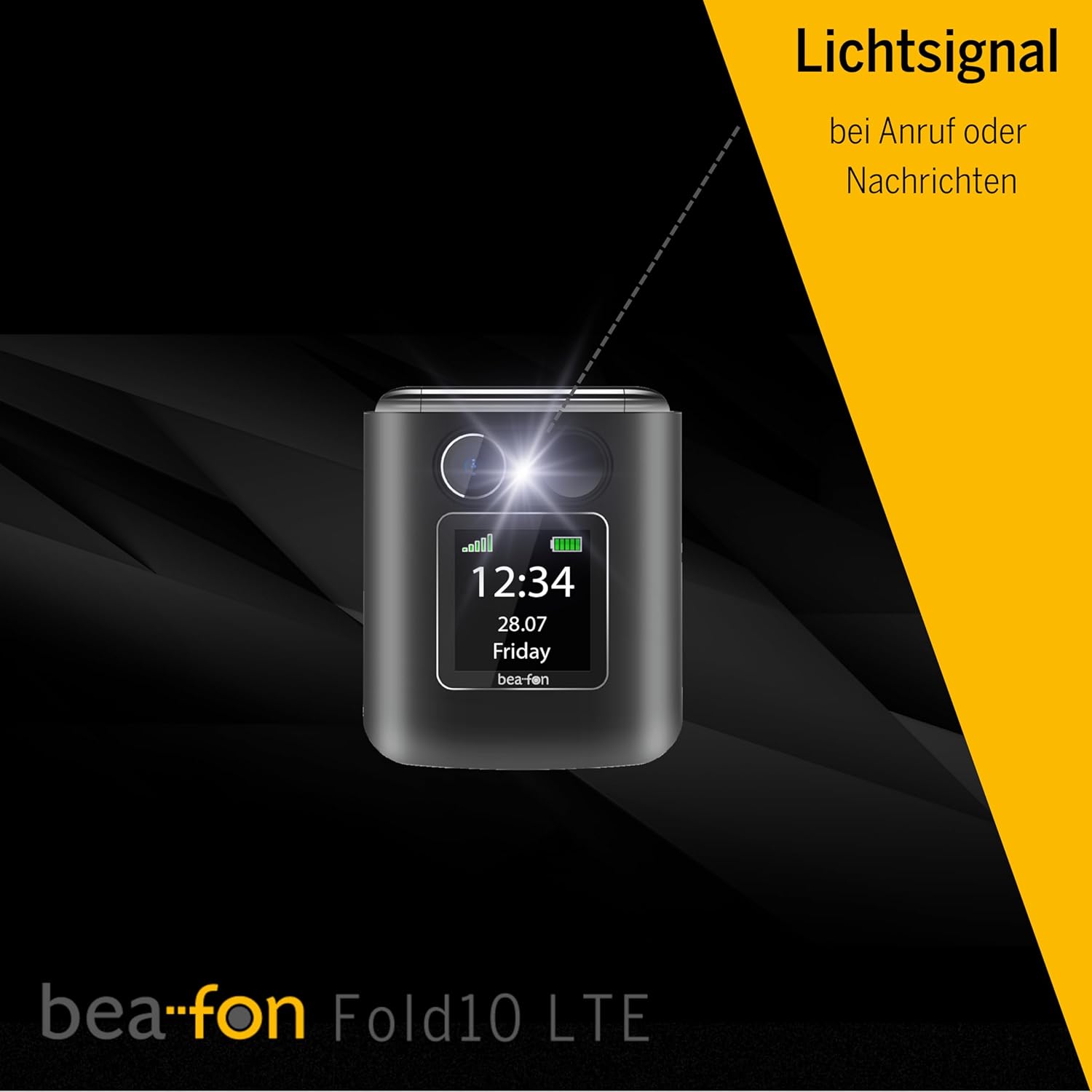
Image: A diagram illustrating the SOS button's function, showing its location on the phone's back and its connection to a network of up to five user-programmable emergency contacts.
- SOS 번호 프로그래밍: Access the SOS settings in the phone's menu to program up to 5 emergency contact numbers.
- SOS 활성화: Press and hold the SOS button for a few seconds. The phone will automatically call the programmed numbers in sequence until an answer is received.
6.4 Photo Contacts
Assign photos to your contacts for easy visual identification of callers.

Image: A visual representation of the phone's internal display during an incoming call, demonstrating the photo contact feature where a contact's picture is shown alongside their name.
- Navigate to "Contacts".
- Select a contact and choose "Edit".
- Select the option to add a photo from your gallery or take a new one.
6.5 Light Signal for Incoming Calls/Messages
The phone features a light signal that flashes to alert you of incoming calls or messages, providing a visual notification in addition to the ringtone.
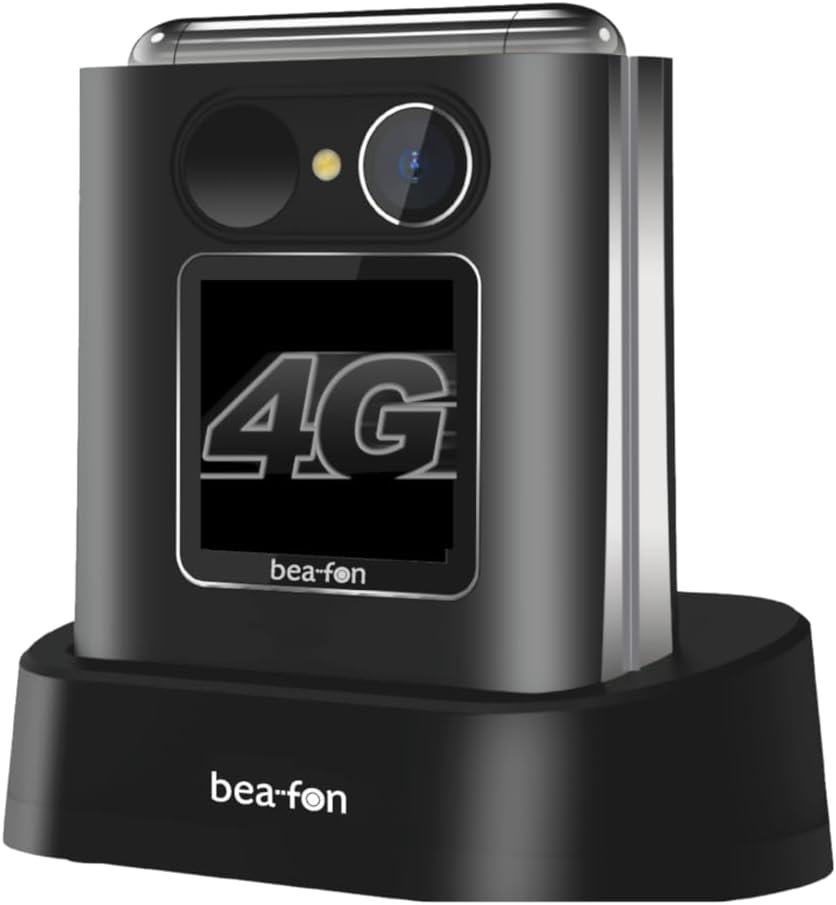
Image: The Beafon Fold10 LTE phone displaying a visible light signal on its external screen, indicating an incoming call or message.
6.6 기타 기능
- 카메라: 메인 메뉴에서 카메라에 접근하여 사진을 촬영하세요.
- 플래시: Activate the flashlight feature from the quick access menu or settings.
- 블루투스: Pair with Bluetooth headsets or other devices for wireless connectivity.
7. 유지관리
7.1 장치 청소
Use a soft, dry cloth to clean the phone's surface. Do not use liquid cleaners or aerosols. Avoid getting moisture into openings.
7.2 배터리 관리
- 배터리를 완전히 방전된 상태로 장기간 방치하지 마십시오.
- 배터리를 과충전하지 마십시오.
- If the phone will not be used for a long time, store it with a partially charged battery in a cool, dry place.
7.3 보관
Store the phone in a cool, dry environment, away from direct sunlight and extreme temperatures.
8. 문제 해결
| 문제 | 가능한 원인 | 해결책 |
|---|---|---|
| 전화기가 켜지지 않습니다. | 배터리가 방전되었거나 제대로 삽입되지 않았습니다. | 배터리를 충전하십시오. 배터리가 올바르게 설치되었는지 확인하십시오. |
| 전화를 걸거나 받을 수 없습니다. | No network signal, SIM card not inserted or activated. | Check network coverage. Ensure SIM card is correctly inserted and activated. Contact your service provider. |
| 통화 품질이 좋지 않습니다. | Weak network signal, interference. | Move to an area with better signal. Avoid sources of interference. |
| 배터리가 빨리 소모됩니다. | High usage, background applications, old battery. | Reduce screen brightness, close unused applications. Consider replacing the battery if it's old. |
9. 사양
| 특징 | 세부 사항 |
|---|---|
| 상표 | 비폰 |
| 모델명 | Fold10 LTE |
| 제품 유형 | 플립폰 |
| 운영 체제 | 비폰 |
| Internal Screen Size | 2.2 인치 |
| 외부 화면 크기 | 1.44 인치 |
| 연결성 | 4G LTE |
| 셀룰러 기술 | 4G |
| 무선 네트워크 기술 | LTE |
| 특별 기능 | Flip phone, SOS emergency call button, Photo contacts, Backlit keys, Extra loud ringtone, Flashlight, Bluetooth, Hands-free |
| 배터리 구성 | 리튬이온 |
| 색상 | 블랙/실버 |
| 포함된 구성 요소 | 충전 크래들 |
| 효과적인 스틸 해상도 | 0.3 MP (Camera) |
| 크기(대략) | 71mm(높이) x 63mm(너비) x 22.4mm(깊이) |
10. 보증 및 지원
For warranty information and customer support, please refer to the warranty card included with your product or visit the official Beafon web사이트. 보증 청구를 위해 구매 증빙 자료를 보관하세요.


