1. 서론
Thank you for choosing the Codnida 5.5" LCD Baby Monitor Camera. This device is designed to provide a secure and reliable way to monitor your baby, offering high-definition video, two-way audio, and various smart features to ensure peace of mind. Please read this manual thoroughly before use to ensure proper operation and to maximize the lifespan of your product.
2. 중요한 안전 정보
Please keep this manual for future reference. Failure to follow these safety instructions could result in fire, electric shock, or other injury or damage.
- 목졸림 위험: Keep the camera and monitor cords out of reach of children (at least 3 feet / 1 meter away). Never place the camera or cords within the crib or playpen.
- 감전 위험: Do not expose the product to rain or moisture. Do not open the casing of the product. There are no user-serviceable parts inside.
- 과열: Do not place the product in direct sunlight or near heat sources. Ensure adequate ventilation around the camera and monitor.
- 간섭: Keep the product away from other electronic devices that may cause interference, such as microwaves or Wi-Fi routers.
- 배터리 안전: The monitor contains a rechargeable lithium-ion battery. Do not disassemble, crush, or expose the battery to extreme temperatures. Dispose of batteries properly according to local regulations.
- 놓기: Place the camera on a flat, stable surface or mount it securely to a wall, ensuring a clear view 아기의.
3. 패키지 내용
상자를 조심스럽게 개봉하여 아래 나열된 모든 품목이 있는지, 그리고 양호한 상태인지 확인하십시오. 누락되거나 손상된 품목이 있는 경우 고객 지원 센터로 문의하십시오.
- 5.5" LCD Baby Monitor (Parent Unit)
- 2K 3MP Baby Camera (Baby Unit)
- 모니터용 전원 어댑터
- 카메라용 전원 어댑터
- USB 충전 케이블 (2개)
- Wall Mounting Kit (Screws and Anchors)
- 사용자 설명서

4. 제품 오버view
4.1 상위 유닛(모니터)
부모 장치는 선명한 화면을 제공하는 5.5인치 LCD 화면을 갖추고 있습니다. viewing of your baby. It includes control buttons for navigation, volume, zoom, and two-way audio. The built-in rechargeable battery allows for portable use.
- 5.5인치 LCD 디스플레이
- 전원/메뉴 버튼
- Navigation Buttons (Up/Down/Left/Right/OK)
- 볼륨 조절
- 줌 버튼
- Two-Way Audio Button
- 마이크와 스피커
- 안테나
- 충전 포트
4.2 베이비유닛(카메라)
The baby unit is equipped with a 2K 3MP HD camera, infrared LEDs for night vision, and a microphone and speaker for two-way audio. It also features pan, tilt, and zoom (PTZ) capabilities for comprehensive room coverage.
- 2K 3MP HD Camera Lens
- Infrared LEDs (for Night Vision)
- 마이크와 스피커
- 온도/습도 센서
- 페어링 버튼
- 전원 포트
- 장착 구멍
5. 설정
5.1 초기 충전
Before first use, fully charge the parent unit for approximately 8 hours. Connect the power adapter to the parent unit and a power outlet. The charging indicator will show the charging status.

5.2 카메라 배치
아기 모니터(카메라)를 시야가 확보되는 곳에 설치하세요. view of your baby, but always keep it at least 3 feet (1 meter) away from the crib or playpen to avoid strangulation hazards from the power cord. You can place it on a flat surface or mount it to a wall using the provided kit.
5.3 전원 켜기
- Connect the power adapter to the baby unit (camera) and a power outlet. The camera will power on automatically.
- Press and hold the Power button on the parent unit (monitor) for a few seconds to turn it on.
- The parent unit and baby unit are pre-paired at the factory. If they do not connect automatically, refer to the "Pairing Camera and Monitor" section.
5.4 Pairing Camera and Monitor
If the monitor displays "No Signal" or you wish to add another camera (sold separately), follow these steps:
- On the parent unit, press the Menu button.
- Navigate to the "Camera" or "Add Camera" option and select it.
- Select an empty camera channel (e.g., CAM 2, CAM 3).
- The monitor will display a message to press the pairing button on the camera.
- Within 10 seconds, press the Pairing button on the back or bottom of the baby unit (camera).
- Once paired, the image from the camera will appear on the monitor.
5.5 App Installation and Connection (Optional)
The Codnida baby monitor also supports connection via the "Tuya" application for remote monitoring. This feature requires a Wi-Fi connection.
- 스마트폰의 앱스토어(iOS 앱스토어 또는 구글 플레이 스토어)에서 "Tuya Smart" 또는 "Smart Life" 앱을 다운로드하세요.
- 새 계정을 등록하거나 이미 계정이 있는 경우 로그인하세요.
- Follow the in-app instructions to add a new device. Select "Security & Video Surveillance" and then "Smart Camera (Wi-Fi)".
- Ensure your camera is powered on and in pairing mode (usually indicated by a flashing light).
- 휴대폰을 2.4GHz Wi-Fi 네트워크에 연결합니다.
- Scan the QR code displayed on your phone with the baby unit camera, or follow alternative pairing methods if prompted.
- 연결되면 다음을 수행할 수 있습니다. view the live feed, control PTZ, and access other features via the app.
6. 운영
6.1 기본 모니터링
Once the camera and monitor are connected, the live video feed of your baby's room will be displayed on the 5.5" LCD screen.

6.2 VOX 모드(음성 작동 교환기)
VOX mode is an energy-saving feature. When enabled, the monitor screen will turn off to conserve battery. It will automatically activate and display the video feed when a sound (like crying) is detected in the baby's room.
- To activate/deactivate VOX mode: Press the Menu button, navigate to "VOX" or "Sound Activation", and select your desired sensitivity level (Low, Medium, High) or turn it off.

6.3 양방향 오디오
Communicate with your baby remotely using the two-way audio feature.
- Press and hold the Talk button (microphone icon) on the parent unit to speak. Release the button to hear your baby.

6.4 팬, 틸트, 줌(PTZ)
카메라 제어 viewing angle and zoom level directly from the parent unit.
- Use the Navigation buttons (Up/Down/Left/Right) to pan and tilt the camera.
- Press the Zoom button (magnifying glass icon) to zoom in (up to 4X digital zoom). Press again to zoom out.

6.5 야간 투시경
The camera automatically switches to infrared night vision in low-light conditions, providing a clear black-and-white image of your baby.

6.6 자장가
Soothe your baby with built-in lullabies played directly from the baby unit.
- To play lullabies: Press the Menu button, navigate to "Lullabies", and select a melody or play all.
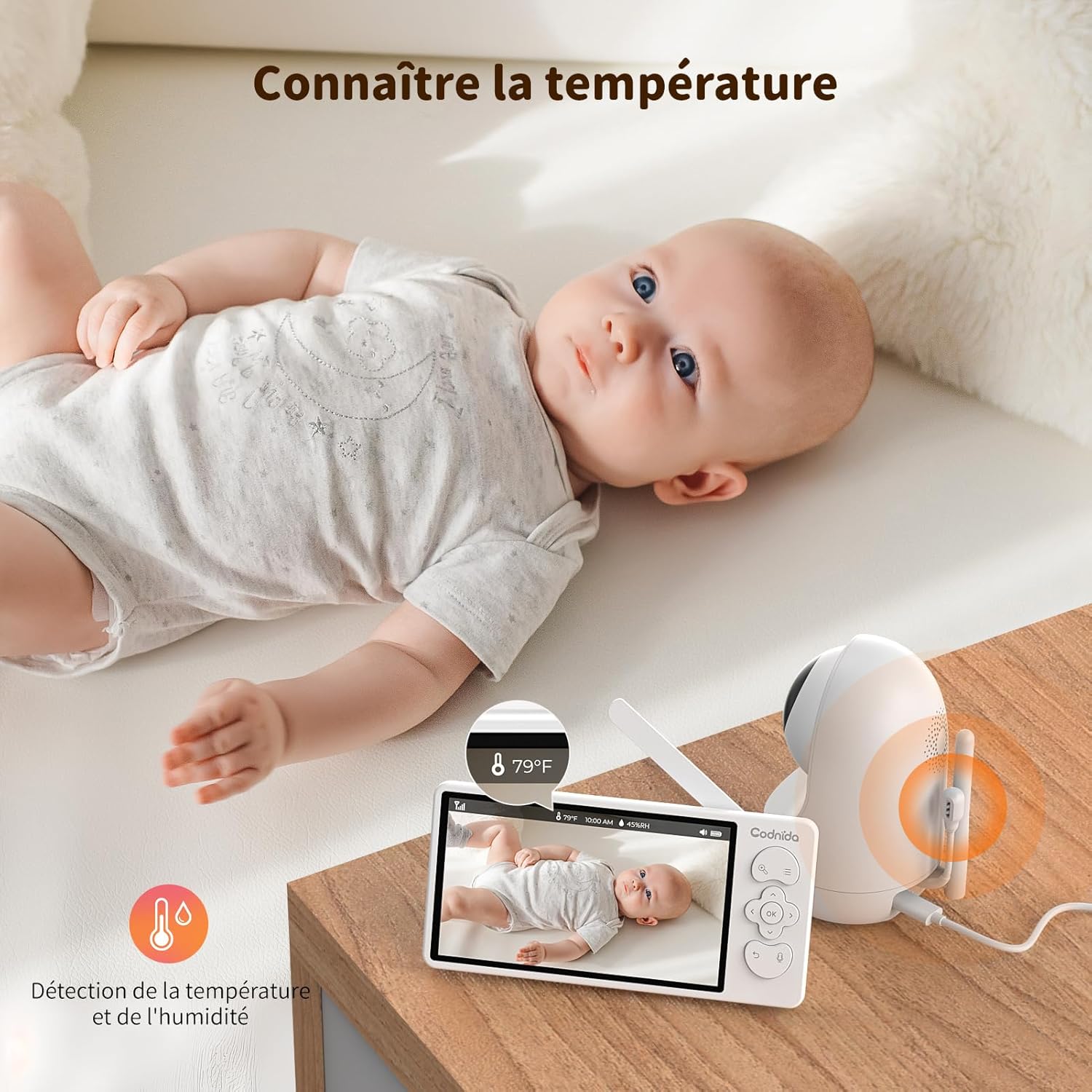
6.7 온도 및 습도 모니터링
The baby unit includes sensors to monitor the room's temperature and humidity, displayed on the parent unit screen. You can set alerts for out-of-range conditions.
6.8 수유 알림
Set reminders for feeding times to help maintain your baby's schedule.
- To set a feeding reminder: Press the Menu button, navigate to "Feeding Reminder", and set the desired interval.

7. 유지관리
7.1 청소
To keep your baby monitor clean and functioning properly:
- 청소하기 전에 두 기기의 전원을 모두 차단하십시오.
- Wipe the surfaces of the camera and monitor with a soft, dry, lint-free cloth.
- 세척 스프레이나 액체 세척제를 제품에 직접 사용하지 마십시오.
- 완고한 자국의 경우 가볍게 damp물에 적신 천으로 살살 닦은 후 즉시 말리십시오.
- 연마성 세척제나 용제를 사용하지 마십시오.
7.2 보관
If you do not plan to use the baby monitor for an extended period:
- Fully charge the parent unit before storing.
- 제품은 직사광선과 극한 온도 변화를 피해 서늘하고 건조한 곳에 보관하십시오.
- Keep all components, including cables and adapters, neatly organized to prevent damage.
8. 문제 해결
If you encounter issues with your Codnida baby monitor, please refer to the following common problems and solutions:
| 문제 | 가능한 원인 | 해결책 |
|---|---|---|
| No signal on monitor / Screen is black |
|
|
| 이미지 품질이 좋지 않음 / 이미지가 흐릿함 |
|
|
| 소리가 나지 않거나 왜곡 된 소리 |
|
|
| 배터리가 충전되지 않음 |
|
|
9. 사양
| 특징 | 세부 사항 |
|---|---|
| 모델 번호 | MWM553+MWZ553C |
| 디스플레이 크기 | 5.5인치 LCD |
| 카메라 해상도 | 2K 3MP (1296p recording, 1440 effective video resolution) |
| 나이트 비전 범위 | 최대 5미터 |
| PTZ 제어 | Pan (350°), Tilt (90°), 4X Digital Zoom |
| 연결 기술 | Wireless (Wi-Fi for App) |
| 양방향 오디오 | 예 |
| 복스 모드 | 예 |
| 온도/습도 센서 | 예 |
| 자장가 | 예 |
| 수유 알림 | 예 |
| 전원 입력 | 5볼트, 3.8와트 |
| 재료 | 플라스틱 |
| 치수(길이 x 너비 x 높이) | 10 x 5 x 10cm (대략) |
| 무게 | 850그램(대략) |
| 배터리 유형 | 리튬이온 |
10. 보증 및 지원
10.1 보증 정보
The Codnida 5.5" LCD Baby Monitor Camera comes with a 1년 보증 구매일로부터 적용됩니다. 본 보증은 정상적인 사용 조건에서 발생하는 제조상의 결함 및 오작동에 한해 적용됩니다. 단, 오용, 사고, 무단 수리 또는 정상적인 마모로 인한 손상은 보증 대상에서 제외됩니다.
또한, 30일 반품 정책 is offered. Please refer to your retailer's return policy for specific details.
10.2 고객 지원
If you have any questions, concerns, or require technical assistance with your Codnida baby monitor, please contact our customer support team. For Amazon purchases, you can typically reach support by navigating to "Your account - Choose your order - Ask us your question" on the Amazon platform.
Please have your model number (MWM553+MWZ553C) and purchase date ready when contacting support to expedite the process.
11. 공식 제품 영상
No official product videos from the seller were found in the provided product data. For visual demonstrations or additional information, please refer to the product page or contact Codnida customer support.
