제품 끝view
The EDYELL C8 Max is a versatile motorcycle Bluetooth intercom headset designed for enhanced communication and recording during rides. It integrates Bluetooth 5.3 technology for clear audio, a 1080P HD camera for video recording, and an intercom system for rider-to-rider communication. The device is built with durability in mind, featuring IPX5 waterproofing and a lightweight, robust construction.

이미지: 이상view of the EDYELL C8 Max Motorcycle Bluetooth Headset highlighting its key features such as 1080P camcorder, IPX6 waterproofing, fast charging, music sharing, 600m communication range, 40-hour battery life, TF card support, and AI voice assistant.
패키지 내용
설치하기 전에 아래 나열된 모든 품목이 패키지에 들어 있는지 확인하세요.

Image: Detailed diagram illustrating the various components included in the EDYELL C8 Max package, such as the main unit, speakers, microphone, mounting hardware, and accessories.
- Motorcycle Bluetooth Headset C8 Max x1
- Hard microphone speakers x1
- 360 degree rotating clip x1
- Clamping base x1
- Microphone Velcro x2
- Speaker Velcro x2
- Double-sided adhesive paper for clip x3
- Speaker Booster Pad x2
- 데이터 케이블 x1
- 사용 설명서 x1
- 64G TF Card x1 (Note: Product specifications mention up to 256GB expandable storage, but package lists 64G TF Card)
- Fastening screws x2
- Mounting Wrench x1
설정 및 설치
The EDYELL C8 Max is designed for easy installation on various helmet types. Follow these steps to properly mount and connect your device:
1. 헤드셋 장착
Choose between the 360-degree rotating clip or the clamping base for mounting. Ensure the chosen method provides a secure fit to your helmet. The device is compatible with most helmet designs.

Image: Illustration of the EDYELL C8 Max headset's compatibility with different helmet styles.
2. 스피커 및 마이크 설치
Attach the hard microphone speakers inside your helmet using the provided Velcro pads. Position the speakers directly over your ears for optimal audio quality. Secure the microphone near your mouth, ensuring it is not obstructed.
3. TF 카드 삽입
Locate the TF memory card slot on the device. Insert the provided 64GB TF card (or your own up to 256GB) for video recording and storage. Ensure it is inserted correctly until it clicks into place.
작동 지침
Familiarize yourself with the device's controls and functions for a seamless experience.

Image: Labeled diagram of the EDYELL C8 Max headset showing the location and function of each button and port.
전원 켜기/끄기 및 페어링
- 전원 켜기/끄기: Press and hold the Power button (labeled 4 in the diagram) for approximately 3 seconds.
- 블루투스 페어링 : With the device off, press and hold the Power button until the indicator light flashes rapidly, indicating pairing mode. 검색 "C8 Max" on your mobile device's Bluetooth settings and connect.
인터컴 통신
The C8 Max supports two-player real-time intercom communication up to 600 meters in barrier-free outdoor environments.

Image: Visual representation of the 600-meter Bluetooth intercom communication range between two riders.
- 인터콤 시작: After both devices are paired, a short press of the Intercom button (refer to diagram for specific button, usually a dedicated intercom button or a combination) will initiate communication.
- 음악 공유: Double-tap the WiFi button (labeled 1 in the diagram) to start sharing music with another paired C8 Max unit.
Phone Calls and Music Playback
- 전화 받기/종료: Short press the Power button (4) to answer or end a call.
- 전화 거부: Press and hold the Power button (4) to reject an incoming call.
- 볼륨 조절: Use the Volume Up/Next Song (3) and Volume Down/Previous Song (2) buttons to adjust audio volume.
- 음악 제어: Short press Volume Up (3) for next track, short press Volume Down (2) for previous track.
비디오 녹화
The C8 Max features a 1080P HD camera with a 120-degree wide-angle lens.
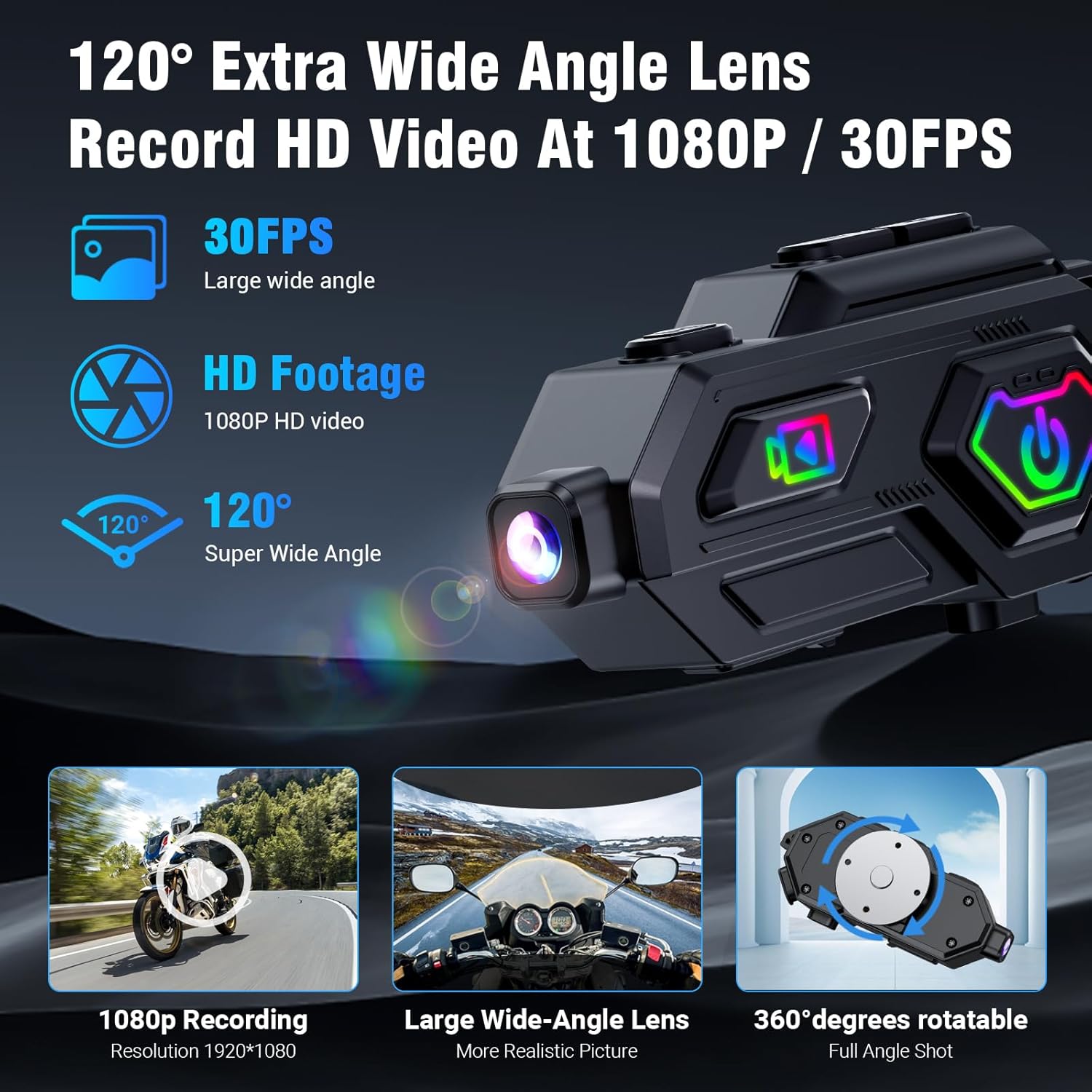
Image: Close-up of the EDYELL C8 Max camera features, including 1080P recording, wide-angle lens, and 360-degree rotation.
- 녹음 시작/중지: Use the Video Switch button (labeled 10 in the diagram) to start or stop video recording.
- 카메라 회전: The camera body can rotate 360 degrees to capture various angles.
- 충돌 감지: A built-in accelerometer automatically locks video files in the event of a collision to prevent data loss.
FM 라디오
The device includes an FM radio function with automatic channel search.

Image: A rider using the EDYELL C8 Max headset, illustrating the FM radio feature with its frequency range.
- FM 라디오 활성화: Press the Mode Switching button (3) to switch to FM radio mode.
- 자동 검색: The device will automatically search for available FM channels.
AI 보이스 어시스턴트
Access your smartphone's AI voice assistant directly from the headset.

Image: A rider interacting with the AI voice assistant feature of the EDYELL C8 Max headset, demonstrating voice commands for calls, music, and navigation.
- Voice Assistant 활성화 : Press the Voice Assistant/WiFi Switch button (1) once to wake up the AI voice assistant.
특징 및 기술
High-Definition Audio and Noise Cancellation
The C8 Max utilizes Bluetooth 5.3 technology and supports AAC/SBC high-definition audio decoding. It features 50mm Mylar speakers for clear sound and digital noise reduction (25dB) to filter ambient noise, ensuring clear communication and an immersive music experience.
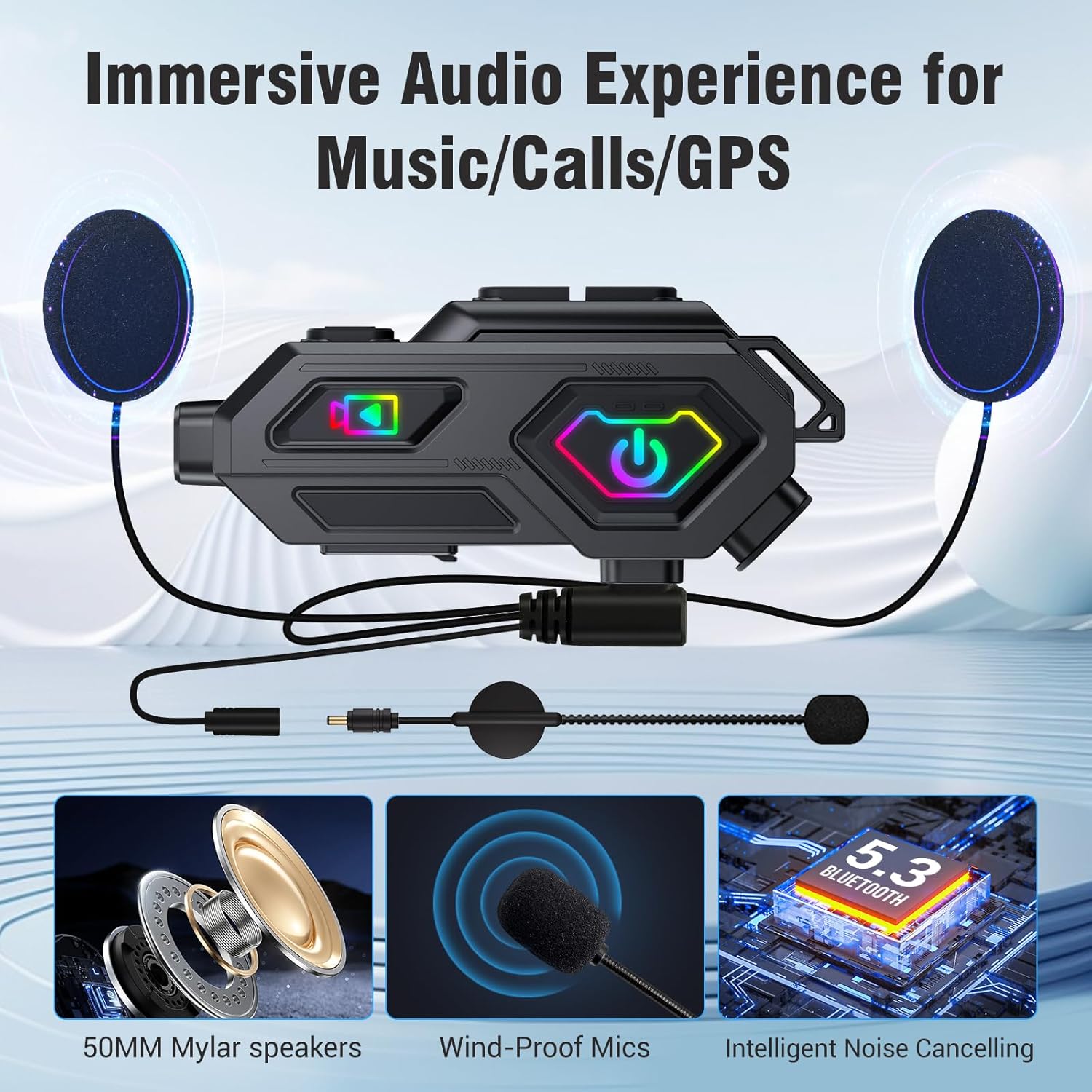
Image: Components of the EDYELL C8 Max audio system, including 50mm speakers, wind-proof microphones, and intelligent noise cancellation.
배터리 수명 연장 및 고속 충전
Equipped with a 1500mAh battery, the C8 Max offers up to 40 hours of music playback and 5 hours of video recording. It fully charges in 2.5 hours via Type-C and supports charging while in use, suitable for long journeys.

Image: Battery and charging features of the EDYELL C8 Max, detailing its 1500mAh capacity and usage times for various functions.
Durable and Weatherproof Design
The headset features IPX5 water and dust resistance, allowing it to function reliably in various weather conditions. Its lightweight ABS and silicone body (67.5g) is designed to withstand drops, vibrations, high temperatures, and high humidity.

Image: A helmet with the EDYELL C8 Max headset being used in rainy conditions, demonstrating its IPX5 waterproof design.
명세서
| 특징 | 세부 사항 |
|---|---|
| 모델 | C8 맥스 |
| 상표 | 에디엘 |
| 연결 기술 | 무선, 블루투스 5.3 |
| 소음 제어 | Passive Noise Cancellation, Digital Noise Reduction (25dB) |
| 헤드폰 잭 | 잭 없음 |
| 재료 | 아크릴로니트릴 부타디엔 스티렌(ABS), 실리콘 |
| 품목 무게 | 120그램 |
| 방수 레벨 | IPX5 방수 |
| 배터리 수명 | 40시간 (음악 재생) |
| 충전 시간 | 2.5시간 |
| 비디오 녹화 | 1080P HD, 120° Wide-Angle Lens, 360° Rotatable, Anti-Collision Recorder |
| 저장 | Supports up to 256GB expandable storage (64GB TF Card included) |
| 인터콤 범위 | Up to 600 meters (barrier-free outdoor environments) |
| FM 라디오 | Yes, with automatic channel search |
| 호환 장치 | Helmets (Universal compatibility) |
| 전원 | 1500mAh Lithium Ion Battery (Rechargeable, Included) |
| 제품 치수 | 14 x 9.5 x 6cm |
| 원산지 | 중국 |
문제 해결
If you encounter any issues with your EDYELL C8 Max headset, please refer to the following common solutions:
- 전원 없음: 기기가 완전히 충전되었는지 확인하십시오. 제공된 Type-C 케이블을 사용하여 전원에 연결하십시오.
- 블루투스를 페어링할 수 없습니다: 헤드셋이 페어링 모드인지 확인하세요(표시등이 빠르게 깜빡임). 휴대폰의 블루투스를 껐다가 다시 켠 후 다시 검색해 보세요. 헤드셋에 다른 기기가 연결되어 있지 않은지 확인하세요.
- 인터콤이 연결되지 않음: Verify both headsets are within the 600-meter range and are not obstructed. Ensure both are in intercom mode.
- 낮은 오디오 품질: Check speaker placement inside the helmet. Ensure the microphone is positioned correctly and not blocked. Adjust volume levels.
- Video Recording Issues: Check if the TF card is inserted correctly and has sufficient free space. Format the TF card if necessary (refer to the full manual for formatting instructions).
- 장치가 응답하지 않음: Try performing a soft reset by pressing and holding the Power button for an extended period (e.g., 10-15 seconds) until the device powers off and then restart it.
유지
To ensure the longevity and optimal performance of your EDYELL C8 Max headset, follow these maintenance guidelines:
- 청소: 부드러운 d를 사용하세요amp cloth to clean the exterior of the device. Avoid using harsh chemicals or abrasive materials.
- 저장: 헤드셋을 사용하지 않을 때는 직사광선과 극한 온도 변화를 피해 서늘하고 건조한 곳에 보관하십시오.
- 충전 중: Charge the device regularly, even if not in frequent use, to maintain battery health. Avoid overcharging.
- 물 노출: While IPX5 waterproof, avoid prolonged submersion in water. Ensure all ports are properly sealed before exposure to moisture.
보증 및 지원
For product support, warranty information, or any inquiries, please contact EDYELL INDIA customer care:
- 이메일: support@fenman.in
- 핸드폰: +91 8882786235
- 영업 시간: Monday to Saturday, 10:00 AM to 6:30 PM (IST)
보증 청구를 위해 구매 영수증을 보관하세요.
제품 비디오
Watch the official product video for a visual guide on the EDYELL C8 Max features and usage.
Video: Official product demonstration of the EDYELL C8 Max Motorcycle Bluetooth Intercom Headset, showcasing its various functions and benefits.


