소개
구매해주셔서 감사합니다asing the REACHER Digital Alarm Clock Radio (Model CR7WCA). This device is designed to enhance your sleep and wake-up experience by combining an alarm clock, FM radio, sleep sound machine, and a multi-color night light. Please read this manual carefully to ensure proper use and optimal performance.
안전 정보
- 기기를 물이나 과도한 습기에 노출시키지 마세요.
- 열원 근처나 직사광선에 장치를 두지 마십시오.
- 제공된 전원 어댑터만 사용하세요.
- 기기를 직접 분해하거나 수리하려고 하지 마세요. 도움이 필요하면 고객 지원에 문의하세요.
- 어린이의 손이 닿지 않는 곳에 보관하세요.
패키지 내용
- REACHER Digital Alarm Clock Radio (CR7WCA)
- 전원 어댑터
- 사용자 설명서
제품 끝view
The REACHER CR7WCA combines multiple functions in a compact design, ideal for your bedside table.

영상: 앞쪽 view of the REACHER Digital Alarm Clock Radio, displaying the time 12:05 PM with a warm glowing night light at the base.

영상: The alarm clock radio placed on a wooden table, illustrating its versatile functions as an alarm clock, FM radio, nightlight, and sound machine. Note: Not solid wood, wood-look finish.
제어 버튼 및 포트

영상: A diagram illustrating the control buttons on the top panel (e.g., Time Set, Alarm Set, Snooze) and the ports on the back (DC 5V power input, radio antenna, display dimmer, nightlight brightness control).
- 상단 패널 버튼: Sleep Sound On/Off, Music Selection, Volume Up/Down, Time Set, Alarm Set/On/Off, Snooze/Nightlight Switch, FM Radio On/Off/Auto Scan.
- Back Panel Ports/Controls: DC 5V Power Input, Radio Antenna, Display Dimmer, Nightlight Brightness Control.
설정
- 전원 연결: Connect the provided power adapter to the DC 5V input port on the back of the clock and plug it into a wall outlet. The display will light up.
- 배터리 백업 : The device includes a CR2023 battery (pre-installed) to maintain time and alarm settings during a power outage. This battery does not power the display or functions.
- 초기 시간 설정:
- Press and hold the 'Time Set' button. The hour digits will flash.
- Use the 'Volume Up/Down' buttons to adjust the hour.
- Press 'Time Set' again to confirm the hour and move to minutes. Adjust minutes using 'Volume Up/Down'.
- Press 'Time Set' once more to save the time.
작동 지침
알람 설정
- 알람 시간 설정:
- Press and hold the 'Alarm Set' button. The alarm hour digits will flash.
- Use the 'Volume Up/Down' buttons to adjust the alarm hour.
- Press 'Alarm Set' again to confirm the hour and move to minutes. Adjust minutes using 'Volume Up/Down'.
- Press 'Alarm Set' once more to save the alarm time.
- 알람 소리를 선택하세요: After setting the time, the alarm sound icon will flash. Use the 'Music Selection' button to cycle through the 9 available alarm sounds (8 natural sounds + beep) or select FM radio.
- 알람 볼륨 조절: Use the 'Volume Up/Down' buttons to set the desired alarm volume (20-105dB).
- 알람 활성화/비활성화: Briefly press the 'Alarm Set' button to toggle the alarm on or off. An alarm icon will appear on the display when active.
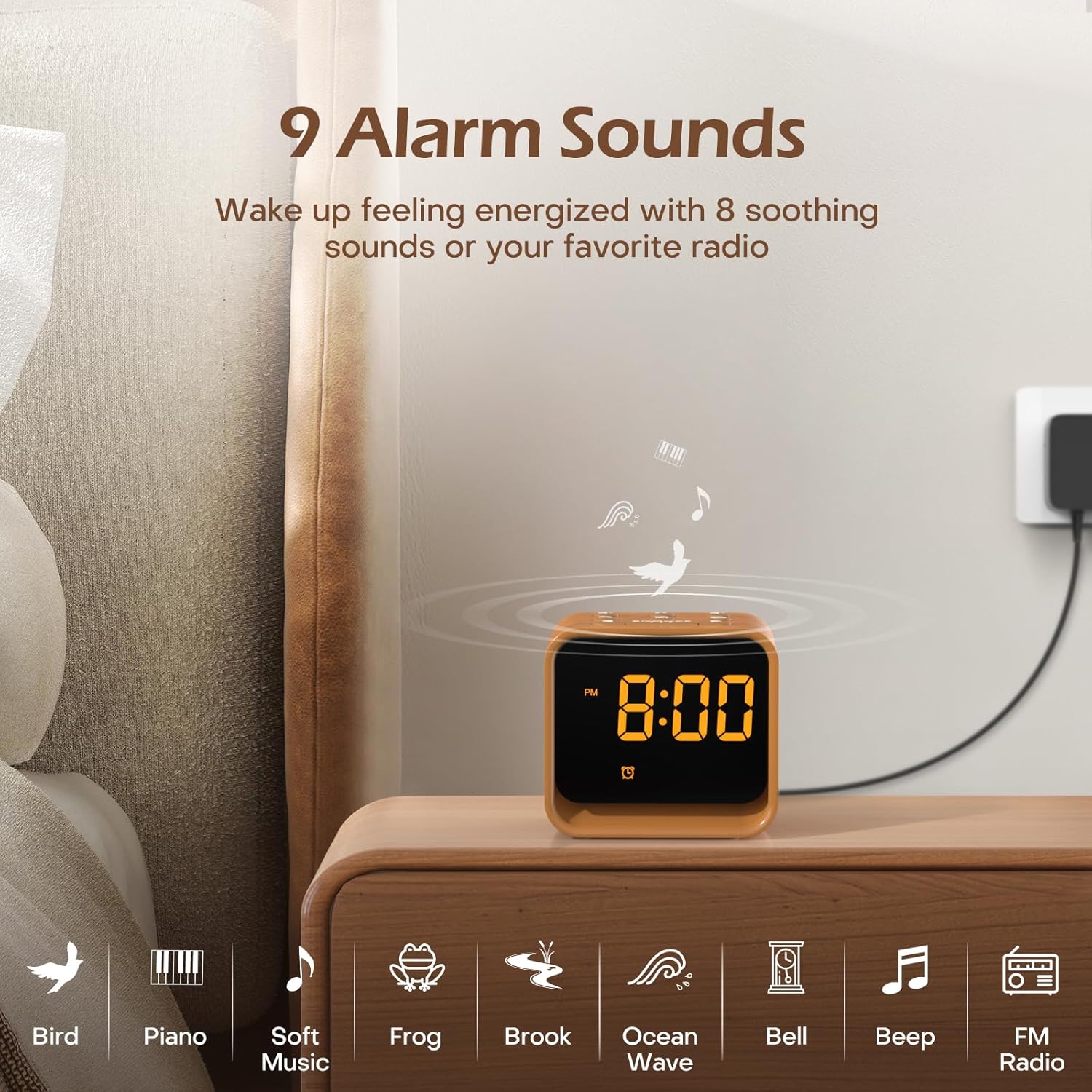
영상: An illustration of the nine available alarm sounds, including various natural sounds and classic alarm tones, designed for a gentle wake-up.
FM 라디오 작동
- 켜기/끄기: Press the 'FM Radio On/Off/Auto Scan' button to turn the FM radio on or off.
- 자동 스캔 및 저장: When the radio is on, press and hold the 'FM Radio On/Off/Auto Scan' button to automatically scan for available stations and save them as presets.
- 환승역: Use the 'Volume Up/Down' buttons to cycle through saved FM stations.
- 볼륨 조절: Use the 'Volume Up/Down' buttons to adjust the radio volume (0-30 levels).

영상: Details of the FM Radio function, including frequency range (76-108 MHz), adjustable volume (0-30 levels), and an auto-off timer (0-180 minutes).
수면 사운드 머신
- 켜기/끄기: Press the 'Sleep Sound On/Off' button to activate or deactivate the sleep sounds.
- 소리 선택: Use the 'Music Selection' button to cycle through the 24 available soothing sounds (white noise, fan sounds, baby favorites, nature sounds).
- 볼륨 조절: Use the 'Volume Up/Down' buttons to set the desired volume for the sleep sounds.
- 수면 타이머 : The sleep timer allows the sound to play for a set duration before automatically turning off. Available settings typically include 30, 60, 90, 120, 150, or 180 minutes. Refer to the specific timer button or sequence on your device.

영상: 내부 view of the clock radio, emphasizing its speaker and the variety of 24 soothing sounds available, categorized into white noise, fan sounds, baby favorites, and nature sounds.
야간 조명
- 켜기/끄기: Briefly press the 'Snooze/Nightlight Switch' button to turn the night light on or off.
- 색상 변경: Press the 'Snooze/Nightlight Switch' button repeatedly to cycle through the 7 available colors.
- 밝기 조정: Use the 'Nightlight Brightness Control' on the back of the device to adjust the intensity of the night light.

영상: The clock radio featuring its 7-color dimmable bottom night light, which can be turned on or off to create a desired ambiance.
디스플레이 밝기
The LED display brightness can be adjusted from 0% to 100% to suit your preference and avoid disturbing sleep.
- 밝기 조정: Use the 'Display Dimmer' control on the back of the device to slide and set the desired display brightness.
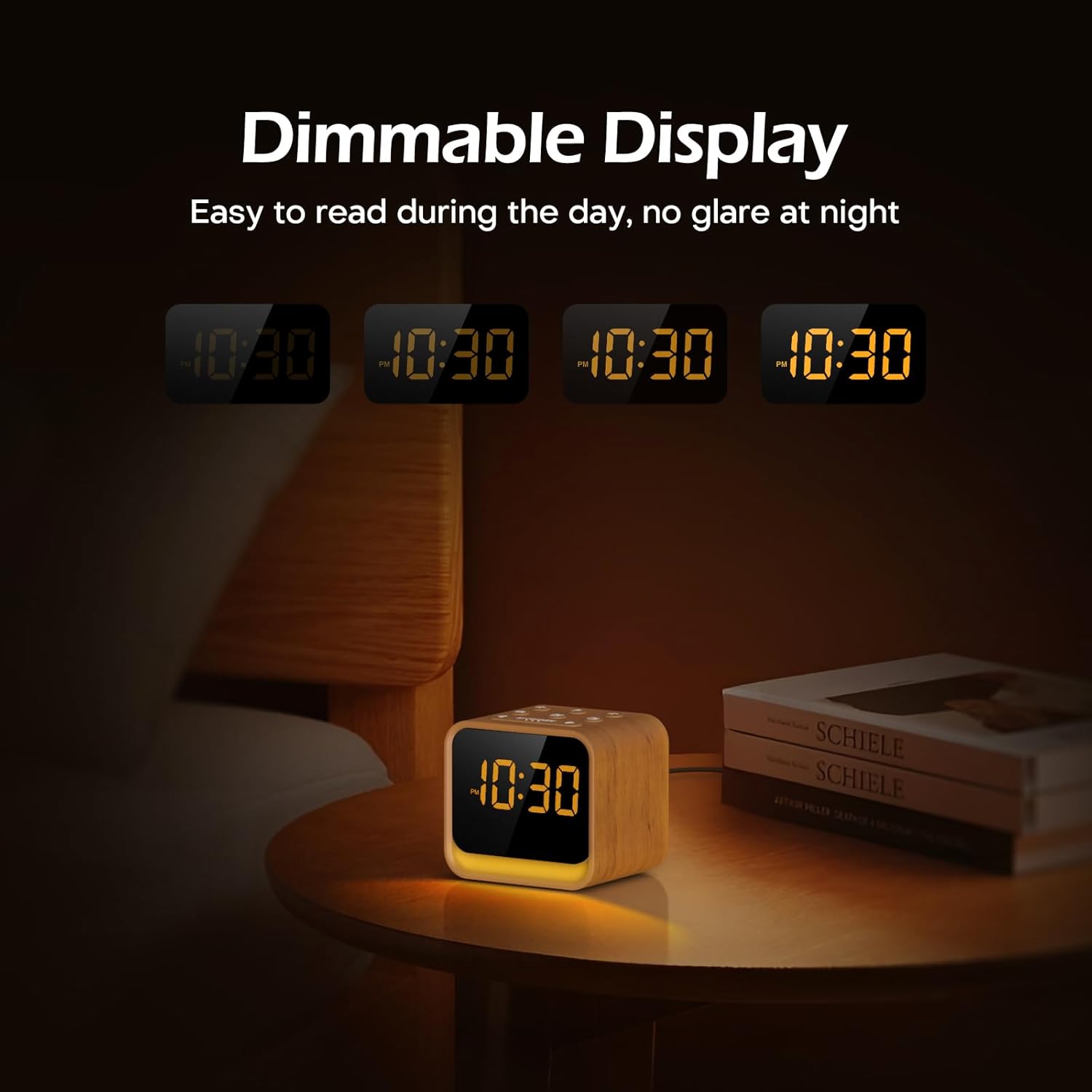
영상: The clock's display at different brightness settings, from 0% to 100%, illustrating the dimmable LED feature for comfortable view밤낮으로.
스누즈 기능
When the alarm sounds, briefly press the 'Snooze/Nightlight Switch' button to activate the 9-minute snooze function. The alarm will sound again after 9 minutes.
유지
- 청소: 부드럽고 마른 천으로 기기를 닦으세요. 연마성 세제나 용제를 사용하지 마세요.
- 저장: If storing for an extended period, disconnect from power and keep in a cool, dry place.
- 배터리 교체: The CR2023 backup battery should last for several years. If settings are lost during a power outage, replace the battery by opening the battery compartment on the bottom of the unit.
문제 해결
| 문제 | 가능한 원인 | 해결책 |
|---|---|---|
| 장치의 전원이 켜지지 않습니다. | 전원 어댑터가 연결되지 않았거나 결함이 있습니다. | Ensure power adapter is securely connected to the device and a working power outlet. |
| 알람이 울리지 않습니다. | 알람이 활성화되지 않았거나 볼륨이 너무 낮습니다. | 경보 아이콘이 표시되는지 확인하십시오. 경보음을 높이십시오. |
| FM 라디오 수신 상태가 좋지 않습니다. | 안테나가 확장되지 않았거나 간섭이 있습니다. | Fully extend the radio antenna. Try repositioning the device to reduce interference. |
| 전원을 끄면 시간/설정이 초기화됩니다.tage. | CR2023 백업 배터리가 방전되었습니다. | CR2023 백업 배터리를 교체하십시오. |
명세서
- 상표: 리처
- 모델: CR7WCA
- 재료: 플라스틱
- 색상: Oak Wood finish
- 디스플레이 유형: 주도의
- 디스플레이 밝기: 0-100% 조광 가능
- 야간 조명: 7 Colors, Dimmable
- 알람 소리: 9 options (8 natural sounds + beep/FM radio)
- 수면 소리: 24 options (White Noise, Fan, Baby Favorites, Nature Sounds)
- FM 라디오 주파수: 76-108MHz
- 전원: Corded (DC 5V adapter)
- 백업 배터리: CR2023 (for settings memory)
- 포장 크기 (근사치): 13.9 x 9.4 x 8cm
- 포장 무게: 0.49kg
보증 및 지원
REACHER products come with a standard manufacturer's warranty. For specific warranty details, technical support, or any questions regarding your device, please refer to the contact information provided with your purchase or visit the official REACHER web대지.
For customer service inquiries, please retain your purchase receipt and product model number (CR7WCA).


