1. 서론
This manual provides detailed instructions for the installation, operation, and maintenance of your Alpine iLX-W770 Digital Multimedia Receiver bundle. This comprehensive package includes the Alpine iLX-W770 7-Inch Receiver, the PAC RPK4-HD1101 Radio Replacement Kit, the Alpine HCE-C1100 HDR Rear-View Camera, and the Alpine KTX-C10LP License Plate Mounting Kit. This bundle is specifically designed for compatibility with 2003-2007 Honda Accord vehicles, enhancing your driving experience with advanced entertainment and safety features.
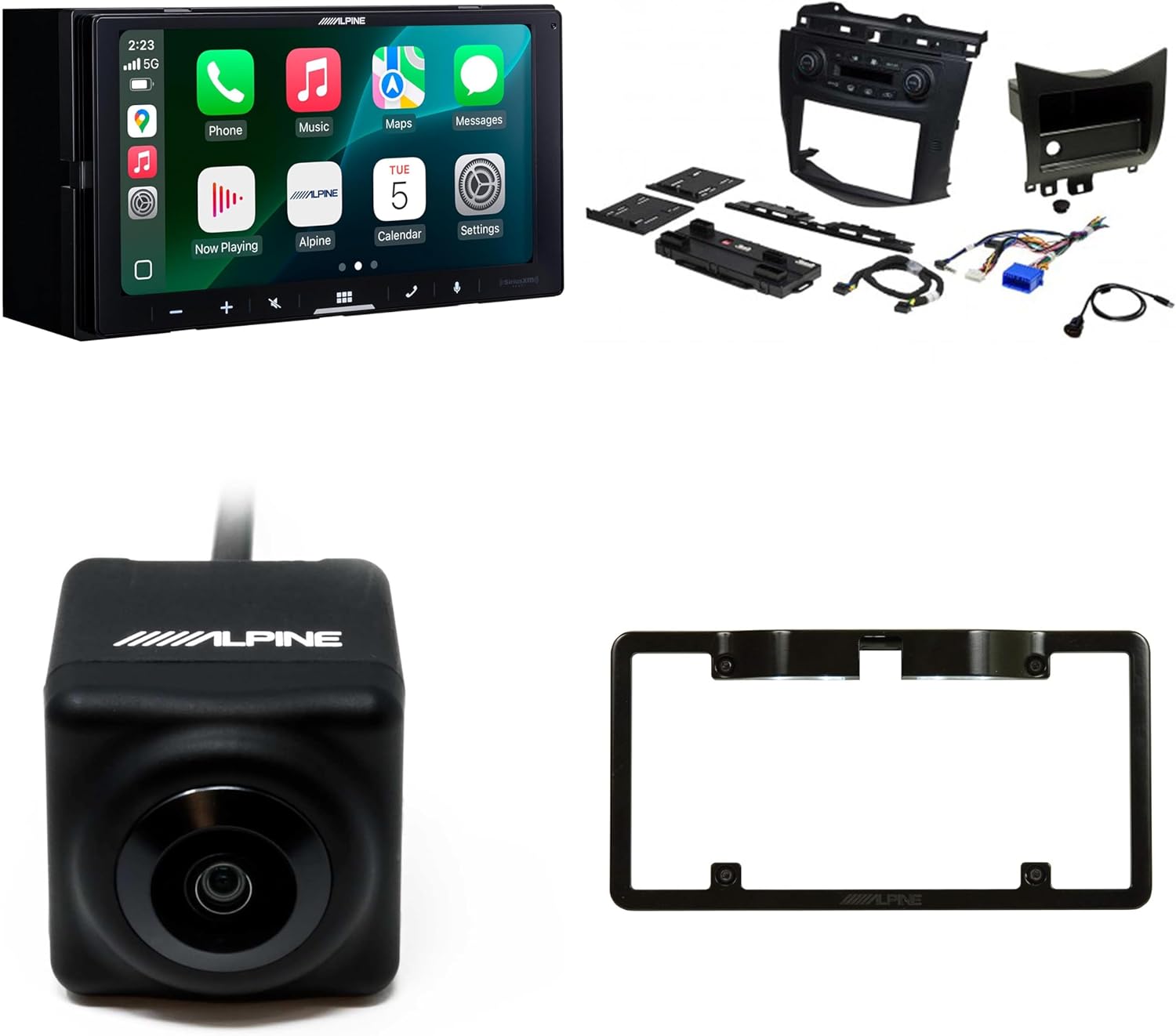
그림 1.1: 위에view of the Alpine iLX-W770 Digital Multimedia Receiver bundle, showing the receiver, PAC installation kit components, rear-view camera, and license plate frame.
2. 안전 정보
Please read all safety warnings and instructions carefully before installing or operating this product. Failure to follow these instructions may result in injury or damage to the product or vehicle.
- Professional installation is highly recommended for all components of this bundle.
- Disconnect the vehicle's negative battery terminal before beginning any installation work to prevent electrical shorts.
- Ensure all wiring is properly routed and secured to prevent interference with vehicle operation or damage from moving parts.
- Do not operate the receiver or view the camera display in a manner that distracts you from driving. Always prioritize safe driving.
- Verify all connections are secure and insulated to prevent short circuits.
3. 패키지 내용
아래 나열된 모든 품목이 패키지에 들어 있는지 확인하세요.
- 알파인 iLX-W770 디지털 멀티미디어 리시버
- PAC RPK4-HD1101 Radio Replacement Kit (includes dash kit, interface module, and vehicle-specific harnesses)
- Alpine HCE-C1100 HDR 후면-View 카메라
- Alpine KTX-C10LP License Plate Mounting Kit
- Associated wiring harnesses and mounting hardware for each component
4. 설정 및 설치
Installation of this bundle requires technical knowledge and experience with car audio systems. It is strongly recommended to have the installation performed by a qualified professional.
4.1. Alpine iLX-W770 Digital Multimedia Receiver Installation
The iLX-W770 receiver is designed for double-DIN installation. Refer to the specific installation guide provided with the receiver for detailed wiring diagrams and mounting instructions.
- Ensure proper power, ground, and speaker connections.
- Connect the USB cable for wired CarPlay/Android Auto if desired.
- Connect the camera input cables for the rear-view 카메라.
4.2. PAC RPK4-HD1101 Radio Replacement Kit Installation
This kit facilitates the seamless integration of the Alpine iLX-W770 into your 2003-2007 Honda Accord, retaining factory climate controls and steering wheel controls.

그림 4.1: Components of the PAC RPK4-HD1101 Radio Replacement Kit, including the dash bezel, interface module, and wiring harnesses.
- Carefully remove the factory radio and climate control assembly from your vehicle.
- Connect the PAC interface module and harnesses according to the instructions provided with the PAC kit. This module ensures retention of factory features.
- Mount the Alpine iLX-W770 receiver into the new dash kit provided by PAC.
- Install the new assembly into the vehicle's dashboard, ensuring all connections are secure and the dash kit fits flush.
4.3. Alpine HCE-C1100 HDR Rear-View 카메라 설치
The HCE-C1100 camera provides enhanced visibility for reversing and parking maneuvers.

그림 4.2: 앞쪽 view of the Alpine HCE-C1100 HDR Rear-View 카메라.
- Determine the optimal mounting location for the camera, typically above the license plate or near the trunk handle.
- Route the camera cable through the vehicle's body to the receiver location, ensuring it is protected from pinching or damage.
- Connect the camera's video output to the designated camera input on the Alpine iLX-W770 receiver.
- Connect the camera's power wire to a reverse light circuit or a switched 12V source that activates when the vehicle is in reverse.
4.4. Alpine KTX-C10LP License Plate Mounting Kit Installation
This kit provides a convenient and secure mounting solution for the HCE-C1100 camera.

그림 4.3: The Alpine KTX-C10LP License Plate Mounting Kit with integrated LED illumination.
- Mount the Alpine HCE-C1100 camera securely into the designated slot on the KTX-C10LP license plate frame.
- Attach the assembled license plate frame to your vehicle's rear license plate mounting points.
- Connect the integrated LEDs of the license plate frame to a suitable power source, such as the vehicle's license plate illumination wiring, for added visibility.
5. Operating Instructions (Alpine iLX-W770)
The Alpine iLX-W770 features a responsive 6.75-inch capacitive touchscreen display for intuitive control.
5.1. 전원 켜기/끄기
Press and hold the power button (usually located on the front panel) to turn the unit on or off. A short press typically mutes the audio.
5.2. 터치스크린 인터페이스
Navigate through menus, select sources, and control settings by touching the icons and options displayed on the screen. Swipe gestures may be used for certain functions.
5.3. 무선 Apple CarPlay 및 Android Auto
The iLX-W770 supports wireless connectivity for Apple CarPlay and Android Auto, allowing seamless integration of your smartphone's features.
- 편성: Ensure Bluetooth is enabled on your smartphone. On the iLX-W770, navigate to the Bluetooth settings and pair your phone. Follow the on-screen prompts to enable CarPlay or Android Auto.
- 용법: Once connected, your phone's compatible apps (navigation, music, messaging) will appear on the receiver's screen. Use the touchscreen or voice commands (via Siri or Google Assistant) to interact.
5.4. Dual Camera Inputs
The receiver supports dual camera inputs, allowing you to connect and switch between multiple camera views (e.g., front and rear cameras).
- When the vehicle is shifted into reverse, the rear-view camera display will automatically activate.
- To manually switch between camera views (if multiple cameras are connected), access the camera menu on the receiver's interface.
5.5. 오디오 사용자 정의
The iLX-W770 offers extensive audio tuning capabilities:
- 사운드 부스트 메뉴: Access preset sound profile또는 직접 사용자 정의할 수도 있습니다.
- 13밴드 파라메트릭 이퀄라이저: Fine-tune the frequency response of your audio system for optimal sound quality.
- 6채널 시간 보정: Adjust the sound delay for each speaker to create a precise sound stage.
5.6. SiriusXM Readiness
The unit is SiriusXM-ready. A separate SiriusXM Connect Vehicle Tuner and subscription are required to access SiriusXM satellite radio services.
5.7. 스티어링 휠 컨트롤
Thanks to the PAC RPK4-HD1101 kit, your factory steering wheel controls will be retained and can be used to control basic functions of the Alpine iLX-W770, such as volume, track skip, and source selection.
6. 유지관리
정기적인 유지보수는 알파인 시스템의 수명과 최적의 성능을 보장합니다.
- 화면 청소: 부드럽고 보풀이 없는 천을 사용하여 터치스크린을 부드럽게 닦으세요. 잘 지워지지 않는 얼룩은 가볍게 닦아주세요.amp천에 물이나 화면에 안전한 세척제를 묻혀 닦아주세요. 연마재나 강한 화학 물질은 사용하지 마세요.
- 카메라 렌즈: Periodically clean the camera lens with a soft cloth to ensure a clear view.
- 소프트웨어 업데이트: 알파인을 확인해보세요 website periodically for firmware updates for the iLX-W770 receiver. Updates can improve performance and add new features.
- 일반 관리 : Keep the unit free from excessive dust and moisture. Avoid extreme temperatures.
7. 문제 해결
If you encounter issues with your Alpine system, refer to the following common troubleshooting steps:
| 문제 | 가능한 원인 | 해결책 |
|---|---|---|
| 수신기에 전원이 공급되지 않음 | 퓨즈 단선, 잘못된 배선, 연결 불량. | Check vehicle's fuse box and receiver's inline fuse. Verify power and ground connections. Ensure all harnesses are securely plugged in. |
| 오디오 출력이 없습니다 | Mute activated, incorrect source selected, speaker wiring issue. | Check if unit is muted. Select correct audio source. Verify speaker connections. |
| 뒤쪽-view 카메라가 표시되지 않음 | Camera power issue, video cable disconnected, incorrect camera settings. | Ensure camera is receiving power when in reverse. Check video cable connection to receiver. Verify camera input settings on the iLX-W770. |
| CarPlay/Android Auto가 무선으로 연결되지 않습니다 | Bluetooth/Wi-Fi off on phone, phone not paired, software glitch. | Ensure Bluetooth and Wi-Fi are enabled on your phone. Delete existing pairings and re-pair. Restart both phone and receiver. |
| 스티어링 휠 컨트롤이 작동하지 않습니다 | PAC module not configured, loose connection to PAC module. | Refer to the PAC RPK4-HD1101 manual for proper configuration. Check all connections to the PAC interface module. |
If the problem persists after attempting these solutions, contact Alpine customer support or a certified installer.
8. 사양
8.1. Alpine iLX-W770 디지털 멀티미디어 리시버
- 표시하다: 6.75인치 정전식 터치스크린
- 스마트폰 통합: 무선 Apple CarPlay, 무선 Android Auto
- 오디오 기능 : 13-Band Parametric EQ, 6-Channel Time Correction, Sound Boost Menu, Built-in Amp리퍼
- 카메라 입력: Dual Camera Inputs
- Satellite Radio: SiriusXM-Ready (tuner and subscription sold separately)
8.2. PAC RPK4-HD1101 라디오 교체 키트
- 호환성: 2003-2007 혼다 아코드
- 특징: Retains factory climate controls, retains factory steering wheel controls, supports single or dual zone climate control, includes dash kit, interface module, and harnesses.
8.3. Alpine HCE-C1100 HDR Rear-View 카메라
- 이미지 센서: 1/4 inch CMOS with HDR (High Dynamic Range) technology
- View각도: 131° 수평, 103° 수직
- 방수 기능: IP68 등급
- 산출: NTSC video signal
8.4. Alpine KTX-C10LP License Plate Mounting Kit
- 재료: 내구성 있는 구조
- 특징: Built-in LEDs for license plate illumination, designed for easy mounting of compatible Alpine cameras.
8.5. Bundle Physical Specifications
- 패키지 크기: 17 x 17 x 15.25 인치
- 품목 무게: 14파운드
- ASIN: B0DP5BCNS9
- 한국어: 840425807569
9. 보증 및 지원
For detailed warranty information, please refer to the warranty card included with your product or visit the official Alpine web사이트. 보증 약관은 다를 수 있습니다.
For technical support, product registration, or to find authorized service centers, please visit the official Alpine support web사이트를 방문하거나 고객 서비스 부서에 직접 문의하세요. 보증 청구를 위해 구매 증빙 자료로 구매 영수증을 보관하세요.
알파인 공식 Web대지: www.alpine-usa.com


