1. 서론
The VTech DJ Studio Magic Light is an interactive mixing table designed to introduce children aged 3 to 7 years to the world of music and creativity. This manual provides essential information on how to set up, operate, and maintain your DJ Studio Magic Light, ensuring a safe and enjoyable experience.
With over a thousand unique musical combinations, educational games, and a recording function, this device allows young aspiring DJs to explore different music styles and create their own tracks.
안전 경고:
Not suitable for children under 36 months due to small parts that could be ingested.
2. 제품 오버view
Familiarize yourself with the main components of your VTech DJ Studio Magic Light.
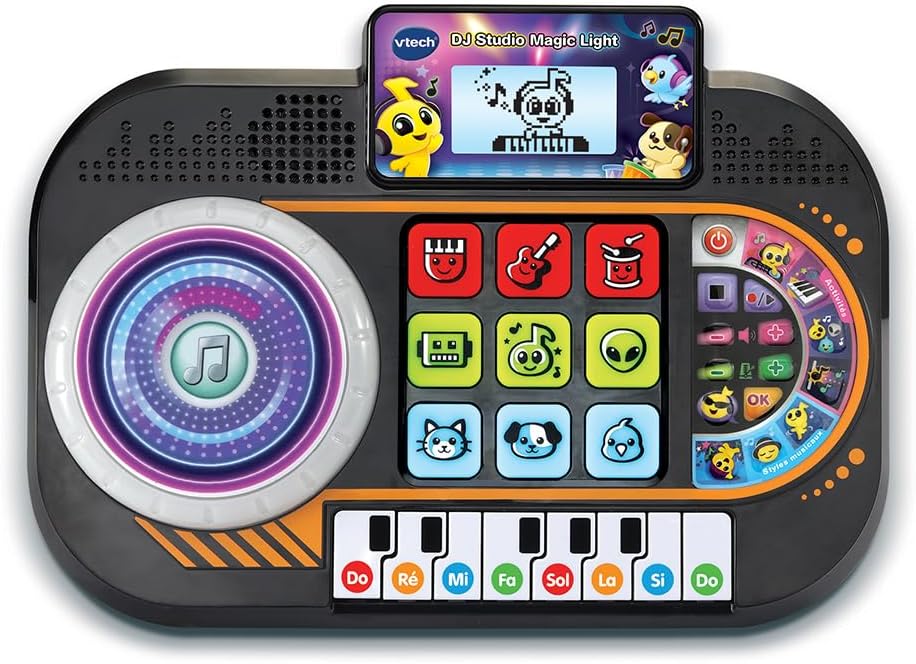
그림 2.1: 전면 view of the VTech DJ Studio Magic Light, showing the scratch disk, control pads, screen, and piano keys.
- Scratch Disk: Large, illuminated disk for adding sound effects and scratching.
- Control Pads: Nine light-up pads for selecting instruments, characters, and mixing tracks.
- LCD 화면: Backlit display showing animations, rhythm patterns, and game progress.
- 피아노 키: Eight piano keys for playing melodies and engaging in educational games.
- 볼륨 조절: 전반적인 사운드 레벨을 조절합니다.
- 템포 컨트롤: Adjusts the speed of the music.
- DJ Button: Activates DJ mode features.
- 녹음 버튼: Initiates and stops recording of mixes.
3. 설정
3.1 배터리 설치
The DJ Studio Magic Light requires 3 LR6-AA batteries (included). Follow these steps for proper battery installation:
- 장치 밑면에서 배터리 칸을 찾으세요.
- 드라이버를 사용하여 배터리함 덮개의 나사를 풀고 덮개를 제거합니다.
- Insert 3 new LR6-AA batteries, ensuring correct polarity (+/-) as indicated inside the compartment.
- 배터리 덮개를 다시 덮고 나사를 단단히 조입니다.
메모: Always use new batteries of the same type. Do not mix old and new batteries or different types of batteries. Remove batteries if the unit will not be used for an extended period.
3.2 초기 전원 켜기
After installing the batteries, press the Power button (usually located on the top right of the unit) to turn on the DJ Studio Magic Light. The screen will light up, and a welcome sound will play.
4. 사용 설명서
4.1 기본 기능
- 전원 켜기/끄기: 를 누르세요 전원 버튼 to turn the unit on or off. The toy features an automatic shut-off function to preserve battery life if left inactive.
- 볼륨 조절: 사용하세요 볼륨 버튼 (usually + and -) to adjust the sound output.
- 템포 컨트롤: 사용하세요 Tempo buttons to increase or decrease the speed of the music.
4.2 DJ Mode and Creative Play
In DJ Mode, children can experiment with various sounds and create their own mixes.
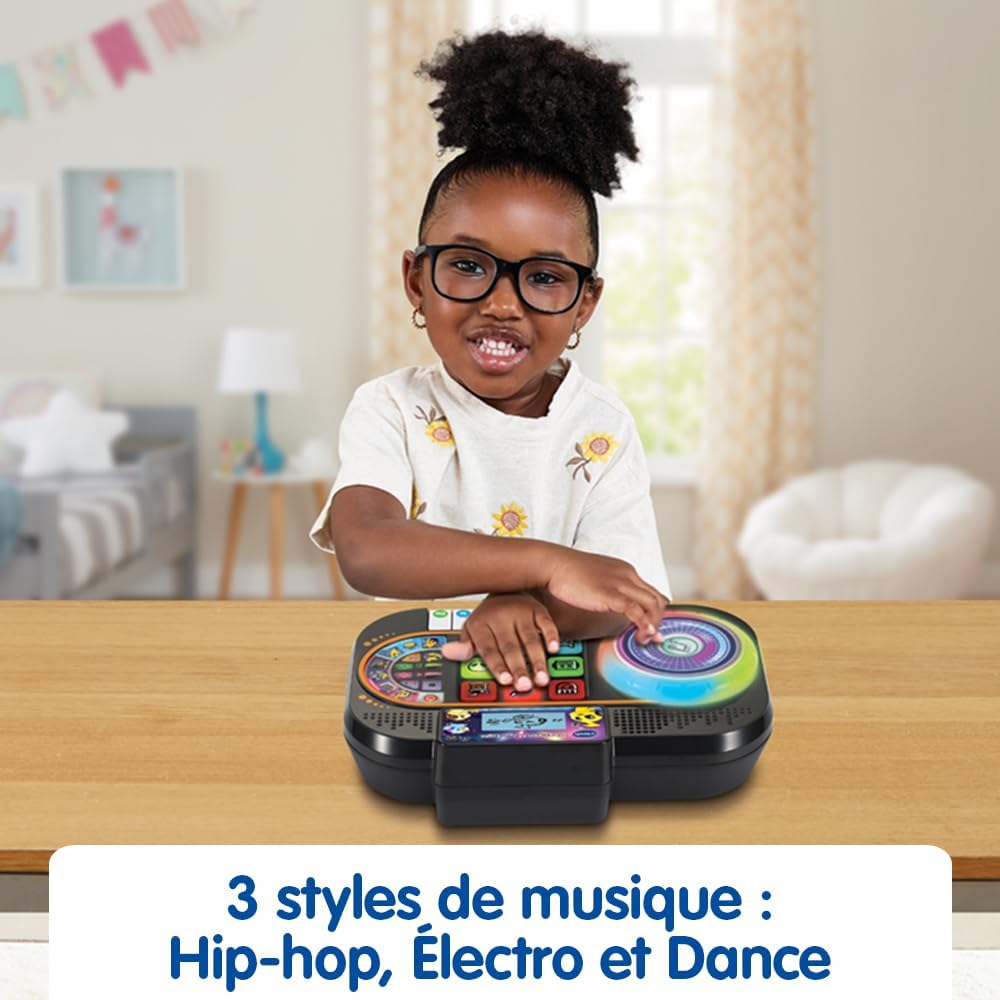
Figure 4.1: A child's hands engaging with the interactive pads and scratch disk, demonstrating active play.
- Scratch Disk: Rotate the illuminated scratch disk to add sound effects and create scratching sounds, mimicking a real DJ.
- Control Pads: Press the nine light-up pads to select different instruments and characters. Combine them to form a musical group and mix up to four musical tracks simultaneously.
- 음악 스타일: Explore 9 songs and 27 melodies across various styles including Hip-hop, Electro, and Dance.
4.3 Educational Games
The DJ Studio Magic Light includes educational games designed to teach music notes and improve rhythm.

Figure 4.2: The screen displays a character playing the piano, guiding the child through rhythm exercises.
- Rhythm Reproduction: When a rhythm pattern appears on the screen, reproduce it using the piano keys.
- Progressive Levels: Successfully playing at least 50% of the notes correctly advances the child to the next level. The game is won after 4 successful sequences.
4.4 녹음 기능
Children can record their own musical creations in DJ and Creative game modes.
- 를 누르세요 녹화 버튼 to start recording. All sounds from the scratch disk, piano keys, DJ button, and tempo changes will be saved.
- 를 누르세요 녹화 버튼 다시 한번 녹음을 중지합니다.
- 사용하세요 재생 버튼 (if available, or re-press record button in some models) to listen to the recorded track.
4.5 Screen and Light Adjustments
- Scratch Disk Lights: The illuminated effects of the scratch disk can be deactivated. Refer to the specific button or setting on your unit for this function.
- LCD 화면 밝기: The brightness of the backlit LCD screen can be adjusted for optimal view주고받음.
5. 유지관리
5.1 청소
To keep your DJ Studio Magic Light clean, wipe the surface with a slightly damp 천을 사용하십시오. 독한 화학 약품이나 연마성 세척제를 사용하지 마십시오. 보관하거나 다음에 사용하기 전에 제품이 완전히 건조되었는지 확인하십시오.
5.2 배터리 관리
Always remove exhausted batteries promptly. If the unit will not be used for an extended period, remove the batteries to prevent leakage and damage.
5.3 보관
Store the DJ Studio Magic Light in a cool, dry place away from direct sunlight and extreme temperatures.
6. 문제 해결
| 문제 | 가능한 원인 | 해결책 |
|---|---|---|
| 기기가 켜지지 않습니다. | 배터리가 부족하거나 올바르게 설치되지 않았습니다. | 배터리를 새 배터리로 교체하고 극성이 올바른지 확인하세요. |
| 소리가 나지 않거나 소리가 작습니다. | 볼륨이 너무 낮거나 음소거되어 있습니다. | Increase the volume using the Volume + button. Check battery level. |
| 조명이 작동하지 않습니다. | Lights may be deactivated or batteries are low. | Check settings to ensure lights are enabled. Replace batteries. |
| 장치가 정지되거나 제대로 작동하지 않습니다. | Temporary electronic malfunction. | Turn the unit off and then on again. If problem persists, remove batteries for a few minutes and reinsert. |
7. 사양
| 특징 | 세부 사항 |
|---|---|
| 제품 크기(L x W x H) | 27.5 x 19.8 x 6.3cm |
| 무게 | 599그램 |
| 추천연령 | 36개월 ~ 7세 |
| 교육적 가치 | Learning music notes, improving rhythm, discovering different music styles |
| 모델 번호 | 80-581405 |
| 조각 수 | 1 |
| 필요한 배터리 | 예 (LR6-AA 3개) |
| 배터리 포함 | 예 |
| 주요소재 | 플라스틱 |
| 색상 | 검은색 |
8. 보증 및 지원
For warranty information and customer support, please refer to the warranty card included with your product or visit the official VTech web사이트. 구매 증빙 자료로 구매 영수증을 보관하세요.
VTech is committed to providing high-quality products. If you encounter any issues not covered in this manual, please contact VTech customer service for assistance.
자세한 정보와 지원은 다음에서 확인하실 수 있습니다. www.vtech.com


