소개
This user manual provides detailed instructions for the setup, operation, and maintenance of your Anderic RRTR214D Ceiling Fan Remote Control. Designed as a direct replacement for various Harbor Breeze remote models, this remote offers comprehensive control over your ceiling fan's speed and lighting functions. Please read this manual thoroughly before use to ensure proper functionality and to maximize the lifespan of your device.
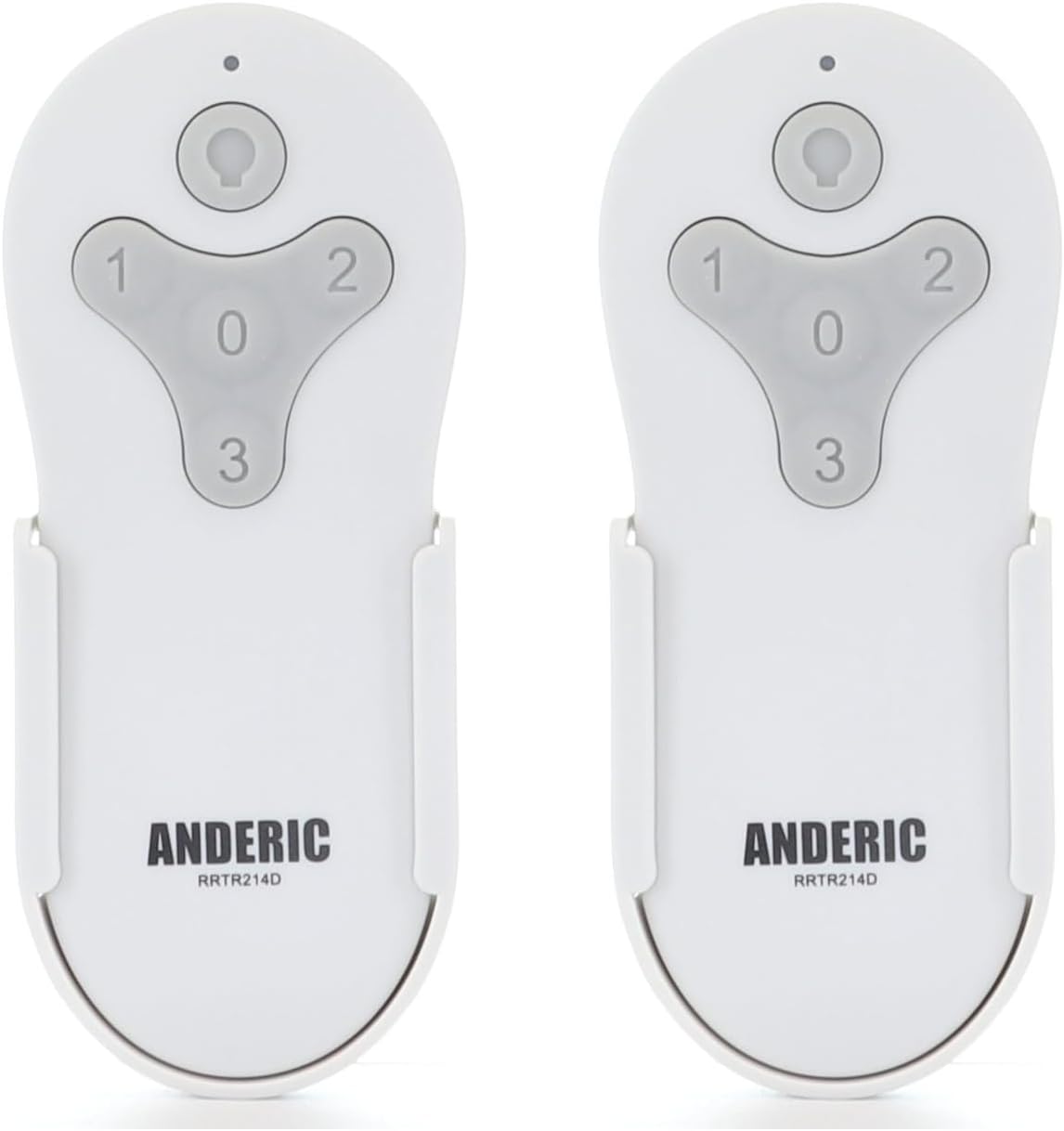
Figure 1: Two Anderic RRTR214D remote controls. These remotes are designed for ease of use and reliable performance with compatible ceiling fans.
제품 끝view 및 기능
The Anderic RRTR214D remote control is engineered to provide seamless control for your ceiling fan. Its key features include:
- 직접 교체: Seamlessly replaces Harbor Breeze remote models A25-FA0138, KUJCE10311, TR214B, KUJCE10712, TR214A, and KUJCE10610.
- 간편한 페어링: Designed for easy pairing with your current receiver, ensuring a hassle-free setup.
- 포괄적인 제어: Offers complete control over fan speeds (high, medium, low, and off) and light functions (on/off and dimming).
- 배터리 구동: Uses a 23A 12-volt battery (not included) for long-lasting operation.
- Convenient Wall Mount: Includes a wall mount for easy installation and accessibility.

Figure 2: Remote control button functions. The remote features dedicated buttons for light control (on/off/dimming) and fan speeds (1 for low, 2 for medium, 3 for high, 0 for off).

Figure 3: Remote control dimensions. The compact design ensures it fits comfortably in hand and integrates well into your living space.
호환성
The Anderic RRTR214D remote control is specifically designed to replace the following Harbor Breeze remote models. It is crucial that your existing ceiling fan receiver was originally supplied with one of these models for proper compatibility.
- A25-FA0138
- KUJCE10311
- TR214B
- KUJCE10712
- TR214A
- KUJCE10610
This remote cannot be paired with other ceiling fan receivers not originally supplied with these specific models.

Figure 4: Compatible Harbor Breeze models. This image illustrates the range of specific Harbor Breeze fan models that are compatible with the Anderic RRTR214D remote control.
설정 및 설치
배터리 설치
The Anderic RRTR214D remote control requires one 23A 12-volt battery (not included). Follow these steps to install the battery:
- 리모콘 뒷면에 있는 배터리함 덮개를 찾으세요.
- Slide the cover off in the direction indicated by the arrow (if present).
- Insert one 23A 12-volt battery, ensuring the positive (+) and negative (-) terminals align correctly with the markings inside the compartment.
- 배터리 덮개를 제자리에 밀어 넣어 딸깍 소리가 날 때까지 밀어 넣습니다.

Figure 5: Battery installation. This diagram illustrates the correct orientation for inserting the 23A 12-volt battery into the remote control's battery compartment.
페어링 지침
To pair your new Anderic RRTR214D remote control with your ceiling fan receiver, follow these simple steps:
- Cycle power to the fan: Turn off the power to your ceiling fan at the wall switch or circuit breaker, wait for approximately 10 seconds, and then turn the power back on.
- Install battery in the remote: Ensure the 23A 12-volt battery is correctly installed in your remote control.
- Press and hold the "0" key: Within 30 seconds of restoring power to the fan, press and hold the "0" (fan off) button on the remote control for five seconds. The fan light should blink or the fan should respond, indicating successful pairing.
메모: Only one remote can be paired to the same fan at a time. If you are replacing an old remote, ensure it is no longer in use or its pairing is cleared (if applicable) before pairing the new remote.
벽면 장착 설치
The included wall mount provides a convenient storage solution for your remote control. To install the wall mount:
- 직사광선이나 열원을 피해 벽면의 적절한 위치를 선택하세요.
- Use the provided screws (or appropriate hardware for your wall type) to secure the wall mount to the desired surface. Ensure it is level and firmly attached.
- Slide the remote control into the wall mount for easy access.

Figure 6: Wall mount installation. The wall mount helps keep your remote accessible and prevents it from being misplaced.
작업
Once paired, your Anderic RRTR214D remote control allows you to operate your ceiling fan and its light with ease.
- 팬 속도 제어:
- 누르다 "1" for Low fan speed.
- 누르다 "2" for Medium fan speed.
- 누르다 "3" for High fan speed.
- 누르다 "0" to turn the fan Off.
- 조명 제어:
- 를 누르세요 라이트 버튼 (bulb icon) to turn the light On or Off.
- To dim the light, press and hold the 라이트 버튼. Release when the desired brightness is achieved.
유지
Proper maintenance will ensure the longevity and optimal performance of your remote control.
- 배터리 교체: When the remote's range decreases or the fan/light response becomes inconsistent, it's time to replace the 23A 12-volt battery. Follow the battery installation steps in the "Setup and Installation" section.
- 청소: Clean the remote control with a soft, dry cloth. Do not use abrasive cleaners, solvents, or harsh chemicals, as these can damage the surface or internal components.
- 저장: If the remote will not be used for an extended period, remove the battery to prevent leakage and potential damage. Store the remote in a cool, dry place.
문제 해결
If you encounter issues with your Anderic RRTR214D remote control, please refer to the following common problems and solutions:
| 문제 | 가능한 원인 | 해결책 |
|---|---|---|
| Remote not responding to fan/light. |
|
|
| Fan operates but light does not. |
|
|
| Fan speeds are incorrect or inconsistent. |
|
|
이러한 해결 방법을 시도한 후에도 문제가 지속되면 고객 지원팀에 문의하여 추가 지원을 받으세요.
명세서
| 모델 번호 | RRTR214D-2PK |
| 제품 치수 | 1.7 x 3.9 x 1.8 인치 |
| 품목 무게 | 2.24 온스 |
| 배터리 유형 | 1 x 23A 12-volt (not included) |
| 색상 | 하얀색 |
| 제조업체 | 댄스 일렉트로닉스 등 주식회사 |
보증 및 지원
For warranty information or technical support, please refer to the documentation provided with your purchase or visit the official Anderic website. You may also contact the manufacturer, Dan's Electronics Etc., Inc., for assistance.
추가 자료 및 제품 정보는 다음 웹사이트를 방문하세요. Amazon의 Anderic Store.


