소개
This manual provides comprehensive instructions for the MoKo 10X Rechargeable Magnifying Glass with 21 LED Lights. Designed for enhanced visual clarity, this device is ideal for reading, inspection, and exploring small details. It features a powerful 10X magnification, adjustable LED lighting, and a comfortable ergonomic design for extended use.
제품의 올바른 작동 및 유지 관리를 위해 사용 전에 본 설명서를 꼼꼼히 읽어 주십시오.
상자 안에 무엇이 들어있나요?
- MoKo 10X Rechargeable Magnifying Glass
- USB 충전 케이블
- 청소용 천
- 보관 파우치
- 사용자 설명서
설정
1. 초기 충전
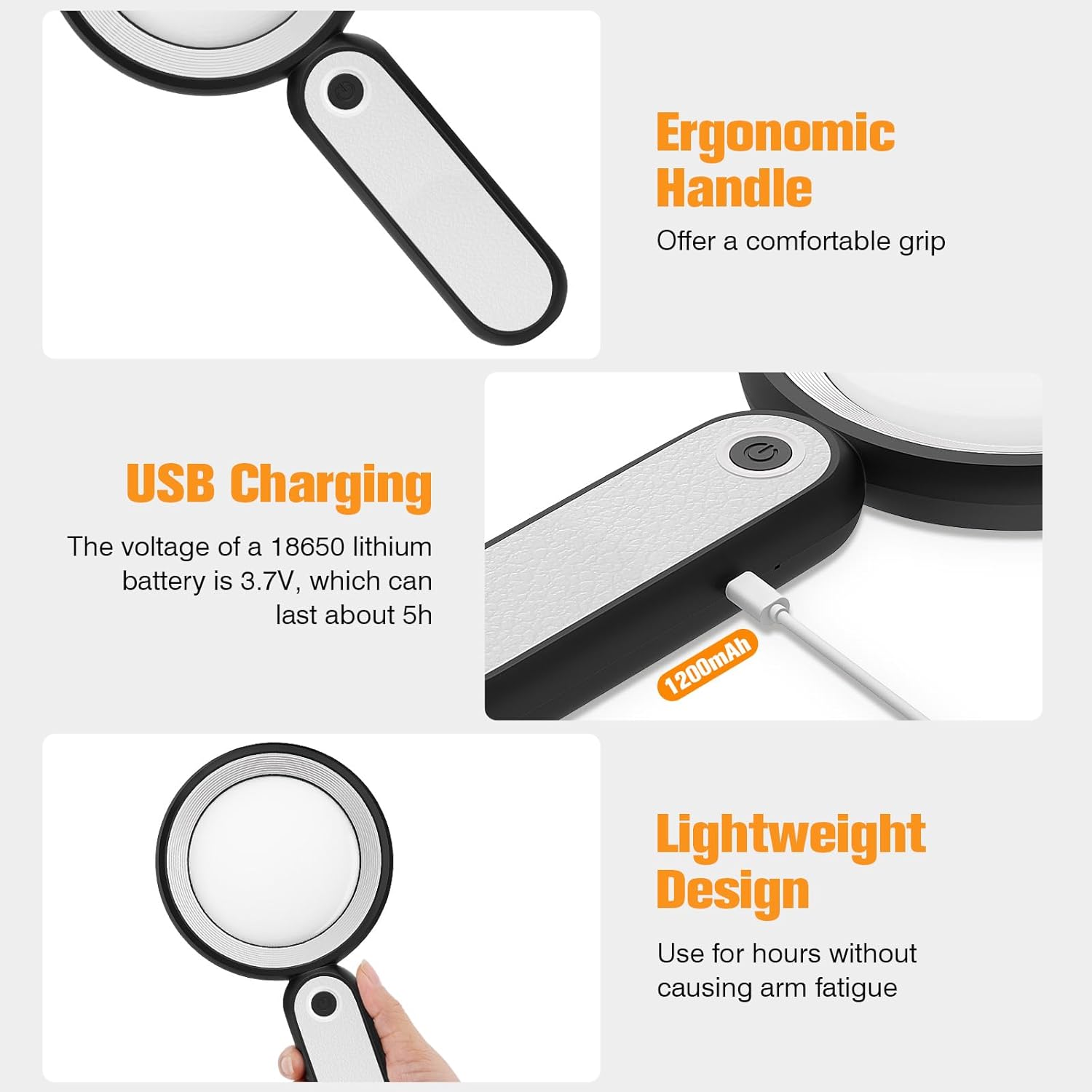
Before first use, fully charge the magnifying glass. Locate the USB charging port on the handle of the device.

Image: USB charging port on the handle.
- Connect the provided USB charging cable to the charging port on the magnifying glass.
- USB 케이블의 다른 쪽 끝을 호환되는 USB 전원 어댑터(포함되지 않음)나 컴퓨터의 USB 포트에 꽂습니다.
- The charging indicator lights (if present) will show the charging status. Allow the device to charge until fully powered, typically around 5 hours for a full charge.
2. 핸들 조정
The magnifying glass features an adjustable handle for comfortable use.

Image: Ergonomic handle design.
- Gently pivot the handle to your desired angle for handheld use.
- The handle can be folded for compact storage or extended for a comfortable grip during use.
작동 지침
1. 배율
The MoKo Magnifying Glass provides 10X magnification for clear viewing of small text and objects.

Image: Magnifying glass in use, showing 10X magnification on text.
- Hold the magnifying glass approximately 3-5 inches (7.5-12.5 cm) above the object you wish to magnify.
- Adjust the distance slightly until the object comes into clear focus.
2. LED 조명 모드
The device is equipped with 21 LED lights and three lighting modes to suit various environments and reduce eye strain.

Image: Three adjustable lighting modes (cool, warm, mixed) for the LED lights.
- Locate the power button on the handle.
- Press the power button once to activate the 쿨라이트 방법.
- Press the power button a second time to switch to 따뜻한 빛 방법.
- Press the power button a third time to activate the 혼합광 방법.
- Press the power button a fourth time to turn off the LED lights.
Choose the lighting mode that provides the most comfortable and clear viewing experience for your specific task and ambient light conditions.
유지
1. 렌즈 청소
To maintain optimal clarity, keep the optical glass lens clean.
- Use the provided soft cleaning cloth to gently wipe the lens surface.
- Avoid using abrasive materials, paper towels, or chemical cleaners, as these can scratch or damage the lens.
- 완고한 얼룩의 경우 가볍게 dampen the cleaning cloth with a small amount of lens cleaning solution or water, then gently wipe and dry.
2. 보관
When not in use, store the magnifying glass in the provided storage pouch to protect it from dust and scratches.

Image: Magnifying glass being stored in its protective pouch.
- 직사광선 및 극한의 온도를 피해 서늘하고 건조한 곳에 보관하세요.
문제 해결
| 문제 | 가능한 원인 | 해결책 |
|---|---|---|
| 조명이 켜지지 않습니다. | 배터리가 부족하거나 기기가 꺼져 있습니다. | Charge the device using the provided USB cable. Ensure the power button is pressed correctly to cycle through modes. |
| Magnification is blurry or distorted. | 물체와의 거리가 부적절하거나 렌즈가 더러워졌습니다. | Adjust the distance between the lens and the object. Clean the lens with the provided cleaning cloth. |
| Handle is stiff or difficult to adjust. | Minor friction in the hinge. | Apply gentle, consistent pressure. Avoid forcing the hinge. |
명세서
| 특징 | 세부 사항 |
|---|---|
| 상표 | 모코 |
| 모델 번호 | 10X |
| 확대 강도 | 10X |
| 렌즈 소재 | 광학 유리 |
| LED 조명 | 21 LED 비즈 |
| 조명 모드 | 3 (Cool, Warm, Mixed) |
| 전원 | Rechargeable USB (1200mAh battery, 3.7V) |
| 배터리 수명(연속 사용) | 약 5시간 |
| 제품 치수 | 9.57 x 4.72 x 1.02인치(24.3 x 12 x 2.6cm) |
| 품목 무게 | 7.05온스(200g) |
| 한국어: | 840401442876 |
이미지: 제품 치수
보증 및 지원
MoKo products are designed for reliability and performance. For warranty information or technical support, please refer to the contact details provided with your purchase or visit the official MoKo web대지.
구매 영수증을 보관하여 보증 청구에 대비하세요.
중요한 안전 정보
- Do not expose the magnifying glass to direct sunlight for extended periods, as this may cause fire or damage to surfaces.
- 어린이의 손이 닿지 않는 곳에 보관하세요.
- 장치를 떨어뜨리거나 강한 충격을 가하지 마십시오.
- Do not attempt to disassemble or modify the magnifying glass.


