소개
The HMD Pulse Pro is an advanced unlocked smartphone designed for global use, featuring a powerful 50 MP dual rear camera and an equally impressive 50 MP front camera. It runs on Android 14, offers extended battery life, and boasts a repair-at-home design for user convenience. This manual provides essential information for setting up, operating, maintaining, and troubleshooting your device.
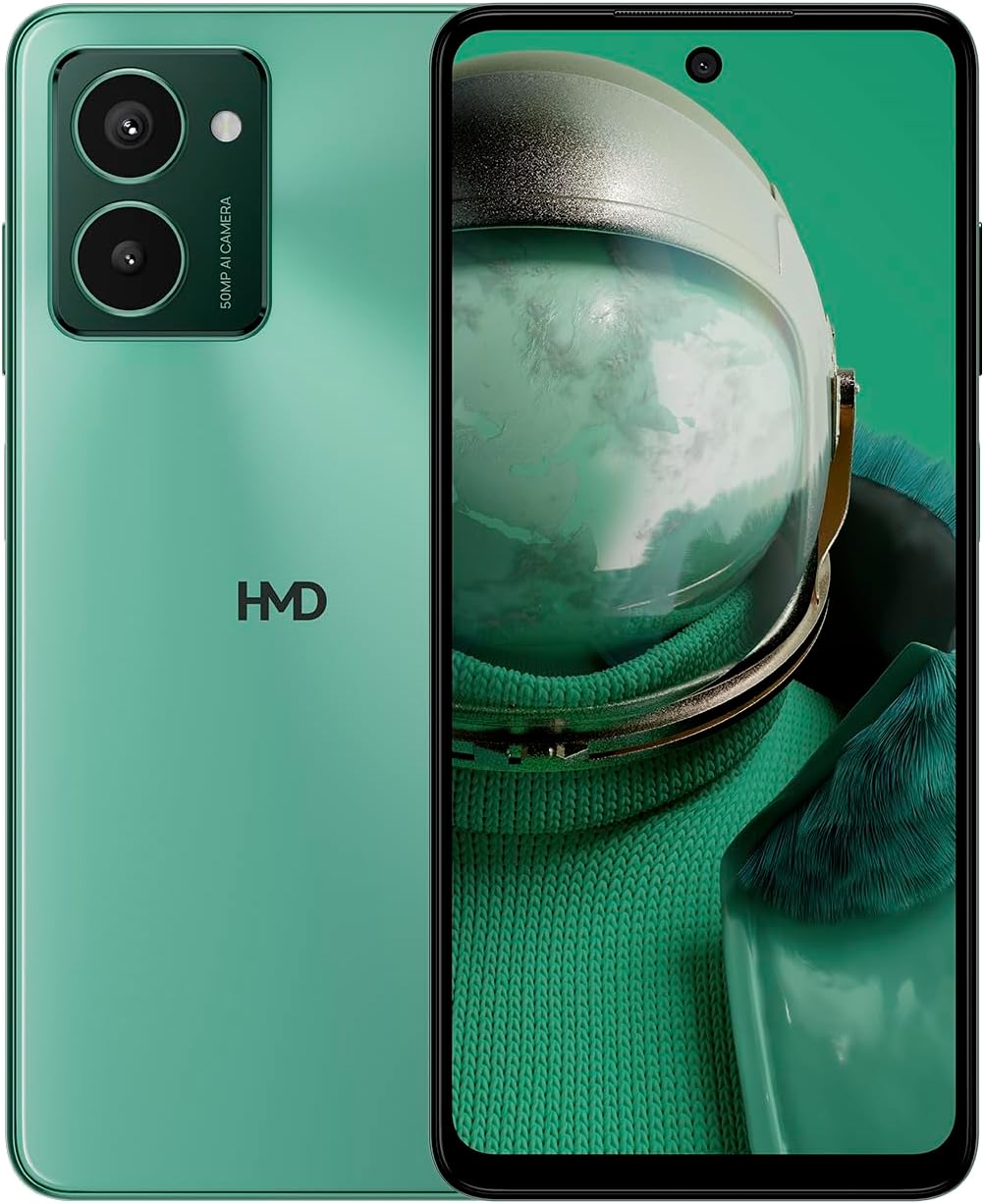
The HMD Pulse Pro smartphone in Glacier Green, showcasing its sleek design and dual camera system on the rear, alongside its vibrant display.
주요 특징:
- Striking design with refined lines and a cutting-edge aesthetic.
- Equipped with 50 MP rear and 50 MP front cameras for balanced and high-quality photography.
- Innovative selfie gesture function for easier and more dynamic self-portraits.
- Extended battery life providing up to 59 hours of usage on a single charge.
- International version, unlocked for compatibility with various carriers worldwide.
상자 안에 무엇이 들어있나요?
Upon unboxing your HMD Pulse Pro, please ensure all the following items are present:
- HMD 펄스 프로 스마트폰
- USB 케이블
- SIM 트레이 꺼내기 도구
- 빠른 시작 가이드(별도 또는 통합 가능)
설정
1. 초기 충전
Before first use, it is recommended to fully charge your HMD Pulse Pro. Connect the provided USB cable to the phone's charging port and the other end to a compatible USB power adapter (not always included) or a computer USB port. The device supports fast charging.
2. SIM 카드 및 MicroSD 카드 삽입
The HMD Pulse Pro supports dual SIM cards and expandable memory via a microSD card.
- 휴대폰 측면에서 SIM 트레이를 찾으세요.
- SIM 트레이 분리 도구를 트레이 옆의 작은 구멍에 넣고 트레이가 튀어나올 때까지 살살 밀어주세요.
- Place your Nano-SIM cards into the designated slots. Ensure the gold contacts are facing down.
- If using a microSD card for additional storage, place it into its dedicated slot on the tray.
- 트레이를 조심스럽게 전화기 안으로 밀어 넣어 딸깍 소리가 나면서 제자리에 고정되도록 합니다.
3. 전원 켜기 및 초기 구성
Press and hold the Power button until the HMD logo appears. Follow the on-screen instructions to complete the initial setup, including language selection, Wi-Fi connection, Google account setup, and security settings.
작동 지침
기본 탐색
- 터치스크린: Navigate by tapping, swiping, pinching, and spreading on the 6.65-inch display.
- 전원 버튼: 화면을 켜거나 끄려면 누르세요. 길게 누르면 전원이 꺼지거나 다시 시작됩니다.
- 볼륨 버튼: 미디어 볼륨, 통화 볼륨, 알림 볼륨을 조절하세요.
카메라 사용
The HMD Pulse Pro features a 50 MP dual rear camera and a 50 MP front camera, enhanced with AI capabilities.

A user demonstrating the innovative selfie gesture feature of the HMD Pulse Pro, allowing for hands-free photo capture.

클로즈업 view of the HMD Pulse Pro's 50 MP front-facing camera, highlighting its AI-powered capabilities for enhanced selfies.
- 카메라 실행: Tap the Camera app icon or use a quick gesture (if enabled in settings).
- 사진 찍기: Tap the shutter button. Use pinch-to-zoom for optical or digital zoom.
- Selfie Gestures: Utilize pre-defined hand gestures to trigger the front camera shutter without touching the screen. Refer to the in-app camera settings for available gestures.
- 모드: Switch between various modes like Portrait, Night, Panorama, and Video.
배터리 관리
The HMD Pulse Pro is equipped with a 5000 mAh battery, offering up to 59 hours of usage.

Two HMD Pulse Pro smartphones standing upright, with text emphasizing the impressive battery life of up to 59 hours.
- 충전 중: Use the provided USB cable. A full charge takes approximately 2.5 hours.
- 배터리 절약: Enable Battery Saver mode in Settings > Battery to extend usage time.
- 사용 최적화: Reduce screen brightness, disable unused connectivity (Bluetooth, Wi-Fi, GPS), and close background apps to conserve battery.
유지
장치 청소
To keep your HMD Pulse Pro in optimal condition:
- 부드럽고 보푸라기가 없는 천을 사용하여 화면과 본체를 닦으세요.
- 강한 화학 물질, 연마 세척제 또는 에어로졸 스프레이는 사용하지 마세요.
- The device is water resistant; however, avoid submerging it in water.
소프트웨어 업데이트
기기에 최신 기능, 보안 패치 및 성능 향상이 적용되도록 정기적으로 소프트웨어 업데이트를 확인하고 설치하세요. 설정 > 시스템 > 시스템 업데이트로 이동하세요.
스토리지 관리
256GB의 내장 스토리지를 사용하면 다음과 같은 이점을 누릴 수 있습니다. ample space. However, regularly manage your files and apps to maintain performance. You can also expand storage using a microSD card.
문제 해결
This section addresses common issues you might encounter with your HMD Pulse Pro.
| 문제 | 가능한 해결책 |
|---|---|
| 기기가 켜지지 않습니다 | Ensure the battery is charged. Connect to a charger for at least 30 minutes. Try holding the Power button for 10-15 seconds. |
| 앱이 충돌하거나 정지됩니다. | Clear the app's cache (Settings > Apps > [App Name] > Storage > Clear cache). Restart the phone. Update the app or the phone's software. |
| 배터리 수명이 짧음 | Check background app usage (Settings > Battery). Reduce screen brightness. Disable unused connectivity features (Wi-Fi, Bluetooth, GPS, NFC). Enable Battery Saver mode. |
| Wi-Fi/블루투스에 연결할 수 없습니다 | Toggle Wi-Fi/Bluetooth off and on. Restart your phone and the router/device. Forget the network/device and reconnect. |
| SIM 카드가 감지되지 않음 | Ensure the SIM card is correctly inserted in the tray. Restart the phone. Check with your carrier for network issues. |
공장 초기화
문제가 지속적으로 발생하는 경우 공장 초기화가 필요할 수 있습니다. 경고: 이 작업을 수행하면 휴대폰의 모든 데이터가 삭제됩니다. 진행하기 전에 중요한 데이터를 백업하세요.
- 설정 > 시스템 > 옵션 재설정으로 이동합니다.
- "모든 데이터 지우기(공장 초기화)"를 선택하세요.
- 결정을 확인하고, 필요한 경우 PIN/패턴/비밀번호를 입력하십시오.
- 휴대폰이 재시작되고 재설정 과정이 시작됩니다.
명세서
Detailed technical specifications for the HMD Pulse Pro smartphone:

The HMD Pulse Pro highlighting its stylish and cutting-edge design, dual SIM support, and 6.56" HD+ HID display with a 90Hz refresh rate. Note: While the image mentions 8GB/128GB, this specific model features 8GB RAM and 256GB internal storage.
| 특징 | 세부 사항 |
|---|---|
| 모델명 | Pulse Pro (TA-1606) |
| 운영 체제 | 안드로이드 14 |
| 디스플레이 크기 | 6.65 인치 |
| 해결 | 720 x 1612 |
| 새로 고침 빈도 | 90Hz |
| 램 메모리 | 8GB (XNUMX기가바이트) |
| 저장 용량 | 256GB(확장 가능) |
| 후방 카메라 | 50MP 듀얼 카메라 |
| 전면 카메라 | 50 MP |
| 배터리 용량 | 5000mAh |
| 충전 시간 | 약 2.5시간 |
| CPU 속도 | 1.6GHz |
| 연결성 | 블루투스, 와이파이, USB, NFC |
| 특별 기능 | 고속 충전 지원, 듀얼 SIM, 확장 가능한 메모리, 내장 GPS, 방수 기능 |
| 치수 | 6.43 x 2.95 x 0.34 인치 |
| 품목 무게 | 0.249온스(7.06그램) |
| 오디오 잭 | 3.5mm (XNUMXmm) |
| 색상 | Glacier Green |
보증 및 지원
제조업체 보증
Your HMD Pulse Pro smartphone is covered by a manufacturer's warranty against defects in materials and workmanship. The specific terms and duration of the warranty may vary by region. Please refer to the warranty card included with your product or visit the official HMD web자세한 보증 정보는 사이트를 참조하십시오.
고객 지원
For technical assistance, troubleshooting beyond this manual, or warranty claims, please contact HMD customer support. You can typically find contact information (phone numbers, email, support portals) on the official HMD web사이트 또는 기기 설정의 지원 섹션을 통해서도 가능합니다.
온라인 리소스: For the latest FAQs, software downloads, and support articles, visit the official HMD support page. (Specific URL not provided in input, so a generic statement is used).