소개
The ShiftCam SnapStand Max is a versatile and portable accessory designed to enhance your mobile photography and videography experience. It functions as both an extendable selfie stick and a stable tripod, featuring a magnetic mount for MagSafe-enabled devices, a secure clip mount for other smartphones, a 200-degree tilt head, and a detachable Bluetooth remote for convenient control. This manual provides detailed instructions for setting up, operating, maintaining, and troubleshooting your SnapStand Max.
상자 안에 무엇이 들어있나요?
Upon unboxing your ShiftCam SnapStand Max, please verify that all components are present:
- SnapStand Max (Selfie Stick & Tripod)
- 탈착식 블루투스 리모컨
- Silicone SnapClamp Clip (for non-MagSafe devices or added security)

Image: Components included with the ShiftCam SnapStand Max, showing the main unit, the detachable Bluetooth remote, and the SnapClamp.
주요 특징
Compact & Extendable Design
The SnapStand Max is designed for portability, folding down to 11 inches for easy storage in a bag. It extends up to 70 inches (approximately 6 feet), providing significant reach for various shooting angles, from close-up selfies to wide group shots or elevated perspectives.

Image: The SnapStand Max folded, illustrating its compact size for portability.

Image: The SnapStand Max fully extended, showing its impressive height for capturing wide scenes or group photos.
Versatile Dual-Functionality
This device seamlessly transitions between a stable tripod for hands-free recording, live streaming, video calls, and time-lapse photography, and an extendable selfie stick for capturing personal or group photos with ease.
Effortless Magnetic & Secure Clip Mount
The SnapStand Max features a strong magnetic mount compatible with MagSafe-enabled iPhones and cases, allowing for quick and secure attachment. For other smartphones or enhanced stability, the included silicone SnapClamp clip provides a firm grip.

Image: Demonstrates the magnetic attachment of a MagSafe-compatible phone to the SnapStand Max.

이미지: 클로즈업 view of the detachable Bluetooth remote control integrated into the SnapStand Max handle.
Removable Bluetooth Remote
Capture photos and videos from a distance with the convenient detachable Bluetooth remote. This feature is ideal for group shots, hands-free recording, or when using the SnapStand Max as a tripod.
Versatile Tilt Head
The integrated tilt head offers a 200-degree range of motion, allowing you to precisely adjust your phone's angle for optimal framing, whether for selfies, high-angle shots, or specific video perspectives.

Image: Illustration demonstrating the flexible 200-degree tilt head, allowing for various phone angles.
설치 가이드
1. Unfolding the SnapStand Max
- Hold the main body of the SnapStand Max firmly.
- Gently pull the top section upwards to extend the pole. Continue extending until it reaches your desired length.
- To deploy the tripod legs, grasp the base and spread the legs outwards until they lock into a stable position. Ensure the legs are fully extended for maximum stability.

Image: The SnapStand Max set up as a tripod, demonstrating the extended legs and pole.
2. 스마트폰 연결
- For MagSafe-compatible devices: Simply align your MagSafe-enabled iPhone or case with the magnetic mount at the top of the SnapStand Max. The magnets will securely snap your phone into place.
- For other smartphones or added security: Attach the silicone SnapClamp clip to the magnetic mount. Then, gently pull apart the jaws of the SnapClamp and insert your smartphone, ensuring it is held firmly.

Image: A smartphone securely attached to the SnapStand Max, illustrating the magnetic connection.
3. 블루투스 리모컨 페어링
- Remove the Bluetooth remote from its slot in the SnapStand Max handle.
- Press and hold the button on the remote until the indicator light begins to flash, indicating it is in pairing mode.
- 스마트폰에서 다음으로 이동하세요. 설정 > 블루투스.
- Look for "ShiftCam Remote" or a similar device name in the list of available devices and tap to connect.
- Once paired, the indicator light on the remote will stop flashing and remain solid (or turn off, depending on the model). The remote is now ready for use.
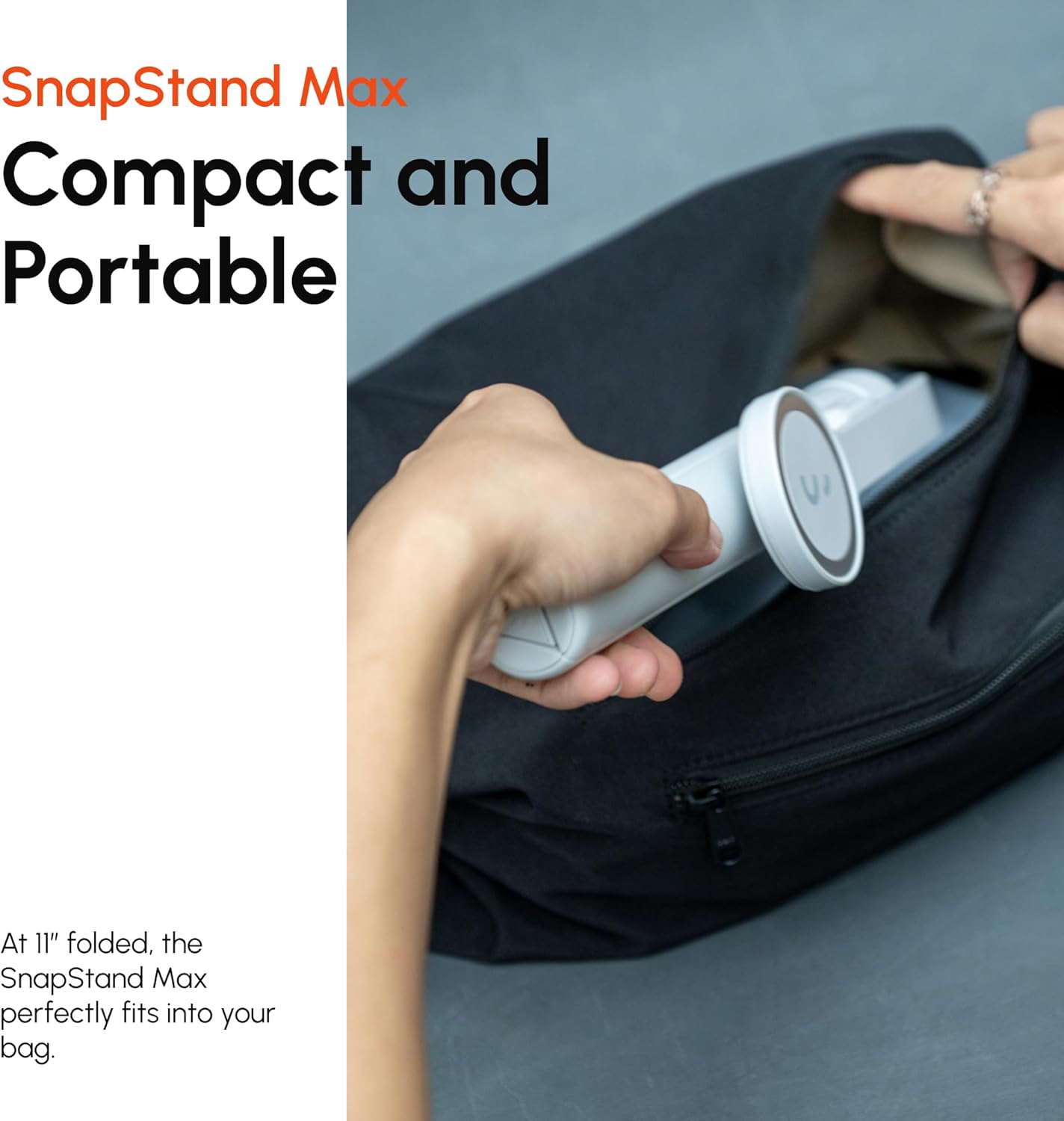
Image: The detachable Bluetooth remote being held, ready for pairing and use.
작동 지침
셀카봉으로 사용하기
- Ensure your phone is securely attached.
- Extend the pole to your desired length.
- Adjust the tilt head to frame your shot.
- Use the Bluetooth remote to trigger your phone's camera shutter.

Image: The SnapStand Max being used as a selfie stick to capture a group photo.
삼각대로 사용하기
- Extend the tripod legs fully until they lock into place, creating a stable base.
- Place the SnapStand Max on a flat, stable surface.
- Adjust the pole height and tilt head angle as needed for your shot.
- Use the Bluetooth remote to start/stop recording or take photos without touching your phone, preventing camera shake.

Image: The SnapStand Max deployed as a stable tripod for hands-free photography or videography.
Adjusting the Tilt Head
- The tilt head allows for 200 degrees of vertical adjustment.
- Gently pivot the phone mount section to achieve your desired angle. It will hold its position once set.
유지
- 청소: Wipe the SnapStand Max with a soft, dry cloth. For stubborn dirt, a slightly damp cloth can be used, but ensure the device is completely dry before storage. Do not use harsh chemicals or abrasive cleaners.
- 저장: When not in use, fold the SnapStand Max to its compact size and store it in a dry, cool place away from direct sunlight and extreme temperatures.
- 배터리: The Bluetooth remote uses a small button cell battery. If the remote stops responding, replace the battery. Refer to the remote's casin배터리 종류 및 교체 방법은 g를 참조하십시오.
문제 해결
| 문제 | 가능한 원인 | 해결책 |
|---|---|---|
| 블루투스 리모컨이 페어링되지 않습니다. | Remote battery low or dead; remote not in pairing mode; Bluetooth off on phone. | Ensure remote battery is charged/replaced. Press and hold remote button to enter pairing mode. Enable Bluetooth on your phone and search for "ShiftCam Remote". |
| Phone not securely held by magnetic mount. | Phone not MagSafe compatible; misaligned; heavy case interfering. | Ensure your phone or case is MagSafe compatible. Realign the phone. For non-MagSafe phones or added security, use the included SnapClamp 클립. |
| 삼각대가 불안정하게 느껴집니다. | Legs not fully extended; uneven surface; excessive weight. | Ensure all tripod legs are fully extended and locked. Place on a flat, stable surface. Do not exceed the recommended weight capacity (designed for smartphones). |
| Pole does not extend or retract smoothly. | Dirt or debris in joints; mechanism stuck. | Gently clean the pole sections with a soft cloth. Avoid forcing the mechanism. If persistent, contact customer support. |
명세서
| 특징 | 세부 사항 |
|---|---|
| 모델명 | S-AB03-MN |
| 상표 | 시프트캠 |
| 재료 | 금속 |
| 색상 | 자정 |
| 호환 장치 | Smartphones (MagSafe compatible or with SnapClamp) |
| 접힌 치수 | 약 11cm(28인치) |
| 확장 된 높이 | 최대 70인치(178cm) |
| 품목 무게 | 1.21파운드(0.55kg) |
| Tilt Head Range | 200도 |
| 원격 연결 | 블루투스 |
보증 및 지원
ShiftCam 제품은 내구성과 성능을 고려하여 설계되었습니다. 보증 범위, 제품 등록 또는 기술 지원에 대한 자세한 내용은 ShiftCam 공식 웹사이트를 방문하십시오. web사이트를 방문하거나 고객 서비스에 직접 문의하세요.
또한 방문할 수 있습니다 아마존에서 ShiftCam 스토어를 방문하세요. 추가 제품 정보 및 지원 리소스를 확인하세요.


