1. 서론
This manual provides detailed instructions for the setup, operation, and maintenance of your TUINYO WH-819 Wireless Over-Ear Bluetooth Headphones. Please read this manual thoroughly before using the product to ensure proper function and longevity.
2. 제품 오버view
The TUINYO WH-819 headphones offer high-fidelity stereo sound, comfortable over-ear design, and versatile connectivity options. They are designed for extended listening periods, featuring a long-lasting battery and a foldable structure for portability.
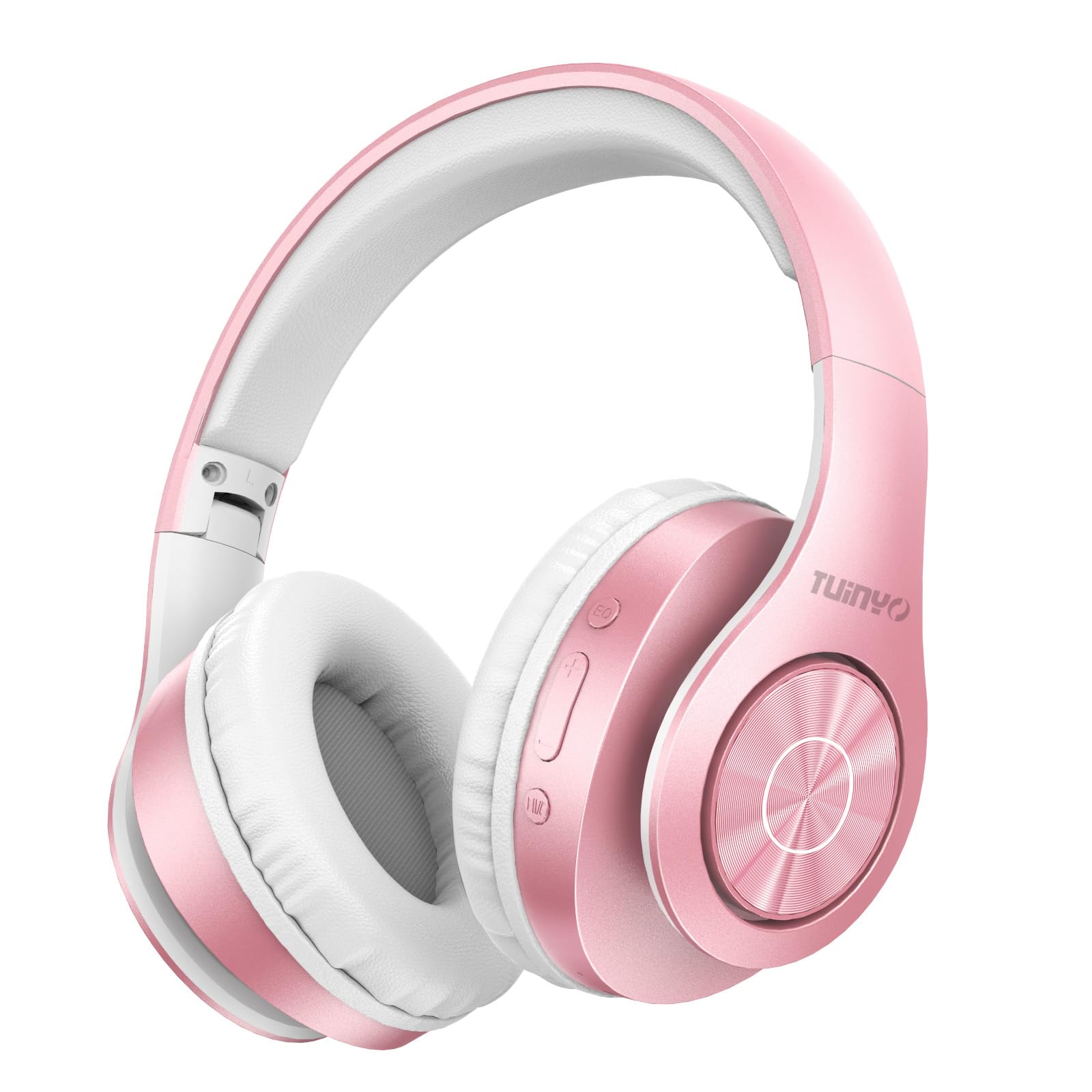
Figure 2.1: TUINYO WH-819 Rose Gold Wireless Over-Ear Bluetooth Headphones.
비디오 2.1: 오버view of the TUINYO wireless Bluetooth headphones, highlighting their design and features.
3. 패키지 내용
패키지에 모든 품목이 들어 있는지 확인하세요.
- TUINYO WH-819 Wireless Over-Ear Bluetooth Headphones
- USB 충전 케이블
- 3.5mm 오디오 케이블
- Protective Premium Case
- 사용자 설명서

Figure 3.1: Included accessories with the TUINYO WH-819 headphones.
4. 제어 및 포트
헤드폰 컨트롤과 포트에 익숙해지세요.
- 전원 버튼: 길게 누르면 전원이 켜지거나 꺼집니다. 짧게 누르면 음악 재생/일시정지 또는 전화 수신/종료가 가능합니다.
- 볼륨 높이기/다음 트랙 버튼: 짧게 누르면 볼륨이 커지고, 길게 누르면 다음 트랙으로 넘어갑니다.
- 볼륨 낮추기/이전 트랙 버튼: 짧게 누르면 볼륨을 낮추고, 길게 누르면 이전 트랙으로 돌아갑니다.
- EQ 버튼: Press to cycle through different equalizer modes (Normal, Rock, Pop, Classic, Jazz, Country).
- 3.5mm 오디오 잭: 유선 연결용.
- USB 충전 포트 : 헤드폰을 충전합니다.
- MicroSD 카드 슬롯: MicroSD 카드에서 직접 음악을 재생합니다.

그림 4.1: 상세 view 헤드폰 제어 및 기능.
Video 4.1: A demonstration of the TUINYO headphones' folding mechanism and button controls.
5. 설정
5.1 헤드폰 충전
- Connect the USB charging cable to the headphone's charging port.
- USB 케이블의 다른 쪽 끝을 호환되는 USB 전원(예: 컴퓨터, 벽면 어댑터)에 연결하십시오.
- LED 표시등은 충전 상태를 보여줍니다(예: 빨간색은 충전 중, 파란색은 완충 시).
- 완전 충전에는 일반적으로 2-2.5시간이 걸립니다.
5.2 블루투스 페어링
- 헤드폰이 완전히 충전되었는지 확인하세요.
- Long press the Power button until the LED indicator flashes blue and red, indicating pairing mode.
- 기기(스마트폰, 태블릿, 노트북)에서 Bluetooth를 활성화하고 사용 가능한 기기를 검색하세요.
- Select "WH-819" from the list of devices.
- Once connected, the LED indicator will flash blue slowly, and a voice prompt will confirm successful pairing.
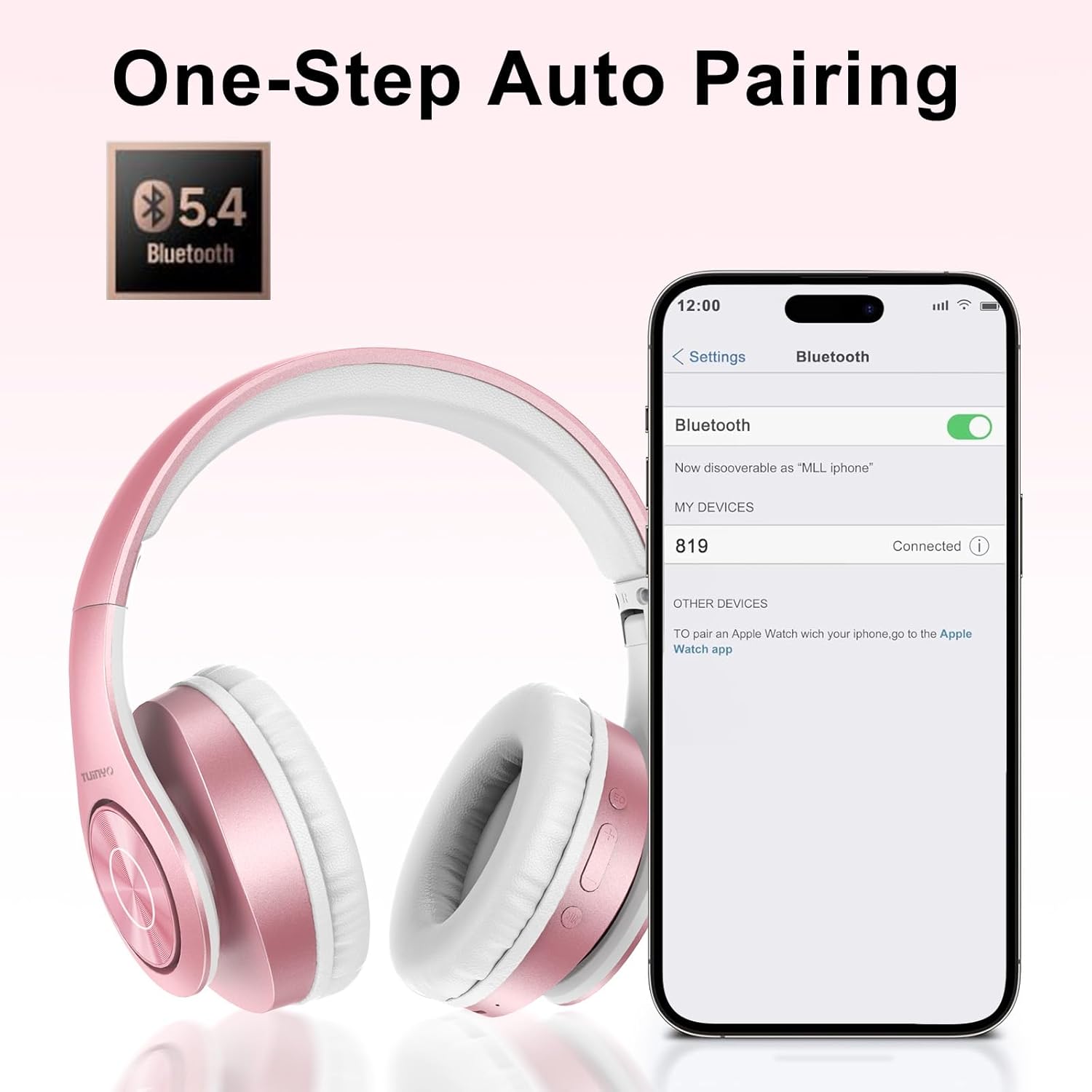
그림 5.1: 스마트폰의 블루투스 페어링 프로세스.
6. 사용 설명서
6.1 전원 켜기/끄기
- 전원 켜기: Long press the Power button until the LED indicator lights up blue.
- 전원 끄기 : LED 표시등이 꺼질 때까지 전원 버튼을 길게 누르세요.
6.2 음악 재생
- 재생/일시 중지: 전원 버튼을 짧게 누릅니다.
- 다음 트랙: 볼륨 높이기 버튼을 길게 누르세요.
- 이전 트랙 : 볼륨 낮추기 버튼을 길게 누르세요.
- 볼륨 조절: 볼륨 높이기 또는 볼륨 낮추기 버튼을 짧게 누르세요.
6.3 통화 관리
- 전화 받기/종료: 전원 버튼을 짧게 누릅니다.
- 전화 거부: 전원 버튼을 길게 누르세요.
6.4 EQ 모드
- Press the EQ button to switch between different sound equalizer modes (Normal, Rock, Pop, Classic, Jazz, Country) to optimize your listening experience.
6.5 유선 모드
- Insert the 3.5mm audio cable into the headphone's audio jack and the other end into your audio device.
- 헤드폰은 자동으로 유선 모드로 전환되고 블루투스 기능은 비활성화됩니다.
6.6 MicroSD 카드 재생
- Insert a MicroSD card with MP3 audio fileMicroSD 카드 슬롯에 삽입하세요.
- 헤드폰이 자동으로 카드를 감지하고 음악 재생을 시작합니다.
- Use the music playback controls (Play/Pause, Next/Previous Track, Volume) to manage your audio.
7. 유지관리
- 헤드폰을 부드럽고 마른 천으로 정기적으로 닦아주세요.
- 연마성 세척제나 용제를 사용하지 마십시오.
- 헤드폰을 사용하지 않을 때는 손상 방지를 위해 보호 케이스에 보관하십시오.
- 극단적인 온도와 습기를 피하십시오.
8. 문제 해결
| 문제 | 해결책 |
|---|---|
| 헤드폰의 전원이 켜지지 않습니다. | 헤드폰이 충전되어 있는지 확인하세요. 전원에 연결한 후 다시 시도해 보세요. |
| 블루투스로 페어링할 수 없습니다. | 헤드폰이 페어링 모드인지 확인하세요(LED가 파란색/빨간색으로 깜빡임). 기기의 블루투스를 껐다가 켜세요. 기기에 더 가까이 이동하세요. |
| 블루투스 모드에서 소리가 나지 않습니다. | Check volume levels on both headphones and connected device. Ensure headphones are successfully paired. |
| 유선 모드에서는 소리가 나지 않습니다. | Ensure the 3.5mm audio cable is fully inserted into both the headphones and the audio device. Check the audio source. |
| microSD 카드가 재생되지 않습니다. | Ensure the MicroSD card is inserted correctly and contains compatible MP3 audio files. |
9. 사양
| 특징 | 세부 사항 |
|---|---|
| 모델명 | WH-819 |
| 연결 기술 | 무선(블루투스), 유선(3.5mm 잭) |
| 무선 통신 기술 | 블루투스 4.0 |
| 오디오 드라이버 유형 | Dynamic Driver (40mm neodymium) |
| 배터리 수명 | Up to 40 hours of music time (800mAh battery) |
| 충전 시간 | 2-2.5시간 |
| 이어피스 모양 | 오버이어 |
| 재료 | Plastic, Memory-Protein Earmuffs |
| 무게 | 13.4 온스 |
| 치수 | 8.5 x 6.22 x 4.25인치(패키지) |
| 호환 장치 | Tablets, Laptops, Desktops, Smartphones, Bluetooth-enabled devices |
| 방수 레벨 | 방수가 되지 않음 |
10. 보증 및 지원
Your TUINYO WH-819 headphones are covered by a 30-day warranty from the date of purchase. For any product inquiries, technical support, or warranty claims, please refer to the contact information provided with your purchase or visit the official TUINYO web대지.


