1. 서론
The Firecore FRL300R Rotary Laser Level Kit is a professional-grade tool designed for a wide range of construction and leveling applications. This self-leveling horizontal rotary laser provides precise elevation control over large areas, enhancing productivity for tasks such as grading, excavating, patio decks, terraces, swimming pools, landscaping, and septic systems. Its robust design ensures durability and reliability in demanding jobsite environments.

Figure 1: The Firecore FRL300R Rotary Laser Level Kit, including the main unit, receiver, and hard carrying case.
2. 안전 정보
Always read and understand all safety warnings and instructions before operating the Firecore FRL300R Rotary Laser Level. Failure to follow these instructions may result in serious injury.
2.1 레이저 안전
This product emits a Class 2 laser beam (IEC/EN60825-1/2014 <1mW). Observe the following precautions:
- 하지 마세요 레이저 빔을 직접 응시하세요.
- 하지 마세요 의도적으로 레이저 빔을 다른 사람이나 반사 표면에 비추는 행위.
- Always use the provided red laser glasses to enhance visibility and protect your eyes when working with the laser.
- Ensure the laser is positioned so that the beam is above or below eye level whenever possible.
2.2 배터리 안전
- Use only the specified Li-ion battery and charging accessories provided with the kit.
- 배터리를 극한의 온도, 직사광선 또는 불에 노출시키지 마십시오.
- 배터리를 분해하거나, 부수거나, 구멍을 뚫지 마십시오.
- 현지 규정에 따라 배터리를 폐기하십시오.
3. 패키지 내용
Verify that all items listed below are included in your Firecore FRL300R Rotary Laser Level Kit:
- 1x FRL300R Rotary Laser
- 1x 원격 제어
- 1x Red Laser Glasses
- 1x Li-ion Battery with Type-C Charging Port
- 1x 5V/1A 어댑터
- 1x 충전 케이블
- 1x Red Target Plate
- 1x Receiver with a Clamp
- 1x 사용자 설명서
- 하드 케이스 1개
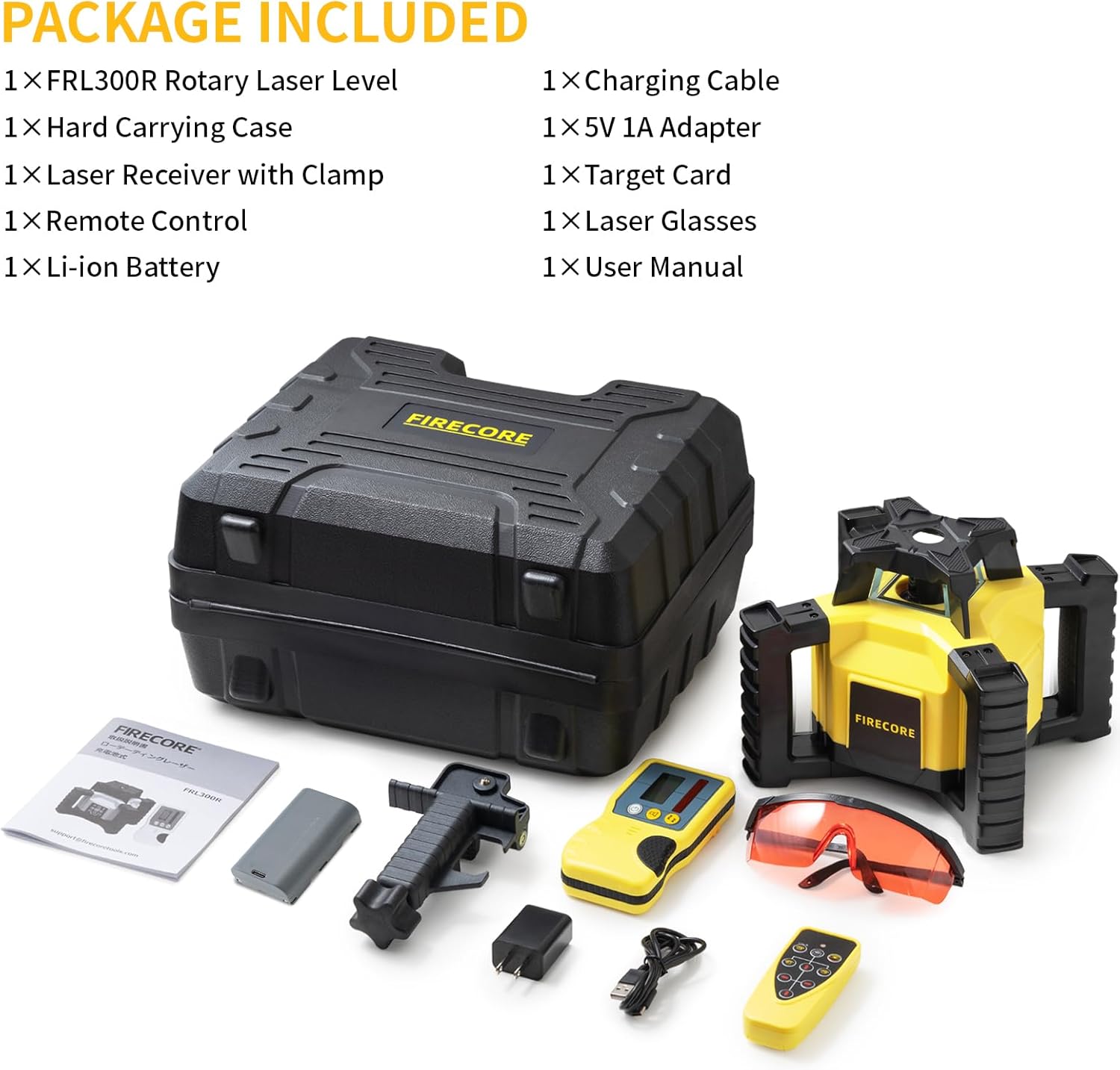
Figure 2: All included components of the FRL300R kit.
4. 설정
4.1 배터리 충전
The FRL300R is powered by a rechargeable Li-ion battery. Before first use, fully charge the battery. Connect the provided charging cable to the Type-C charging port on the laser level and plug the 5V/1A adapter into a power outlet. A full charge provides up to 15 hours of working time.
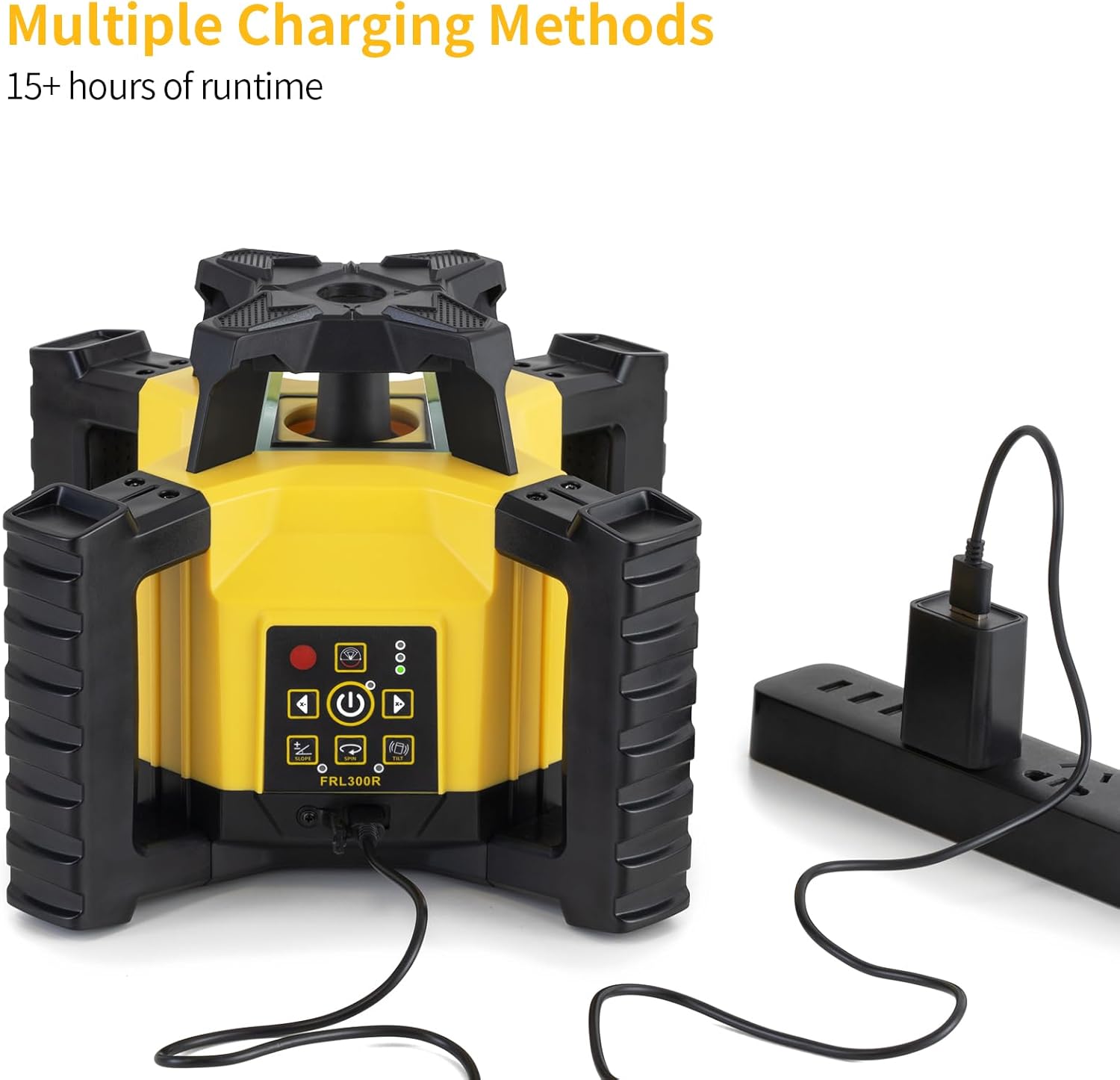
Figure 3: The FRL300R supports multiple charging methods via its Type-C port.
4.2 Initial Placement and Mounting
Place the FRL300R on a stable, level surface or mount it securely onto a tripod. Ensure the area is clear of obstructions that might interfere with the laser beam. The unit is designed with a robust 4-handle ergonomic design for easy handling.

Figure 4: The FRL300R features a robust 4-handle ergonomic design for secure handling.
5. 사용 설명서
5.1 전원 켜기 및 자동 수평 조절
Press the power button to turn on the FRL300R. The unit features electronic horizontal self-leveling, automatically leveling itself within 5° in approximately 15 seconds. If the device is disturbed during operation, it will automatically re-level. The self-leveling motors are accurate to ±10 seconds.
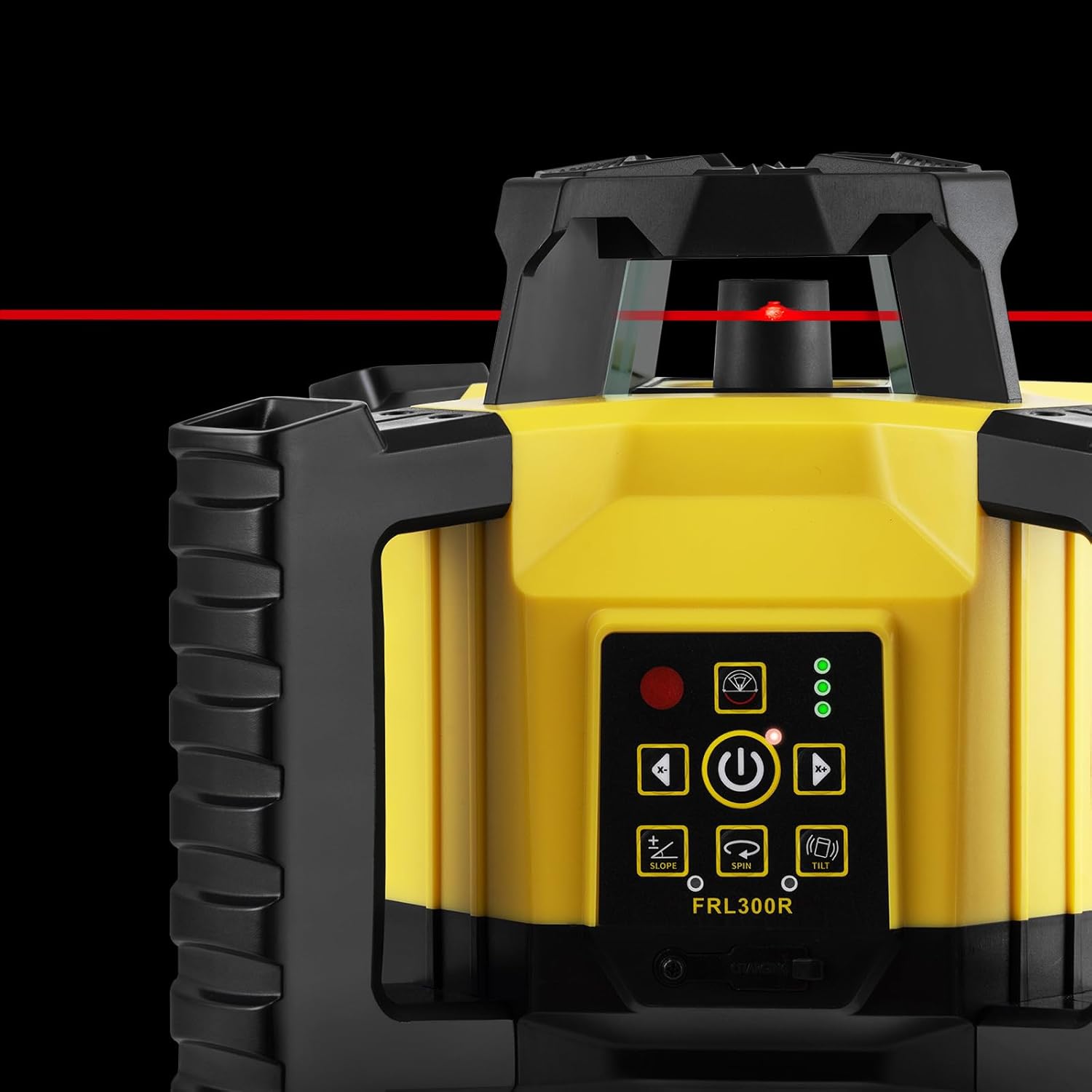
그림 5: 클로즈업 view of the FRL300R in operation, showing the emitted red laser beam.
5.2 Adjusting Rotation Speed and Scanning Angle
The FRL300R offers variable rotation speeds (0-300-600rpm) and scanning angle options (0°-10°-45°-90°-180°-0°). Use the controls on the unit or the remote control to adjust these settings according to your application needs.
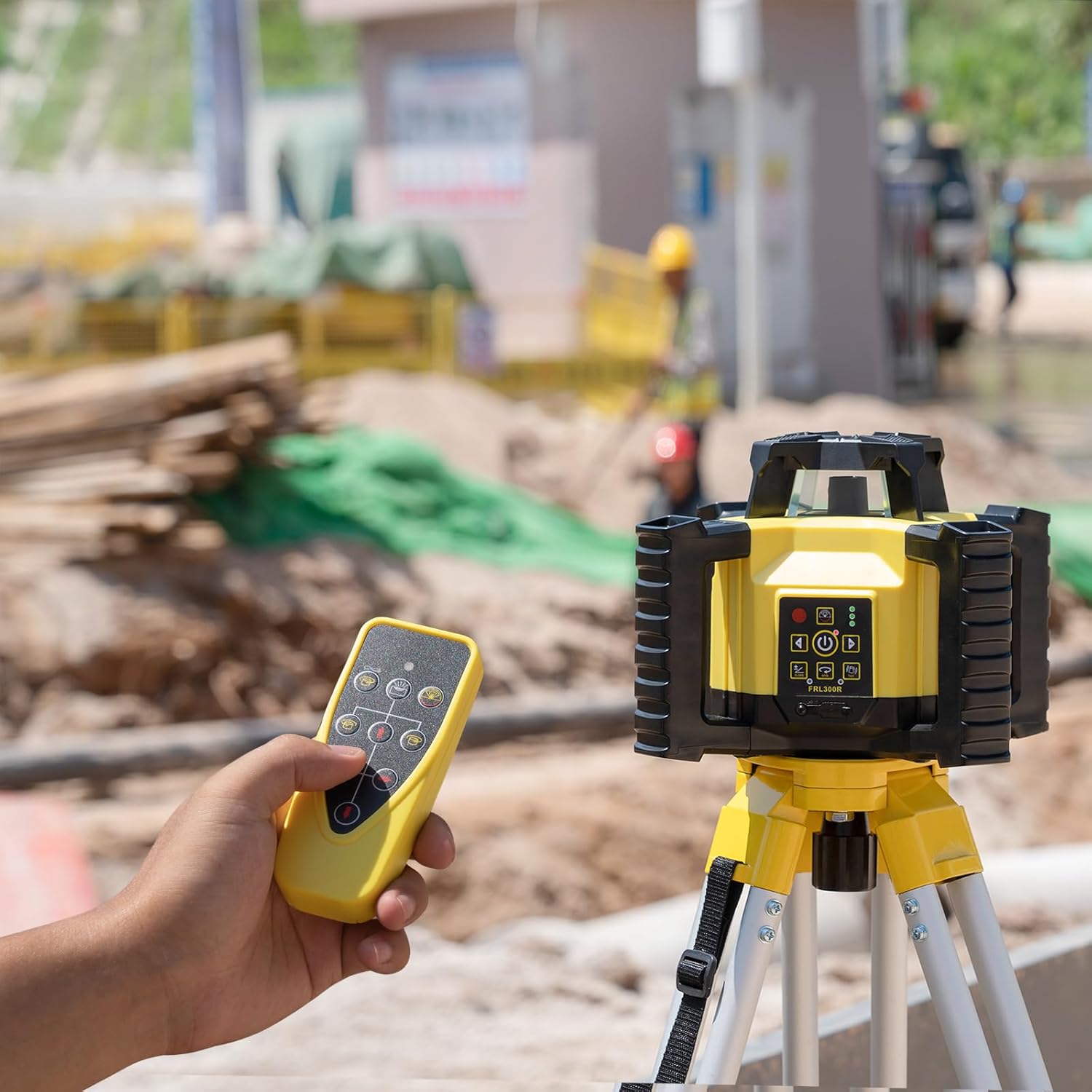
Figure 6: The remote control allows for convenient adjustment of laser settings.
5.3 Vibrate Mode
For use in windy or vibrating conditions, activate the vibrate mode. In this mode, the self-leveling function is deactivated, and the laser cross is locked, allowing the device to be used at any angle without constant re-leveling due to minor disturbances.
5.4 수신기 사용
The included laser receiver extends the working range and improves visibility in bright conditions. It can be used in a handheld position or mounted on a rod using the provided clamp. The receiver is IP55 waterproof and dustproof, ensuring reliable performance in various environments.
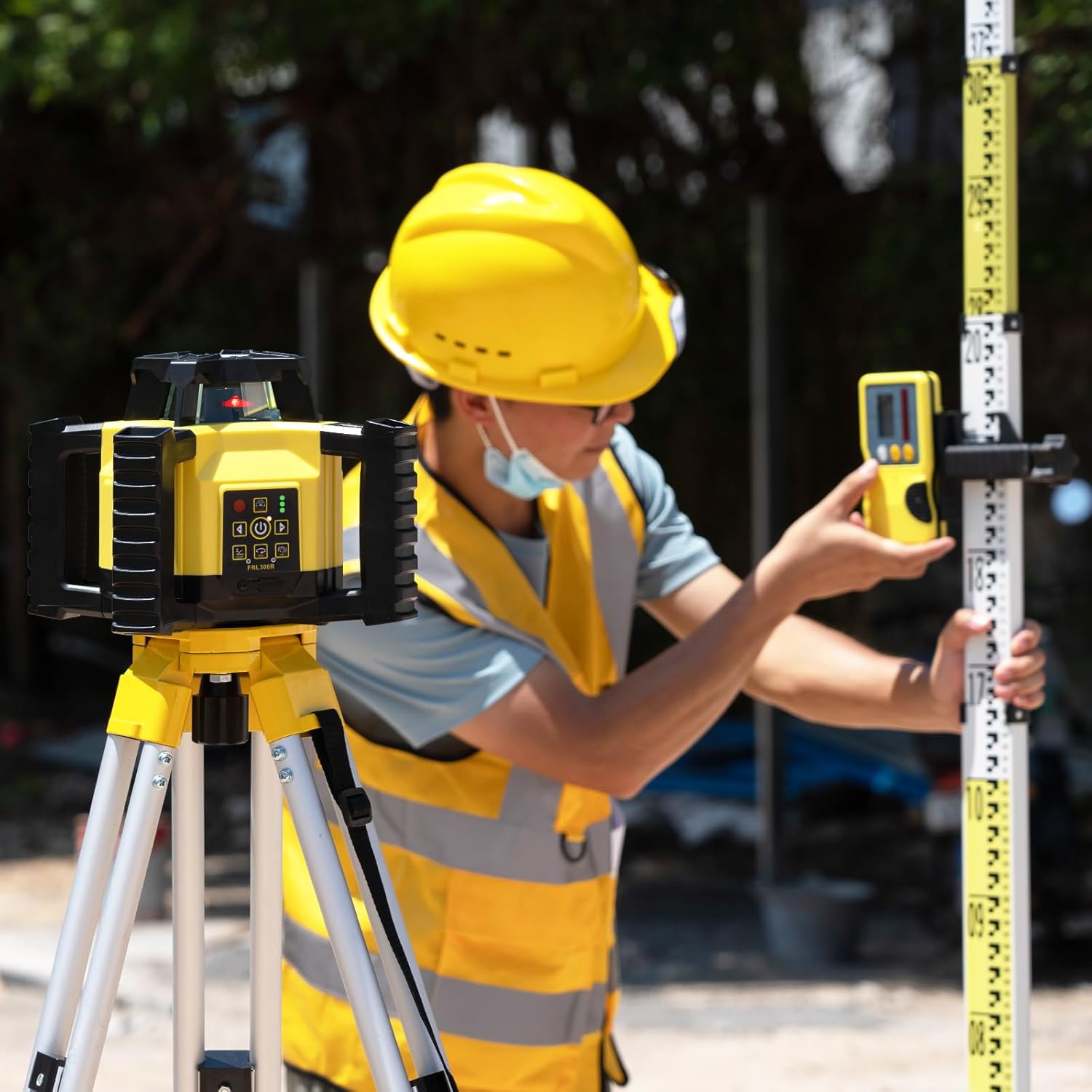
Figure 7: The FRL300R in use with its receiver and a measuring rod on a construction site.
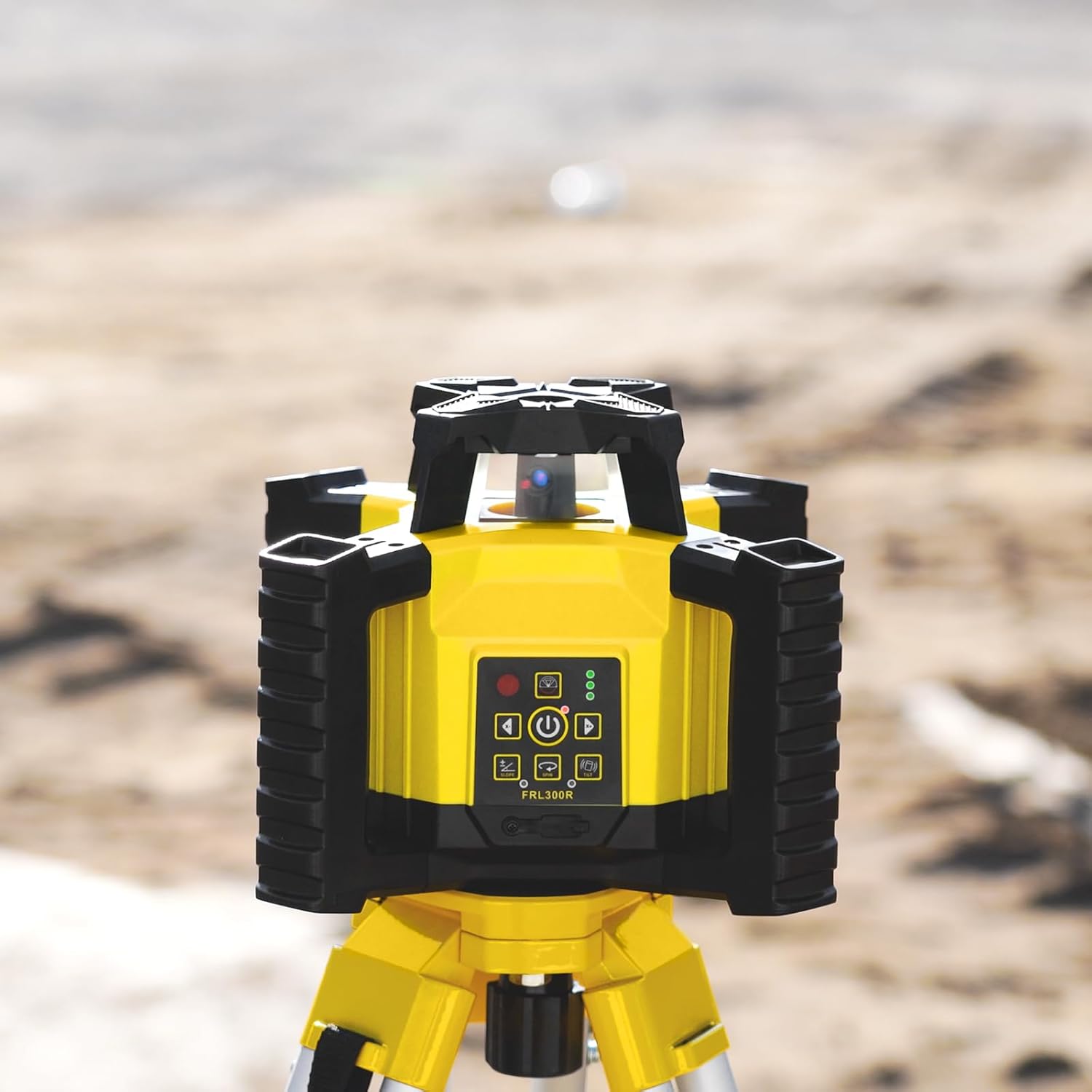
Figure 8: The FRL300R positioned on a tripod, demonstrating its use for long-range leveling tasks.
6. 유지관리
Proper maintenance ensures the longevity and accuracy of your Firecore FRL300R Rotary Laser Level.
6.1 청소
부드러운 천으로 기기를 닦으십시오. damp cloth. Do not use harsh chemicals or abrasive cleaners. Keep the laser output window clean to ensure optimal beam clarity.
6.2 보관
When not in use, store the FRL300R and its accessories in the provided hard carrying case. Store in a dry place, away from direct sunlight and extreme temperatures.
6.3 내구성 및 보호
The FRL300R is designed to be tough and impact-resistant, with an IP55 rating for water and dust resistance. It can withstand drops from a height of 1m (3.3 ft.) onto concrete surfaces. While rugged, always handle the device with care to maintain its precision.
7. 문제 해결
If you encounter issues with your FRL300R, refer to the following common problems and solutions:
| 문제 | 가능한 원인 | 해결책 |
|---|---|---|
| 레이저가 켜지지 않음 | 배터리 부족 또는 소모 | Charge the Li-ion battery fully. |
| 레이저는 자동 수평 조절 기능이 없습니다. | Unit is outside of ±5° self-leveling range | Place the unit on a more level surface or adjust tripod. |
| 부정확한 판독 | Unit disturbed during operation; Calibration needed | Allow unit to re-level; If persistent, contact support for calibration. |
| 레이저 빔이 보이지 않습니다 | Too much ambient light; Long distance | Use the laser receiver; Use red laser glasses; Work in lower light conditions if possible. |
8. 사양
| 특징 | 사양 |
|---|---|
| 모델 | FRL300R |
| 레이저 클래스 | Class 2 (IEC/EN60825-1/2014) <1mW |
| 정확성 | ±1/8" at 100ft |
| Working Range (Diameter) | 600m (1,969 ft.) with receiver |
| 셀프 레벨링 범위 | ±5° |
| 셀프 레벨링 시간 | 15초 이내 |
| 회전 속도 | 0, 300, 600rpm |
| 스캐닝 각도 | 0°, 10°, 45°, 90°, 180° |
| IP 등급 | IP55(방수 및 방진) |
| 낙하 저항 | 1m (3.3 ft.) onto concrete |
| 배터리 유형 | 리튬 이온(충전식) |
| 작동 시간 | 최대 15시간 |
| 품목 무게 | 9.2파운드 |
| 재료 | 아크릴로 니트릴 부타디엔 스티렌 |
9. 보증 및 지원
9.1 보증 정보
Firecore laser levels are covered by a ONE-YEAR warranty 구매일로부터. 이 보증은 정상적인 사용 하에서 재료 및 제조상의 결함을 포함합니다.
9.2 고객 지원
For any product questions, technical assistance, or warranty claims, please do not hesitate to contact Firecore customer support. We are committed to responding to your inquiry within 24 hours.
Please refer to the contact information provided in your purchase documentation or visit the official Firecore web지원 세부 정보 사이트.


