KOOSMILE Mini PC KT-M9 User Manual
Model: KT-M9
1. 서론
Thank you for choosing the KOOSMILE Mini PC KT-M9. This compact yet powerful desktop computer is designed for a wide range of applications, from demanding professional tasks to immersive home entertainment. Equipped with an Intel Core i9-12900HK processor, amp대용량 메모리와 고속 저장 장치를 탑재하여 작은 크기에도 불구하고 탁월한 성능을 제공합니다. 이 설명서는 미니 PC의 설치, 작동, 유지 관리 및 문제 해결에 필요한 필수 정보를 제공합니다.
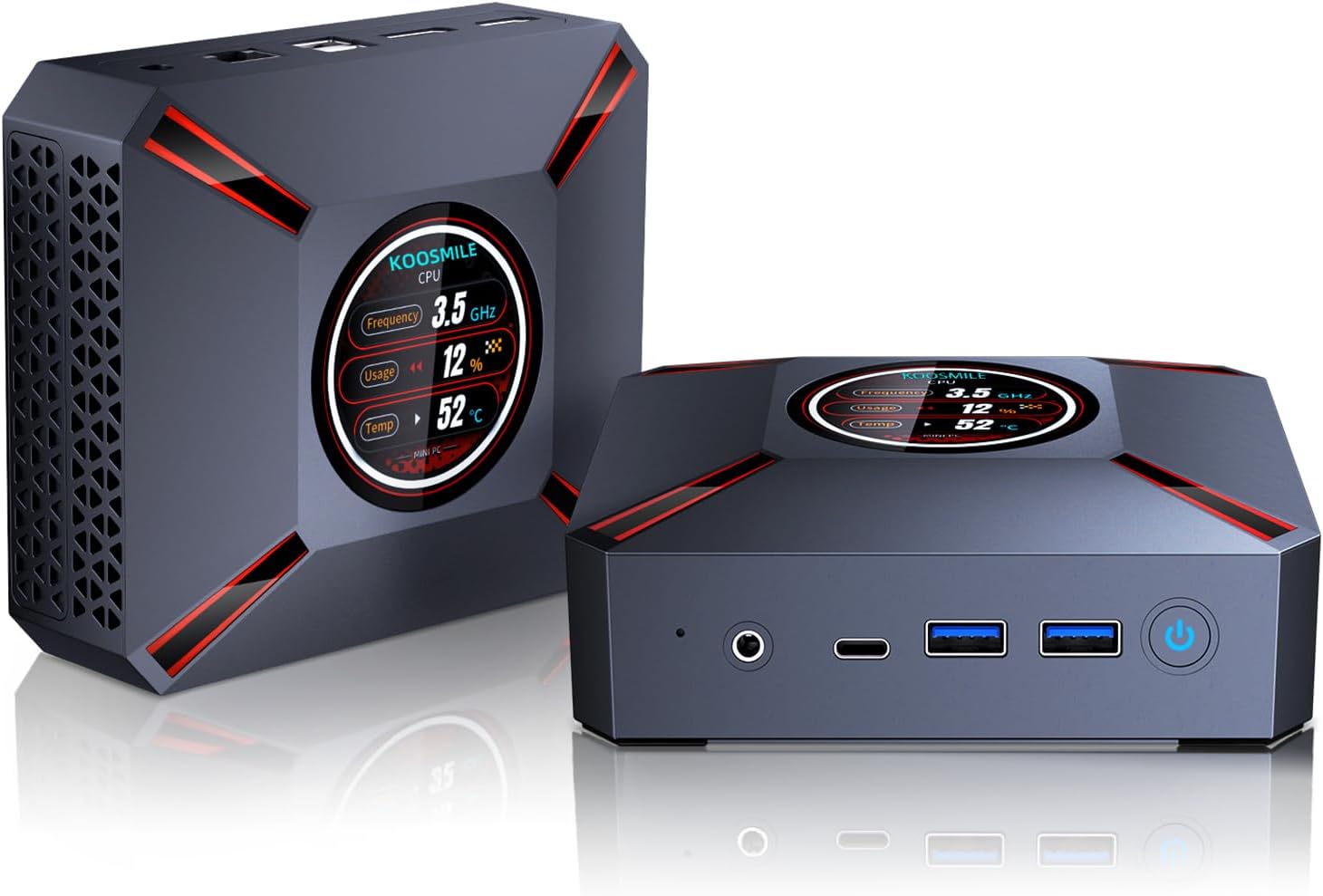
Figure 1.1: The KOOSMILE Mini PC KT-M9, showcasing its compact design and smart display.

그림 1.2: 이상view of the Mini PC's core features, including its powerful processor, memory, storage, and connectivity options.
2. 패키지 내용
포장을 개봉하신 후 모든 구성품이 있는지, 그리고 양호한 상태인지 확인해 주십시오. 구성품이 누락되었거나 손상된 경우 고객 지원 센터로 문의해 주시기 바랍니다.
- 1 x KOOSMILE Mini PC KT-M9
- 1 x HDMI 케이블
- 1 x 전원 어댑터
- 1 x DisplayPort(DP) 케이블
- USB 허브 1개
- 1 x Metal Sheet Bracket (for mounting)
- 1 x 사용자 매뉴얼(이 문서)
3. 제품 오버view
The KOOSMILE Mini PC KT-M9 is designed for efficiency and versatility. Its compact chassis houses high-performance components and a variety of ports for extensive connectivity.
3.1. 물리적 치수
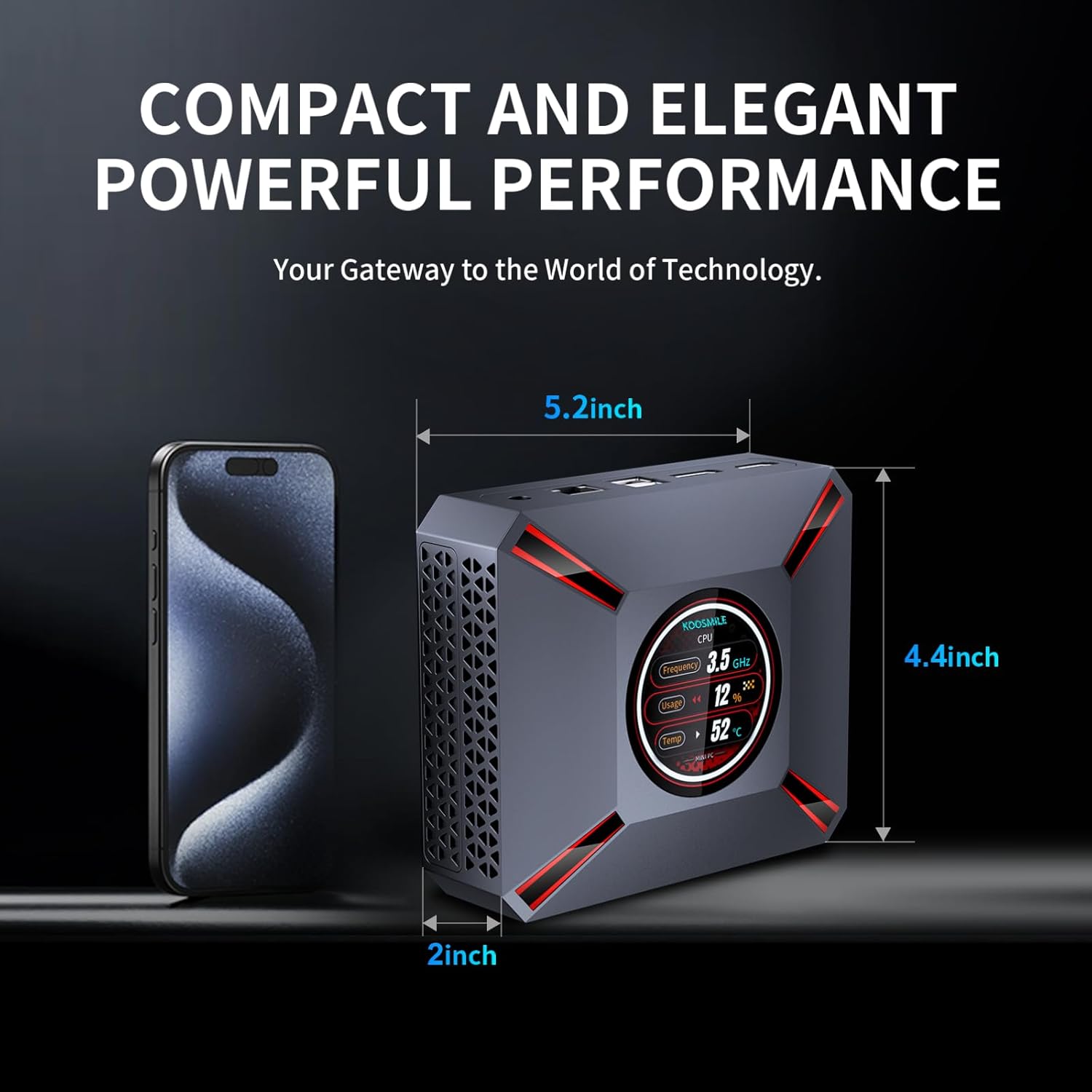
Figure 3.1: The compact size of the Mini PC, approximately 5.2 inches in length, 4.4 inches in width, and 2 inches in height, shown next to a smartphone for scale.
3.2. 포트 및 커넥터
Familiarize yourself with the various input/output ports on your Mini PC:

Figure 3.2: Detailed diagram of the Mini PC's front and rear ports, including power, video outputs, USB, and audio connections.
- 전면 패널:
- 3.5mm 오디오/마이크 잭
- USB Type-C Port (Full-feature)
- 2개의 USB 3.0 포트
- 전원 버튼
- CMOS Reset Pinhole
- 후면 패널 :
- DC-IN 잭(전원 입력)
- 이더넷(RJ-45) 포트
- 2개의 USB 2.0 포트
- DisplayPort (DP 1.4a)
- HDMI 2.1 출력
3.3. Smart Display Monitoring
The Mini PC features a built-in smart display on the lid that provides real-time system information. This display allows you to quickly monitor key performance metrics without needing additional software.

Figure 3.3: The smart display interface, showing real-time data such as CPU frequency, usage, temperature, network upload/download speeds, and disk usage.
표시되는 정보는 다음과 같습니다.
- CPU 주파수
- CPU Usage Percentage
- CPU 온도(°C)
- Network Upload/Download Speeds
- 메모리 사용량
4. 설정 가이드
Follow these steps to set up your KOOSMILE Mini PC for the first time.
4.1. 초기 하드웨어 연결
- 주변기기 연결: Plug in your USB keyboard and mouse to the available USB ports (USB 3.0 ports are recommended for faster response).
- 디스플레이 연결: Connect your monitor(s) to the Mini PC using the provided HDMI cable, DisplayPort cable, or a USB-C to display cable. Important: Ensure the display device is connected before turning on the computer. Use the included HDMI cable and avoid other adapter cables for the HDMI interface to prevent compatibility issues.
- 전원 연결: Insert the power adapter cable into the DC-IN jack on the rear panel of the Mini PC, then plug the power adapter into a wall outlet.
- 네트워크 연결(선택 사항): For a wired connection, connect an Ethernet cable from your router or modem to the RJ-45 port on the Mini PC. For wireless connection, Wi-Fi 6 is enabled by default.
4.2. 첫 부팅 및 Windows 11 Pro 설정
- 전원 켜기: Press the Power Button on the front panel of the Mini PC. The smart display will illuminate, and the system will begin to boot.
- Windows 11 Pro 설치: The Mini PC comes pre-installed with Windows 11 Pro. On the first boot, you will be guided through the Windows Out-Of-Box Experience (OOBE) to configure language, region, network, and user accounts. Follow the on-screen prompts to complete the setup.
- 드라이버 설치: All necessary drivers are pre-installed. Please avoid installing third-party drivers unless specifically instructed by KOOSMILE support to prevent compatibility issues.
4.3. Triple Display Configuration
The Mini PC supports up to three displays simultaneously via HDMI 2.1, DisplayPort 1.4a, and the full-feature USB Type-C port. This allows for an extended workspace or multi-monitor setups for productivity or entertainment.
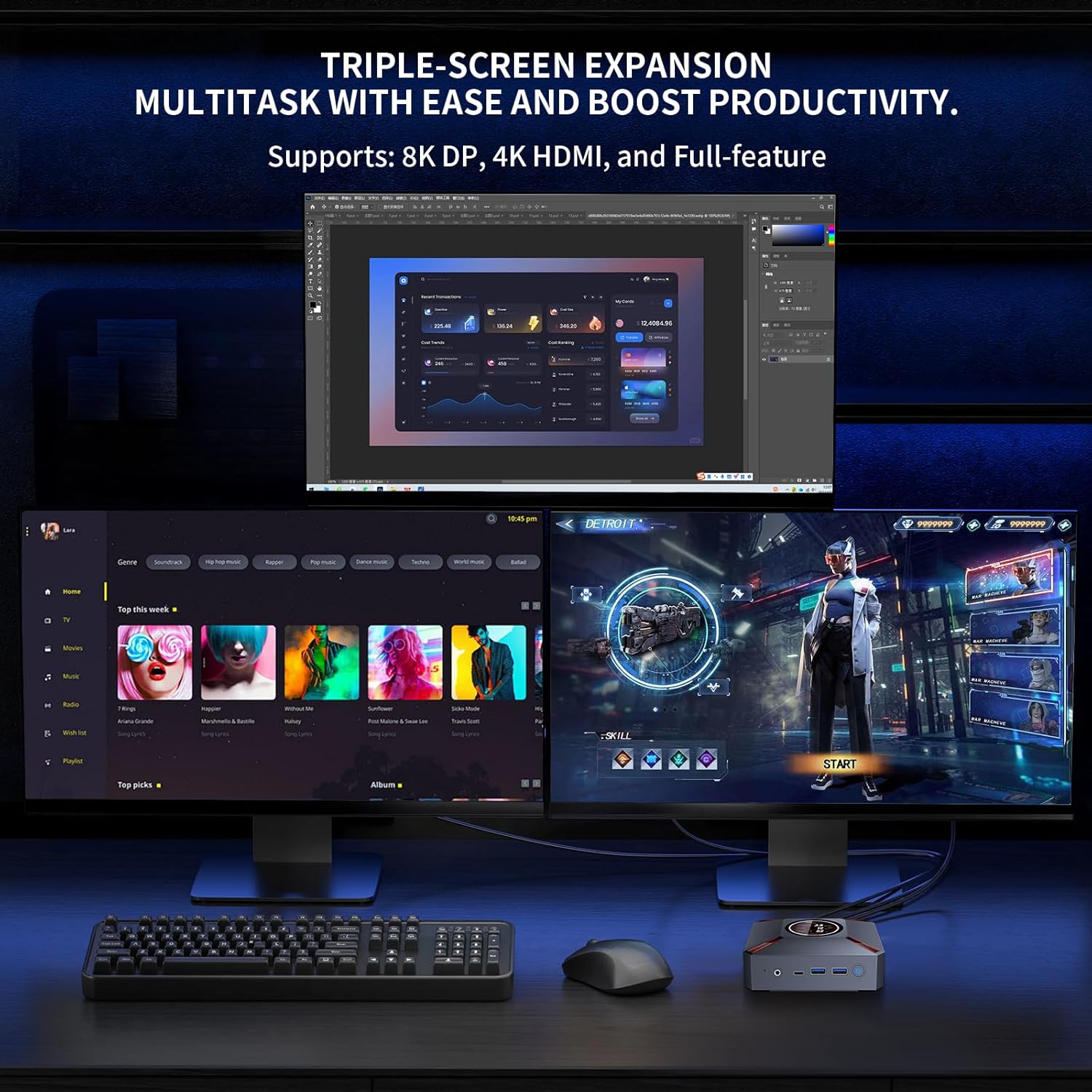
그림 4.1: 예ample of a triple-monitor setup connected to the Mini PC, demonstrating its multi-display capability.
Windows 11에서 여러 디스플레이를 구성하려면 다음 단계를 따르세요.
- Ensure all monitors are physically connected to the Mini PC and powered on.
- 바탕 화면의 빈 영역을 마우스 오른쪽 버튼으로 클릭하고 "디스플레이 설정"을 선택하세요.
- In the Display settings window, Windows should detect all connected displays. You can arrange them by dragging and dropping the display icons.
- Under "Multiple displays," choose how you want to use your displays (e.g., "Extend these displays," "Duplicate these displays").
- Adjust resolution, orientation, and scaling for each display as needed.
5. 사용 설명서
This section covers basic operation and utilization of your Mini PC.
5.1. 전원 켜기/끄기 및 재시작
- 전원 켜기: 미니 PC 앞면에 있는 전원 버튼을 누르세요.
- 종료: Windows에서 시작 버튼을 클릭한 다음 전원 > 시스템 종료를 선택합니다.
- 다시 시작: Windows에서 시작 버튼을 클릭한 다음 전원 > 다시 시작을 선택합니다.
- 잠: Windows의 시작 버튼을 클릭한 다음 전원 > 절전을 선택합니다.
5.2. 스마트 디스플레이 사용 방법
The smart display on the lid provides real-time system metrics. It operates automatically and requires no user input. Monitor these values to understand your system's current load and health.
5.3. 네트워크 연결성
- 와이파이 6: 무선 네트워크에 연결하려면 Windows 작업 표시줄의 Wi-Fi 아이콘을 클릭하고 원하는 네트워크를 선택한 다음 암호를 입력하고 연결을 클릭합니다.
- 이더넷: 이더넷 케이블이 연결되면 미니 PC는 자동으로 유선 네트워크 연결을 설정합니다.
5.4. 스토리지 관리
Your Mini PC comes with a 1TB NVMe SSD. You can manage disk partitions through Windows Disk Management. If you wish to adjust the hard disk partition structure, please refer to online resources or contact KOOSMILE customer support for guidance.
6. 유지관리
적절한 유지관리는 Mini PC의 수명과 최적의 성능을 보장합니다.
6.1. 청소
- 외부: Use a soft, dry, lint-free cloth to wipe the exterior of the Mini PC. For stubborn marks, slightly damp천에 물을 묻혀 닦으세요. 강한 화학 물질이나 연마성 세제는 사용하지 마세요.
- 통풍구 : Periodically use compressed air to clear dust from the ventilation grilles to ensure proper airflow.
6.2. 냉각 시스템
The Mini PC features an advanced copper cooling fan and multiple vents for efficient heat dissipation. This system is designed to keep your PC running smoothly even under intense tasks.

그림 6.1: 내부 view highlighting the efficient cooling system with its copper fan, designed to maintain optimal operating temperatures.
Ensure the Mini PC is placed in a well-ventilated area and that the vents are not obstructed. A slight heating of the metal housing during operation is normal and indicates effective heat dissipation.
6.3. 소프트웨어 업데이트
시스템 안정성, 보안 및 성능을 보장하기 위해 정기적으로 Windows 업데이트를 확인하고 설치하십시오. 다음 링크를 참조하십시오. 설정 > Windows 업데이트 업데이트를 확인하세요.
7. 문제 해결
이 섹션에서는 Mini PC에서 발생할 수 있는 일반적인 문제에 대해 설명합니다.
7.1. 디스플레이 출력 없음
- Ensure the monitor is powered on and correctly connected to the Mini PC's HDMI, DisplayPort, or USB-C video output.
- 모니터에서 올바른 입력 소스가 선택되었는지 확인하세요.
- 중요한: Always connect the display device before powering on the Mini PC.
- Try using a different video cable or monitor to rule out faulty peripherals.
7.2. 시스템 전원이 켜지지 않음
- Check that the power adapter is securely connected to both the Mini PC and a working power outlet.
- 다른 장치로 테스트하여 전원 콘센트가 제대로 작동하는지 확인하십시오.
7.3. Buzzing Sound
- A slight buzzing sound might occur. Try restarting the computer. If the sound persists or is unusually loud, contact customer support.
7.4. 연결 문제(Wi-Fi/Bluetooth)
- 와이파이: Ensure Wi-Fi is enabled in Windows settings. Restart your router/modem. Check for interference from other devices.
- 블루투스: Ensure Bluetooth is enabled in Windows settings. Try re-pairing your Bluetooth device.
7.5. 일반적인 성능 문제
- 백그라운드에서 실행 중인 불필요한 애플리케이션을 닫으세요.
- Windows와 드라이버가 최신 상태인지 확인하세요.
- Check the smart display for high CPU usage or temperature, which might indicate a heavy workload or cooling issue.
8. 사양
Detailed technical specifications for the KOOSMILE Mini PC KT-M9.

Figure 8.1: Key specifications of the Intel Core i9-12900HK processor, highlighting its core count, threads, cache, and maximum turbo frequency.

Figure 8.2: Information on the high-speed DDR4 memory and PCIe 3.0 SSD, crucial for fast data processing and quick loading times.

Figure 8.3: Comparison of wireless and wired connectivity speeds, highlighting the advantages of Wi-Fi 6 and USB 3.0.
| 요소 | 사양 |
|---|---|
| 프로세서 | Intel Core i9-12900HK (14 Cores, 20 Threads, up to 5.0GHz, 24MB Cache) |
| 운영 체제 | 윈도우 11 프로 |
| 숫양 | 32GB DDR4 3200MHz |
| 저장 | 1TB PCIe 3.0 NVMe SSD |
| 제도법 | Intel Iris Xe 그래픽(통합) |
| 비디오 출력 | HDMI 2.1 (4K @ 60Hz), DisplayPort 1.4a (8K @ 60Hz), USB Type-C (Full-feature) |
| 무선 연결 | Wi-Fi 6(802.11ax), 블루투스 5.2 |
| 유선 연결 | 1000M RJ45 이더넷 |
| USB 포트 | 2 x USB 3.0, 2 x USB 2.0, 1 x USB Type-C (Full-feature) |
| 오디오 | 3.5mm 오디오/마이크 잭 |
| 냉각 시스템 | Advanced Copper Cooling Fan with Multiple Vents |
| 스마트 디스플레이 | Real-time CPU Frequency, Usage, Temperature, Network, Memory |
| 치수 | 대략. 5.2 x 4.4 x 2인치(13.2 x 11.2 x 5.1cm) |
| 무게 | 대략. 2.57kg(1.17파운드) |
9. 보증 및 지원
KOOSMILE is committed to providing high-quality products and excellent customer service.
9.1. 보증 정보
Your KOOSMILE Mini PC KT-M9 comes with a 1년 무료 보증 from the date of purchase. This warranty covers manufacturing defects and hardware malfunctions under normal use. It does not cover damage caused by misuse, accidents, unauthorized modifications, or natural disasters.
9.2. 기술 지원
For any technical assistance, troubleshooting, or warranty claims, please contact our customer service team via email. Provide your product model (KT-M9), purchase date, and a detailed description of the issue to receive prompt support.
이메일: [Insert Customer Support Email Here - e.g., support@koosmile.com]
Our team is dedicated to helping you resolve any issues and ensure your satisfaction with your KOOSMILE Mini PC.


