1. 서론
구매해주셔서 감사합니다asing the iSinbox Q8 Mini Projector. This manual provides essential information for setting up, operating, and maintaining your projector. Please read it thoroughly before use to ensure optimal performance and safety.
2. 안전 정보
- l을 사용할 때 프로젝터 렌즈를 직접 쳐다보지 마십시오.amp 켜져있습니다.
- 과열을 방지하려면 프로젝터 주변을 적절하게 환기시키십시오.
- 프로젝터를 물, 습기 및 인화성 물질로부터 멀리하십시오.
- 장치와 함께 제공된 전원 어댑터만 사용하십시오.
- 프로젝터를 직접 분해하거나 수리하지 마십시오. 도움이 필요하면 고객 지원 센터에 문의하십시오.
- 어린이의 손이 닿지 않는 곳에 보관하세요.
3. 패키지 내용
다음 항목에 대한 상자를 체크해 주세요.
- iSinbox Q8 Mini Projector
- 전원 어댑터
- 원격 제어
- HDMI 케이블
- 사용자 설명서
4. 제품 오버view
The iSinbox Q8 Mini Projector is a portable device designed for various projection needs, featuring advanced auto-focus and keystone correction, WiFi 6, and Bluetooth 5.3 connectivity.
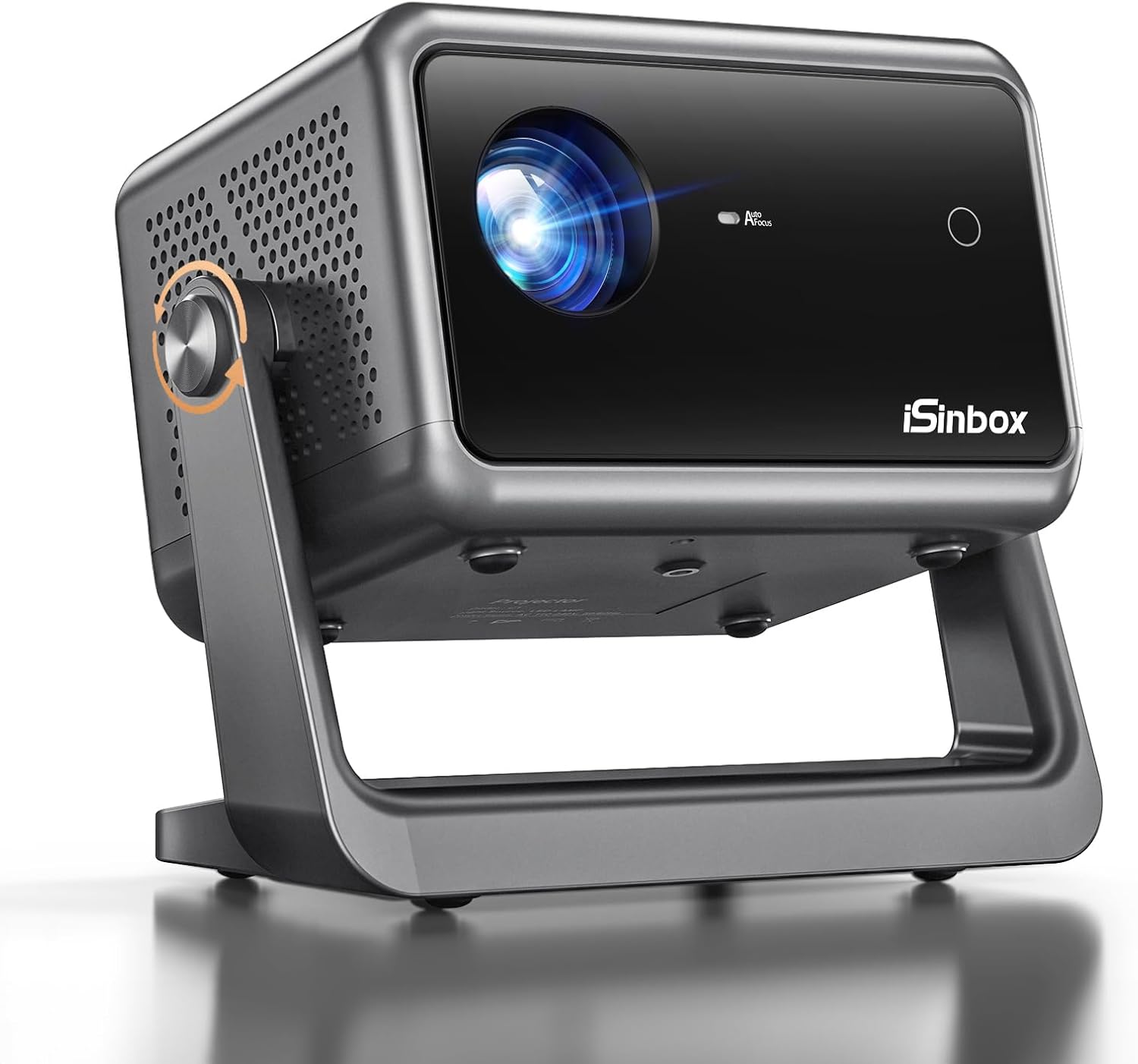
이미지: 앞면 view of the iSinbox Q8 Mini Projector, showcasin컴팩트한 디자인과 렌즈를 자랑합니다.
주요 특징:
- 1080P Supported Resolution: 선명하고 상세한 이미지를 제공합니다.
- 15000 루멘 밝기: Provides a bright display for various environments.
- 15000:1 명암비: Enhances image depth and detail, with 95% NTSC color gamut.
- TOF Auto Focus: Automatically adjusts image clarity in seconds.
- Auto 4D & 4P Keystone Correction: Corrects distorted images automatically for a perfect rectangular display.
- 135° 회전 가능한 디자인: Allows flexible projection angles, including ceiling projection.
- 와이파이 6 및 블루투스 5.3: Ensures fast and stable wireless connectivity for streaming and audio.
- 저소음 작동: Designed for quiet viewing experiences (below 32dB).
- 눈 보호: Features designed to reduce eye strain.
- 휴대성 있는 디자인: Weighs 2.2 lbs with dimensions of 8.07 x 5.24 x 7.07 inches.

Image: Visual representation of the projector's key features, including resolution, brightness, focus, keystone, and connectivity.
5. 설정
5.1 배치
Position the projector on a stable, flat surface. The 135° rotatable design allows for flexible placement, including desktop, tray bracket, or ceiling mount. Ensure there are no obstructions blocking the lens or ventilation ports.

Image: Illustration of flexible projector placement options, including on a tray, desktop, or ceiling.
5.2 전원 연결
- 전원 어댑터를 프로젝터의 전원 입력 포트에 연결합니다.
- 전원 어댑터를 벽면 콘센트에 꽂으세요.
5.3 Initial Adjustments (Auto Focus & Keystone)
The iSinbox Q8 features automatic focus and keystone correction. Upon powering on or moving the projector, it will automatically adjust the image for clarity and shape. This process typically takes only a few seconds.

Image: The projector projecting an image onto a ceiling, demonstrating its flexible projection capabilities and automatic image correction.
6. 사용 설명서
6.1 전원 켜기/끄기
- 전원 켜기: 프로젝터나 리모컨의 전원 버튼을 누르세요.
- 전원 끄기 : 전원 버튼을 다시 누르십시오. 종료하라는 메시지가 나타나면 종료를 확인하십시오.
6.2 탐색 및 설정
Use the remote control to navigate the on-screen menu. Adjust settings such as:
- 사진 모드: Standard, Bright, User, etc.
- 사운드 모드 : Standard, Music, Movie, User, etc.
- 프로젝션 모드: Front, Rear, Front Ceiling, Rear Ceiling.
- 줌: 이미지 크기를 50%에서 100%로 조정하세요.
6.3 Screen Size and Projection Distance
The projector supports a large screen size up to 200 inches. For optimal viewing experience, especially for images larger than 180 inches, a projection distance greater than 5 meters (16 feet) is recommended. Ideal projection sizes are typically between 80-120 inches.

Image: Visual guide for optimal screen sizes and corresponding projection distances.
7. 연결성
7.1 WiFi 6 Connection
- Go to the projector's settings menu and select 'Network' or 'WiFi'.
- 와이파이를 켜고 목록에서 원하는 네트워크를 선택하세요.
- 필요한 경우 비밀번호를 입력하고 연결하세요.
7.2 블루투스 5.3 연결
The projector supports both Bluetooth input and output.
- Bluetooth Output (Connecting to external speakers): Go to settings, select 'Bluetooth', and pair with your Bluetooth speaker or headphones.
- Bluetooth Input (Using projector as a speaker): This feature allows you to connect your phone or other device to the projector to use its internal speaker. Select the appropriate mode in the projector's menu.

Image: Depiction of the projector's WiFi 6 and Bluetooth 5.3 capabilities, connecting to mobile devices and external audio.
7.3 유선 연결(HDMI, USB)
- HDMI : Connect devices like laptops, gaming consoles (PS5), or TV sticks using an HDMI cable. Select the HDMI input source from the projector's menu.
- USB: 미디어를 재생하려면 USB 드라이브를 삽입하세요. files directly. Select the USB input source.
7.4 Streaming Copyrighted Content
Due to HDCP (High-bandwidth Digital Content Protection) copyright issues, streaming services such as Netflix, Amazon Prime Video, Disney+, and Hulu cannot be directly mirrored from a phone or tablet. To watch copyrighted content, you must use a TV Stick (e.g., Amazon Fire Stick, Roku), Chromecast, or connect a PC via HDMI.

Image: The projector displaying content from a TV Stick, illustrating how to access streaming services.
8. 유지관리
8.1 렌즈 청소
Use a soft, lint-free cloth specifically designed for optical lenses. Gently wipe the lens to remove dust or smudges. Avoid using abrasive cleaners or excessive force.
8.2 프로젝터 본체 청소
프로젝터 외부를 부드럽고 마른 천으로 닦으십시오. 액체 세척제를 기기에 직접 사용하지 마십시오.
8.3 환기
Ensure the ventilation ports are clear of dust and debris. Periodically use compressed air to gently clear the vents, but avoid spraying directly into the lens or internal components.
9. 문제 해결
| 문제 | 가능한 원인 | 해결책 |
|---|---|---|
| 화면이 안 나옴 / 전원 꺼짐 | Power cable loose; Projector off | Check power connection; Press power button. |
| 흐릿한 이미지 | 초점이 안 맞음; 프로젝터 위치가 변경됨 | Allow auto-focus to engage; Manually adjust if needed. |
| 왜곡된 이미지(사다리꼴) | Incorrect keystone setting | Allow auto-keystone to engage; Manually adjust if needed. |
| 소리가 나지 않습니다 | 볼륨이 너무 작습니다; 오디오 출력이 잘못되었습니다; 블루투스가 연결되지 않았습니다 | 볼륨을 높이세요. 오디오 설정을 확인하세요. 블루투스 장치를 다시 연결하세요. |
| Cannot stream Netflix/Hulu directly | HDCP copyright protection | Use a TV Stick (Fire Stick, Roku), Chromecast, or connect a PC via HDMI. |
| Dust spot on projection | Dust inside lens assembly | Contact customer support. Avoid attempting to clean internally. |
| WiFi 연결 문제 | 잘못된 비밀번호; 범위를 벗어남; 라우터 문제 | Verify password; Move closer to router; Restart router and projector. |
10. 사양
| 특징 | 사양 |
|---|---|
| 상표 | 아이신박스 |
| 모델 번호 | Q8 |
| 디스플레이 유형 | 액정표시장치 |
| 네이티브 해상도 | 1920 x 1080 (1080P Supported) |
| 연결 기술 | USB, HDMI, WiFi 6, Bluetooth 5.3 |
| 품목 무게 | 3.89파운드(약 1.76kg) |
| 제품 치수 | 7 x 7 x 5인치(약 17.8 x 17.8 x 12.7cm) |
11. 보증 및 지원
iSinbox is committed to providing excellent customer service.
- 빠른 응답: Customer support inquiries receive a response within 24 hours.
- 반품 정책: Returns for exchange or refund are accepted within 30 days of purchase.
- 기술 지원: Lifetime technical customer support is provided for your iSinbox Q8 Mini Projector.

Image: Visual summary of iSinbox customer support commitments: 24-hour response, 30-day returns, and lifetime technical support.
For further assistance, please refer to the contact information provided with your product packaging or visit the official iSinbox web대지.


