소개
Thank you for choosing the Cleer ARC 3 Gaming Earbuds. These true wireless open-ear headphones are designed to provide an immersive audio experience with ultra-low latency, optimized for gaming across various platforms. This manual provides comprehensive instructions for setting up, operating, maintaining, and troubleshooting your new earbuds to ensure optimal performance and longevity.
제품 끝view 및 주요 특징
The Cleer ARC 3 Gaming Earbuds combine advanced audio technology with ergonomic design for extended comfort during gaming sessions and daily use. Key features include:
- 초저 대기 시간: Experience audio-video synchronization under 30ms for seamless gameplay, ideal for VR, PlayStation, PC, and Switch.
- 연장된 플레이 시간: Up to 50 hours of total playtime with the charging case (10 hours per earbud, plus 40 hours from case). A quick 5-minute charge provides 1.5 hours of play.
- 탁월한 오디오 품질: Features Dolby Atmos audio and Snapdragon Sound with 16.2mm drivers for spatial audio and optimized Dolby Atmos head tracking.
- Intuitive FHD Display & Touch Controls: The charging case features an FHD display for managing Dolby sound effects, EQ settings, and more. Earbuds offer touch controls.
- 폭넓은 호환성: Dual connections via 2.4GHz USB-C dongle and Bluetooth 5.4, compatible with PS4/5, Switch, Meta Quest 2/3, phones, laptops, and PCs.
- 멀티포인트 페어링: 두 대의 기기에 동시에 연결하고 원활하게 전환하세요.
- 오픈 이어 디자인: Provides situational awareness while delivering high-quality audio.
구성 요소
The Cleer ARC 3 Gaming Earbuds package includes:
- Cleer ARC 3 Open-Ear Gaming Earbuds (Left and Right)
- Charging Case with FHD Display
- USB-C 동글
- USB 충전 케이블
- 사용 설명서 (본 문서)
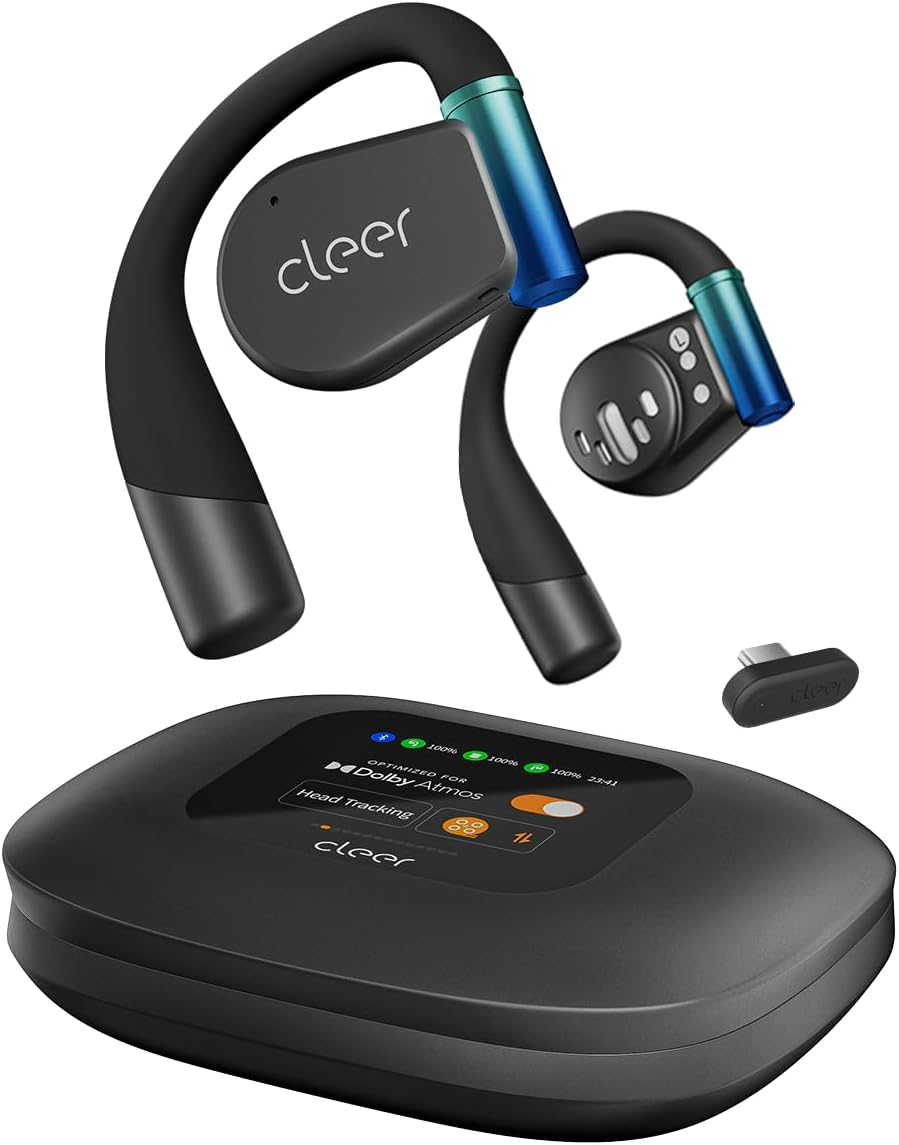
Image: The Cleer ARC 3 Gaming Earbuds, their smart charging case with a display, and the compact USB-C dongle. This image illustrates the main components included with the product.

Image: A person wearing the Cleer ARC 3 earbuds, highlighting their design and the "Powerful Sound Optimized for Dolby Atmos" feature. This demonstrates the earbuds in use and their audio capabilities.

Image: A close-up of the Cleer ARC 3 USB-C dongle, emphasizing its role in achieving ultra-low latency (under 30ms) with Bluetooth 5.4 connectivity. This image focuses on the connectivity technology.

Image: The Cleer ARC 3 earbuds inside their charging case, illustrating the impressive battery life of up to 50 hours total playtime, with details on quick charging. This highlights the product's endurance.

Image: A person wearing the Cleer ARC 3 earbuds, demonstrating their capability for "Crystal Clear Calls" through advanced voice capture and noise-cancelling microphones. This image focuses on communication features.

Image: The Cleer ARC 3 charging case display, surrounded by various gaming devices (PC, PS4/5, Switch, Meta Quest), illustrating the wide compatibility of the earbuds across multiple platforms. This image emphasizes versatility.

Image: The Cleer ARC 3 earbuds in their case next to a smartphone displaying the "Cleer+ App" interface, which allows for personalized controls and customized audio experiences. This image highlights the app integration.
설정 및 초기 페어링
Before first use, ensure your Cleer ARC 3 earbuds and charging case are fully charged. Remove any protective films from the earbuds.
이어버드 및 케이스 충전하기
- 이어버드를 충전 케이스에 넣으세요.
- Connect the charging case to a power source using a USB-C cable. The FHD display on the case will indicate charging status.
- 이 케이스는 무선 충전도 지원합니다.
Dongle Pairing (for PC, PS4/5, Switch, Meta Quest)

Image: A visual guide detailing the three steps for dongle pairing: plugging the dongle into a USB-C socket, long-pressing the MFB button on the dongle, and operating the headphones to enter pairing mode. This clarifies the dongle connection process.
- 1단계: Plug the USB-C Dongle into your device (e.g., PC, PS5, Switch, Meta Quest).
- 2단계: Long press the Multi-Function Button (MFB) on the Dongle until its LED starts flashing alternately between red and white. The Dongle is now ready for pairing.
- 3단계: Operate the headphones to enter pairing mode. Place the headphones close to the Dongle. They will connect automatically. The LED of the Dongle will turn white (breathing).
Note: The Cleer dongle is not compatible with Xbox series. Xbox requires a different authorization.
Bluetooth Pairing (for Phones, Laptops)

Image: A diagram illustrating three methods for Bluetooth pairing the Cleer ARC 3 earbuds: first pairing by pressing the MFB for 2 seconds, touch pad pairing by tapping 5 times, and charging case pairing via the case's display. This provides multiple pairing options.
There are multiple ways to pair your Cleer ARC 3 earbuds via Bluetooth:
- Option 1: First Pairing
- 이어버드에서 보호 필름을 제거하세요.
- Press the MFB button on both earbuds for 2 seconds.
- 옵션 2: 터치패드 페어링
- Tap the touch pad on either headphone 5 times and wait for the LED indicators to blink red and white.
- 옵션 3: 충전 케이스 페어링
- Place both headphones into the case and close the lid.
- Select "Pairing Mode" on the "Auxiliary" page of the charging case display.
- 충전 케이스를 엽니다.
After initiating pairing on the earbuds, select "Cleer ARC 3" from the list of available Bluetooth devices on your phone or laptop.
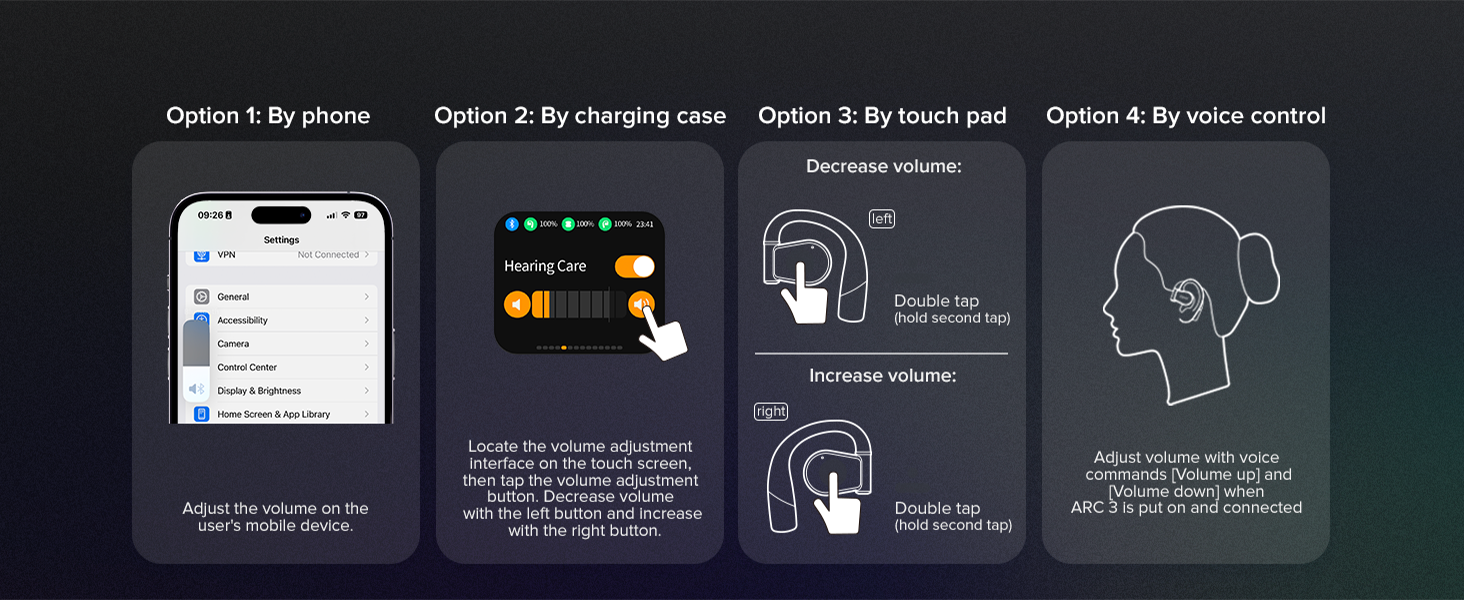
Image: A step-by-step guide for Bluetooth pairing the Cleer ARC 3 on a PC, including enabling Bluetooth, using touch pad pairing, and selecting the device from the list. This provides specific instructions for PC users.
작동 지침
볼륨 조절
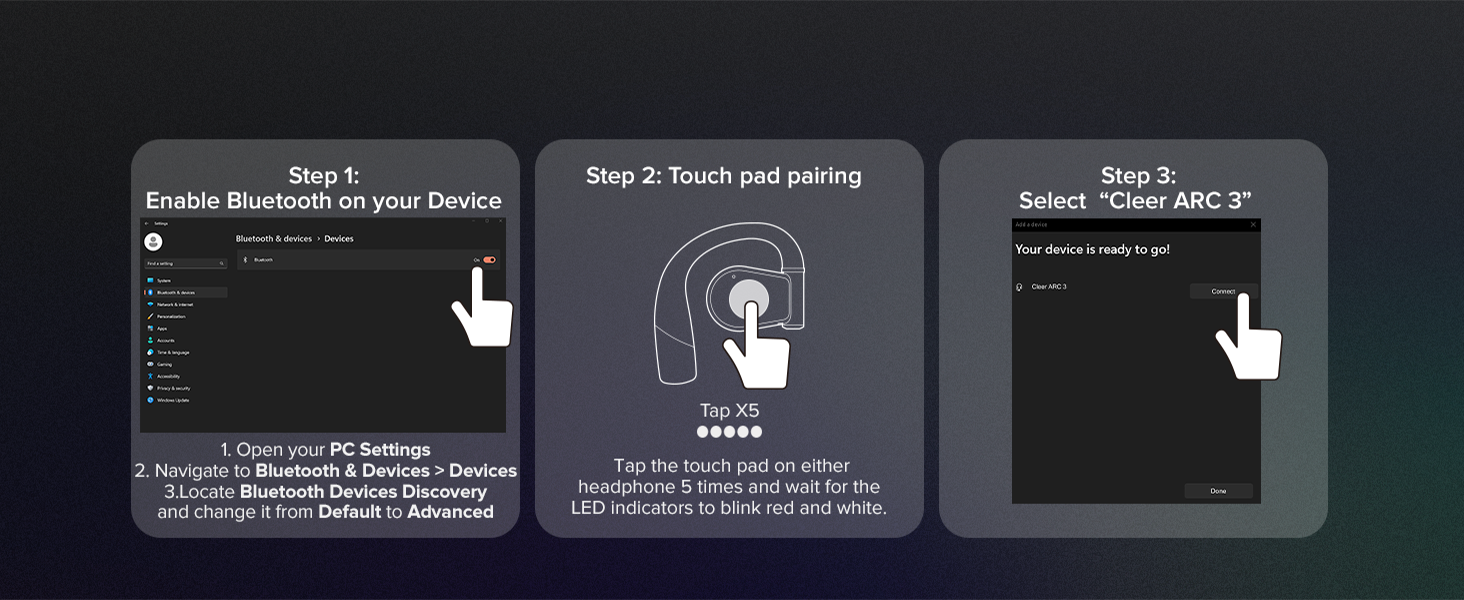
Image: A visual guide illustrating four methods for controlling volume on the Cleer ARC 3: via phone settings, the charging case display, earbud touch pads (double tap), and voice control. This offers comprehensive volume adjustment options.
You can adjust the volume of your Cleer ARC 3 Gaming Earbuds using several methods:
- By Phone/Device: Adjust the volume directly on your connected mobile device or computer.
- 충전 케이스로: Use the intuitive FHD display on the charging case to locate the volume adjustment interface. Tap the volume adjustment button, then use the left button to decrease and the right button to increase volume.
- 터치패드로:
- 에게 감소하다 volume: Double tap the touch pad on the 왼쪽 earbud (hold second tap).
- 에게 증가하다 volume: Double tap the touch pad on the 오른쪽 earbud (hold second tap).
- 음성 제어로: Adjust volume using voice commands (e.g., "Volume up", "Volume down") when ARC 3 is worn and connected.
Cleer+ 앱 사용하기
The Cleer+ App allows for personalized controls and a customized audio experience. Download the app from your device's app store. Through the app, you can:
- EQ 설정을 조정하세요.
- Manage Dolby sound effects and head tracking.
- Access motion control and intelligent voice control settings.
- 배터리 수준을 모니터링합니다.
- Update firmware for earbuds and dongle.

Image: The Cleer+ App icon alongside smartphone screens displaying the app's interface, which allows users to personalize controls and customize their audio experience. This highlights the software component of the product.
Dual Mode Operation (Game Mode / Music Mode)
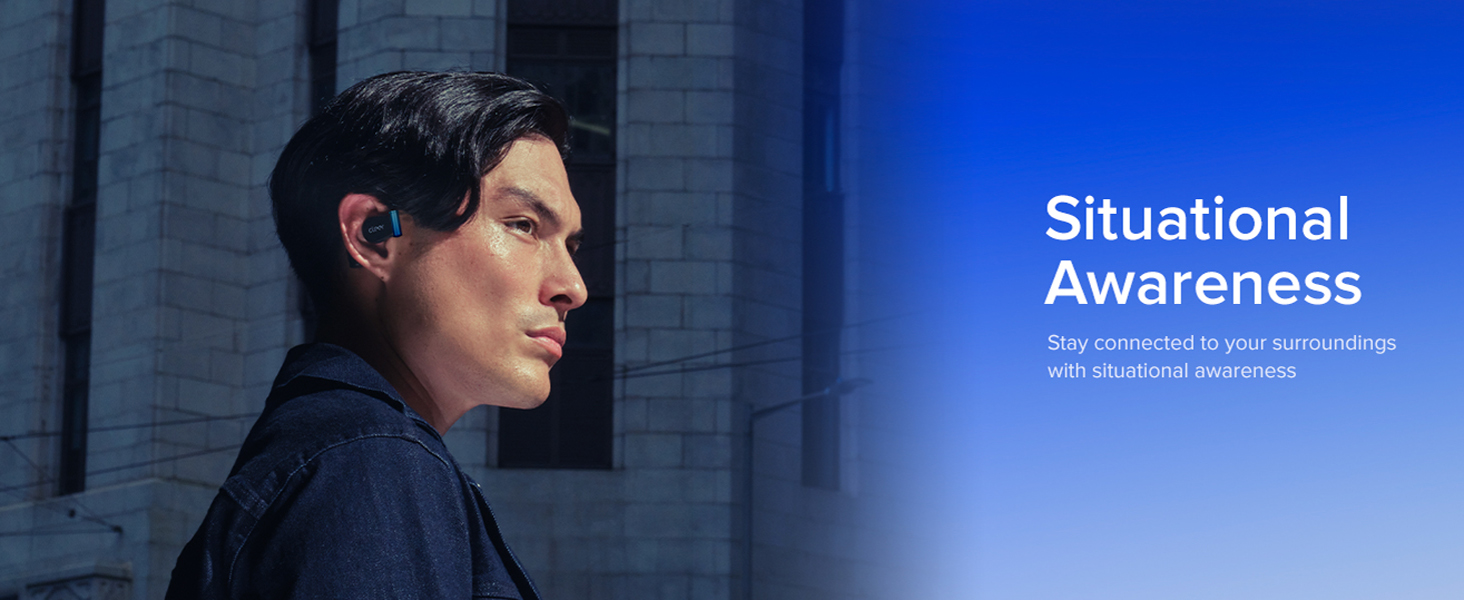
Image: A visual representation of the Cleer ARC 3's "Dual Mode" functionality, showing a "Game Mode" for ultra-low latency and a "Music Mode" for high-definition audio. This illustrates the versatility of the earbuds for different uses.
The Cleer ARC 3 supports two primary modes:
- Game Mode (Ultra-low Latency Mode): Optimized for gaming, providing audio-video synchronization under 30ms. This mode is typically active when connected via the USB-C dongle.
- Music Mode (High Definition Audio Mode): Provides high-fidelity audio for music listening. This mode is generally used when connected via Bluetooth.
Switching between modes may be managed automatically based on the connection type or manually via the Cleer+ App or charging case display.
다 지점 페어링
Leverage Bluetooth 5.4 technology to connect your ARC 3 earbuds to two devices simultaneously. This allows for seamless switching between audio sources, such as listening to game audio via the dongle and taking a call on your smartphone via Bluetooth.
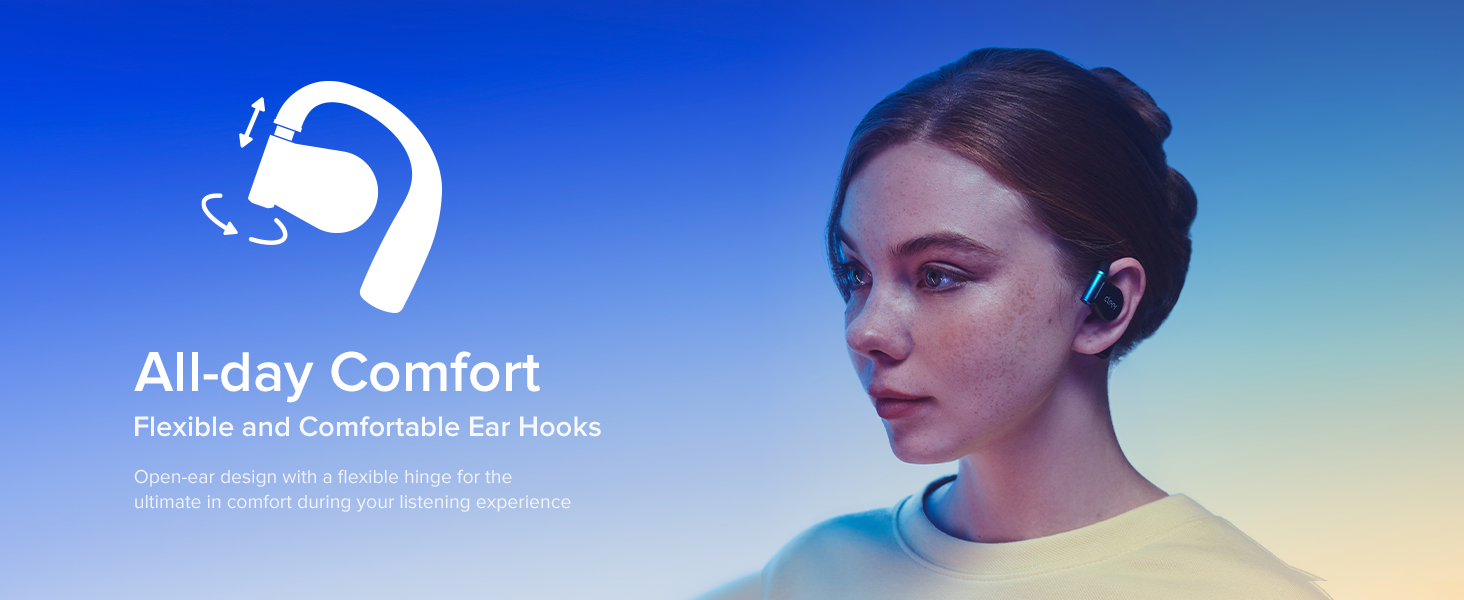
Image: A person simultaneously playing a game and engaging in a phone call, demonstrating the "Play & Chat At the Same Time" feature of the Cleer ARC 3 earbuds through multipoint pairing. This highlights the convenience of dual connectivity.
유지 보수 및 관리
Proper care ensures the longevity and optimal performance of your Cleer ARC 3 Gaming Earbuds.
- 청소: 부드럽고 마른 보풀 없는 천을 사용하여 이어버드와 충전 케이스를 닦으세요. 연마성 세제나 용제는 사용하지 마세요.
- 방수 기능: 이어버드는 방수 기능이 있습니다. 물에 완전히 담그거나 과도한 습기에 노출시키지 마십시오. 젖었을 경우 완전히 말려주십시오.
- 저장: 사용하지 않을 때는 이어버드를 충전 케이스에 보관하여 보호하고 충전 상태를 유지하세요.
- 온도: 이어폰을 극한의 온도(고온 또는 저온)에 노출시키지 마십시오.

Image: A close-up of the Cleer ARC 3 earbuds with small water droplets on their surface, visually representing their water-resistant feature. This image emphasizes the durability aspect of the product.
문제 해결
If you encounter issues with your Cleer ARC 3 Gaming Earbuds, refer to the following common solutions:
| 문제 | 가능한 해결책 |
|---|---|
| 이어버드가 페어링/연결되지 않습니다. |
|
| 소리가 나지 않거나 볼륨이 작습니다. |
|
| Audio cutting in/out or distortion. |
|
| Charging case display not responding. |
|
명세서
| 특징 | 세부 사항 |
|---|---|
| 모델명 | ARC 3 게임 |
| 무선 통신 기술 | 블루투스 |
| 블루투스 버전 | 5.4 |
| 오디오 지연 | Under 30 Milliseconds |
| 배터리 수명(이어버드) | 최대 10시간 |
| 케이스를 사용한 총 플레이 시간 | 최대 50시간 |
| 빠른 충전 | 5분 충전으로 1.5시간 재생 가능 |
| 오디오 드라이버 유형 | 동적 드라이버 |
| 오디오 드라이버 크기 | 16.2 밀리미터 |
| 주파수 범위 | 20Hz ~ 20,000Hz |
| 이어피스 모양 | 오픈이어 |
| 제어 방법 | 앱, 터치 |
| 방수 레벨 | 방수 |
| 품목 무게 | 4.6온스(130.02그램) |
| 호환 장치 | Cellphones, Desktops, Gaming Consoles (PS4/5, Switch, Meta Quest 2/3), Laptops, Tablets |
| 제조업체 | 클레어 |
| 색상 | 검은색 |
보증 및 지원
For detailed warranty information, please refer to the warranty card included with your product or visit the official Cleer website. For technical support, product registration, or further assistance, please contact Cleer customer service.
추가 자료와 다운로드 가능한 PDF 사용자 매뉴얼은 다음에서 확인하실 수 있습니다. Cleer ARC 3 User Manual (PDF)
Visit the official Cleer Store for more products and information: 클리어 스토어 아마존에서 만나보세요


