소개
This manual provides essential instructions for the safe and effective use of your himaly IF1010AR USB Rechargeable Bluetooth Body Fat Scale. This digital scale is designed to measure body weight and analyze various body composition metrics, including body fat percentage, muscle mass, and BMI, through its integrated app.
처음 사용하기 전에 이 설명서를 자세히 읽고 나중에 참고할 수 있도록 보관하세요.

영상: The himaly IF1010AR digital scale, black-navy blue, displaying a weight reading, alongside a smartphone showing the 'Moving Life' app interface with body composition data.

영상: 오버view graphic of the himaly Smart Bluetooth Body Fat Scale, detailing its key features including 4 high-precision sensors, HD LCD display, 15 measurement indicators, 0.2-180kg capacity, and compatibility with iOS, Android, and Bluetooth.
패키지 내용
- himaly Digital Body Weight Scale
- USB 충전 케이블
- 사용자 설명서
설정
1. 체중계 충전
The himaly IF1010AR scale features a built-in rechargeable battery. Before initial use, ensure the scale is fully charged.
- 저울의 측면이나 뒷면에 있는 USB 충전 포트를 찾으세요.
- Connect the provided USB charging cable to the scale and to a standard USB power adapter (not included) or a computer USB port.
- The display will indicate charging status. Charge until the battery indicator shows full.

영상: 클로즈업 view of the himaly scale's USB charging port, highlighting the built-in rechargeable battery feature.
2. 앱 설치 및 페어링
To utilize the full body composition analysis features, download and install the "Moving Life" app on your smartphone or tablet.
- Scan the QR code provided in the manual or search for "Moving Life" in the Apple App Store (for iOS devices) or Google Play Store (for Android devices).
- Install the app and create your user profile.
- 기기에서 Bluetooth가 활성화되어 있는지 확인하세요.
- Step onto the scale to activate it. The scale will automatically attempt to pair with the app via Bluetooth 4.0+.
- Follow the on-screen prompts in the "Moving Life" app to complete the pairing process.

영상: Diagram illustrating Bluetooth 4.0 connectivity between the himaly scale and the "Moving Life" app, with icons for iOS and Android app stores.
작동 지침
1. 측정하기
정확한 측정을 위해 저울을 단단하고 평평한 표면에 놓으십시오. 카펫이나 고르지 않은 바닥은 피하십시오.
- 발이 깨끗하고 건조한지 확인하세요.
- Step onto the scale barefoot, placing your feet on the metal electrodes. Stand still until your weight is displayed and stabilized.
- If the app is open and connected, your measurements will automatically sync.
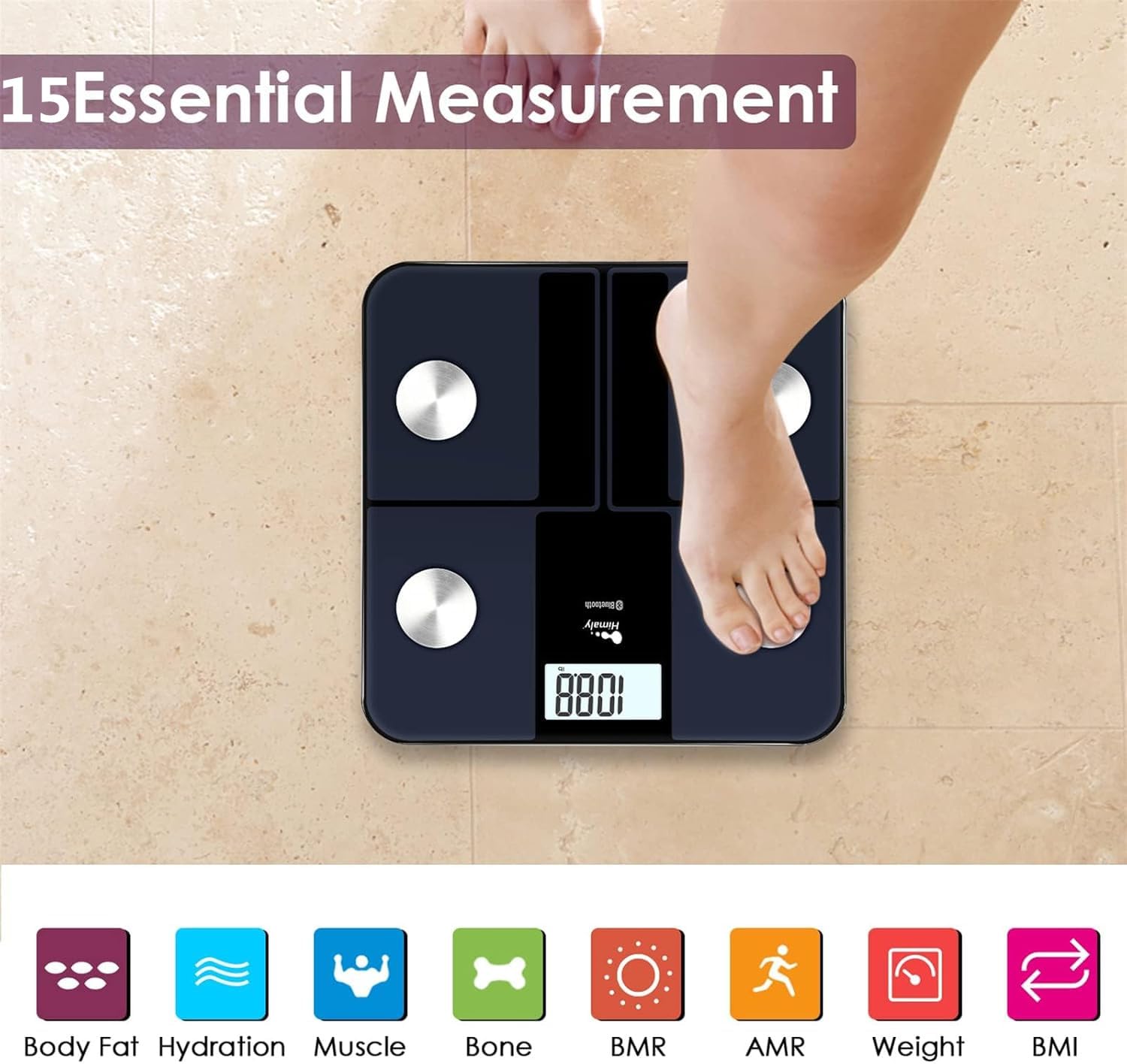
영상: A person's bare feet positioned on the himaly scale, illustrating the process of taking a measurement for 15 essential body composition metrics.
2. 체성분 측정 지표 이해하기
The himaly scale, in conjunction with the "Moving Life" app, provides 15 essential body composition measurements. These include:
- 체중
- 체지방률tage
- BMI(신체질량지수)
- 근육량
- Hydration (Water Content)
- 뼈 질량
- BMR(기저대사율)
- AMR (Active Metabolic Rate)
- 그리고 더 많은 것들.

영상: A visual representation of the various body composition metrics measured by the scale, including Body Fat, Hydration, Muscle, Bone, BMR, AMR, Weight, and BMI, depicted with illustrative icons.
The scale's display also uses color-coded indicators to reflect different body fat levels for easy interpretation.

영상: A person's feet on the himaly scale, with the digital display showing a weight reading and color-coded indicators representing different body fat levels (Thin, Slim, Normal, Heavy, Overweight).
3. App Features and Data Tracking
The "Moving Life" app allows you to:
- Monitor health trends over time (daily, weekly, monthly, yearly).
- Visualize progress through graphs and charts.
- Sync data with other health apps like Fitbit, Apple Health, and Google Fit.
- 여러 사용자 관리 기능file가족을 위한 것입니다.
- Utilize a baby/pet weighing mode.

영상: A woman looking at her smartphone, which displays a graph of health data from the 'Moving Life' app, demonstrating the 'Results at a Glance' feature.

영상: A woman performing a plank exercise, with the himaly scale in the foreground and a graphic overlay showing a trend chart of weight and body fat percentag전자 시간이 지남에 따라.

영상: A graphic illustrating continuous health data tracking and automatic synchronization, with a person performing a yoga pose in the foreground, emphasizing consistent body monitoring.
4. 단위 환산
To switch between measurement units (e.g., pounds to kilograms), locate the "UNIT" button on the underside of the scale and press it to toggle.

영상: The underside of the himaly scale, highlighting the 'UNIT' button for measurement conversion and the non-slip mats for stability.
유지
- 저울 표면을 광고로 청소하세요.amp 천과 순한 세제를 사용하세요. 연마성 세제를 사용하거나 체중계를 물에 담그지 마세요.
- 저울은 실온의 건조한 곳에 보관하세요.
- 저울을 떨어뜨리거나 강한 충격을 주지 마십시오.
- Regularly charge the scale to maintain battery health.
문제 해결
| 문제 | 가능한 원인 / 해결책 |
|---|---|
| 저울이 켜지지 않습니다. | Battery is low or depleted. Charge the scale using the provided USB cable. |
| 부정확한 판독값. |
|
| 블루투스 연결 실패. |
|
| 앱이 데이터를 동기화하지 않습니다. |
|
명세서
| 특징 | 세부 사항 |
|---|---|
| 모델 번호 | IF1010AR |
| 상표 | 히말리 |
| 최대 용량 | 400파운드 / 180킬로그램 |
| 측정 증분 | 0.2파운드 / 0.05킬로그램 |
| 센서 | 4개의 고정밀 센서 |
| 연결성 | 블루투스 4.0 + |
| 앱 호환성 | "Moving Life" App (iOS & Android), Syncs with Fitbit, Apple Health, Google Fit |
| 전원 | USB 충전식 배터리 |
| 디스플레이 유형 | 디지털 LCD |
| 치수 | 11.81 in x 11.81 in (approx. 30 cm x 30 cm) |
| 색상 | Black-Navy Blue |

영상: An image showing the physical dimensions of the himaly IF1010AR scale, indicating its length and width as 11.81 inches and thickness as 0.79 inches.
보증 및 지원
For warranty information and customer support, please refer to the contact details provided with your purchase or visit the official himaly web사이트. 보증 청구를 위해 구매 증빙 자료로 구매 영수증을 보관하세요.
제조업체: 히말리


