소개
This manual provides detailed instructions for the safe and proper installation, operation, and maintenance of your WALI CM4386-2S Dual Screen Ceiling TV Mount. Please read all instructions carefully before assembly and use. Keep this manual for future reference.
The WALI CM4386-2S is designed to securely hold two flat-screen televisions, ranging from 43 to 86 inches, with a combined weight capacity of up to 176 lbs (88 lbs per screen). It features adjustable height, tilt, and swivel functions to optimize view다양한 환경에서 각도를 조절합니다.
중요한 안전 정보
- 중량 용량: Do not exceed the maximum weight capacity of 176 lbs (88 lbs per screen). Exceeding this limit may result in serious injury or property damage.
- TV 크기 : This mount is compatible with TVs between 43 and 86 inches. Ensure your TV's VESA pattern is within the supported range (200x200mm to 600x400mm).
- 천장 유형: This mount is designed for installation on wood studs, solid concrete, or brick ceilings. 석고보드에만 설치하지 마십시오. Ensure the ceiling structure can safely support the combined weight of the mount and your televisions.
- 전문적인 설치: If you are unsure about the installation process or the structural integrity of your ceiling, consult a qualified professional installer.
- 도구: Ensure you have all necessary tools before beginning installation.
- 집회: Assemble the product exactly as described in this manual. Incorrect assembly can lead to product failure or injury.
- 움직이는 부품: Be cautious of pinch points during adjustment.
패키지 내용
설치를 진행하기 전에 모든 구성품이 있는지, 손상되지 않았는지 확인하십시오. 누락되거나 손상된 부품이 있는 경우 WALI 고객 지원팀에 문의하십시오.
- TV Ceiling Mount Assembly (x2)
- Mounting Hardware Kit (x2)
- 사용 설명서(x1)
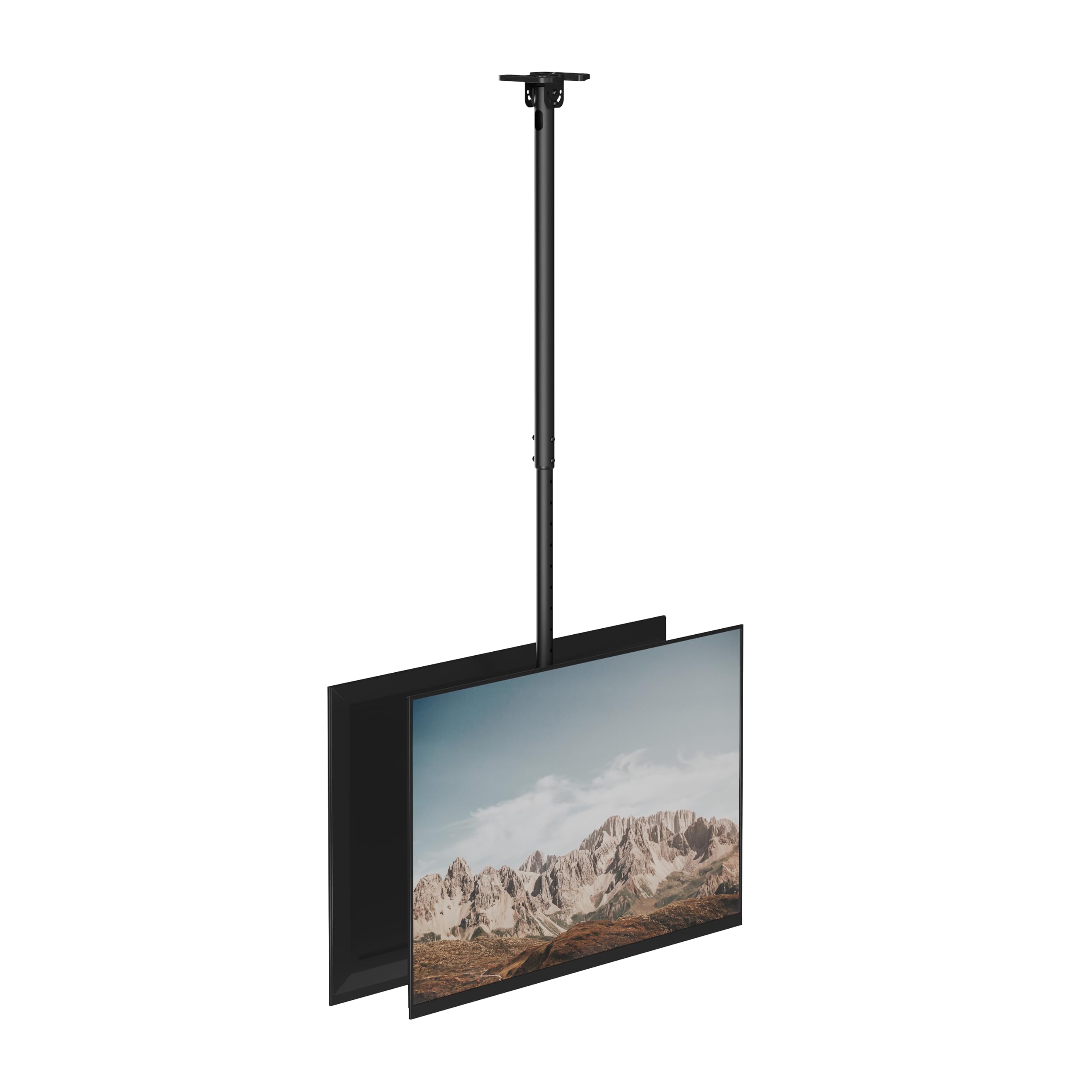
이미지: 이상view of the WALI CM4386-2S Dual Screen Ceiling TV Mount components.
호환성
TV Size and Weight
This mount is compatible with most LCD, LED, and OLED flat-screen TVs ranging from 43 ~ 86 인치. Each screen must not exceed 88파운드(40kg), with a total combined weight capacity of 176파운드(80kg).

Image: Visual representation of TV size and weight compatibility for the mount.
VESA 장착 패턴
The mount supports VESA mounting patterns from 200x200mm ~ 600x400mm. To determine your TV's VESA pattern, measure the horizontal and vertical distance between the mounting holes on the back of your TV.
- 200x200mm
- 300x200mm
- 400x200mm
- 300x300mm
- 400x300mm
- 400x400mm
- 600x400mm

Image: Illustration of VESA mounting hole measurements on the back of a TV.
천장 유형
The WALI CM4386-2S mount is compatible with the following ceiling types:
- Wood Stud Ceilings
- Solid Concrete Ceilings
Warning: Do not install on drywall alone. Always ensure the mounting surface can support the load.

Image: Visual guide to compatible ceiling types for installation.
설정 및 설치
Follow these steps carefully for proper installation. It is recommended to have at least two people for installation due to the size and weight of the mount and televisions.
단계별 설치 가이드
- 천장판 부착: Secure the ceiling plate to your chosen ceiling structure (wood stud, concrete, or brick) using appropriate hardware from the kit. Ensure it is firmly anchored and level.
- 기둥 부분 조립: Connect the pole sections, adjusting to your desired height. Secure with screws.
- Attach Pole to Ceiling Plate: Mount the assembled pole to the ceiling plate.
- Assemble TV Brackets: Attach the horizontal support arms to the main mounting plate.
- Attach VESA Brackets to TVs: Secure the VESA brackets to the back of each television using the appropriate screws and spacers from the hardware kit. Ensure screws are tightened securely but do not overtighten.
- Mount TVs to Pole Assembly: Carefully lift each TV and hook the VESA brackets onto the horizontal support arms of the pole assembly. Secure the TVs in place with the provided safety screws.
- 케이블 관리 : Route TV cables through the integrated cable management channels in the pole for a clean appearance.
- 최종 조정: Perform tilt, swivel, and rotation adjustments as needed for optimal view주고받음.

Image: Visual guide illustrating the eight main steps for mount installation.
비디오: 오버view of the WALI CM4386-2S Dual Screen Ceiling TV Mount, demonstrating its features and potential applications.
운영 및 조정
The WALI CM4386-2S mount offers several adjustment options to achieve optimal viewing angles for both screens.
높이 조정
The mount features a telescoping pole that allows for height adjustment from 42.9인치에서 66.5인치까지 (measured from the ceiling to the center of the mounting plate). To adjust the height, loosen the locking mechanism on the pole, slide to the desired height, and re-secure the mechanism.

Image: Visual guide for adjusting the mount's height.
기울기 조정
Each TV can be individually tilted downwards by up to 20도. This allows for glare reduction and improved viewing from different vertical positions. To adjust tilt, loosen the tilt locking knobs on the TV brackets, set the desired angle, and re-tighten.

Image: Illustration of tilt and swivel adjustment capabilities.
회전 조정
The entire ceiling mount can swivel 360도 around the pole, providing flexibility to orient the screens in any direction. To swivel, gently rotate the TV assembly to the desired position.

Image: Diagram demonstrating the 360-degree swivel function.
회전 조정
The screens can be rotated ±3도 to ensure they are perfectly level after installation. This fine-tuning adjustment helps correct any slight misalignments.
케이블 관리
Integrated cable management channels within the pole help conceal and organize cables, contributing to a neat and professional installation.
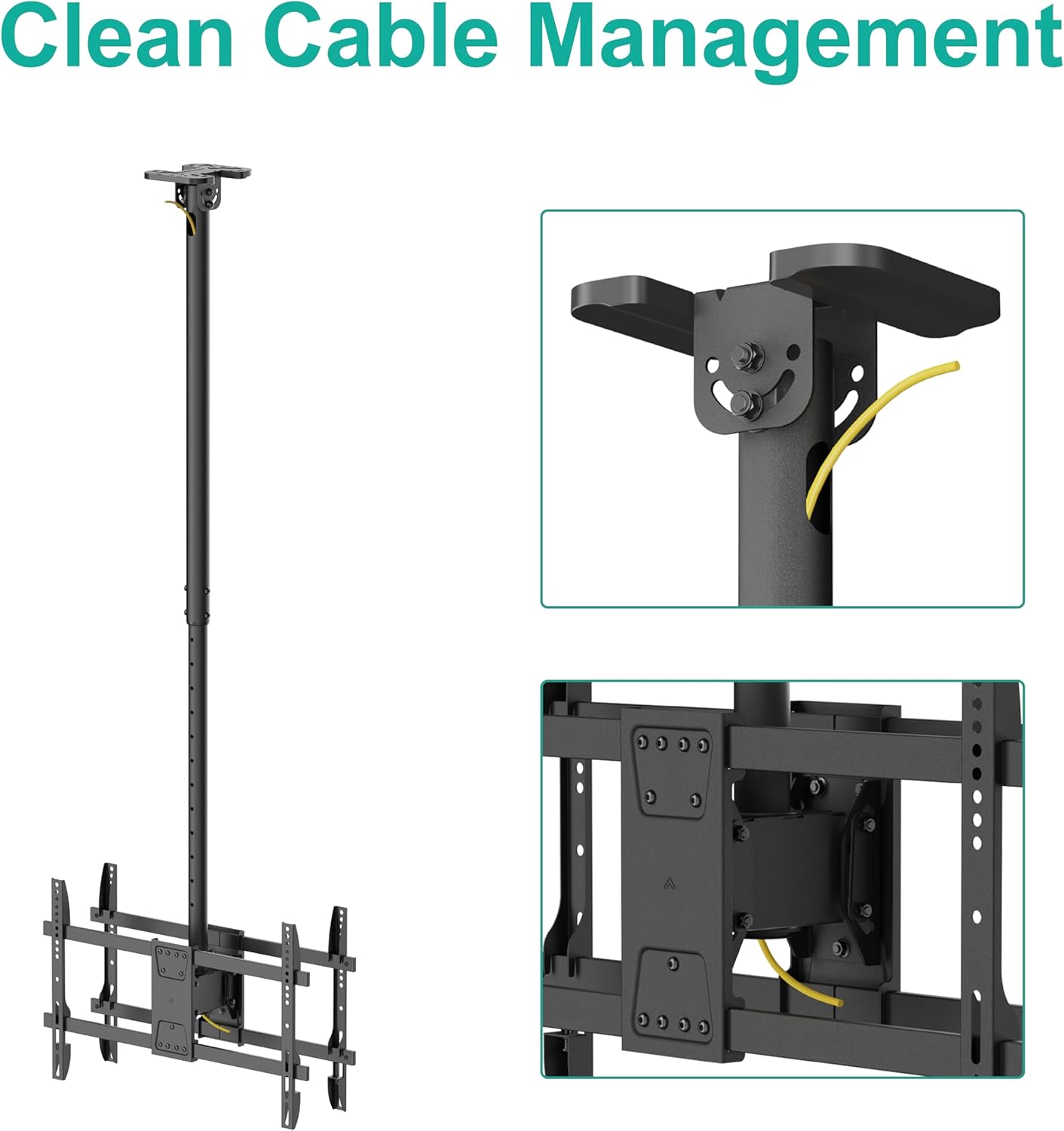
Image: Detail of the cable management system within the mount's pole.
유지
- 청소: 부드럽고 마른 천으로 마운트를 닦으십시오. 마감재를 손상시킬 수 있는 연마성 세척제나 용제 사용은 피하십시오.
- 정기 점검: 모든 나사와 연결부가 단단히 조여져 있는지 주기적으로 점검하십시오. 시간이 지남에 따라 진동이나 조정으로 인해 고정 장치가 헐거워질 수 있습니다.
- 손상 여부 검사: 거치대에 마모, 손상 또는 부식 흔적이 있는지 정기적으로 점검하십시오. 문제가 발견되면 사용을 중단하고 고객 지원팀에 문의하십시오.
문제 해결
Mount is not level
- Ensure the ceiling plate is installed level.
- Use the ±3 degree rotation adjustment feature to fine-tune the TV's level.
TVs are difficult to tilt or swivel
- Check if the tilt or swivel locking mechanisms are fully loosened before attempting to adjust.
- 케이블이 이동을 방해하지 않는지 확인하십시오.
산이 불안정해 보인다
- Immediately remove TVs from the mount.
- Re-check all mounting points and fasteners to ensure they are securely tightened.
- Verify that the ceiling structure is appropriate and can support the weight.
- Ensure the combined weight of the TVs does not exceed the mount's capacity.
- If instability persists, contact a professional installer or WALI customer support.
명세서
| 상표 | 왈리 |
| 모델 | CM4386-2S |
| TV 크기 호환성 | 43~86인치 |
| 중량 용량 | 176 lbs (88 lbs per screen) |
| VESA 호환성 | 200x200mm ~ 600x400mm |
| 높이 조정 | 42.9인치 ~ 66.5인치 (천장에서 장착판 중앙까지) |
| 기울기 각도 | Up to 20° downwards (each screen) |
| 스위블 범위 | 360° |
| 회전 조정 | ±3° |
| 장착 유형 | 천장 마운트 |
| 재료 | 금속 |
| 색상 | 검은색 |
| 품목 무게 | 20.5파운드 |
보증 및 고객 지원
WALI is committed to providing quality products and customer satisfaction. While specific warranty details are not provided in this manual, WALI offers experienced and friendly US-based customer support available to assist 7 days a week.
For any questions, missing parts, or assistance with installation or operation, please contact WALI customer support through the retailer where you purchased the product or visit the official WALI web연락처 정보 사이트.


