1. 제품 오버view
The CMTECK USB Condenser Microphone is designed for high-quality audio capture, ideal for streaming, podcasting, video conferencing, and gaming. It features a cardioid polar pattern to minimize background noise, a built-in sound card for plug-and-play functionality, zero-latency monitoring, and convenient gain control.

그림 1: CMTECK USB Condenser Microphone with its components, including the microphone unit, desktop stand, and USB cable.
2. 패키지 내용
패키지에 모든 품목이 들어 있는지 확인하세요.
- CMTECK Original Computer Microphone
- 6ft USB Cable (USB-C to USB-A)
- 삼각대 스탠드
- 진동 방지 쇼크 마운트
- 팝 필터
- 사용 설명서 (본 문서)
3. 설정 지침
3.1 조립
- 쇼크 마운트를 부착하세요: Secure the anti-vibration shock mount to the microphone unit.
- 스탠드에 장착하기: Attach the shock mount (with microphone) to the included tripod stand. Ensure it is stable. If using a boom arm, use the provided mount adapter for 3/8" thread sizes.
- 팝필터 설치: 파열음을 줄이려면 팝 필터를 마이크 앞에 놓으십시오.
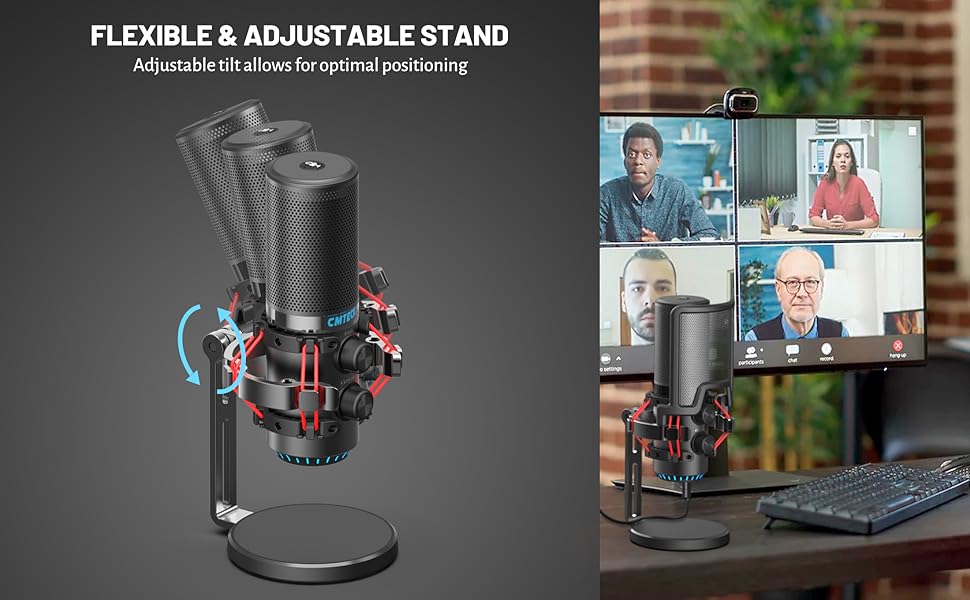
그림 2: 폭발했다 view of microphone components and assembly points.
3.2 Connection (Plug and Play)
The CMTECK USB Microphone features a built-in sound card for easy plug-and-play operation, requiring no driver installation.
- USB 케이블을 연결하십시오: Insert the USB-C end of the provided 6ft cable into the microphone's USB-C port.
- 장치에 연결: Plug the USB-A end of the cable into an available USB port on your computer (Windows 7, 8, 10, Mac OS) or PS4.
- 시스템 인식: Your operating system should automatically detect and install the microphone.
메모: 이 마이크는 Raspberry Pi 또는 Android 기기와 호환되지 않습니다.

그림 3: Connecting the microphone to a computer, highlighting its plug-and-play functionality.
4. 사용 설명서
4.1 Studio-Quality Sound and Cardioid Polar Pattern
The microphone features a cardioid polar pattern, which primarily picks up sound from the front, effectively reducing unwanted background noise from the sides and rear. This ensures clear and focused audio capture for your voice.

그림 4: Illustrating the microphone's cardioid pickup pattern for focused sound capture.
4.2 제어를 얻으세요
The microphone is equipped with a gain control knob. Rotate this knob to adjust the microphone's sensitivity and volume level. Adjust the gain to achieve optimal sound input without distortion or excessive background noise.

그림 5: The microphone's gain control knob for adjusting input sensitivity.
4.3 제로 지연 모니터링
A 3.5mm headphone jack is integrated into the microphone for real-time, zero-latency monitoring of your audio. Plug your headphones into this jack to hear your voice exactly as it's being captured, allowing for precise adjustments during recording or live sessions. An additional knob controls the headphone volume.

그림 6: Headphone jack for real-time audio monitoring.
4.4 Tap-to-Mute Sensor with LED Indicator
The top of the microphone features a tap-to-mute sensor for quick and easy muting. An LED indicator provides visual feedback on the microphone's status:
- 녹색 LED : Microphone is active and capturing audio.
- 적색 LED : 마이크가 음소거되었습니다.
Tap the top of the microphone to toggle between active and muted states.
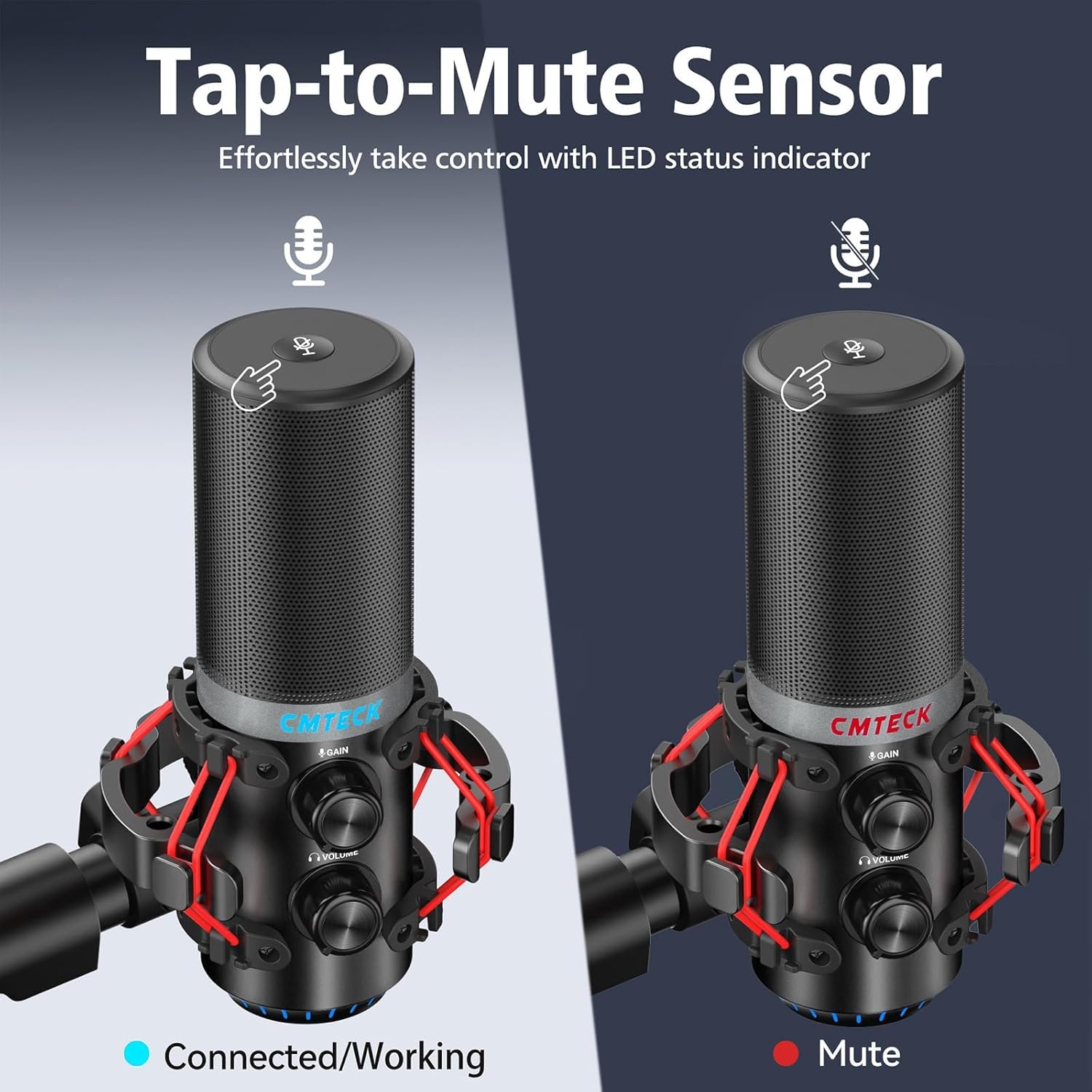
그림 7: Tap-to-mute sensor and LED status indicator.
5. 유지관리
To ensure the longevity and optimal performance of your CMTECK USB Microphone, follow these maintenance guidelines:
- 청소: 부드럽고 마른 천으로 마이크 본체를 닦으십시오. 액체 세척제나 연마성 재질은 사용하지 마십시오.
- 저장: 사용하지 않을 때는 마이크를 극한의 온도와 습도를 피해 깨끗하고 건조한 곳에 보관하세요.
- 손질: 마이크를 다룰 때는 떨어뜨리거나 충격을 가하지 않도록 주의하십시오. 내부 부품이 손상될 수 있습니다.
6. 문제 해결
If you encounter issues with your CMTECK USB Microphone, please refer to the following common solutions:
| 문제 | 가능한 원인 | 해결책 |
|---|---|---|
| 소리가 나지 않거나 볼륨이 작음 | Incorrect connection, low gain, system settings | Ensure USB cable is securely connected. Adjust the gain control knob on the microphone. Check your computer's sound input settings to ensure the CMTECK microphone is selected and its volume is not muted. |
| 정적인 오디오 또는 낮은 오디오 품질 | High gain, environmental interference, faulty cable | Reduce the gain control. Ensure the microphone is positioned away from other electronic devices that might cause interference. Try a different USB port or cable if available. Consider using noise reduction software if background noise is persistent. |
| Mute button is unresponsive or inconsistent | Improper tap, sensor issue | Ensure you are tapping the center of the mute sensor firmly. Avoid touching other parts of the microphone while attempting to mute. If the issue persists, try disconnecting and reconnecting the microphone. |
| 헤드폰 모니터링이 작동하지 않습니다. | Headphones not connected, volume low | Ensure headphones are fully plugged into the 3.5mm jack. Adjust the headphone volume knob on the microphone. |
| Microphone not recognized by system | Compatibility issue, USB port problem | Verify your operating system is Windows (7, 8, 10), Mac OS, or PS4. Try a different USB port on your device. Restart your computer/PS4. |
7. 사양
| 특징 | 세부 사항 |
|---|---|
| 모델 번호 | XM630-Parent |
| 상표 | 씨엠텍 |
| 연결 기술 | USB |
| 커넥터 유형 | USB 타입-C |
| 재료 | 알류미늄 |
| 품목 무게 | 1.5파운드 |
| 극성 패턴 | 카디오이드 |
| 특별 기능 | Mute Function, Volume Control, Gain Control, Zero-Latency Monitoring |
| 호환 장치 | Windows (7, 8, 10), Mac OS, PS4 |
| 포함된 구성 요소 | Microphone, 6ft USB Cable, Tripod Stand, Anti-Vibration Shock Mount, Pop Filter, User Manual |
8. 보증 및 지원
CMTECK products undergo rigorous quality control. We offer a 30일 반품 서비스 그리고 24개월 보증 구매일로부터.
For any questions, technical assistance, or warranty claims, please contact our Customer Experience Team. They are available 24/7 to provide support.
Please refer to the official CMTECK web연락처 정보는 웹사이트 또는 구매 플랫폼에서 확인하세요.


