1. 서론
This manual provides essential instructions for the safe operation and maintenance of your SuperRC L500 Pro 4K GPS Drone. Please read this manual thoroughly before operating the drone to ensure proper usage and to prevent damage or injury. Keep this manual for future reference.
2. 안전 지침
Operating a drone requires responsibility. Adhere to all local regulations and guidelines for drone usage. Failure to do so may result in legal penalties or property damage.
- 비행 전 점검: Always inspect the drone, remote controller, and batteries for any damage before each flight. Ensure propellers are securely attached.
- 비행 환경: Fly in open areas, away from people, animals, buildings, and power lines. Avoid flying in strong winds, rain, or fog. Maintain a clear line of sight with the drone.
- 배터리 안전: 승인된 배터리와 충전기만 사용하십시오. 배터리를 과충전하거나 구멍을 뚫지 마십시오. 배터리가 부풀어 오르거나 손상된 흔적이 보이면 사용을 중단하십시오.
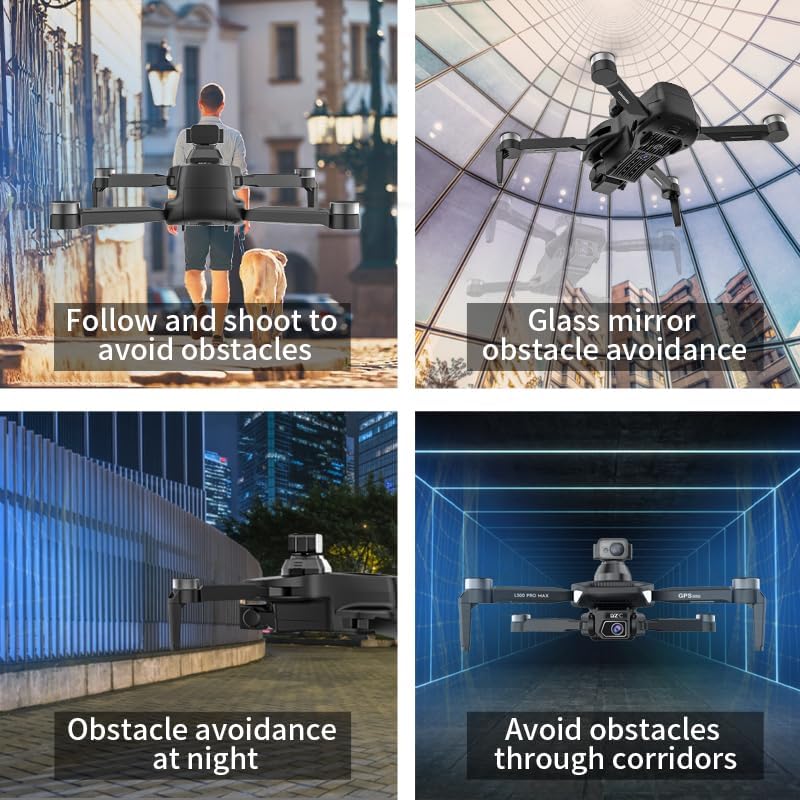
- 장애물 회피: While the drone features 360° laser obstacle avoidance, it is not foolproof. Always exercise caution and maintain awareness of your surroundings.
- 연령 권장 사항: 이 제품은 성인용입니다.
3. 패키지 내용
패키지에 모든 품목이 들어 있는지 확인하세요.
- SuperRC L500 Pro Drone
- 리모컨
- 운반 케이스
- 프로펠러 (예비 세트 포함)
- 나사
- 드라이버
- USB Type-C 케이블
- 리튬 이온 배터리 (2개 포함)
- 사용 설명서(본 문서)

4. Drone Components
Familiarize yourself with the key parts of your SuperRC L500 Pro drone:
- 접이식 팔걸이: 보관 및 운반이 용이합니다.
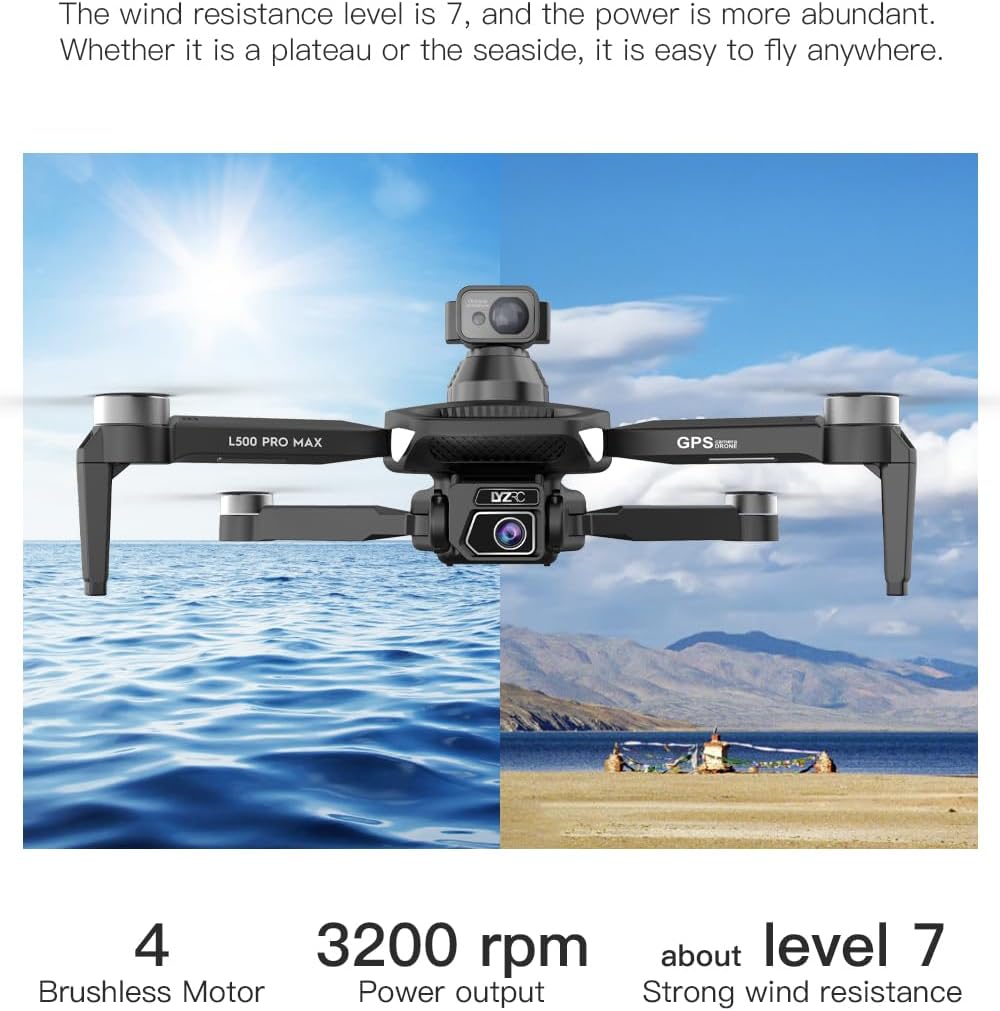
- 브러시리스 모터: Provide stable and quiet flight.
- 프로펠러 : 비행을 위한 양력을 발생시키세요.
- 4K HD 듀얼 카메라: Front-facing and downward-facing cameras for aerial photography and video. Electrically adjustable shooting angles.
- 360° Laser Obstacle Avoidance Sensor: Detects obstacles in all directions.
- GPS 모듈 : Enables precise outdoor positioning and intelligent flight modes.
- 광류 센서: Provides stable hovering for indoor flight.
- 모듈식 배터리: 설치와 교체가 쉽습니다.


5. 원격 컨트롤러
The remote controller allows you to operate the drone and access its features. It features a smartphone holder for live video feed and app control.
Refer to the included quick start guide for a detailed diagram of the remote controller buttons and their functions.

6. 배터리 설치 및 충전
6.1 드론 배터리
- Insert the modular battery into the drone's battery compartment until it clicks into place.
- 분리하려면 (있는 경우) 분리 버튼을 누르고 배터리를 밀어 빼내십시오.
- Charge the battery using the provided USB Type-C cable and a compatible USB power adapter (not included). The charging indicator will show the charging status.
6.2 Remote Controller Battery
The remote controller typically uses internal rechargeable batteries or standard AA batteries. Refer to the remote controller's specific instructions for battery type and charging/installation procedures.
7. 초기 설정
- 배터리 충전: 드론과 리모컨 배터리가 모두 완전히 충전되었는지 확인하십시오.
- 언폴드 드론: Carefully unfold the drone arms until they lock into position.
- 프로펠러 설치: If not pre-installed, attach propellers according to the markings (A/B) on the propellers and motor arms. Ensure they are secure.
- 전원 켜기: Place the drone on a flat, level surface. Power on the drone, then power on the remote controller.
- 편성: The drone and remote controller should automatically pair. If not, follow the pairing instructions in the quick start guide.
- 앱 연결: Download the SuperRC drone app to your smartphone. Connect your phone to the drone's Wi-Fi network (usually named "SuperRC-XXXX"). Open the app to view 라이브 피드를 보고 고급 기능에 접근하세요.
- GPS 보정: For outdoor flights, ensure the drone acquires sufficient GPS satellites before takeoff. Perform compass calibration as instructed by the app or quick start guide.
8. 사용 설명서
8.1 기본 비행
- 원키 이륙/착륙: 리모컨이나 앱에서 전용 버튼을 누르면 자동 이착륙이 가능합니다.
- 수동 제어: Use the joysticks on the remote controller to control altitude, direction, and rotation.
- GPS 모드(실외): Provides stable flight and precise positioning, resisting wind.
- Optical Flow Mode (Indoor): GPS 신호가 없는 환경에서 안정적인 호버링을 위해 아래쪽을 향하는 카메라를 사용합니다.
8.2 장애물 회피
The 360° laser obstacle avoidance system helps prevent collisions by detecting objects in front, rear, left, and right directions. The drone will automatically adjust its flight path to avoid detected obstacles.
8.3 카메라 작동
- 4K HD 듀얼 카메라: Switch between the front and bottom cameras via the remote controller or app.
- Electrically Adjustable Angles: Adjust the camera's tilt angle remotely for optimal shots.
- 사진/비디오 캡처: 리모컨이나 앱의 전용 버튼을 사용하여 사진을 찍거나 비디오 녹화를 시작/중지하세요.
8.4 인텔리전트 플라이트 모드
- 경유지 탐색: Plan a custom flight path by tapping points on the map in the app. The drone will follow the designated route.
- GPS Follow/Smart Follow: The drone can automatically follow a moving subject (e.g., a person or vehicle) using GPS and visual tracking.
- 궤도 비행: The drone will circle a designated point or subject, capturing 360° footage.
- Image Track: Similar to follow mode, but focuses on tracking a specific image or object.
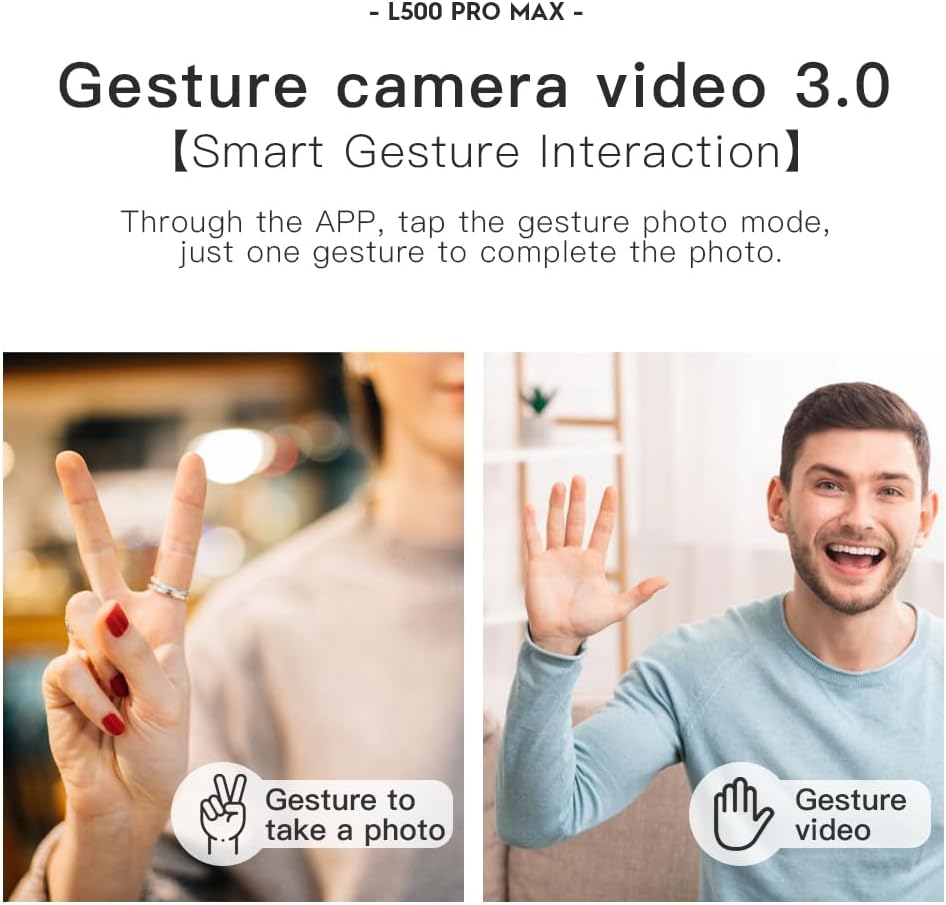
- 제스처 제어: 특정 손짓을 사용해 사진이나 비디오를 촬영하세요.
- 4 Intelligent Return Modes:
- Lost Signal Return: Drone returns to takeoff point if signal is lost.
- 배터리 부족: Drone returns automatically when battery is low.
- Over-Distance Return: Drone returns if it flies beyond the set range.
- One-Tap Return: Manually initiate return to home with a single button press.
9. 유지관리
- 청소: Use a soft, dry cloth to clean the drone and remote controller. Avoid water or harsh chemicals.
- 프로펠러 검사: 프로펠러에 균열, 휨 또는 손상이 있는지 정기적으로 점검하십시오. 손상된 프로펠러는 제공된 드라이버와 예비 부품을 사용하여 즉시 교체하십시오.
- 저장: Store the drone and accessories in the carrying case in a cool, dry place, away from direct sunlight. Remove batteries if storing for extended periods.
- 배터리 관리 : Do not store batteries fully charged or completely depleted. Charge them to about 50-60% for long-term storage.
10. 문제 해결
| 문제 | 가능한 원인 | 해결책 |
|---|---|---|
| 드론의 전원이 켜지지 않습니다. | 배터리가 충전되지 않았거나 올바르게 설치되지 않았습니다. | 배터리가 완전히 충전되었고 올바르게 삽입되었는지 확인하세요. |
| 드론이 리모컨에 반응하지 않습니다. | Not paired, low remote battery, or interference. | Re-pair drone and remote. Charge remote battery. Move to an area with less interference. |
| 불안정한 비행/표류. | Improper calibration, strong wind, or damaged propellers. | Perform compass calibration. Fly in calm conditions. Check and replace damaged propellers. |
| 실시간 영상 중계는 제공되지 않습니다. | Phone not connected to drone Wi-Fi, or app issue. | Connect phone to drone's Wi-Fi. Restart app and drone. |
| 장애물 회피가 작동하지 않습니다. | Sensor blocked or system malfunction. | Ensure sensors are clean and unobstructed. Contact support if issue persists. |
11. 사양
| 특징 | 세부 사항 |
|---|---|
| 상표 | 슈퍼알씨 |
| 모델명 | L500 프로 |
| 비디오 캡처 해상도 | 1080p (Output), 4K HD (Camera) |
| 연결 기술 | Wi-Fi (5G Intelligent System) |
| 제어 유형 | 원격 제어, 앱 제어 |
| 특별 기능 | 360° Laser Obstacle Avoidance, Dual Camera, Brushless Motor, GPS Auto Return, Optical Flow Positioning |
| 품목 무게 | 211.6그램(7.5온스) |
| 배터리 용량 | 2200밀리amp 시간(리튬 이온) |
| 비행 시간 | 최대 25분(대략) |
| 제품 치수 | 12.5인치 길이 x 11.4인치 너비 x 3.9인치 높이 |
| 재료 | 플라스틱 |
12. 보증 및 지원
For warranty information, technical support, or service inquiries, please refer to the contact information provided with your purchase or visit the official SuperRC web사이트. 보증 청구를 위해 구매 증빙 자료를 보관하세요.
또한 방문할 수 있습니다 SuperRC Store on Amazon 추가 제품 정보 및 지원 리소스를 확인하세요.


