1. 서론
Welcome to the Kidywolf Multifunction Flashlight user manual. This guide provides essential information on how to set up, operate, and maintain your flashlight. Please read these instructions carefully to ensure safe and optimal use of the product.
2. 제품 오버view
The Kidywolf Multifunction Flashlight is a versatile lighting device designed for children, offering three distinct functions: a standard flashlight, an ambient light, and a pendant light. It features adjustable warm light intensity and a durable, ergonomic design, making it a perfect companion for various activities.
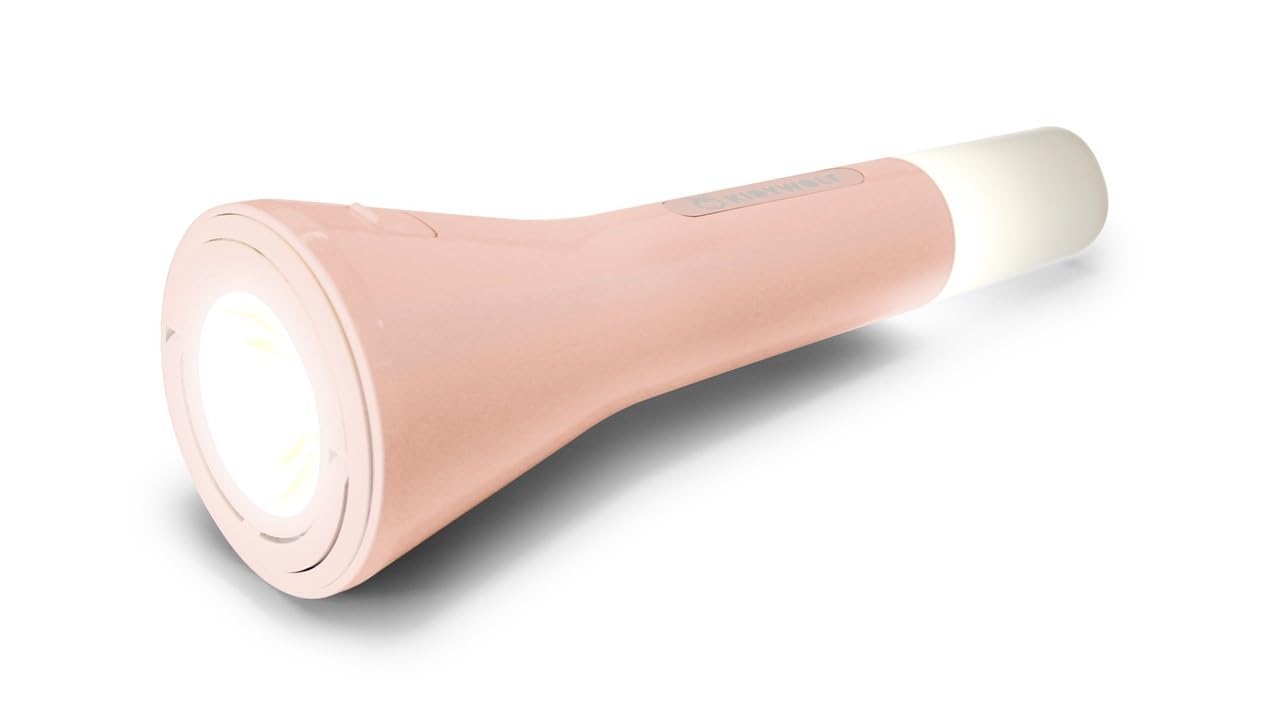
This image displays the Kidywolf Multifunction Flashlight in its packaging. The packaging highlights the three primary functions of the device: a standard flashlight for direct illumination, an ambient light when placed upright, and a pendant light when hung by its integrated ring. The flashlight itself is shown in a nude/pink color.
3. 주요 특징
- 3-in-1 기능: Operates as a flashlight, ambient light, or pendant light.
- 조절 가능한 따뜻한 조명: Three intensity levels (100%, 60%, 20%) with 3000°K warm light.
- 충전식 배터리: Equipped with a 3.7V/1200 mAh battery for extended use.
- USB-C 충전: Convenient and fast charging via USB-C cable.
- 내구성 있는 디자인: Features a matte finish for a practical and elegant look.
- 가지고 다닐 수 있는: Lightweight and easy to handle, suitable for travel and indoor use.
4. 설정
Upon first use, it is recommended to fully charge the Kidywolf Multifunction Flashlight. Connect the provided USB-C cable to the charging port on the device and plug the other end into a compatible USB power source (e.g., computer, wall adapter). The charging indicator will show the charging status.
5. 사용 설명서
5.1 전원 켜기/끄기
To turn the flashlight on or off, press and hold the power button located on the side of the device for approximately 2 seconds.
5.2 기능 모드
The flashlight offers three distinct modes:
- 손전등 모드: For direct illumination. Hold the device in hand.
- 주변광 모드: For creating a soft atmosphere. Place the flashlight upright on a flat surface.
- Pendant Light Mode: For hanging and broader illumination. Use the integrated ring to suspend the device.
To cycle through the modes, short press the power button once the device is on.
5.3 조명 밝기 조절
While the flashlight is on, short press the power button repeatedly to cycle through the three intensity levels: 100% (brightest), 60% (medium), and 20% (dimmest). The light will adjust with each press.
6. 장치 충전
The Kidywolf Multifunction Flashlight is equipped with a rechargeable battery. When the battery is low, the light intensity may decrease, or the device may turn off. To recharge:
- 장치에서 USB-C 충전 포트를 찾으세요.
- Connect the provided USB-C to USB cable to the flashlight.
- 케이블의 USB-A 단자를 표준 USB 전원 어댑터(별도 구매) 또는 컴퓨터의 USB 포트에 연결하십시오.
- Allow the device to charge until the charging indicator shows a full charge. A full charge provides up to 12 hours of continuous use.
7. 관리 및 유지 보수
- 청소: 부드럽고 마른 천으로 기기를 닦으세요. 연마성 세제나 용제를 사용하지 마세요.
- 저장: 손전등은 직사광선과 극한의 온도를 피해 시원하고 건조한 곳에 보관하세요.
- 배터리 관리 : 배터리 수명을 연장하려면 배터리를 자주 완전히 방전하지 마십시오. 장시간 사용하지 않더라도 정기적으로 충전하십시오.
- 방수 기능: 이 기기는 방수 기능이 없습니다. 물이나 높은 습도에 노출시키지 마십시오.
8. 문제 해결
| 문제 | 가능한 원인 | 해결책 |
|---|---|---|
| 손전등이 켜지지 않습니다. | 배터리가 소진되었습니다. | USB-C 케이블을 사용하여 기기를 충전하세요. |
| Light intensity is low. | Battery is low or set to lowest intensity. | Recharge the battery or cycle through intensity levels by short pressing the power button. |
| 장치가 충전되지 않습니다. | 케이블이나 전원 문제. | USB-C 케이블이 제대로 연결되어 있는지 확인하고 다른 USB 전원을 사용해 보세요. |
9. 기술 사양
- 기능: Flashlight, Ambient Light, Pendant Light
- Light Intensity Levels: 3(100%, 60%, 20%)
- 색온도: 3000°K (Warm Light)
- 배터리: 3.7V/1200mAh
- 충전 중: USB-C / USB cable
- 마치다: 매트
10. 보증 정보
Kidywolf products are manufactured to high-quality standards. For specific warranty terms and conditions, please refer to the warranty card included with your product or visit the official Kidywolf web사이트. 보증 청구를 위해 구매 증빙 자료를 보관하세요.
11. 고객 지원
If you have any questions, concerns, or require assistance with your Kidywolf Multifunction Flashlight, please contact Kidywolf customer support. Contact details can typically be found on the product packaging or the official Kidywolf web대지.


