1. 서론
This user manual provides detailed instructions for the SONRU Bluetooth 5.3 Receiver. This wireless audio adapter is designed to bring Bluetooth connectivity to various audio systems, including car stereos, home stereos, wired headphones, and speakers. Featuring advanced Bluetooth 5.3 technology, it ensures a faster, more stable, and smarter connection with minimal sound quality loss. The device also supports hands-free calling and dual device connection, enhancing your audio experience and convenience.
2. 안전 정보
Keep away from water and extreme temperatures. Do not expose to high heat or fire. Do not short-circuit. Avoid contact with liquids. Do not dispose of in fire. May interfere with other wireless devices. Follow local regulations for battery disposal.
3. 패키지 내용
모든 품목이 패키지에 포함되어 있는지 확인하세요.
- 1 x SONRU Bluetooth Wireless Receiver (Model J48)
- 1 x 3.5mm 오디오 어댑터
- 1 x 3.5mm 오디오 케이블
- 1 x RCA 오디오 케이블
- 1 x Type-C 충전 케이블
- 1 x 사용자 설명서 및 보증 카드

Image: All components included in the SONRU Bluetooth Receiver package.
4. 설정
4.1 초기 충전
Before first use, fully charge the Bluetooth receiver. Connect the provided Type-C charging cable to the receiver's charging port and a USB power source. A full charge typically takes approximately 1.5 hours. The device supports charging while in use.
4.2 오디오 소스 연결
The SONRU Bluetooth Receiver offers versatile connectivity options:
- 3.5mm AUX 입력의 경우: Use the included 3.5mm audio adapter or 3.5mm audio cable to connect the receiver to your car's AUX port, home stereo, wired headphones, or speaker.
- RCA 입력의 경우: Use the included RCA audio cable to connect the receiver to older home stereo systems or other audio equipment with RCA inputs.

Image: The receiver's wide compatibility with various audio devices.
4.3 블루투스 페어링
- 전원 켜기: Press and hold the multifunction button on the receiver to power it on. The LED display will light up.
- 블루투스 활성화: 모바일 기기(스마트폰, 태블릿 등)에서 블루투스 설정으로 이동하여 블루투스가 활성화되어 있는지 확인하십시오.
- 장치 선택: Look for "J48" in the list of available Bluetooth devices and select it to pair. Once connected, the receiver will indicate successful pairing.
- 오디오 재생: Begin playing audio on your mobile device. The sound will now be transmitted wirelessly to the connected audio system.
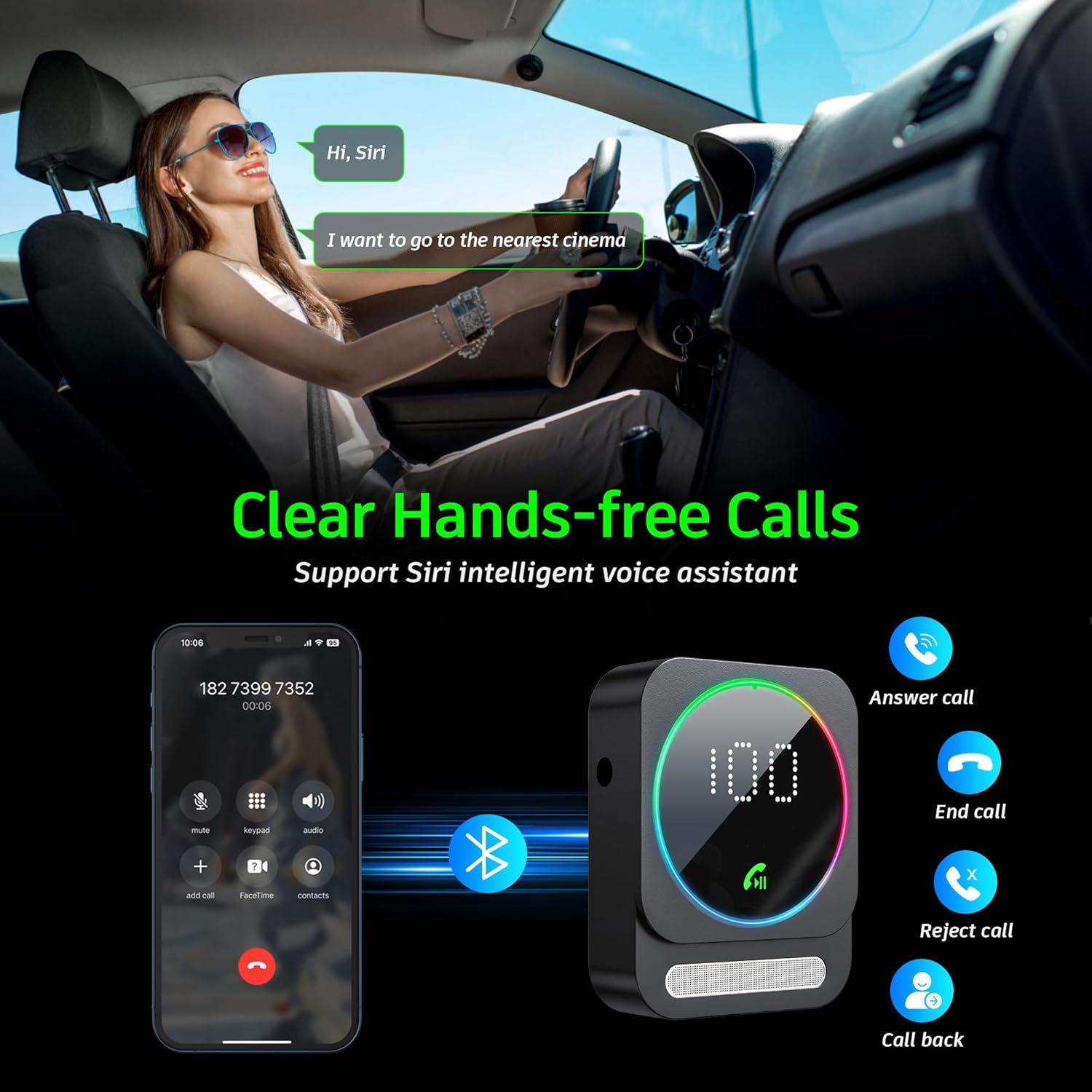
Image: Bluetooth pairing process in a car environment.
5. 사용 설명서
5.1 핸즈프리 통화
The receiver is equipped with a high-quality microphone and CVC8.0 technology for clear hands-free calls.
- 전화 받기: 다기능 버튼을 한 번 누릅니다.
- 통화 종료: 통화 중에 다기능 버튼을 한 번 누르세요.
- 전화 거부: 다기능 버튼을 2 초 동안 길게 누릅니다.
- 마지막 번호 재다이얼: 다기능 버튼을 두 번 누릅니다.
- 음성 지원(Siri/Google Assistant) 활성화: Triple-press the multifunction button.

Image: Multifunction and volume buttons on the receiver.
5.2 음악 재생
- 재생/일시 중지: 다기능 버튼을 한 번 누릅니다.
- 다음 트랙: "+" 버튼을 짧게 누르세요.
- 이전 트랙 : "-" 버튼을 짧게 누르세요.
- 볼륨 업: "+" 버튼을 길게 누르세요.
- 볼륨 작게 : "-" 버튼을 길게 누르세요.
5.3 듀얼 장치 연결
The SONRU Bluetooth Receiver can connect to two Bluetooth devices simultaneously. This allows for convenient switching between devices for music or calls. Note that audio from both devices cannot be played simultaneously; you must switch between them.
Image: The receiver's ability to connect to two devices simultaneously.
5.4 배터리 수명 및 충전
The built-in 250mAh battery provides up to 16 hours of continuous use on a single charge. The device can be fully charged in approximately 1.5 hours using the provided Type-C cable. It supports charging while in use, making it ideal for long journeys.

Image: Visual representation of the receiver's battery life and charging features.
6. 유지관리
To ensure the longevity and optimal performance of your SONRU Bluetooth Receiver, follow these maintenance guidelines:
- 청소: 부드럽고 마른 천을 사용하여 기기를 닦으세요. 액체 세척제나 에어로졸은 사용하지 마세요.
- 저장: 본 기기는 직사광선과 극한의 온도를 피해 시원하고 건조한 곳에 보관하세요.
- 충격 방지: 기기를 떨어뜨리거나 강한 충격을 가하지 마십시오. 내부 부품이 손상될 수 있습니다.
- 케이블 관리: Handle cables gently. Avoid bending or pulling them excessively to prevent damage.
7. 문제 해결
If you encounter issues with your SONRU Bluetooth Receiver, please refer to the following common solutions:
| 문제 | 해결책 |
|---|---|
| 장치의 전원이 켜지지 않습니다. | 기기가 완전히 충전되었는지 확인하십시오. Type-C 케이블을 사용하여 전원에 연결한 후 다시 시도하십시오. |
| 모바일 기기와 페어링할 수 없습니다. |
|
| 소리가 나지 않거나 음질이 좋지 않습니다. |
|
| 통화 품질이 좋지 않습니다. | Ensure the microphone is not obstructed. Reduce background noise if possible. The CVC8.0 technology helps filter out echoes and background noise. |
8. 사양
| 특징 | 세부 사항 |
|---|---|
| 블루투스 버전 | 5.3 |
| 연결 기술 | AUX, RCA |
| 배터리 용량 | 250mAh |
| 충전 시간 | 약 1.5시간 |
| 사용 시간 | 최대 16시간 |
| 특별 기능 | Hands-Free Calls, Dual AUX Outputs, Digital Display, Ambient Light |
| 작업 범위 | 장애물이 없을 경우 최대 10m(33피트)까지 가능합니다. |
| 치수 | 6.65 x 2.76 x 0.94 인치 |
| 품목 무게 | 2.89 온스 |
비디오: 오버view of the SONRU Bluetooth 5.3 Receiver's features and usage scenarios.
9. 보증 및 지원
SONRU provides a warranty for this product. For detailed warranty information, please refer to the included Warranty Card in your package. If you encounter any problems or are not satisfied with your product, please contact SONRU customer support for assistance. We are committed to providing a satisfactory solution.
일반적으로 제조사 웹사이트에서 고객 지원 연락처 정보를 찾을 수 있습니다. web해당 사이트를 통해서나 제품을 구매한 소매업체를 통해서도 구매가 가능합니다.


