소개
Thank you for choosing the Socool D22 Camping Fan with Light. This portable and versatile fan is designed to provide cooling and illumination for various indoor and outdoor activities, including camping, home use, and emergency situations. Please read this manual thoroughly before operating the device to ensure safe and optimal performance.
중요 안전 지침
- 팬을 사용하기 전에 모든 지침을 읽으십시오.
- 팬 그릴에 손가락이나 다른 물건을 넣지 마십시오.
- 감전 사고를 방지하기 위해 선풍기를 물이나 기타 액체로부터 멀리 두십시오.
- 손상된 코드나 플러그로 팬을 작동하지 마십시오.
- Ensure the fan is placed on a stable, flat surface when in use.
- 어린이의 손이 닿지 않는 곳에 보관하세요.
- 선풍기를 직접 분해하거나 수리하려고 하지 마십시오. 자격을 갖춘 서비스 담당자에게 문의하십시오.
- 충전 시에는 제공된 USB-C 케이블만 사용하세요.
- 배터리를 극한의 온도나 직사광선에 노출시키지 마십시오.
패키지 내용
- Socool D22 Camp잉 팬
- 원격 제어
- USB-C 케이블
- 사용자 설명서
제품 끝view
The Socool D22 Camping Fan features a robust design with multiple functionalities for enhanced user experience.

앞쪽 view of the Socool D22 Camp잉 팬, 쇼크asing the fan blades and control panel.
주요 특징:
- 20000mAh 충전식 배터리: Provides up to 112 hours of continuous operation at low speed.
- 8단계 바람 조절: Offers a range from gentle breeze to strong airflow (up to 1970 RPM).
- Auto Oscillation: Features 45° and 90° automatic oscillation for wider air distribution.
- 270° Manual Pivot: Allows for precise vertical airflow adjustment.
- 16 LED Lights with 3 Brightness Levels: Provides adjustable illumination for various needs.
- 비상용 전원 은행: Equipped with a 5V-2A USB output to charge mobile devices.
- 원격 제어: Conveniently adjust settings from a distance, with a dedicated storage slot.
- 디지털 디스플레이: 현재 풍속과 남은 배터리 잔량을 표시합니다.tage.
- 타이머 기능: Set the fan to operate for 1, 2, 4, or 8 hours.
- 야간 모드: Turns off the digital display for undisturbed sleep.
- Hidden Hanging Hook: Supports 360° rotation and 180° flip for versatile placement.
- 휴대성 있는 디자인: Features a soft silicone handle for easy transport and a durable ABS build.
설정
1. 초기 충전
Before first use, fully charge the fan. Connect the provided USB-C cable to the fan's Type-C input port (5V-3A) and plug the other end into a compatible power source (wall adapter, car charger, laptop, or power bank). The digital display will show the charging progress. A full charge typically takes 9-10 hours.

The fan can be charged using the Type-C input. It can also operate while charging.
2. 리모컨 준비
The remote control is stored in a dedicated slot on the side of the fan's base. Slide it out for use. Ensure the battery in the remote is functional.

The remote control conveniently stores in a slot on the fan's base to prevent loss.
작업
The fan can be operated using the control panel on the base or the remote control.
1. 전원 켜기/끄기
- 를 누르세요 전원 버튼 (or fan icon on remote) to turn the fan on. It will start at a low speed.
- 를 누르세요 전원 버튼 다시 선풍기를 끄려면.
2. 팬 속도 조절
The fan has 8 adjustable speed levels. Use the '+' or '-' buttons on the control panel or remote to increase or decrease the wind speed. The current speed will be displayed on the digital screen.

The fan offers 8 wind speed settings, from gentle to powerful, indicated by CFM values.
3. Oscillation and Pivot
- Auto Oscillation: 를 누르세요 진동 버튼 (circular arrow icon) to cycle through 45°, 90° oscillation, or turn oscillation off.
- Manual Pivot: The fan head can be manually adjusted up to 270° vertically to direct airflow.

The fan features 45°/90° auto oscillation and a 270° manual pivot for wide-ranging airflow.
4. 조명 기능
The fan is equipped with 16 LED lights. Press the 라이트 버튼 (sun icon) to cycle through 3 dimmable brightness settings (Low, Medium, High) or turn the light off.
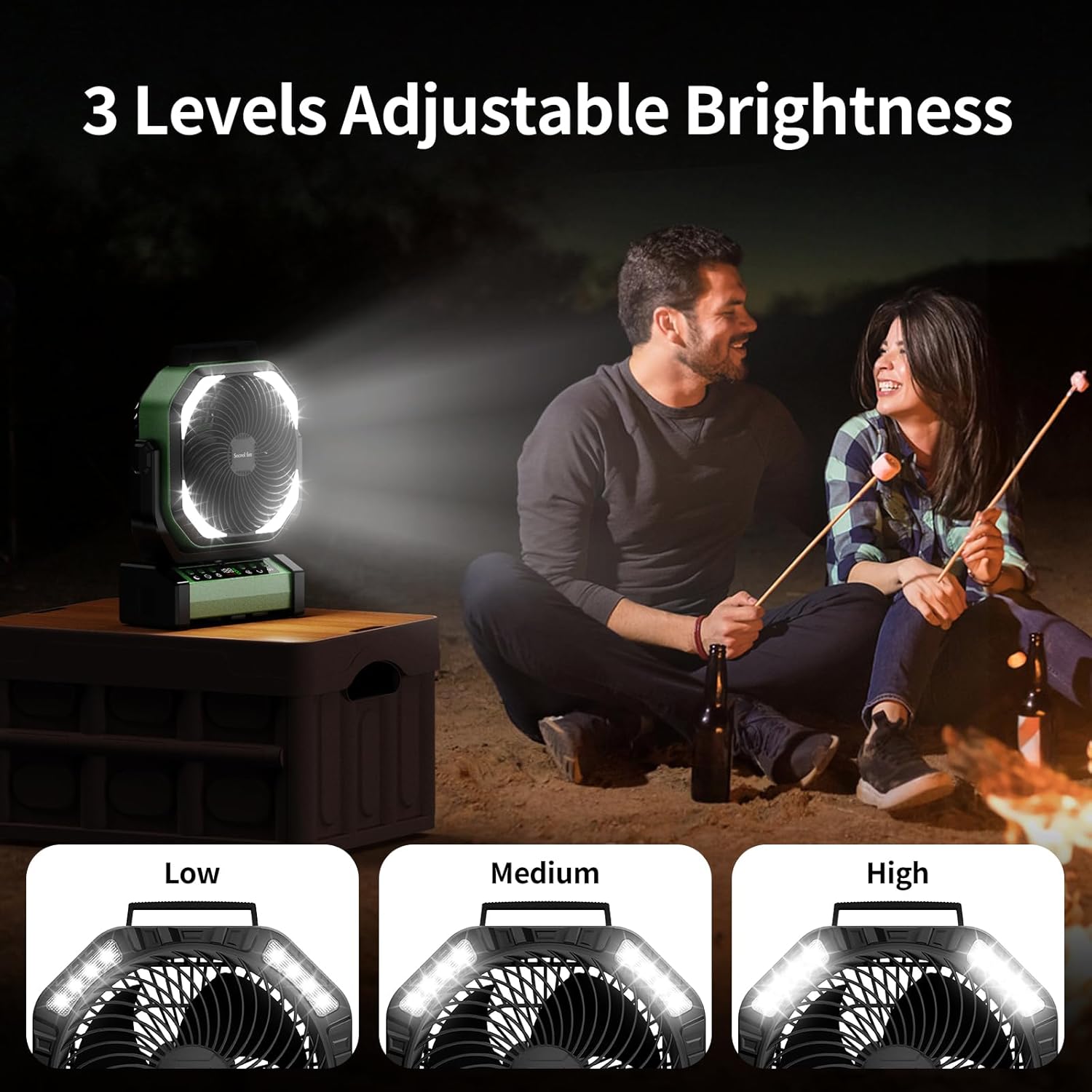
The integrated LED lights offer three brightness levels for various lighting needs.
5. 타이머 기능
를 누르세요 타이머 버튼 (clock icon) to set the fan to automatically turn off after 1, 2, 4, or 8 hours. The selected time will be displayed.
6. Night Mode (Display Off)
편안한 수면을 위해 버튼을 누르세요. 야간 모드 버튼 (moon icon) to turn off the digital display while the fan continues to operate.
7. Emergency Power Bank Function
The fan can act as an emergency power bank. Connect your mobile device to the USB-A output port (5V-2A) on the fan's base using your device's charging cable. The fan will charge your device.

The fan's 20000mAh battery can also serve as an emergency power bank to charge other devices.
배치 옵션
The Socool D22 Camping Fan offers versatile placement options:
- 자유로운 무대: Place on any flat surface.
- 후크 걸기: Utilize the hidden hook at the bottom to hang the fan from tents, umbrellas, or other structures. The hook supports 360° rotation and 180° flip.
- 휴대용 핸들: Use the soft silicone handle at the top for easy carrying.

The fan can be used free-standing, hung by its hook, or carried with its handle.
유지
- 청소: 청소하기 전에 팬의 전원을 분리하세요. 부드러운 천을 사용하세요.amp 외부 표면은 천으로 닦으십시오. 연마성 세제를 사용하거나 선풍기를 물에 담그지 마십시오.
- 저장: 선풍기를 사용하지 않을 때는 서늘하고 건조한 곳에 보관하십시오. 장기간 보관하기 전에 배터리 수명을 연장하기 위해 배터리를 약 50% 정도 충전해 두십시오.
문제 해결
| 문제 | 가능한 원인 | 해결책 |
|---|---|---|
| 팬이 켜지지 않습니다. | 배터리가 부족하거나 전원이 들어오지 않습니다. | Charge the fan using the USB-C cable. Ensure the power button is pressed. |
| 팬 속도가 약합니다. | Low battery or low speed setting. | Charge the fan. Increase the fan speed using the '+' button. |
| 빛이 작동하지 않습니다. | Light function is off or low battery. | Press the Light button to turn on/adjust brightness. Charge the fan. |
| 리모컨이 작동하지 않습니다. | 리모컨 배터리가 방전되었거나 작동 범위에서 벗어났습니다. | Replace remote battery. Ensure remote is within 20 feet of the fan. |
| 진동이 작동하지 않습니다. | 진동 기능이 꺼져 있습니다. | Press the Oscillation button to activate 45° or 90° mode. |
명세서
| 특징 | 세부 사항 |
|---|---|
| 상표 | 소쿨 팬 |
| 모델명 | D22Camp텐트 팬 |
| 색상 | 녹색 |
| 선풍기 디자인 | 테이블 선풍기 |
| 전원 | 배터리 구동 |
| 제품 치수 | 4인치 깊이 x 10인치 너비 x 12인치 높이 |
| 특별 기능 | Lightweight & Emergency Power Supply, Oscillating, Portable & Adjustable Tilt, Remote Controlled |
| 추천 용도 | 공기 순환, 냉방, 환기 |
| 소음 수준 | 30데시벨 |
| 왓tage | 15 와트 |
| 기류 용량 | 분당 191입방 피트 |
| 속도 | 1970 RPM |
| 권tage | 5 볼트 |
| 스위치 유형 | 리모컨 및 버튼 제어 |
| 포함된 구성 요소 | D22Camping Fan, Manual, Remote, USB-C Cable |
| 실내/실외 사용 | 실내, 실외 |
| 재사용성 | 충전식 |
| 전력 수준의 수 | 9 (팬 속도 관련) |
| 제조업체 | Shenzhen Luansheng Electronic Technology Co., Ltd. |
| 품목 무게 | 4.16파운드 |
| 배터리 | 1개의 리튬 폴리머 배터리 필요(포함) |
| 장착 유형 | Free Standing, Hook Hanging, Tabletop |
제품 비디오
기능 종료view of Socool D22 Camp잉 팬
This video provides a detailed introduction to the various functions of the Socool D22 Camping Fan, including speed adjustment, oscillation, light settings, and remote control operation.
보증 및 지원
For warranty information or technical support, please refer to the warranty card included with your product or contact Socool fan customer service. Keep your purchase receipt for warranty claims.


