1. 서론
The FINGERS ANC-Paradise TWS Earbuds are designed to provide an immersive audio experience with advanced Active Noise Cancellation (ANC) and Surround Noise Cancellation (SNC™) technologies. This manual provides essential information for setting up, operating, maintaining, and troubleshooting your earbuds to ensure optimal performance.

Image: FINGERS ANC-Paradise TWS Earbuds in their charging case.
2. 상자 안에 무엇이 들어있나요?
모든 품목이 들어 있는지 확인하려면 패키지 내용물을 확인하세요.
- 1 x FINGERS ANC-Paradise (Charging Case + TWS Pods)
- 1 x USB 충전 케이블
- 2 x 추가 이어젤
- 1 x 빠른 시작 가이드
- 1 x 브랜드 노트
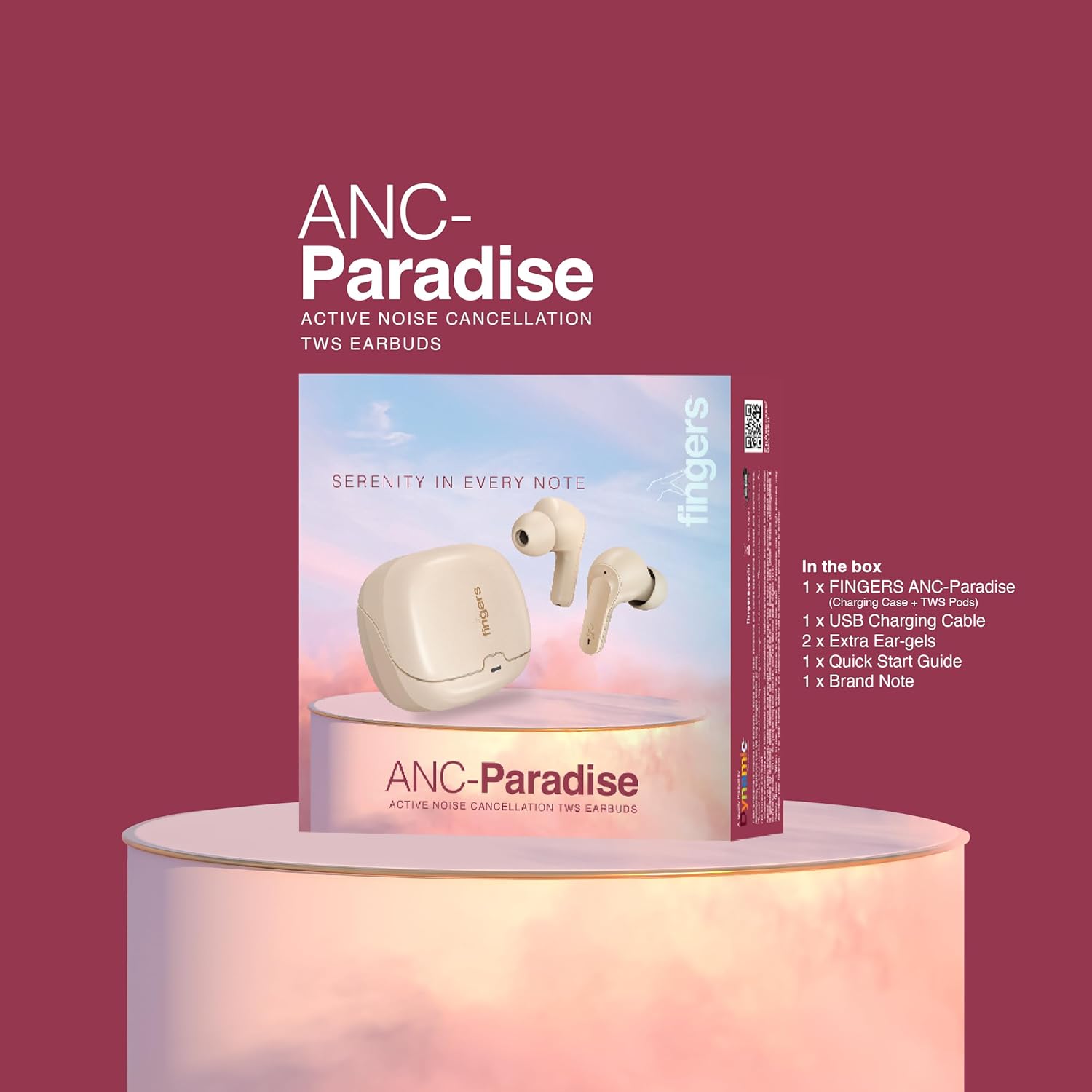
Image: All items included in the FINGERS ANC-Paradise TWS Earbuds package.
3. 설정
3.1. 이어버드와 케이스 충전
Before first use, fully charge the earbuds and the charging case. Use the provided USB charging cable to connect the case to a power source.
- 충전 케이스: Connect the USB cable to the charging port on the case. The indicator light will show charging status.
- 이어 버드 : Place the earbuds into the charging case. Ensure they are properly seated; the indicator lights on the earbuds will confirm charging.
A full charge provides up to 32 hours of total playtime. The fast charging feature allows for 1.5 hours of playtime with just a 10-minute charge.

Image: Earbuds and case illustrating 32 hours of playtime and fast charging benefits.
3.2. 장치와 페어링
- 이어버드가 충전되어 있는지 확인하세요.
- 충전 케이스를 여세요. 이어버드가 자동으로 페어링 모드로 진입합니다.
- 기기(스마트폰, 태블릿, 노트북)에서 Bluetooth를 활성화하세요.
- 검색 사용 가능한 블루투스 장치를 찾고 목록에서 "FINGERS ANC-Paradise"를 선택하세요.
- 연결되면 확인음이 들리고 이어버드를 사용할 준비가 됩니다.
The earbuds offer a truly wireless experience and can be used as a single earbud or as a pair.
4. 사용 설명서
4.1. 능동 소음 제거(ANC)
Active Noise Cancellation (ANC) reduces ambient noise, allowing for a more focused listening experience. You can enable or disable ANC with a simple switch or touch control (refer to the Quick Start Guide for specific gestures).
4.2. Surround Noise Cancellation (SNC™)
SNC™ technology is designed for advanced voice clarity during calls. It intelligently filters out surrounding ambient noise, ensuring your voice is clear to the person on the other end.

Image: Earbuds illustrating the functions of Active Noise Cancellation and Surround Noise Cancellation.
4.3. Intuitive Touch Controls
The earbuds feature intuitive touch controls for managing calls and music playback:
- 재생/일시 중지: 양쪽 이어버드를 한 번 탭하세요.
- 다음 트랙: 오른쪽 이어버드를 두 번 탭하세요.
- 이전 트랙 : 왼쪽 이어버드를 두 번 탭하세요.
- 전화 받기/종료: 양쪽 이어버드를 한 번 탭하세요.
- 전화 거부: 한쪽 이어버드를 길게 누르세요.
- Voice Assistant 활성화 : (기본 OS에서) 이어버드 중 하나를 세 번 탭하세요.

이미지: 이상view of control features including sweat resistance, voice assistant, and flexible usage modes.
4.4. 음향 효과
Customize your listening experience with three exceptional sound effects:
- 하이파이: For balanced and clear audio.
- 베이스: Enhances low frequencies for a deeper sound.
- 바위: Optimized for rock music genres.
Refer to the Quick Start Guide for instructions on how to switch between these sound effects.

Image: Earbuds with visual representation of Hi-Fi, Bass, and Rock sound modes.
5. 유지관리 및 관리
- 청소: 부드럽고 마른 천으로 이어버드와 충전 케이스를 정기적으로 닦으세요. 강한 화학 물질이나 연마재는 사용하지 마세요.
- 방수 기능: The earbuds have an IPX4 rating, making them sweat resistant. This means they can withstand splashes of water and sweat, but they are not waterproof and should not be submerged in water.
- 저장: 사용하지 않을 때는 이어버드를 충전 케이스에 보관하여 보호하고 충전 상태를 유지하세요.
- 온도: 이어버드를 극한의 온도(더위나 추위)나 높은 습도에 노출시키지 마세요.
6. 문제 해결
If you encounter issues with your FINGERS ANC-Paradise TWS Earbuds, please refer to the following common solutions:
- 이어버드가 페어링 또는 연결되지 않음:
- 양쪽 이어버드가 모두 충전되어 있는지 확인하세요.
- 기기의 Bluetooth를 껐다가 다시 켜세요.
- 블루투스 설정에서 해당 기기를 삭제한 후 다시 페어링을 시도하세요.
- 이어버드 두 개를 모두 충전 케이스에 넣고 뚜껑을 닫은 후 몇 초간 기다렸다가 다시 열어 재설정하세요.
- 이어버드가 하나만 연결됨:
- 양쪽 이어버드가 모두 충전되어 있는지 확인하세요.
- 두 이어버드를 충전 케이스에 다시 넣고 뚜껑을 닫은 후 몇 초간 기다렸다가 다시 열어 보세요. 이렇게 하면 다시 동기화되는 경우가 많습니다.
- If the issue persists, try resetting the earbuds to factory settings (refer to the Quick Start Guide for specific instructions).
- 소리가 나지 않습니다:
- 기기와 이어버드의 볼륨 레벨을 확인하세요.
- 이어버드가 기기에 제대로 연결되었는지 확인하세요.
- 다른 애플리케이션이나 소스에서 오디오를 재생해보세요.
- ANC가 효과적으로 작동하지 않음:
- Ensure ANC is enabled.
- Adjust the fit of the ear-gels to ensure a proper seal in your ear canal.
7. 사양
| 특징 | 세부 사항 |
|---|---|
| 모델명 | ANC-파라다이스 |
| 연결 기술 | 무선(블루투스) |
| 소음 제어 | Active Noise Cancellation (ANC), Surround Noise Cancellation (SNC™) |
| 배터리 수명 | 최대 32시간 |
| 빠른 충전 | 10분 충전으로 1.5시간 재생 가능 |
| 방수 레벨 | IPX4 (땀 방지) |
| 특별 기능 | Built-In Voice Assistant, Fast Charging, Noise Cancellation, Surround Sound, Sweatproof, 3 Sound Effects |
| 호환 장치 | 스마트폰, 태블릿, 노트북 |
| 품목 무게 | 43그램 |
| 오디오 드라이버 유형 | 동적 드라이버 |
| 임피던스 | 32옴 |
| 제품 치수 | 1.7 x 2.4 x 3.2cm |
8. 보증 및 지원 정보
For warranty claims or technical support, please contact the manufacturer:
제조업체: 다이내믹 컨글로머레이트 주식회사
주소: 329/330, GIDC Phase II, Near Sardar Chowk, Vapi, Valsad, Gujarat, 396195, India
Please retain your proof of purchase for warranty services. For further assistance, refer to the official FINGERS web사이트를 방문하거나 고객 지원팀에 문의하세요.


