소개
Thank you for choosing the Spigen SA-TW P20 True Wireless Earbuds. This manual provides essential information for setting up, operating, maintaining, and troubleshooting your new earbuds. Please read it carefully to ensure optimal performance and longevity of your device.
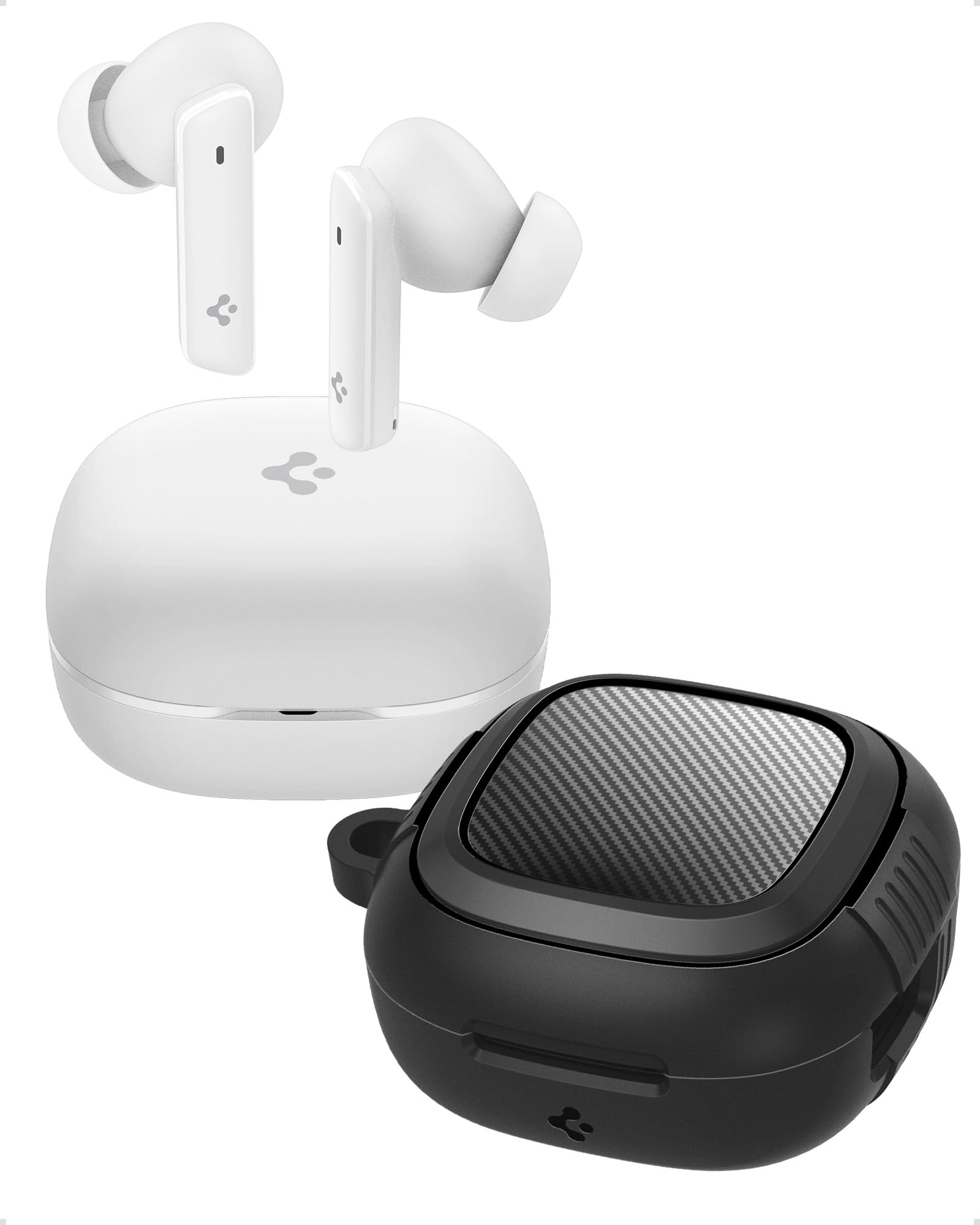
Image: Spigen SA-TW P20 True Wireless Earbuds in white, shown with their charging case.
상자 안에 무엇이 들어있나요?
The Spigen SA-TW P20 package includes the following items:
- 1 SA-TW P20 True Wireless Earbuds (White)
- 1 Charging Case for SA-TW P20
- 1 Rugged Armor Case for SA-TW P20
- 1 USB 충전 케이블
- 1 Set of Eartips (S/M - installed/L)

Image: The Spigen SA-TW P20 earbuds, their white charging case, and the included black Rugged Armor protective case.
제품 끝view
The SA-TW P20 earbuds are designed for high-fidelity audio and clear communication. They feature 10mm LCP Graphene Dynamic Drivers for precise sound reproduction and 6 high-sensitivity microphones for clear calls. The included Rugged Armor case provides enhanced protection for your charging case.
Rugged Armor Case
The Rugged Armor case is designed to safeguard your charging case from daily drops and scratches. It incorporates Air-Cushion Technology, an advanced corner system that absorbs impacts, turning drops into harmless bumps. The case also features a carbon fiber accent and includes a strap for easy portability.

이미지: 자세한 view of the Spigen Rugged Armor case, highlighting its Air-Cushion Technology for impact protection.

Image: An illustration showing the internal components of the 10mm LCP Graphene drivers, the touch control area on an earbud, and the Bluetooth v5.2 logo.
설정
1. 초기 충전
- 양쪽 이어버드를 충전 케이스에 넣습니다.
- USB 충전 케이블을 케이스의 충전 포트와 전원에 연결하세요.
- Allow the earbuds and case to fully charge before first use. The LED indicator on the case will show charging status.
2. 블루투스 페어링
- 충전 케이스를 여세요. 이어버드가 자동으로 페어링 모드로 진입합니다.
- 기기(스마트폰, 태블릿, 노트북)에서 Bluetooth를 활성화하세요.
- 검색 "Spigen SA-TW P20" in the list of available devices.
- Select "Spigen SA-TW P20" to connect. A voice prompt will confirm successful pairing.
3. Spigen Audio App Installation
- Download the "Spigen Audio" app from your device's app store (Google Play Store for Android, Apple App Store for iOS).
- 앱을 설치하고 엽니다.
- Ensure your SA-TW P20 earbuds are connected via Bluetooth. The app will automatically detect and connect to your earbuds, allowing for customization.

Image: Screenshot of the Spigen Audio App interface, showing options for sound effects, noise change modes (Indoor, Commuting, Noisy), and channel balance.
작동 지침
1. 터치 컨트롤
The SA-TW P20 earbuds feature intuitive touch controls. Specific functions can be customized via the Spigen Audio App.
- 단일 탭 : 음악 재생/일시 정지, 전화 받기/끊기.
- 두 번 탭(왼쪽 이어버드): 이전 트랙.
- 두 번 탭하기(오른쪽 이어버드): 다음 트랙.
- 트리플 탭 : 음성 어시스턴트를 활성화하세요.
- 길게 누르기 : Switch between ANC modes (ANC On, Transparency, Normal).
2. 능동 소음 제거(ANC) 모드
The earbuds offer up to 40dB of active noise cancellation with 3 Multi-Mode Hybrid Adaptive ANC settings.
- ANC Pro: 주변 소음을 최대 40dB까지 줄여 몰입감 넘치는 청취 경험을 제공합니다.
- 투명 모드: 오디오를 들으면서 주변 소리를 들을 수 있어 상황 인식을 높여줍니다.
- 일반 모드: Disables ANC and Transparency for standard audio playback.

Image: Black Spigen SA-TW P20 earbuds illustrating 40dB ANC Pro, Transparency Mode, 3 Multi-Mode Hybrid Adaptive ANC, and Clear Calls with 6 MICs.
3. 게임 모드 (저지연)
Activate Gaming Mode for crystal-clear, low-latency audio transmission, ensuring an uninterrupted and synchronized gaming experience. This mode minimizes audio delay between your device and the earbuds.

Image: Spigen SA-TW P20 earbuds positioned near a smartphone displaying a game, emphasizing low latency for gaming.
4. 함수 호출
Equipped with 6 high-sensitivity microphones, the SA-TW P20 ensures crystal-clear calls. Advanced noise-cancellation technology helps remove ambient noise, allowing your voice to be heard clearly in various environments.

Image: A close-up diagram of the Spigen SA-TW P20 earbuds, indicating the locations of the three microphones on each earbud (MIC 1, MIC 2, MIC 3).
5. Sound Customization (Spigen Audio App)
The Spigen Audio App allows you to personalize your listening experience. You can choose from 5 preset sound profiles or use the customizable equalizer to adjust audio settings to your preferences. The app also provides control over ANC modes and touch functions.
6. 배터리 수명
Enjoy up to 7.5 hours of playtime on a single charge. The charging case extends the total playtime to a generous 30 hours, allowing for multiple recharges on the go.

Image: White Spigen SA-TW P20 earbuds and their open charging case, with a prominent display of "30 HRS" indicating total battery life.
유지
1. 청소
- 부드럽고 마른 보푸라기 없는 천으로 이어버드와 충전 케이스를 조심스럽게 닦으세요.
- 독한 화학 물질, 세척 용제 또는 강한 세제를 사용하지 마십시오.
- 이어팁을 분리하여 필요에 따라 물과 순한 비누로 따로 세척하고, 완전히 건조시킨 후 다시 부착하십시오.
- 충전이 제대로 되도록 이어버드와 케이스의 충전 접점을 마른 면봉으로 정기적으로 닦아주세요.
2. 방수 기능(IPX5)
The SA-TW P20 earbuds are IPX5 water-resistant, meaning they are protected against low-pressure water jets from any direction. This makes them suitable for workouts and light rain. However, they are not designed for submersion in water or exposure to heavy rain. Do not wear them while swimming or showering.
3. 배터리 관리
- 배터리를 자주 완전히 방전시키지 마세요.
- 사용하지 않을 때는 이어버드와 케이스를 서늘하고 건조한 곳에 보관하세요.
- 배터리 수명 유지를 위해 장기간 사용하지 않더라도 기기를 정기적으로 충전하십시오.
문제 해결
1. 이어버드 페어링 오류
- 두 개의 이어버드가 모두 완전히 충전되었는지 확인하세요.
- Place earbuds back into the charging case, close the lid, wait a few seconds, then open it again to re-enter pairing mode.
- 기기의 Bluetooth를 껐다가 켜세요.
- Forget "Spigen SA-TW P20" from your device's Bluetooth list and attempt to pair again.
2. 소리가 나지 않거나 소리가 작음
- 기기와 이어버드의 볼륨 레벨을 확인하세요.
- 이어폰이 귀에 제대로 꽂혀 있는지 확인하세요.
- 이어버드 노즐과 이어팁에서 이물질을 청소하세요.
- Try resetting the earbuds (refer to the Spigen Audio App or manufacturer's web(특정 재설정 지침은 해당 사이트를 참조하세요).
3. 충전 문제
- 충전 케이블이 케이스와 전원에 모두 단단히 연결되어 있는지 확인하세요.
- 다른 USB 충전 케이블과 전원 어댑터를 사용해 보세요.
- 이어버드와 케이스 내부의 충전 접점을 청소하세요.
- 충전 케이스 자체에 충분한 전력이 있는지 확인하세요.
명세서
| 모델명 | SA-TW P20 |
| 소음 제어 | 능동 소음 제거(최대 40dB) |
| 연결 기술 | 무선(블루투스 5.2) |
| 오디오 드라이버 유형 | 10mm LCP 그래핀 다이내믹 드라이버 |
| 마이크 | 6 (명확한 통화를 위해) |
| 배터리 수명(이어버드) | 최대 7.5시간 |
| 총 재생 시간(케이스 포함) | 최대 30시간 |
| 방수성 | IPX5 (땀 방지, 방수) |
| 제어 방법 | 만지다 |
| 호환 장치 | Cellphones, Tablets, Laptops, Gaming Consoles |
| 재료 | 플라스틱, 실리콘 |
| 제품 치수 | 5.5 x 5.51 x 2.9cm |
| 품목 무게 | 91.1g |
| 원산지 | 중국 |
안전 정보
- 이어버드나 충전 케이스를 극한 온도에 노출시키지 마세요.
- 기기를 떨어뜨리거나 과도한 힘을 가하지 마십시오.
- 어린이와 애완동물의 손이 닿지 않는 곳에 보관하세요.
- 제품을 분해하거나 개조하지 마십시오. 그렇게 할 경우 보증이 무효화됩니다.
- 제공된 충전 케이블이나 인증된 동등 제품만 사용하세요.
- 큰 소리에 장시간 노출되면 청력이 손상될 수 있습니다. 볼륨을 안전한 수준으로 조절하세요.
보증 및 지원
보증 정책
Refunds or exchanges are not allowed after shrink wrap removal. For products with shrink wrapping already removed upon receipt, please request an immediate exchange.
고객 지원
For further assistance, technical support, or warranty inquiries, please contact Spigen customer support:
- 이메일: spigen.support@spigen.com
- 제조업체: Spigen Korea Co.,Ltd.
- 수입자/포장업체(인도): Spigen India Pvt. Ltd., No.295-296, Ecotech-1, Extension, Greater Noida, UP


