환영
Thank you for choosing the M-AUDIO Forty Sixty 6.5-inch Studio Monitor Speaker. This manual provides essential information for setting up, operating, and maintaining your new studio monitor. Please read it thoroughly to ensure optimal performance and safe use of your device.
중요 안전 지침
- 전기 안전: Always connect the speaker to a grounded power outlet. Do not expose the unit to rain or moisture.
- 청력 보호: This loudspeaker is capable of delivering sound pressure levels of more than 85 dB, which may cause permanent hearing damage. Use caution when adjusting volume levels.
- 통풍: 스피커 주변에 적절한 환기가 이루어지도록 하십시오. 환기구를 막지 마십시오.
- 놓기: Place the speaker on a stable, level surface to prevent it from falling.
패키지 내용
아래 나열된 모든 품목이 패키지에 포함되어 있는지 확인하세요.
- 460 스피커
- 절연 패드
- 전원 케이블
- 빠른 시작 가이드
- 안전 및 보증 설명서
제품 끝view
The M-AUDIO Forty Sixty 6.5-inch Studio Monitor is a 100W bi-amplified speaker designed for precise audio reproduction. It features a 6.5-inch Kevlar woofer for extended bass response and a 1-inch high-frequency driver with waveguide for clear highs. Advanced DSP processing and Burr-Brown analog-to-digital conversion ensure detailed sound. The speaker also offers Bluetooth 5.3 TWS audio streaming and control via the M-AUDIO Forty Series Control App.

설정
물리적 배치
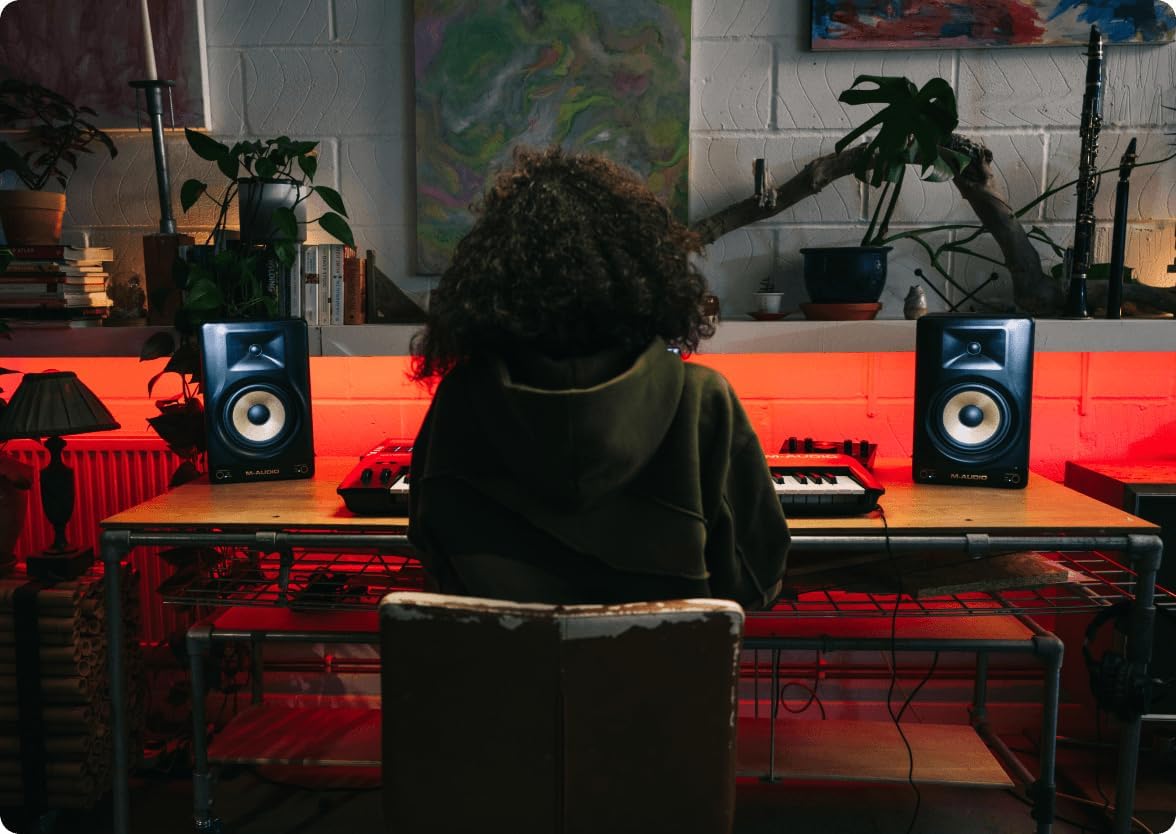
Proper placement of your studio monitors is crucial for accurate sound reproduction. Position the speakers to form an equilateral triangle with your listening position. Ensure the tweeters are at ear level. Use the included isolation pads to minimize unwanted vibrations and improve acoustic performance.
사이
The M-AUDIO Forty Sixty offers versatile input options for various audio setups:
- XLR 입력: 전문가용 오디오 인터페이스 또는 믹서와의 밸런스 연결용입니다.
- TRS 입력: For balanced or unbalanced connections from audio interfaces, DJ rigs, or other studio equipment.
Connect your audio source to the desired input on the rear panel of the speaker. Ensure the power cable is securely connected to the speaker and a grounded power outlet.


Official Product Video: M-AUDIO FORTY series
An official M-AUDIO video showcasing the features and use cases of the Forty Series studio monitors, including connections and studio environments.
작동 지침
전원 켜기/끄기
Locate the power switch on the rear panel of the speaker. Flip the switch to the 'ON' position to power on the unit. The power indicator LED on the front will illuminate. To power off, flip the switch to the 'OFF' position.
볼륨 조절
Adjust the overall output volume using the 'Volume' knob on the rear panel. Start with a low volume and gradually increase it to your desired listening level.
청취 모드
The Forty Sixty features front panel buttons for instant listening modes:
- 플랫 모드: Provides a true, uncolored mix reference for accurate sound.
- HYPE Mode: Simulates how your mix will sound on consumer devices like earbuds or car stereos.
- 사용자 지정 모드: Allows you to apply personalized EQ settings configured via the M-AUDIO Forty Series Control App.

블루투스 연결
The Forty Sixty supports Bluetooth 5.3 True Wireless Stereo (TWS) audio streaming. To pair your device:
- 스피커의 전원이 켜져 있는지 확인하십시오.
- 오디오 기기(스마트폰, 태블릿 등)에서 블루투스를 활성화하세요.
- Select 'M-AUDIO Forty Sixty' from the list of available Bluetooth devices.
- Once paired, the Bluetooth indicator on the speaker will illuminate. For TWS pairing with a second speaker, refer to the Quickstart Guide.

M-AUDIO Forty Series Control App
Download the M-AUDIO Forty Series Control App to access advanced features, including customizable presets and a 5-band equalizer. The app allows you to fine-tune your speaker's output to match your room's acoustics and personal preferences.

어쿠스틱 튜닝
The Forty Sixty incorporates precision DSP crossover and professional-grade Burr-Brown analog-to-digital conversion to ensure accurate and detailed sound. These technologies work together to deliver a balanced frequency response, crucial for critical listening and mixing.


유지
- 청소: 스피커 외부를 닦을 때는 부드럽고 마른 천을 사용하십시오. 연마성 세척제나 용제는 사용하지 마십시오.
- 저장: 장시간 사용하지 않을 경우, 스피커를 직사광선과 극한의 온도를 피해 시원하고 건조한 곳에 보관하세요.
- 보호: 스피커 콘이 물리적으로 손상되지 않도록 보호하십시오.
문제 해결
- 오디오 출력 없음:
- 스피커 전원이 켜져 있고 볼륨이 충분히 커져 있는지 확인하십시오.
- Verify that the audio source is connected correctly to the appropriate input (XLR or TRS).
- Check the input switch on the rear panel to ensure it matches your connected input type.
- 오디오 소스가 재생되고 있는지, 볼륨이 적절한지 확인하십시오.
- Unexpected Popping Sound:
- A popping sound may occur if the Bluetooth pairing is lost. Try forgetting the speaker in your device's Bluetooth settings and re-pairing.
- 모든 연결이 안전하고 간섭이 없는지 확인하십시오.
명세서
| 특징 | 사양 |
|---|---|
| 상표 | M-AUDIO |
| 모델명 | FORTYSIXTY |
| 스피커 크기 | 6.5 인치 |
| 스피커 최대 출력 전력 | 100 와트 |
| 우퍼 직경 | 6.5 인치 |
| 트위터 직경 | 1 인치 |
| 연결 기술 | 블루투스 |
| 블루투스 버전 | 5.3 |
| 제어 방법 | 앱 |
| 제품 치수 | 8.6인치 깊이 x 8.5인치 너비 x 13.2인치 높이 |
| 품목 무게 | 15.84파운드(7.2킬로그램) |
| 재료 | 플라스틱 |
| 색상 | 검은색 |
| 전원 | 코드식 전기 |
| 주파수 응답 | 22kHz (상한값) |
보증 및 지원
The M-AUDIO Forty Sixty Studio Monitor comes with a Limited Warranty. Please refer to the included Safety & Warranty Manual for detailed terms and conditions.
For technical support, troubleshooting assistance, or further inquiries, please visit the official M-AUDIO web사이트 또는 고객 서비스 부서에 문의하십시오.


