소개
Thank you for choosing the PRT S1 Mini Thermal Printer. This compact and portable device is designed for convenient printing of stickers, labels, notes, and pictures directly from your smartphone or tablet via Bluetooth. This manual provides essential information on setting up, operating, maintaining, and troubleshooting your printer to ensure optimal performance and longevity.
상자 안에 무엇이 들어있나요?
패키지에 모든 품목이 들어 있는지 확인하세요.
- 1 x PRT S1 Mini Printer
- 1 x 감열지 롤
- 1 X 전원 코드
- 1 x 사용 설명서
설정
초기 설정
- 프린터 풀기: 프린터와 모든 액세서리를 포장에서 조심스럽게 꺼내세요.
- 프린터 충전: Connect the power cord to the printer and a suitable power source. Ensure the printer is fully charged before first use for optimal battery life.
- 감열지 로드:

Image Description: A four-panel image illustrating the steps to prepare and load paper into the PRT S1 Mini Printer. Step 1 shows opening the top cover. Step 2 shows placing the paper roll inside the printer. Step 3 shows pressing the power button. Step 4 shows connecting the app via Bluetooth.
- Open the top cover of the printer by gently pressing the release button or lifting the lid.
- Insert the thermal paper roll into the paper compartment, ensuring the smooth side of the paper faces upwards and the paper feeds out correctly.
- 윗덮개를 딸깍 소리가 나면서 제자리에 고정될 때까지 단단히 닫으세요.
작동 지침
앱에 연결하기
The PRT S1 Mini Printer operates via the "HerePrinter" mobile application. Follow these steps to connect your device:
- 앱 다운로드: Download the "HerePrinter" app from your device's app store (available for Android and iOS). You can also scan the QR code below or visit hereprint.hprt.com/app/hereprint.

Image Description: An image showing the PRT S1 Mini Printer, a smartphone displaying the HerePrinter app interface, and a tablet. A QR code for downloading the HerePrinter app is prominently displayed, along with a Bluetooth symbol indicating wireless connectivity.
- 프린터 전원을 켜십시오. 프린터의 전원 버튼을 표시등이 켜질 때까지 길게 누르십시오.
- 블루투스 활성화: 스마트폰이나 태블릿에서 Bluetooth가 활성화되어 있는지 확인하세요.
- 앱에서 연결하세요: Open the "HerePrinter" app. The app will automatically search for available printers. Select "PRT-S1" or a similar device name from the list to establish a connection. The indicator light on the printer may change to confirm connection.
인쇄
Once connected, you can begin printing various content:
- 콘텐츠 선택: Within the HerePrinter app, choose the type of content you wish to print (e.g., text, images, labels, templates).

Image Description: The PRT S1 Mini Printer is shown centrally, surrounded by various examples of its printed output, including study notes, diagrams, coloring pages, photos, and labels, demonstrating its versatility. A roll of thermal paper and a smartphone with the app interface are also visible.
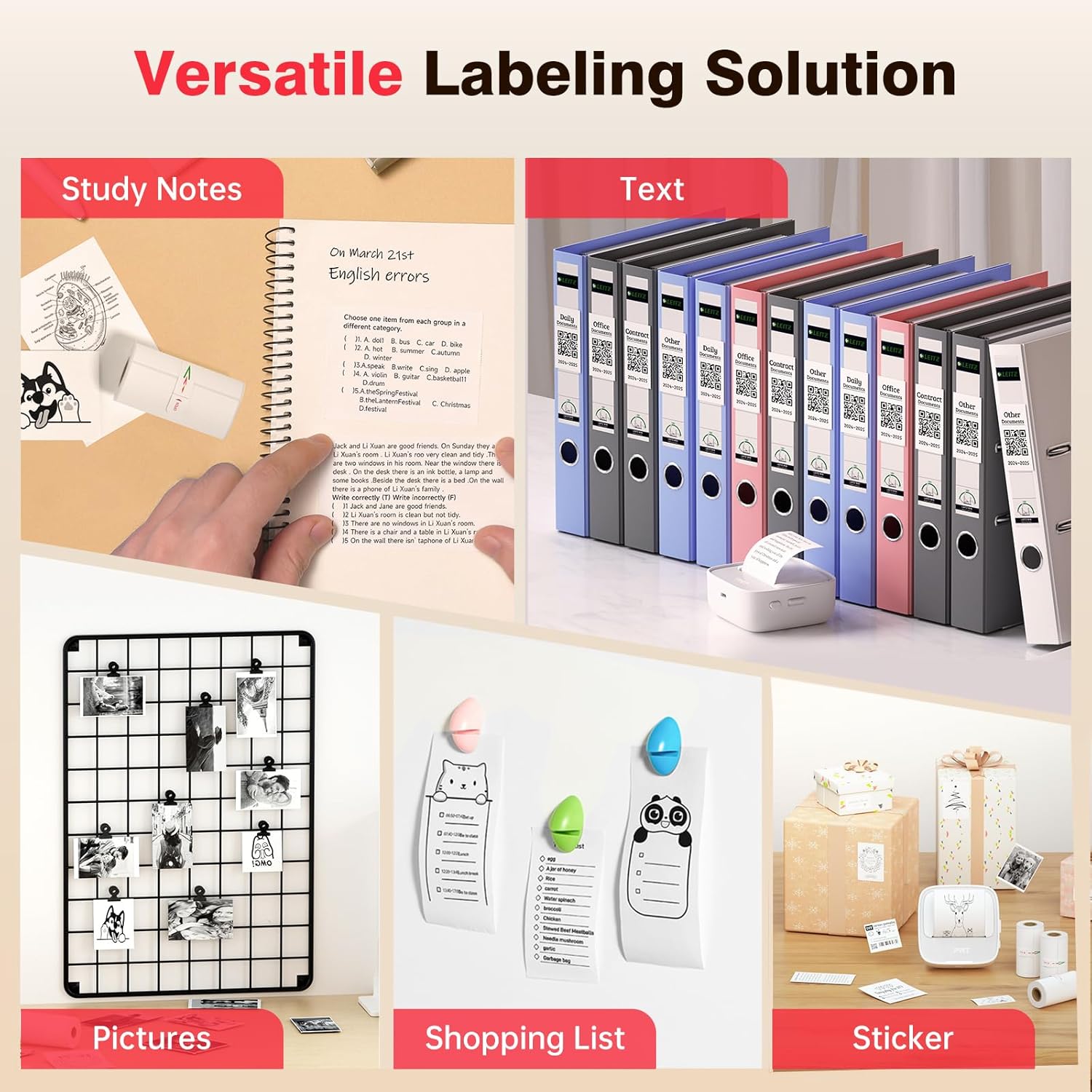
Image Description: A collage showcasing various applications of the PRT S1 Mini Printer. Examples include printing study notes in a notebook, text for binder labels, small pictures for a photo grid, shopping lists, and custom stickers for gifts.
- 사용자 정의(선택 사항): Use the app's editing tools to customize your print, such as adjusting size, adding frames, or applying filters.
- 인쇄: Tap the print button in the app. The printer will feed the paper and print the selected content.
- 뜯어내세요: Once printing is complete, gently tear the paper upwards against the printer's serrated edge.
앱 사용
The HerePrinter app offers a wide range of features to enhance your printing experience:
- DIY 맞춤형: Design your own stickers and labels with various text, image, and graphic options.

Image Description: A wide image showing the PRT S1 Mini Printer next to a smartphone displaying the HerePrinter app. The app interface shows various design elements like text, images, and templates, highlighting the DIY customization features for creating stickers.
- Templates and Fonts: Access a library of pre-designed templates for different purposes (e.g., study notes, to-do lists, labels) and a variety of fonts to personalize your prints.

Image Description: A wide image showcasing multiple smartphone screens, each displaying different templates and font options available within the HerePrinter app. This illustrates the wide variety of design choices users have for their prints.
- 이미지 인쇄: Print photos and images directly from your device's gallery. Note that the printer produces black and white thermal prints.
- Web페이지 인쇄: 콘텐츠를 바로 인쇄하세요 web 페이지.
유지
Proper maintenance ensures the longevity and performance of your PRT S1 Mini Thermal Printer:
- 프린트 헤드 청소:
- 프린터 전원을 끄고 전원 코드를 뽑으세요.
- 상단 덮개를 엽니다.
- Gently wipe the thermal print head (the black strip inside the printer) with a cotton swab lightly damp이소프로필 알코올로 마무리하십시오. 뚜껑을 닫기 전에 완전히 건조시키십시오.
- 프린트 헤드를 정기적으로 청소하십시오. 특히 인쇄 품질이 저하되는 경우 더욱 그렇습니다.
- 용지 취급:
- Use only high-quality thermal paper designed for mini printers.
- Store thermal paper in a cool, dry place away from direct sunlight and heat to prevent fading.
- Avoid touching the thermal paper surface excessively, as oils from your skin can affect print quality.
- 배터리 관리 :
- 배터리 수명 유지를 위해 자주 사용하지 않더라도 프린터를 정기적으로 충전하십시오.
- 배터리를 자주 완전히 방전시키지 마세요.
문제 해결
If you encounter issues with your PRT S1 Mini Thermal Printer, refer to the table below for common problems and solutions:
| 문제 | 가능한 원인 | 해결책 |
|---|---|---|
| 프린터가 켜지지 않음 | 배터리 부족; 전원 버튼을 제대로 누르지 않았습니다 | 프린터를 충전하려면 전원 버튼을 몇 초 동안 길게 누르십시오. |
| 블루투스로 연결할 수 없습니다 | 기기 블루투스 꺼짐; 프린터 페어링 모드 아님; 앱 문제 | Ensure Bluetooth is enabled on your phone/tablet; Restart printer and app; Forget device in Bluetooth settings and re-pair. |
| No print or blank page | No paper; Paper loaded incorrectly (upside down); Print head dirty | Load new paper; Ensure smooth side of paper faces up; Clean the print head. |
| 인쇄 품질이 좋지 않음 (흐릿하고 줄무늬가 있음) | Print head dirty; Low battery; Old/poor quality thermal paper | Clean the print head; Charge the printer; Replace thermal paper with a new roll. |
| 종이 걸림 | 용지가 잘못 적재되었습니다. 내부에 이물질이 있습니다. | Turn off printer, open cover, carefully remove jammed paper; Check for obstructions. |
명세서
Key technical specifications for the PRT S1 Mini Thermal Printer:
| 특징 | 세부 사항 |
|---|---|
| 모델명 | PRT-S1 |
| 인쇄 기술 | 열의 |
| 연결 기술 | 블루투스 |
| 최대 흑백 인쇄 해상도 | 203dpi Dots Per Inch |
| 최대 미디어 크기 | 2 인치 |
| 호환 장치 | Android, Smartphones, iPhone |
| 제어 방법 | 앱 |
| 제품 치수 | 7.09 x 4.33 x 1.57 인치 |
| 품목 무게 | 8.1 온스 |
| 배터리 | 1A 배터리 필요(포함) |
보증 및 지원
The PRT S1 Mini Thermal Printer comes with a limited warranty. For specific details regarding the warranty period and coverage, please refer to the warranty card included in your product packaging or contact PRT customer support.
For technical support, troubleshooting assistance, or inquiries about replacement parts and accessories, please visit the official PRT web웹사이트를 방문하거나 고객 서비스 부서에 문의하세요. 연락처 정보는 일반적으로 제품 포장이나 브랜드 공식 온라인 사이트에서 확인할 수 있습니다.
Note: No official seller videos were provided in the product data.


