1. 제품 오버view
The Tongtion Wireless HDMI Extender (Model H-1) provides a solution for extending HDMI video and audio signals wirelessly. It supports 1080P Full HD resolution at 60Hz and offers a transmission range of up to 1640 feet (500 meters) in line-of-sight conditions. Designed for plug-and-play operation, it eliminates the need for complex driver installations or software configurations, making it suitable for various applications including conference rooms, live events, and home theaters.
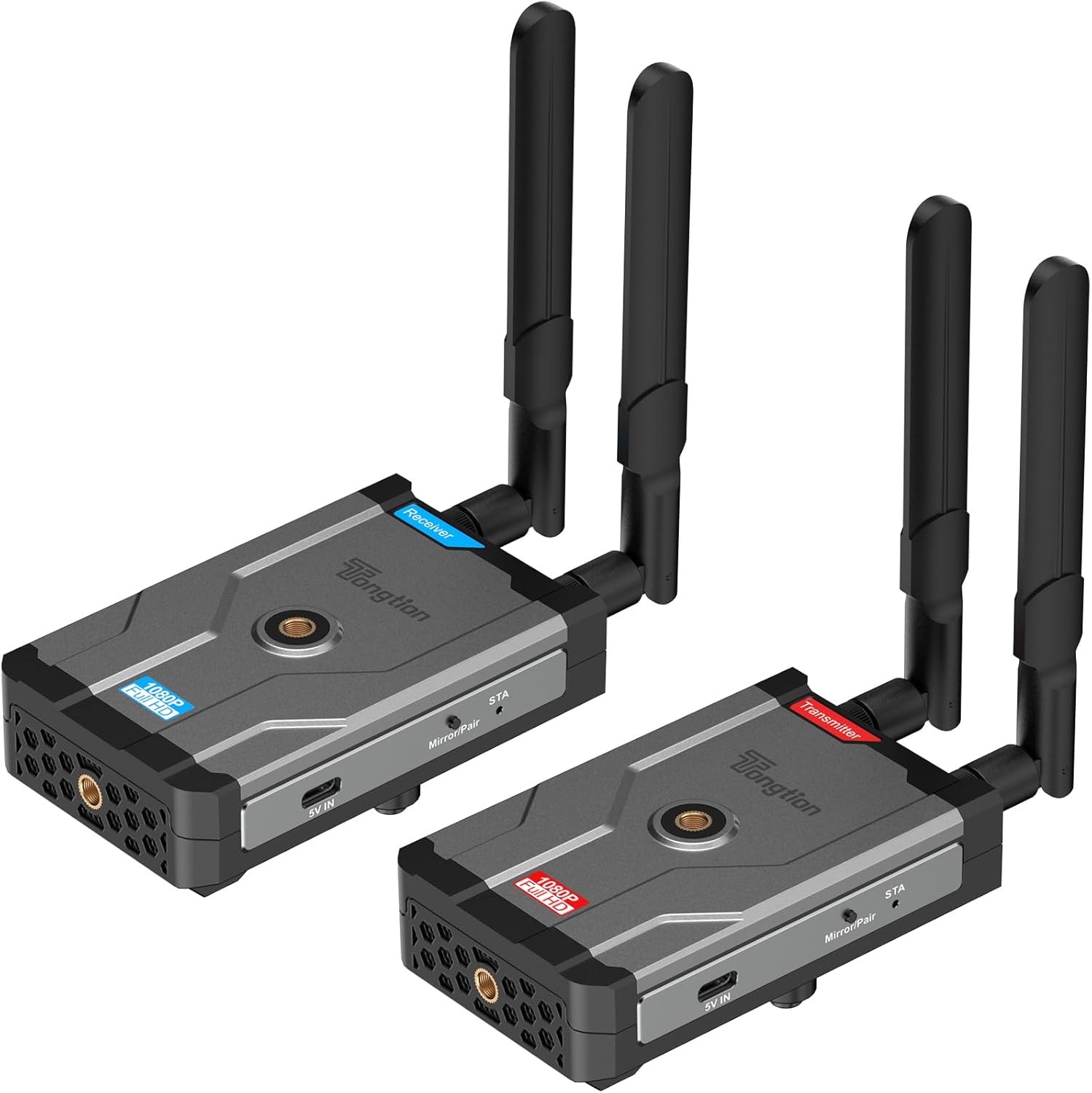
Image: The Tongtion Wireless HDMI Extender system, showing both the transmitter and receiver units with their antennas.
2. 상자 안에 무엇이 들어있나요?
패키지에 모든 구성 요소가 들어 있는지 확인하세요.
- 1 x 무선 HDMI 송신기
- 1 x 무선 HDMI 수신기
- 4 x 안테나
- 2 x 전원 어댑터
- USB-C 전원 케이블 2개
- 1 x 사용자 가이드
- HDMI 케이블

Image: A visual representation of the package contents, including the transmitter, receiver, antennas, power adapters, USB-C cables, and user guide.
3. 사양
| 특징 | 세부 사항 |
|---|---|
| 모델 번호 | H-1 |
| 해결 지원 | 1920×1080@60Hz (1080P Full HD) |
| 전송 범위 | Up to 500m (1640ft) Line-of-Sight |
| 무선 주파수 | 5GHz(802.11a/n) |
| 안테나 구성 | 2T2R Dual-Antenna |
| HDMI 표준 | HDMI1.4 / HDCP1.4 |
| 전원 옵션 | Power bank, NP-F series batteries (not included), USB-C ports |
| 색상 | 검은색 |
| 품목 무게 | 1.17파운드(0.53kg) |
| 제품 치수 | 5.87 x 3.74 x 0.96인치(14.9 x 9.5 x 2.4cm) |
| 특징 | 자동 보정 |
4. 설정 지침
The Tongtion Wireless HDMI Extender is designed for true plug-and-play operation, requiring no drivers or software installation.
- 안테나 연결: Screw the four provided antennas onto the designated ports on both the Transmitter and Receiver units. Ensure they are securely fastened.

이미지: 클로즈업 view of the transmitter and receiver units, highlighting the antenna connection points.
- 수신기에 전원을 공급하세요: Connect one end of a USB-C power cable to the Receiver unit's USB-C port and the other end to a power adapter. Plug the power adapter into an electrical outlet. Alternatively, use a power bank or compatible NP-F series battery (not included) for portable power.
- Connect Receiver to Display: Use an HDMI cable to connect the HDMI OUT port on the Receiver unit to the HDMI input port on your display device (e.g., TV, projector, monitor).
- 송신기에 전원을 공급하세요: Connect the second USB-C power cable to the Transmitter unit's USB-C port and the other end to its power adapter. Plug the power adapter into an electrical outlet. Similar to the receiver, a power bank or NP-F series battery can be used.
- 송신기와 소스를 연결하세요: Use an HDMI cable to connect the HDMI IN port on the Transmitter unit to the HDMI output port on your source device (e.g., laptop, camera, set-top box, PC, DV).

Image: A diagram illustrating the connection process: transmitter connected to a laptop and receiver connected to a television.
- 자동 페어링: The Transmitter and Receiver units are designed to pair automatically within seconds. No manual pairing or software configuration is typically required. Wait for the connection indicator lights on both units to show a stable connection.
Note: For optimal performance, ensure a clear line of sight between the transmitter and receiver, especially for longer distances. Walls and other obstructions can reduce the effective transmission range.
5. 사용 설명서
Once the setup is complete and the units are paired, the system operates automatically.
- 전원 켜기: 송신기와 수신기 모두 전원이 켜져 있는지 확인하십시오.
- 소스 장치 출력: Ensure your source device (laptop, camera, etc.) is outputting video via its HDMI port.
- 디스플레이 입력: Set your display device (TV, projector) to the correct HDMI input channel where the Receiver is connected.
- 신호 전송 : 입력 기기의 비디오 및 오디오 신호가 무선으로 디스플레이에 전송됩니다.
- One-Button Sync: If pairing is lost or you need to re-sync, press the sync button on both the Transmitter and Receiver units simultaneously.

Image: A visual representation of the extender in operation, showing a clear 1080P Full HD signal being transmitted wirelessly to a display.
5.1. Universal Device Compatibility
The system is compatible with a wide range of HDMI-enabled devices:
- 소스 장치: Cameras, Laptops, Set-top boxes, Switchers, PCs, DVs.
- 디스플레이 장치: Projectors, TVs, Monitors.
It supports HDMI1.4/HDCP1.4, allowing for protected content streaming from various platforms.

Image: An illustration demonstrating the broad compatibility of the wireless HDMI extender with various input and output devices.
5.2. Transmission Range and Performance
The device offers a long-range 5GHz dual-antenna transmission, minimizing interference and ensuring stable signal coverage.
- Line-of-Sight (LOS) Range: 최대 1640피트(500미터)
- Through-Wall Penetration: Effective range is reduced when transmitting through walls or obstructions. Typical ranges are 164-295 feet (50-90 meters) through complex home environments.
- 숨어 있음: The system is designed for low latency, suitable for video streaming and presentations. Note: Not recommended for gaming due to potential minor latency.

Image: A graphic depicting the extensive transmission range of 1640 feet and the low latency of 0.15 seconds, with a visual of the transmitter and receiver units.

이미지: 오버헤드 view of a house layout illustrating the signal penetration capabilities through walls and the difference between line-of-sight and obstructed transmission ranges.
6. 문제 해결
문제가 발생하면 다음의 일반적인 문제 해결 단계를 참조하세요.
- 디스플레이에 신호가 없습니다:
- Ensure both Transmitter and Receiver are powered on and their power indicators are lit.
- Verify all HDMI cables are securely connected to the correct ports (HDMI IN on Transmitter, HDMI OUT on Receiver).
- 디스플레이 장치가 올바른 HDMI 입력 소스로 설정되어 있는지 확인하십시오.
- Ensure the source device is outputting an HDMI signal.
- Try pressing the sync button on both units simultaneously to re-establish pairing.
- Reduce the distance between the Transmitter and Receiver, and remove any obstructions.
- Intermittent Signal / Poor Quality:
- 안테나가 단단히 고정되어 있고 올바른 방향으로 설치되어 있는지 확인하십시오.
- Check for strong interference sources (e.g., Wi-Fi routers, microwaves) operating on the 5GHz band nearby.
- Move the units closer together or adjust their positions to improve line of sight.
- Verify that the power supply is stable and sufficient for both units.
- 오디오 없음:
- 음원 기기의 오디오 설정을 확인하세요.
- Ensure the display device's volume is not muted or set too low.
- Confirm HDMI cables are fully inserted.
- 페어링되지 않은 유닛:
- 두 장치 모두 전원이 켜져 있는지 확인하세요.
- Perform a manual sync by pressing the pairing button on both units.
- Power cycle both the Transmitter and Receiver units.
7. 유지관리
무선 HDMI 확장기의 수명과 최적의 성능을 보장하려면 다음 유지 관리 지침을 따르십시오.
- 청소: 부드럽고 마른 천을 사용하여 기기 외부를 청소하세요. 액체 세제나 에어로졸은 사용하지 마세요.
- 저장: 장기간 사용하지 않을 경우, 직사광선과 극한 온도 변화를 피해 서늘하고 건조한 곳에 보관하십시오.
- 손질: Handle the units and antennas with care to avoid physical damage. Avoid dropping or subjecting them to strong impacts.
- 통풍: Ensure the units have adequate ventilation to prevent overheating, especially during prolonged operation. Do not block ventilation holes.
- 전원 공급 장치: Always use the provided power adapters or compatible power sources to prevent damage.
8. 보증 및 지원
The Tongtion Wireless HDMI Extender comes with a 1년 보증 구매일로부터.
Tongtion also provides 평생 지원 for this product. If you encounter any issues or have questions that are not covered in this manual, please contact Tongtion customer support through their official channels or refer to the 24/7 troubleshooting guides mentioned in the product features.
추가 지원을 받으려면 다음을 방문하세요. Tongtion Store on Amazon.