1. 서론
Thank you for choosing the itel Rhythm Pro True Wireless Earbuds. This manual provides essential information for setting up, operating, and maintaining your earbuds to ensure optimal performance and longevity. Please read this manual thoroughly before use.

Image 1.1: itel Rhythm Pro True Wireless Earbuds in their charging case.
2. 패키지 내용
패키지에 모든 품목이 들어 있는지 확인하세요.
- itel Rhythm Pro True Wireless Earbuds (Left and Right)
- 충전 케이스
- C형 충전 케이블
- 사용 설명서 (본 문서)
- Additional Eartips (various sizes, typically pre-installed medium)
3. 제품 오버view
The itel Rhythm Pro earbuds feature a compact design with advanced audio technology. Each earbud is equipped with a 10mm dynamic driver for clear sound and a microphone for calls. The charging case provides extended battery life and protects the earbuds.
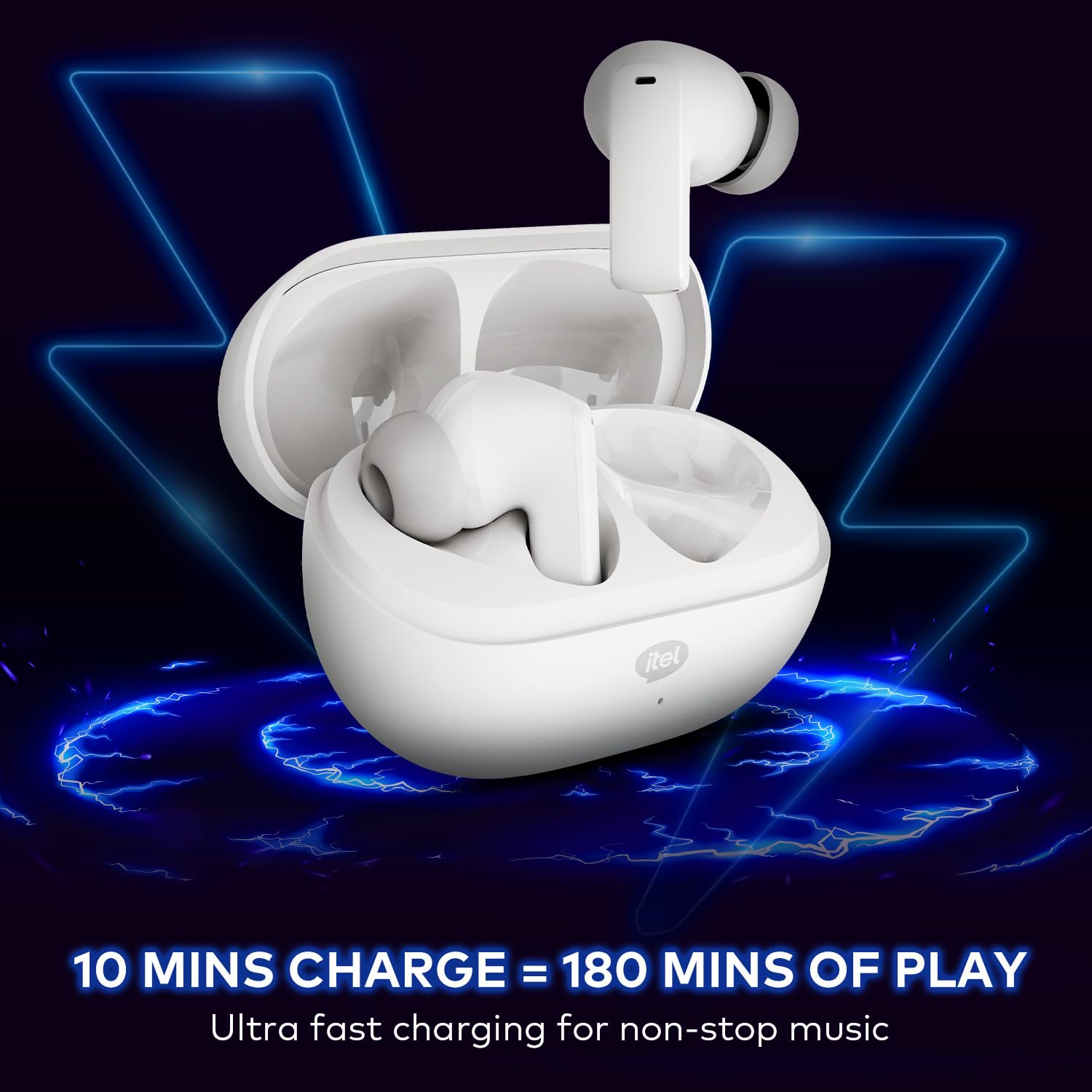
Image 3.1: itel Rhythm Pro True Wireless Earbuds removed from their charging case, showing individual earbud design.
이어버드 구성 요소:
- 터치 컨트롤 영역: 재생, 통화, 음성 지원을 관리합니다.
- 마이크로폰: For calls and AI Environmental Noise Cancellation (ENC).
- 충전 연락처: 충전 케이스에 연결합니다.
- 이어팁: 안전하고 편안한 착용감을 제공합니다.
충전 케이스 구성 요소:
- 이어버드 충전 슬롯: 이어버드를 보관하고 충전합니다.
- 충전 포트(USB Type-C): 충전 케이블을 연결합니다.
- LED 표시등: 충전 상태와 배터리 수준을 표시합니다.
4. 설정
4.1 이어버드와 케이스 충전
처음 사용하기 전에 이어버드와 충전 케이스를 완전히 충전하세요.
- 이어버드를 충전 케이스에 넣으세요. 이어버드가 각 슬롯에 제대로 꽂혔는지 확인하세요.
- Connect the provided C-type charging cable to the charging port on the case and to a USB power source (e.g., wall adapter, computer USB port).
- The LED indicator on the charging case will show the charging status. Refer to the LED indicator guide for details (usually solid or blinking light indicates charging, solid light indicates full charge).
- A 10-minute charge provides approximately 180 minutes of playback. A full charge provides up to 100 hours of total playtime with the charging case.

Image 4.1: Earbuds placed in the charging case, indicating charging process.
4.2 블루투스 기기와 페어링
The earbuds use Bluetooth V5.3 for stable and efficient connectivity.
- Open the charging case. The earbuds will automatically enter pairing mode (or power on if already charged). The LED indicator on the earbuds may flash to indicate pairing mode.
- 기기(스마트폰, 태블릿, 노트북)에서 Bluetooth를 활성화하세요.
- 검색 available Bluetooth devices. Select "itel Rhythm Pro" from the list.
- Once connected, the earbuds will indicate successful pairing (e.g., a voice prompt or LED change).
- 기기에서 Bluetooth가 활성화되어 있는 경우, 이어버드를 케이스에서 꺼내면 마지막으로 페어링된 기기에 자동으로 다시 연결됩니다.

Image 4.2: Detail of an earbud highlighting Bluetooth V5.3 for connectivity.
5. 사용 설명서
The itel Rhythm Pro earbuds feature intuitive touch controls. The exact functions may vary slightly based on your device and application.
5.1 음악 재생
- 재생/일시 중지: 양쪽 이어버드를 한 번 탭합니다.
- 다음 트랙: 오른쪽 이어버드를 두 번 탭합니다.
- 이전 트랙 : 왼쪽 이어버드를 두 번 탭합니다.
- 볼륨 업: 오른쪽 이어폰을 세 번 탭합니다.
- 볼륨 작게 : 왼쪽 이어버드를 세 번 탭합니다.
5.2 통화 관리
- 전화 받기/종료: 양쪽 이어버드를 한 번 탭합니다.
- 전화 거부: 양쪽 이어버드를 2초 동안 길게 누릅니다.
5.3 음성 어시스턴트
- Activate Voice Assistant (Google Assistant): 통화 중이 아닐 때 한쪽 이어버드를 2초간 길게 누릅니다.
5.4 전원 켜기/끄기
- 전원 켜기: 충전 케이스를 열거나, 양쪽 이어버드의 터치 영역을 3초 동안 길게 누르세요.
- 전원 끄기 : 이어버드를 충전 케이스에 다시 넣고 뚜껑을 닫거나, 양쪽 이어버드의 터치 영역을 5초 동안 길게 누르세요.
6. 유지관리
6.1 청소
- 부드럽고 마른 보푸라기 없는 천으로 이어버드와 충전 케이스를 정기적으로 청소하세요.
- 이어팁을 제거하고 순한 비누와 물로 세척한 후, 다시 부착하기 전에 완전히 말리세요.
- 적절한 충전을 유지하려면 이어버드와 케이스의 충전 접점이 깨끗하고 이물질이 없는지 확인하세요.
6.2 보관
- 사용하지 않을 때는 이어버드를 충전 케이스에 보관하여 보호하고 충전 상태를 유지하세요.
- 극한의 온도와 직사광선을 피해 서늘하고 건조한 곳에 보관하세요.
6.3 방수 등급(IPX5)
The itel Rhythm Pro earbuds are IPX5 water-resistant, meaning they are protected against low-pressure water jets from any direction. This makes them suitable for workouts and light rain. They are not designed for submersion in water or exposure to heavy rain.
- 이어폰을 의도적으로 물에 담그지 마세요.
- Avoid using them in saunas or steam rooms.
- 이어버드가 젖었을 경우, 충전 접점 손상을 방지하기 위해 충전 케이스에 다시 넣기 전에 완전히 물기를 닦아내십시오.

Image 6.1: The IPX5 water resistance rating ensures protection against splashes.
7. 문제 해결
이어버드에 문제가 발생하면 다음 해결 방법을 시도해 보세요.
- 이어버드가 페어링되지 않음:
- 양쪽 이어버드가 모두 충전되어 있는지 확인하세요.
- 기기의 Bluetooth를 껐다가 다시 켜세요.
- Forget "itel Rhythm Pro" from your device's Bluetooth list and try pairing again.
- 이어버드를 케이스에 다시 넣고 뚜껑을 닫은 후 몇 초간 기다린 후 열어서 페어링 모드로 다시 들어가세요.
- 이어버드가 하나만 작동합니다:
- 양쪽 이어버드가 모두 충전되어 있는지 확인하세요.
- Try placing both earbuds back in the charging case, close the lid, then take them out again.
- Perform a factory reset (refer to specific instructions if available, otherwise try forgetting the device and re-pairing).
- 소리가 나지 않거나 볼륨이 낮음:
- 기기와 이어버드의 볼륨 레벨을 확인하세요.
- 이어버드가 기기에 제대로 연결되었는지 확인하세요.
- 이어버드 스피커 메시에서 이물질을 청소하세요.
- 충전 문제:
- 충전 케이블이 케이스와 전원에 모두 단단히 연결되어 있는지 확인하세요.
- 다른 충전 케이블이나 전원 어댑터를 사용해 보세요.
- 이어버드와 케이스 내부의 충전 접점을 청소하세요.
8. 사양
Below are the technical specifications for the itel Rhythm Pro True Wireless Earbuds:
| 특징 | 사양 |
|---|---|
| 모델명 | Rhythm Pro (BudsNeo 3) |
| 연결 기술 | 블루투스 V5.3 |
| 오디오 드라이버 크기 | 10mm 다이나믹 드라이버 |
| 소음 제어 | AI 기반 환경 소음 제거(ENC) |
| 플레이 시간 (케이스 포함 총 시간) | 최대 100시간 |
| 빠른 충전 | 10분 충전 = 180분 재생 |
| 방수 레벨 | IPX5 |
| 제어 유형 | 터치, 음성(구글 어시스턴트) |
| 재료 | 폴리카보네이트(PC) |
| 품목 무게 | 46그램 |
| 제품 치수 | 6.8 x 2.7 x 4.9cm |
| 배터리 유형 | Lithium Ion / Lithium Polymer |
| 블루투스 범위 | 10 미터 |
| 오디오 지연 | 45밀리초 |
| 임피던스 | 32옴 |
9. 보증 및 지원
Your itel Rhythm Pro True Wireless Earbuds are covered by a standard manufacturer's warranty. Please refer to the warranty card included in your package for specific terms and conditions, including warranty period and coverage details.
For technical support, troubleshooting assistance, or warranty claims, please contact itel customer service through their official website or the contact information provided with your product documentation. Keep your purchase receipt as proof of purchase for warranty services.


