1. 서론
This manual provides essential information for setting up, operating, and maintaining your FOSSiBOT S1 smartphone. Please read it carefully to ensure proper use and to maximize the device's performance and longevity.
2. 패키지 내용
제품 상자에 모든 품목이 들어 있는지 확인하세요.
- FOSSiBOT S1 Smartphone
- TPU 케이스
- SIM 카드 핀
- Type-C USB 케이블
- 10W 충전기
- 사용설명서/보증서

3. 디바이스 오버view
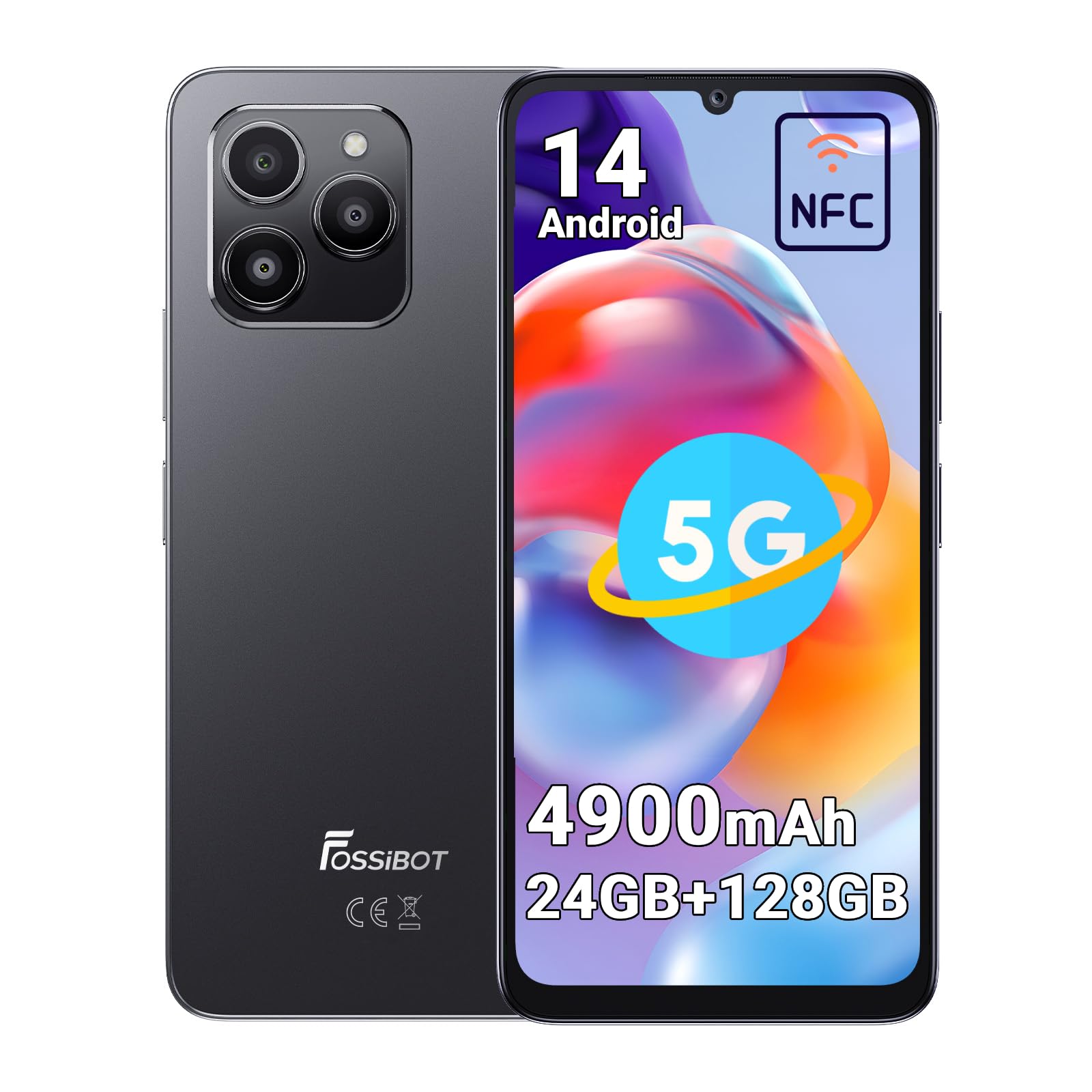
The FOSSiBOT S1 features a sleek design with a large display and strategically placed components for ease of use.
3.1 물리적 구성 요소
- 표시하다: 6.75인치 HD+ 화면.
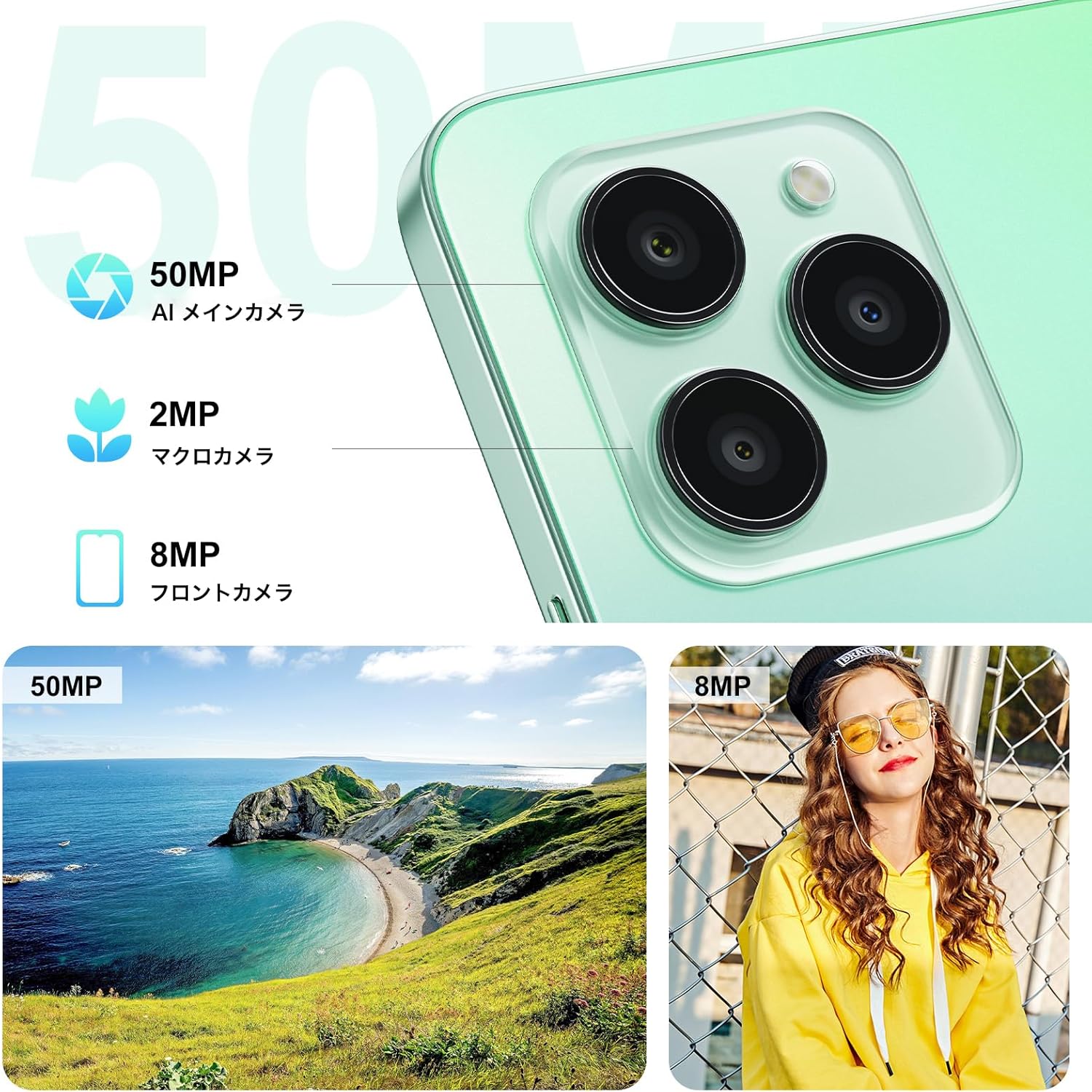
- 후방 카메라: 50MP AI Main Camera, 2MP Macro Camera.
- 전면 카메라: 8MP.
- 측면 지문 센서: Integrated into the power button.
- USB 타입-C 포트: 충전 및 데이터 전송용입니다.
- SIM/MicroSD 카드 슬롯: Supports Dual SIM and expandable storage.
4. 설정
4.1 SIM 카드 및 MicroSD 카드 설치
- 기기 측면에서 SIM 카드 트레이를 찾으세요.
- 제공된 SIM 꺼내기 도구를 트레이 옆에 있는 작은 구멍에 넣고 트레이가 튀어나올 때까지 가볍게 누르세요.
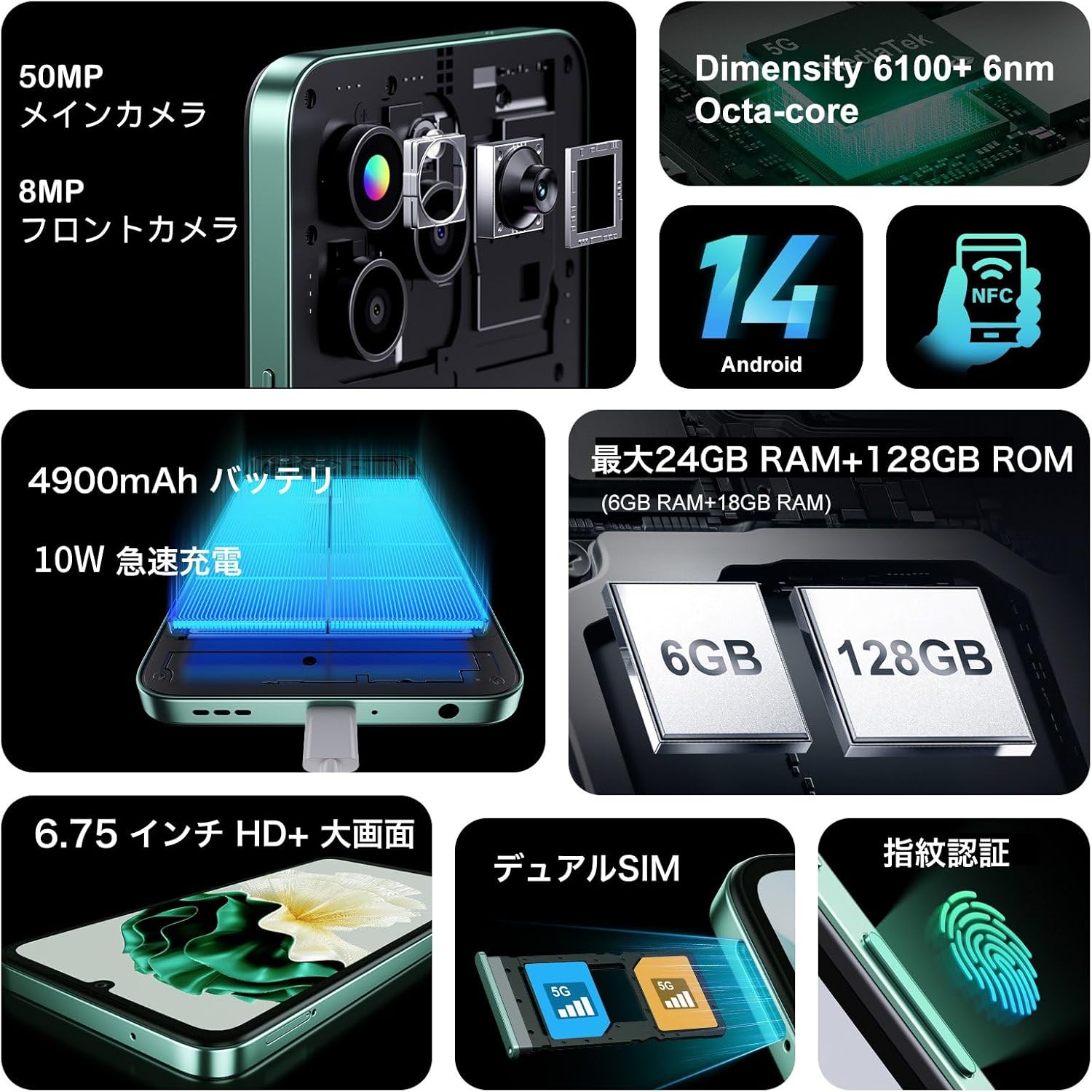
- Place your Nano-SIM cards (up to two) and/or a MicroSD card (for storage expansion up to 1TB) into the designated slots on the tray. Ensure the metal contacts face downwards.
- 트레이를 조심스럽게 전화기에 다시 삽입하여 제자리에 고정되도록 합니다.
4.2 초기 전원 켜기 및 기본 설정
- Press and hold the Power button (located on the side) until the FOSSiBOT logo appears.
- 화면의 안내에 따라 언어를 선택하고, Wi-Fi 네트워크에 연결하고, Google 계정을 설정하세요.
- Configure security features such as Face ID and Fingerprint ID for convenient and secure unlocking.
5. 사용 설명서
5.1 전원 켜기/끄기 및 다시 시작
- 전원 켜기: 기기가 진동하고 로고가 나타날 때까지 전원 버튼을 길게 누르세요.
- 전원 끄기/다시 시작: Press and hold the Power button for a few seconds. A menu will appear with options to Power Off or Restart.
5.2 화면 탐색
The FOSSiBOT S1 runs on Android 14, offering intuitive touch and gesture navigation:
- 수도꼭지: 항목을 선택하고 앱을 엽니다.
- 강타: Scroll through pages, navigate between home screens.
- 핀치 투 줌: Adjust zoom level in photos, maps, and web 페이지.
5.3 지문 및 얼굴 잠금 해제
For enhanced security and convenience, the FOSSiBOT S1 supports both fingerprint and face recognition.
- 지문 인식: 지문을 등록하세요 설정 > 보안 > 지문 잠금 해제. The sensor is integrated into the side power button.
- 페이스 ID: 얼굴 인식 설정은 다음을 통해 진행하세요. 설정 > 보안 > 얼굴 인식 잠금 해제.

5.4 카메라 사용
다양한 카메라 시스템으로 고품질의 사진과 비디오를 촬영하세요.
- 50MP AI 메인 카메라: For detailed and vibrant shots. Supports Night Mode, Portrait Mode, HDR, Macro, and Panorama.
- 8MP 전면 카메라: 셀카와 영상 통화에 이상적입니다.
- 2MP 매크로 카메라: 작은 물체의 근접 촬영에 적합합니다.
5.5 NFC 기능
The FOSSiBOT S1 supports NFC (Near Field Communication) for contactless payments and quick data exchange.
- Enable NFC in 설정 > 연결된 기기 > 연결 기본 설정 > NFC.
- Tap your phone to compatible NFC readers for payments or to other NFC-enabled devices for data transfer.

5.6 Connectivity (5G, Wi-Fi, GPS)
Stay connected with high-speed 5G, reliable Wi-Fi, and precise GPS navigation.
- 5G 네트워크: Enjoy fast mobile data speeds. Ensure your SIM card and plan support 5G.
- 와이파이: 인터넷 접속을 위해 무선 네트워크에 연결하세요.
- GPS: 탐색 및 위치 기반 앱에 위치 서비스를 활용하세요.

5.7 배터리 및 충전
The FOSSiBOT S1 is equipped with a 4900mAh battery and supports 10W fast charging.
- Use the provided 10W charger and Type-C USB cable for optimal charging speed.
- 손상된 충전기나 케이블은 사용하지 마세요.

6. 주요 특징
6.1 디스플레이
Experience immersive visuals on the 6.75-inch HD+ display.
- 크기: 6.75인치
- 해결: 720*1600
- 종횡비: 20시 9분
- 화면 대 본체 비율: 94%

6.2 프로세서
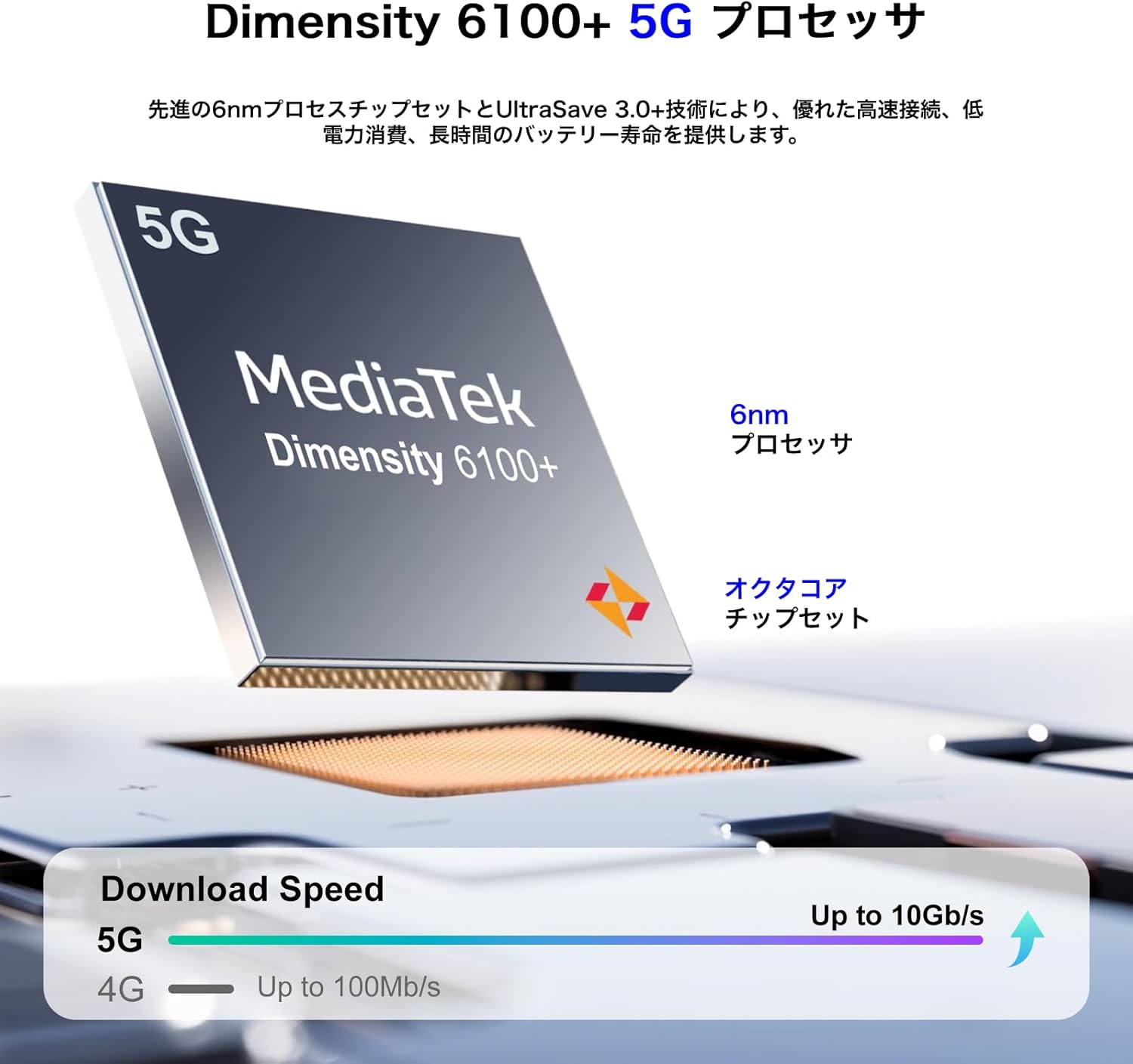
Powered by the MediaTek Dimensity 6100+ 5G Octa-core processor for smooth performance.
- 칩셋: 차원 6100+
- 프로세스: 6나노미터
- 코어: 옥타코어
- 연결성: 5G 지원
6.3 메모리 및 저장
Generous memory and expandable storage for all your needs.
- 숫양: 최대 24GB (실물 6GB + 가상 18GB)
- 내부 저장소(ROM): 128GB
- 확장 가능한 스토리지: Up to 1TB via TF card (MicroSD)

6.4 운영 체제
The FOSSiBOT S1 runs on the latest Android 14, providing a smooth and secure user experience with access to the Google Play Store.
7. 유지관리
7.1 장치 청소
- 부드럽고 보푸라기가 없는 천을 사용하여 휴대전화 화면과 본체를 닦으세요.
- 가혹한 화학물질이나 연마재의 사용은 피하세요.
- 포트에 먼지나 이물질이 없도록 하세요.
7.2 소프트웨어 업데이트
기기에 최신 기능, 보안 패치, 성능 향상 기능이 적용되어 있는지 확인하려면 소프트웨어 업데이트를 정기적으로 확인하고 설치하세요. 설정 > 시스템 > 시스템 업데이트.
7.3 배터리 관리
- 극한의 온도는 배터리 수명을 단축시킬 수 있으므로 피하세요.
- 배터리를 자주 완전히 방전시키지 마세요.
- 장기간 기기를 보관할 경우, 전원을 끄기 전에 배터리를 약 50% 정도 충전해 두십시오.
8. 문제 해결
8.1 장치가 켜지지 않음
- 배터리가 충전되어 있는지 확인하세요. 충전기를 연결하고 몇 분 정도 기다린 후 전원을 켜보세요.
- 최소 10~15초 동안 전원 버튼을 길게 눌러 강제로 다시 시작하세요.
8.2 앱 충돌 또는 정지
- 문제가 있는 앱의 캐시를 지웁니다.설정 > 앱 > [앱 이름] > 저장공간 > 캐시 지우기).
- Google Play 스토어에서 앱을 최신 버전으로 업데이트하세요.
- 문제가 지속되면 앱을 제거했다가 다시 설치하세요.
8.3 네트워크 연결 불량
- SIM 카드가 제대로 삽입되었는지 확인하세요.
- 장치를 다시 시작합니다.
- 비행기 모드 켜기/끄기 전환 (Settings > Network & internet > Airplane mode).
- 모바일 데이터 또는 Wi-Fi가 활성화되어 있고 올바르게 설정되어 있는지 확인하십시오.
9. 사양
| 특징 | 사양 |
|---|---|
| 상표 | 포시봇 |
| 모델 번호 | S1 |
| 운영 체제 | 안드로이드 14 |
| 화면 크기 | 6.75인치 |
| 설치된 RAM 메모리 크기 | 128 GB (expandable up to 24GB with virtual RAM) |
| 메모리 저장 용량 | 128GB (TF 카드를 통해 최대 1TB까지 확장 가능) |
| 연속 사용 시간 | 22시간 |
| 패키지 크기 | 22.8 x 22 x 6.4 cm; 540g |
| 첫 번째 가능한 날짜 | 2024/9/14 |
10. 보증 및 지원
Your FOSSiBOT S1 smartphone comes with a standard manufacturer's warranty. Please refer to the warranty card included in your package for specific terms and conditions.
For technical support, troubleshooting assistance, or warranty claims, please contact FOSSiBOT customer service through their official web사이트 또는 보증서에 제공된 연락처 정보를 참조하세요.
Always ensure you purchase from authorized retailers to guarantee valid warranty support.


