1. 서론
Thank you for choosing the Vieta Pro Easy 2 Portable Bluetooth Speaker. This manual provides essential information for setting up, operating, and maintaining your speaker. Please read it carefully before use to ensure optimal performance and longevity of your device.
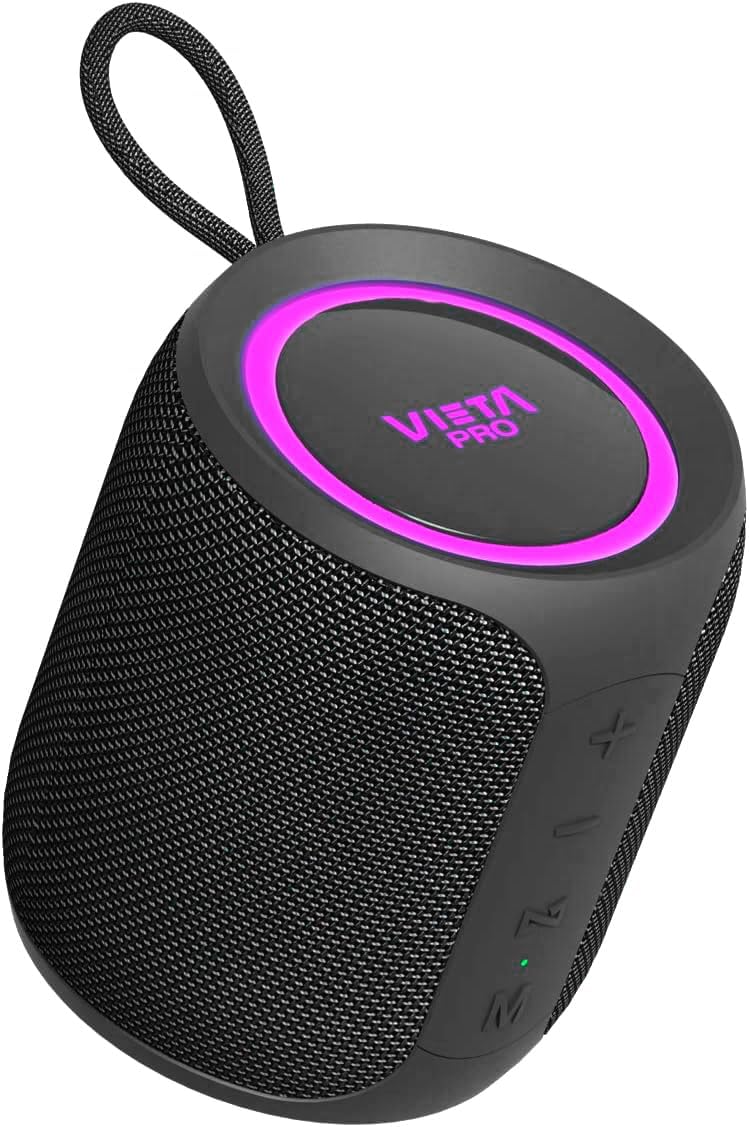
Image 1.1: Vieta Pro Easy 2 Portable Bluetooth Speaker
The Vieta Pro Easy 2 is a versatile portable speaker designed for high-quality audio on the go. It features 20W powerful sound, FM Radio, IPX7 water resistance, a 12-hour battery life, a built-in microphone for hands-free calls, stereo sound capabilities, USB-C charging, and True Wireless Stereo (TWS) functionality.
2. 패키지 내용
다음 항목에 대한 상자를 체크해 주세요.
- 1x Vieta Pro Easy 2 Portable Bluetooth Speaker
- 1x USB-C 충전 케이블
- 1x 3.5mm Jack Audio Cable
- 1x 사용자 매뉴얼(이 문서)
3. 제품 오버view
3.1. 스피커 구성 요소

이미지 3.1: 후면 view of the speaker with controls
- 전원 버튼: Long press to power on/off. Short press to change playback mode.
- 볼륨 높이기(+) / 다음 트랙: 짧게 누르면 다음 트랙으로, 길게 누르면 볼륨이 커집니다.
- 볼륨 낮추기(-) / 이전 트랙: 짧게 누르면 이전 트랙으로 돌아갑니다. 길게 누르면 볼륨이 감소합니다.
- Play/Pause / Call / Voice Assistant (M): Short press to play/pause music or answer/end calls. Long press to activate voice assistant.
- 모드 버튼(M): Short press to switch between Bluetooth, FM Radio, USB, and Aux-In modes.
- LED 표시등: Shows charging status, Bluetooth pairing status, and mode.
3.2. 포트
- USB-C 포트: 스피커를 충전합니다.
- USB 포트: USB 플래시 드라이브에서 음악을 재생합니다.
- Aux-In Port (3.5mm): 케이블을 통해 외부 오디오 장치를 연결하는 데 사용합니다.
4. 설정
4.1. 스피커 충전
Before first use, fully charge the speaker. Connect the supplied USB-C cable to the speaker's USB-C port and the other end to a USB power adapter (not included) or a computer's USB port. The LED indicator will show charging status and turn off when fully charged.
4.2. 전원 켜기/끄기
- To power on: Long press the Power button. The speaker will emit an audible prompt and the LED indicator will light up.
- To power off: Long press the Power button again. The speaker will emit an audible prompt and the LED indicator will turn off.
4.3. 블루투스 페어링
스피커를 Bluetooth 지원 장치에 연결하려면:
- Ensure the speaker is powered on and in Bluetooth mode. If not, short press the Mode button until you hear the "Bluetooth mode" prompt. The LED indicator will flash, indicating it's in pairing mode.
- 스마트폰, 태블릿 또는 기타 기기에서 Bluetooth를 활성화하세요.
- 검색 available Bluetooth devices and select "Vieta Pro Easy 2" from the list.
- Once connected, the speaker will confirm with an audible prompt, and the LED indicator will stop flashing and remain solid.
4.4. True Wireless Stereo(TWS) 페어링
TWS allows you to connect two Vieta Pro Easy 2 speakers for a stereo sound experience.
- Ensure both Easy 2 speakers are powered on and not connected to any Bluetooth device.
- On one speaker (this will be the primary speaker), long press the Play/Pause button until you hear a pairing tone.
- 두 스피커가 자동으로 연결됩니다. 연결되면 확인음이 들립니다.
- Now, connect your Bluetooth device to the primary speaker as described in section 4.3. Both speakers will play audio in stereo.
5. 사용 설명서
5.1. Music Playback (Bluetooth/USB/Aux-In)
- 재생/일시 중지: 재생/일시 정지 버튼을 짧게 누릅니다.
- 다음 트랙: 볼륨 높이기(+) 버튼을 짧게 누르세요.
- 이전 트랙 : 볼륨 낮추기(-) 버튼을 짧게 누르세요.
- 볼륨 조절: Long press the Volume Up (+) button to increase volume. Long press the Volume Down (-) button to decrease volume.
5.2. FM 라디오
FM 라디오 기능을 사용하려면:
- Short press the Mode button to switch to FM Radio mode.
- 재생/일시정지 버튼을 길게 누르면 사용 가능한 FM 방송국을 자동으로 검색하고 저장합니다.
- Short press the Volume Up (+) or Volume Down (-) buttons to switch between saved stations.
Note: The FM radio functionality is basic and does not display the frequency. Station selection is sequential through saved channels.
5.3. USB 재생
MP3 오디오가 포함된 USB 플래시 드라이브를 삽입하세요 files into the USB port. The speaker will automatically switch to USB mode and begin playback. Use the music playback controls as described in section 5.1.
5.4. Aux-In Mode
Connect an external audio device (e.g., MP3 player, computer) to the speaker's 3.5mm Aux-In port using the provided audio cable. The speaker will automatically switch to Aux-In mode. Control playback from your connected device.
5.5. 핸즈프리 통화
블루투스를 통해 스마트폰에 연결하면 스피커를 사용하여 핸즈프리 통화를 할 수 있습니다.
- 전화 받기: 재생/일시 정지 버튼을 짧게 누릅니다.
- 통화 종료: 통화 중에 재생/일시 정지 버튼을 짧게 누르세요.
- 전화 거부: 재생/일시정지 버튼을 길게 누르세요.
5.6. 음성 지원
The speaker supports voice assistants like Alexa, Google Assistant, and Siri.
- Voice Assistant 활성화 : Long press the Play/Pause button. The speaker will activate the voice assistant on your connected smartphone.
6. 유지관리
- 청소: 부드럽고 마른 천으로 스피커를 닦으세요. 연마성 세제나 용제는 사용하지 마세요.
- 방수(IPX7): The speaker is IPX7 water-resistant, meaning it can be submerged in up to 1 meter of water for 30 minutes. Ensure all port covers are securely closed before exposure to water. After exposure to water, dry the speaker thoroughly before charging.

Image 6.1: Speaker demonstrating IPX7 water resistance
7. 문제 해결
| 문제 | 가능한 원인 | 해결책 |
|---|---|---|
| 스피커 전원이 켜지지 않습니다 | 배터리 부족 | 스피커를 완전히 충전하세요. |
| 소리가 나지 않습니다 | 볼륨이 너무 낮거나 음소거됨 | Increase volume on speaker and connected device. Check if device is muted. |
| 블루투스 페어링 실패 | 스피커가 페어링 모드가 아니거나 기기가 너무 멀리 떨어져 있습니다. | Ensure speaker is in Bluetooth pairing mode (flashing LED). Move device closer to speaker. Forget speaker from device's Bluetooth list and re-pair. |
| FM 라디오 수신 불량 | 약한 신호 | Move speaker to a location with better signal. Re-scan for stations. |
| TWS 페어링 실패 | 다른 장치에 이미 연결된 스피커 | TWS 페어링을 시작하기 전에 두 스피커 모두 다른 블루투스 장치에서 연결 해제되었는지 확인하십시오. |
8. 사양
- 상표: 비에타 프로
- 모델 이름: 쉬운 2
- 모델 번호: FBM-VM-BS36BK
- 스피커 유형: 휴대용 블루투스 스피커
- 연결 기술 : 블루투스 5.0
- 출력 전력: 20 와트
- 오디오 출력 모드: 스테레오 재생
- 주파수 응답: 80.2Hz
- 배터리 수명: 최대 12시간
- 충전 포트: USB-C
- 방수 기능: IPX7
- 특별 기능: True Wireless Stereo (TWS), Built-in Microphone, Voice Assistant Button, FM Radio, USB Playback, Aux-In
- 치수(길이 x 너비 x 높이): 8.4cm x 9.5cm x 8.4cm
- 무게: 550g
- 재료: Silicone or Rubber

Image 8.1: Speaker dimensions
9. 보증 및 지원
The Vieta Pro Easy 2 Portable Bluetooth Speaker comes with a limited warranty. For specific warranty terms and conditions, please refer to the warranty card included in your package or contact Vieta Pro customer support.
For technical assistance, troubleshooting, or any other inquiries, please visit the official Vieta Pro web사이트 또는 고객 서비스 부서에 문의하십시오.


