소개
This manual provides essential instructions for the setup, operation, and maintenance of your SLuB ZW60 Smartwatch. Please read this guide thoroughly before using your device to ensure proper function and longevity. The SLuB ZW60 features a 1.43-inch touchscreen, Bluetooth 5.3 connectivity, music player capabilities, various sports modes, IP67 dust and water resistance, and comprehensive health monitoring functions.
중요 참고 사항: The health management functions of this smartwatch are for reference only and cannot be used for medical purposes. This product is not a medical device.
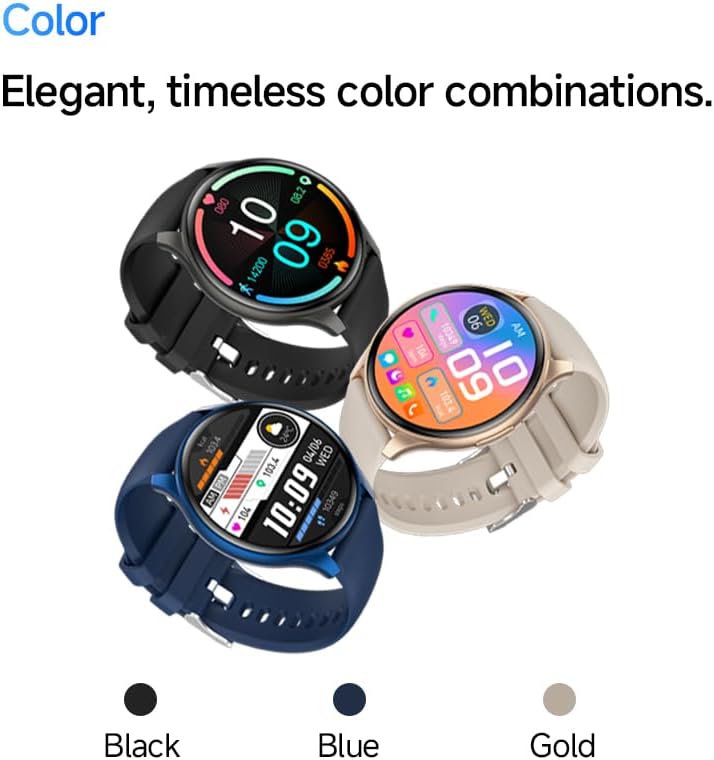
Image: The SLuB ZW60 Smartwatch in various color options (Black, Blue, Gold), highlighting its round display and overall design.
상자 안에 무엇이 들어있나요?
포장을 개봉하신 후 다음 품목들이 모두 들어 있는지 확인하십시오.
- SLuB ZW60 Smartwatch
- 자기 충전 케이블
- 사용 설명서 (본 문서)

Image: Contents of the SLuB ZW60 Smartwatch package, showing the smartwatch, its magnetic charging cable, and the printed user manual.
설정
1. 스마트워치 충전하기
Before initial use, fully charge your SLuB ZW60 Smartwatch. Connect the magnetic charging cable to the charging contacts on the back of the watch and plug the USB end into a standard USB power adapter (not included) or a computer's USB port. The watch display will indicate charging status. A full charge typically takes approximately 2 hours.
2. App Installation: H Band
To unlock the full functionality of your smartwatch, download and install the dedicated "H Band" application on your smartphone. 검색 "H Band" in your device's app store (Google Play Store for Android or Apple App Store for iOS).

Image: The smartwatch screen showing a grid of colorful application icons, illustrating the "H Band" app integration and multi-menu screen options.
3. 블루투스 페어링
- 스마트워치가 충전되어 있고 전원이 켜져 있는지 확인하세요.
- 스마트폰에서 블루투스를 활성화하세요.
- Open the "H Band" app.
- Follow the in-app instructions to search for and connect to your SLuB ZW60 Smartwatch. The app will guide you through the pairing process.
- 메시지가 표시되면 스마트폰과 스마트워치 모두에서 페어링 요청을 확인하세요.
Once paired, the smartwatch will synchronize data with the app and enable features like call notifications and message alerts.
작동 지침
기본 탐색
- 터치스크린: 왼쪽, 오른쪽, 위, 아래로 스와이프하여 메뉴와 화면을 탐색하세요. 탭하여 항목을 선택하세요.
- 측면 버튼: 일반적으로 화면을 켜거나, 홈 화면으로 돌아가거나, 앱 메뉴에 액세스하는 데 사용됩니다. 특정 기능은 화면의 안내 메시지를 참조하세요.
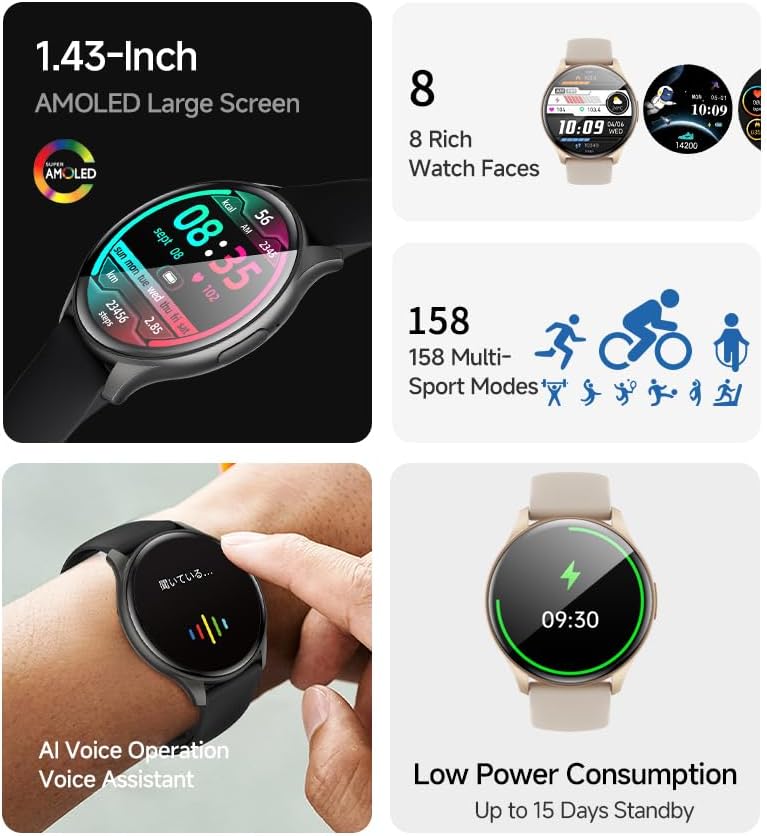
이미지: 스마트워치 쇼케이스asing its 1.43-inch AMOLED display with a customizable watch face, and visual cues for its 158 multi-sport modes, AI voice operation, and low power consumption.
호출 기능
With the smartwatch connected to your smartphone via Bluetooth, you can make and receive calls directly from your wrist. The built-in speaker and microphone allow for hands-free communication.
- 전화 걸기: Access the dial pad or contacts list on your smartwatch to initiate a call.
- 전화 받기: 전화가 오면 스마트워치에 발신자 번호가 표시됩니다. 초록색 아이콘을 탭하면 전화를 받고, 빨간색 아이콘을 탭하면 전화를 거절할 수 있습니다.
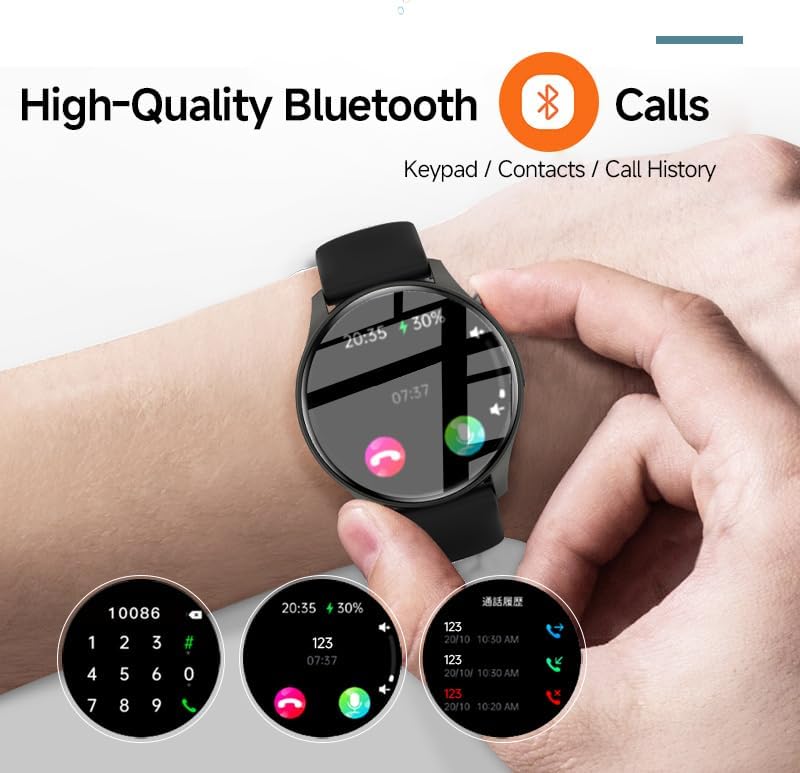
Image: The smartwatch screen showing the Bluetooth calling feature, including a numeric keypad for dialing, recent call history, and contact access.
메시지 알림
Once paired with your smartphone, the smartwatch can display notifications from various apps, including emails, social media, and messaging services. This allows you to stay informed without needing to check your phone constantly.
- Ensure app notifications are enabled in your smartphone's settings and within the "H Band" app.
- 시계 화면을 아래로 살짝 밀어 view 최근 알림.

Image: The smartwatch showing a message notification, indicating its ability to sync alerts from popular communication applications like WeChat, LINE, and others.
Health Management Functions
The SLuB ZW60 Smartwatch is equipped with multiple sensors to monitor various health metrics. Access these features through the watch menu or the "H Band" app.
- 심박수 모니터링 : Continuously or periodically measures your heart rate.
- 수면 모니터링: 깊은 수면, 얕은 수면, 기상 시간 등 수면 패턴을 추적합니다.
- 칼로리 섭취량: Estimates calories burned based on activity levels.
- 운동 데이터: Records steps, distance, and other activity metrics.
Disclaimer: The data provided by these functions is for general wellness and fitness purposes only and should not be used for medical diagnosis or treatment.

Image: The smartwatch illustrating its 24-hour health management capabilities, including heart rate, body temperature, and sleep quality monitoring.
스포츠 모드
The smartwatch supports over 150 sports modes, allowing you to accurately track your workouts. Common modes include running, cycling, badminton, basketball, and football.
- 시계의 스포츠 메뉴에서 원하는 스포츠를 선택하세요.
- The watch will record duration, calories burned, and other relevant metrics for your activity.
- Review detailed statistics in the "H Band" app after your workout.
뮤직 플레이어 제어
Control music playback on your connected smartphone directly from your smartwatch. You can play, pause, skip tracks, and adjust volume.
AI 보이스 어시스턴트
Utilize the integrated AI Voice Assistant for quick commands and information retrieval. Activate the assistant via the watch interface and speak your commands.
사용자 정의 가능한 시계 모드
Choose from a variety of pre-installed watch faces or customize your own through the "H Band" app to match your style and display preferred information.
유지
스마트워치 청소
정기적인 청소는 기기의 외관과 기능을 유지하는 데 도움이 됩니다.
- 부드럽고 보푸라기가 없는 천으로 화면과 본체를 닦으세요.
- 완고한 먼지에는 약간 damp천에 물을 묻혀 닦으세요. 강한 화학 물질이나 연마재는 사용하지 마세요.
- 충전하기 전에 충전 접점이 깨끗하고 건조한지 확인하세요.
방수 기능(IP67)
The SLuB ZW60 Smartwatch is rated IP67, meaning it is dust-tight and can withstand immersion in water up to 1 meter (3.3 feet) for up to 30 minutes. This makes it suitable for daily use, such as washing hands or light rain exposure.
- 하지 마세요 use the watch for swimming, diving, or showering with hot water.
- 피하다 exposing the watch to high-pressure water or steam.
- 시계가 젖었을 경우, 충전이나 작동 전에 완전히 말려주세요.
배터리 수명 팁
- 화면 밝기를 낮추세요.
- 불필요한 알림을 비활성화하세요.
- 필요하지 않은 경우 심박수 모니터링을 지속적으로 하지 않도록 하십시오.
- Ensure the "H Band" app is running efficiently in the background on your phone.
문제 해결
| 문제 | 가능한 해결책 |
|---|---|
| 시계가 켜지지 않습니다. | 시계가 완전히 충전되었는지 확인하세요. 충전기에 최소 30분 동안 연결해 두세요. |
| 스마트폰과 페어링할 수 없습니다. |
|
| 알림을 받지 않습니다. |
|
| 부정확한 건강 데이터. |
|
| 화면이 응답하지 않습니다. | 측면 버튼을 길게 눌러 시계 전원이 꺼진 다음 다시 켜서 재시작해 보세요. |
명세서
| 특징 | 세부 사항 |
|---|---|
| 모델명 | ZW60 |
| 상표 | SLuB |
| 화면 크기 | 1.43 인치 |
| 디스플레이 유형 | 아몰레드 |
| 연결성 | 블루투스 5.3 |
| 방수성 | IP67(방진 및 방수) |
| 제품 치수 | 1.77 x 0.43 x 1.97 인치 |
| 품목 무게 | 3.23온스(91.5그램) |
| 배터리 수명 | Up to 15 Days Standby |
| 호환되는 앱 | H 밴드 |
| 제조업체 | SLuB |
보증 및 지원
For warranty information and technical support, please refer to the documentation included with your purchase or contact SLuB customer service. Contact details can typically be found on the manufacturer's official website or within the "H Band" application.
온라인 리소스: For the latest updates, FAQs, and additional support, visit the official SLuB web대지.


