1. 서론
Welcome to the user manual for your new SUAAT S6 11-inch Android Tablet. This tablet is designed to provide a versatile and powerful computing experience, whether for work, study, or entertainment. Featuring the latest Android 14 system, an octa-core processor, ample memory, and a vibrant HD touchscreen, it is built for efficiency and enjoyment.

Image: The SUAAT S6 11-inch Android Tablet, showcasing its sleek design and key features like 8000mAh battery, Android 14, 24GB RAM, 256GB storage, 5G Wi-Fi, and Widevine L1 support.
2. 상자 안에 무엇이 들어있나요?
패키지를 열 때 다음 품목이 모두 들어 있는지 확인하세요.
- SUAAT S6 11-inch Android Tablet
- 보호 케이스
- 화면 보호 필름 (사전 부착 또는 별도 구매)
- 충전기
- 충전 케이블
3. 초기 설정
3.1 태블릿 충전
Before first use, it is recommended to fully charge your tablet. Connect the provided charging cable to the tablet's Type-C port and the charger to a power outlet. The battery indicator on the screen will show charging progress.
3.2 전원 켜기/끄기
- 전원을 켜려면: Press and hold the Power button located on the side of the tablet until the SUAAT logo appears.
- 전원을 끄려면: 전원 옵션 메뉴가 나타날 때까지 전원 버튼을 길게 누르세요. "전원 끄기"를 선택하고 확인하세요.
- 재시작하기 위해: 전원 옵션 메뉴에서 "다시 시작"을 선택하고 확인합니다.
3.3 초기 구성
처음 전원을 켜면 태블릿이 초기 설정 과정을 안내합니다. 화면의 안내에 따라 다음을 수행하세요.
- 언어를 선택하세요.
- Wi-Fi 네트워크에 연결합니다.
- Google 계정으로 로그인하거나 새 계정을 만드세요.
- 화면 잠금을 설정하세요(PIN, 패턴, 비밀번호 또는 얼굴 인식 잠금 해제).
- Review 이용약관에 동의하세요.
4. 태블릿 작동
4.1 Android 14 System and Performance
Your SUAAT S6 tablet runs on the latest Android 14 operating system, offering enhanced privacy features, improved performance, and a user-friendly interface. The high-quality T606 octa-core processor ensures smooth multitasking and efficient operation for all your applications.

Image: Visual representation of the Android 14 system, highlighting features like convenient multitasking with Taskbar, enhanced Privacy & Security for managing permissions, and Parental Control options.
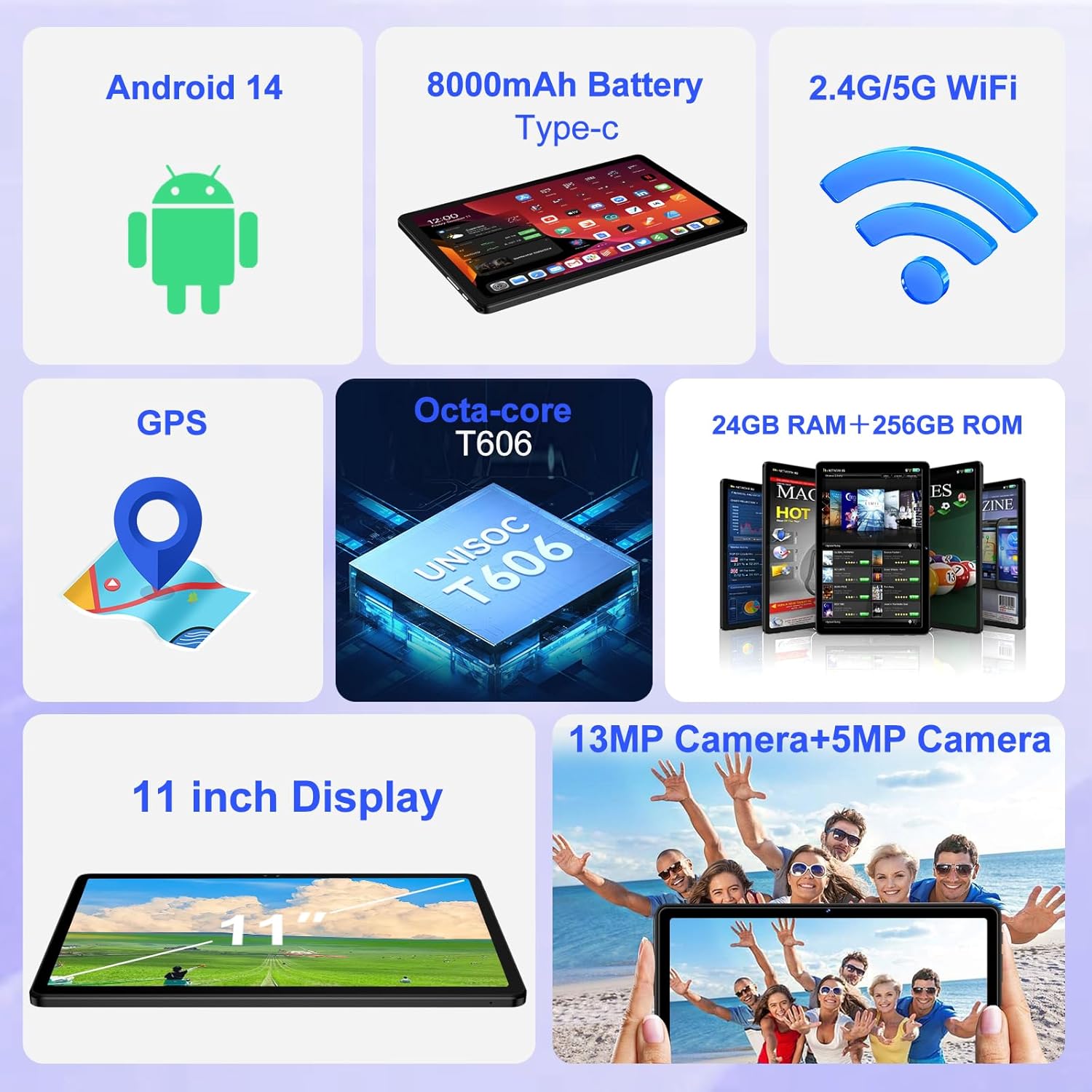
이미지: 오버view of the tablet's core features, including Android 14, 8000mAh battery, 2.4G/5G WiFi, GPS, Octa-core T606 processor, 24GB RAM + 256GB ROM, 13MP + 5MP cameras, and an 11-inch display.
4.2 디스플레이
The tablet features a large 11-inch IPS HD touchscreen with a resolution of 1280x800 pixels, providing clear and vibrant visuals. The screen is made with tempered glass for increased durability. It also supports Widevine L1, allowing you to stream high-definition content from popular services.

Image: The 11-inch HD display, illustrating its 1280x800 FHD resolution, 16:10 aspect ratio, and In-cell multi-touch technology.

Image: Comparison showing the difference between Widevine L1 (1080P) and L3, demonstrating the superior high-definition streaming quality supported by SUAAT tablets.
4.3 메모리 및 저장
The tablet comes with 24GB of RAM (8GB physical + 16GB virtual) and 256GB of internal storage. Storage can be expanded up to 1TB using a Micro SD card (not included), providing ample space for apps, photos, videos, and documents.
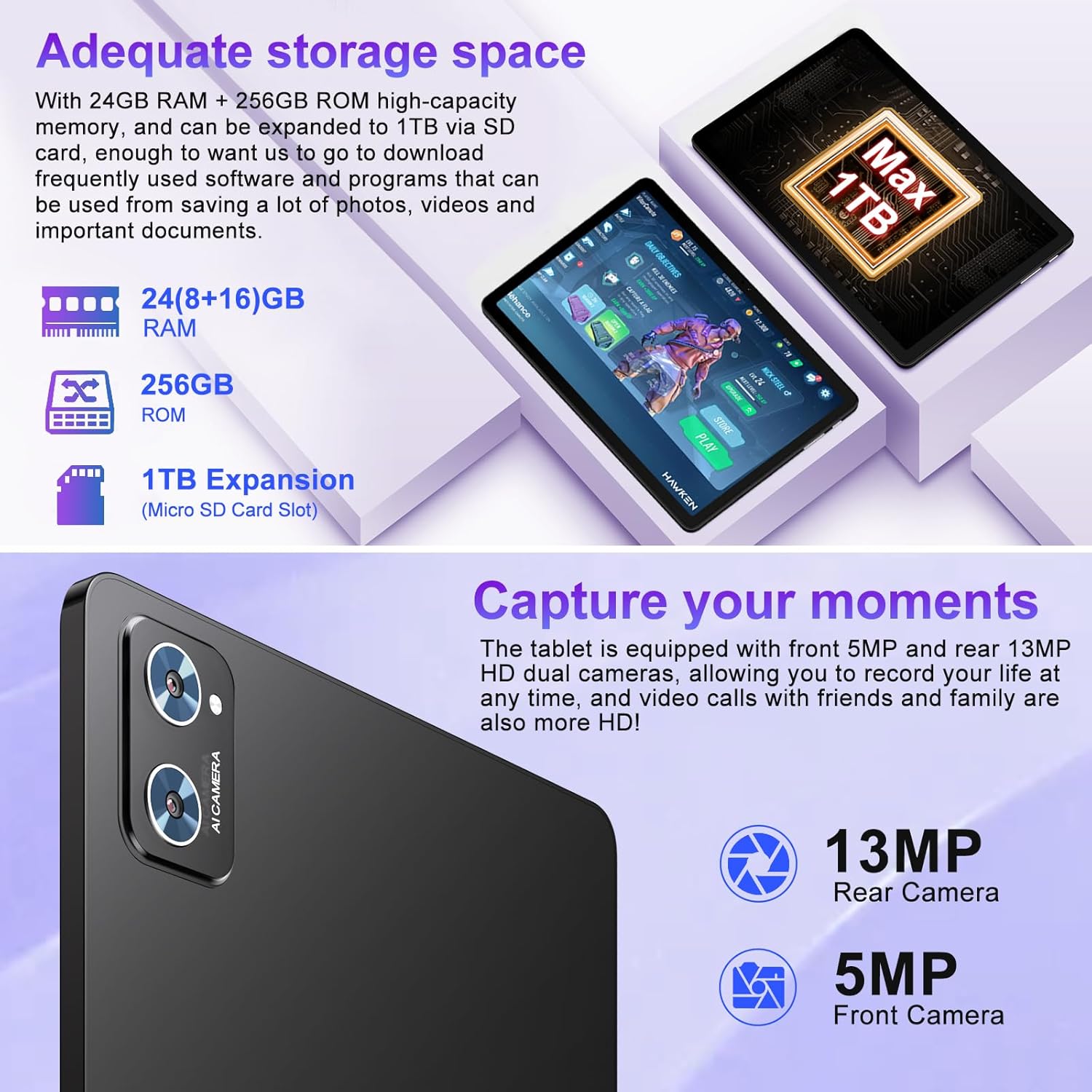
Image: Illustration of the tablet's storage capabilities, showing 24GB RAM, 256GB ROM, and 1TB Micro SD card expansion.
4.4개의 카메라
Capture your moments with the tablet's dual cameras: a 5MP front camera for clear video calls and selfies, and a 13MP rear camera for high-resolution photos and videos.
이미지: 클로즈업 view of the tablet's rear camera module, indicating the 13MP rear camera and 5MP front camera capabilities for capturing moments and high-definition video calls.
4.5 Battery Life and Connectivity
Equipped with an 8000mAh battery, the tablet offers extended usage times, with an average of 8 hours of battery life. It supports both 5G and 2.4G Wi-Fi for fast and stable internet connections, and Bluetooth 5.0 for seamless pairing with accessories and easy file transfers. GPS functionality is also integrated for navigation.

Image: Visual representation of the tablet's 8000mAh high-capacity battery, indicating approximate usage times: 8 hours for music, 6 hours for web browsing, and 5 hours for gaming.
5. 유지관리 및 관리
- 청소: 부드럽고 보풀이 없는 천을 사용하여 화면과 본체를 닦으세요. 연마성 세척제나 용제는 사용하지 마세요.
- 저장: 정제는 직사광선과 극한의 온도를 피해 서늘하고 건조한 곳에 보관하세요.
- 배터리 관리 : 배터리 수명을 연장하려면 태블릿을 자주 완전히 방전시키지 마세요. 정기적으로 충전하되, 완전히 충전된 후에는 장시간 충전기에 꽂아 두지 마세요.
- 소프트웨어 업데이트: 최적의 성능과 보안을 보장하려면 정기적으로 시스템 업데이트를 확인하고 설치하세요.
- 보호: Always use the provided protective case and screen protector to guard against drops and scratches.
6. 문제 해결
| 문제 | 가능한 원인 | 해결책 |
|---|---|---|
| 태블릿이 켜지지 않습니다. | 배터리가 부족하여 시스템이 충돌합니다. | 태블릿을 최소 30분 동안 충전하세요. 전원 버튼을 10~15초 동안 길게 눌러 강제로 다시 시작하세요. |
| Wi-Fi 연결 문제. | 비밀번호가 잘못되었습니다. 라우터에 문제가 있습니다. 태블릿 Wi-Fi가 꺼져 있습니다. | Ensure correct password. Restart your Wi-Fi router. Toggle Wi-Fi off/on in tablet settings. |
| 성능이 느립니다. | 너무 많은 앱이 실행 중이거나, 저장 공간이 부족하거나, 소프트웨어가 오래되었습니다. | Close unused apps. Clear cache. Free up storage. Check for system updates. |
| 배터리가 빨리 소모됩니다. | High screen brightness; background apps; poor signal. | Reduce screen brightness. Close background apps. Disable unused features like GPS/Bluetooth. |
7. 기술 사양
| 특징 | 세부 사항 |
|---|---|
| 상표 | 수아트 |
| 모델명 | S6 |
| 운영 체제 | 안드로이드 14 |
| 프로세서 | Octa-core T606 (2 GHz) |
| 숫양 | 24GB(물리적 8GB + 가상 16GB) |
| 내부 저장소 | 256GB |
| 확장 가능한 스토리지 | 마이크로 SD 카드를 통해 최대 1TB까지 확장 가능 |
| 화면 크기 | 11 인치 |
| 화면 해상도 | 1280 x 800 pixels (IPS HD) |
| 전면 카메라 | 5MP |
| 후방 카메라 | 13MP |
| 배터리 용량 | 8000mAh |
| 평균 배터리 수명 | 8시간 |
| 무선 연결 | 802.11ac (5G/2.4G WiFi), 블루투스 5.0 |
| 항해 | GPS |
| 품목 무게 | 1.15파운드 |
| 제품 치수 | 10.16 x 6.61 x 0.32 인치 |
| 색상 | 검은색 |
8. 보증 및 지원
Your SUAAT S6 tablet comes with a 2년 보증, as mentioned by customer reviews. For any technical assistance, troubleshooting beyond this manual, or warranty claims, please contact SUAAT customer support. Refer to the contact information provided with your product packaging or visit the official SUAAT web지원 세부 정보 사이트.
SUAAT is committed to providing professional technical support and 24-hour after-sales service to ensure customer satisfaction.


