1. 제품 오버view
The GeekTale Fingerprint Deadbolt (Model RD02) is a smart lock designed for keyless entry, offering multiple unlock methods including fingerprint, Bluetooth app, and traditional backup keys. It features quick fingerprint recognition and app-based user management.
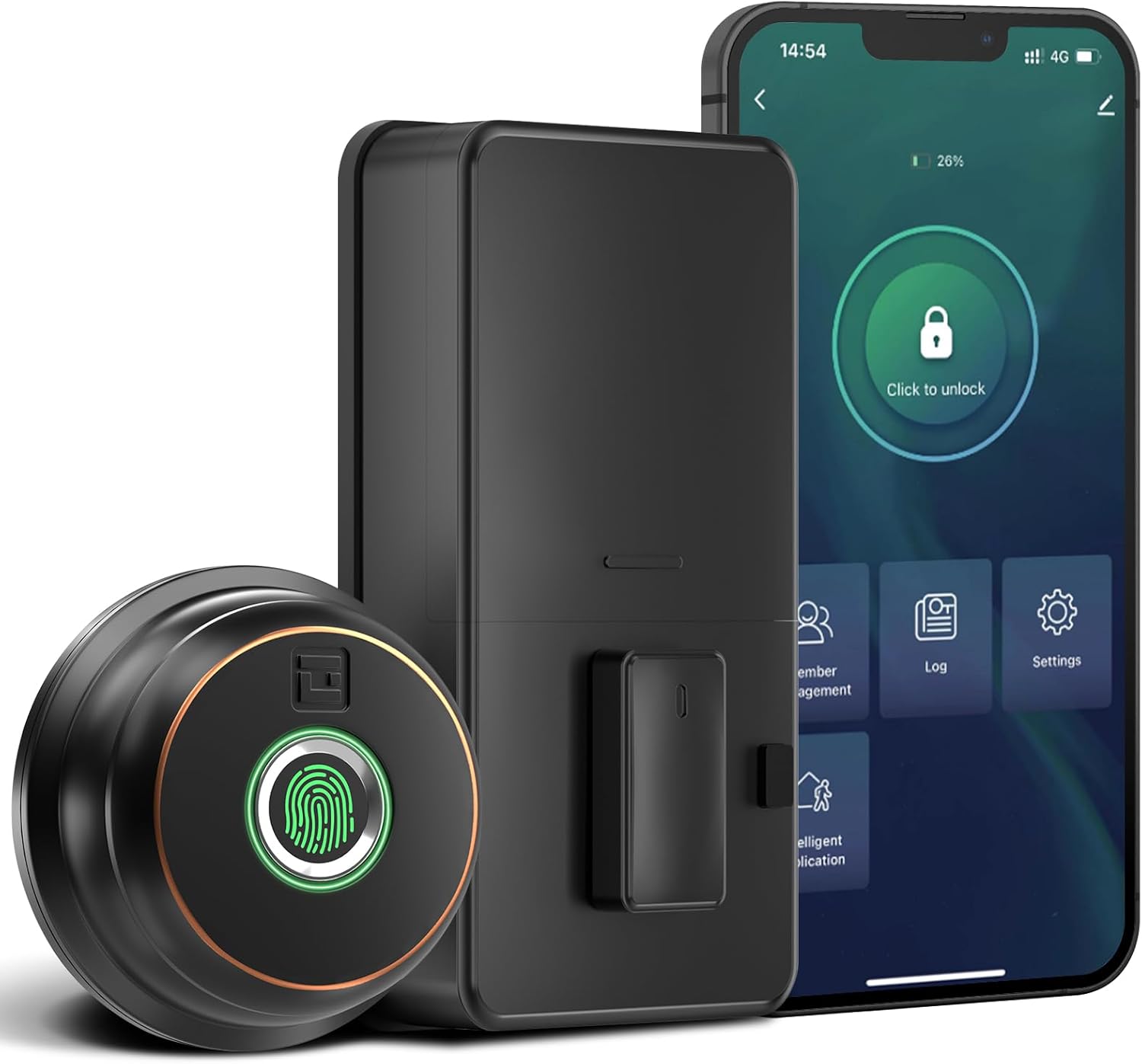
이미지: 이상view of the GeekTale Fingerprint Deadbolt, showing the exterior unit with fingerprint sensor, the interior unit, and a smartphone displaying the control app.
주요 특징:
- 3-in-1 Unlock Ways: Fingerprint, Bluetooth App, and Backup Keys.
- 빠른 지문 인식: 360° Fingerprint ID for 0.3-second unlock.
- 스마트 앱 제어: Manage up to 50 users, set auto-lock times (5-60s), view unlock records, and monitor battery level.
- 원격 제어(게이트웨이 포함): Requires separate purchase of a gateway for remote unlock and notifications.
- 내구성 있는 구조: Outdoor lock made of aluminum alloy.
2. 패키지 내용
설치를 시작하기 전에 모든 구성 요소가 있는지 확인하세요.
- Exterior Fingerprint Unit
- Interior Deadbolt Unit
- 장착 플레이트
- 데드 볼트 래치
- 스트라이크 플레이트
- 나사(다양한 크기)
- 백업 키
- 설치 템플릿
3. 설치 가이드
This section provides step-by-step instructions for installing your GeekTale Fingerprint Deadbolt. A screwdriver is the primary tool required. The lock is designed to fit most standard US doors.
3.1 도어 호환성 확인
문이 다음 사양을 충족하는지 확인하세요.
- 역수: 2-3/4인치(70mm) 또는 2-3/8인치(60mm)
- 문 구멍 직경: 2-1/8인치(54mm)
- 문 두께: 1-3/8인치 ~ 2-1/8인치 (35mm ~ 54mm)

Image: Diagram illustrating door measurements for backset, door hole diameter, and door thickness, crucial for proper installation.
3.2 설치 단계
- 문 준비: If replacing an existing deadbolt, remove it. Use the provided template to mark and drill holes if installing on a new door.
- 래치를 설치하십시오: 데드볼트 걸쇠를 문 가장자리에 끼우십시오. 걸쇠의 "UP" 화살표가 위쪽을 향하도록 하십시오. 나사로 고정하십시오.
- Install Exterior Unit: Route the cable from the exterior unit through the door hole. Align the spindle with the latch mechanism.
- 내부 장착 플레이트 설치: Secure the mounting plate to the door using screws, ensuring the cable passes through the plate.
- 케이블 연결: 실외기와 실내기 사이의 케이블을 연결하십시오.
- 내부 장치 설치: Attach the interior unit to the mounting plate. Ensure the thumb turn operates smoothly.
- 배터리 삽입: 내부 장치의 배터리 덮개를 열고 AA 배터리 4개(별도 구매)를 넣으십시오.
- 테스트 작업: Manually test the deadbolt with the thumb turn.

이미지: 폭발 view of the deadbolt components, illustrating how the exterior and interior units connect through the door.
3.3 Spindle Orientation for Right/Left Opened Doors
The spindle on the exterior knob should be in the horizontal position for both right-opened and left-opened doors. When installing the interior lock, ensure the knob is oriented correctly:
- For right-opened doors, the interior knob should be in a vertical state.
- For left-opened doors, the interior knob should be in a horizontal state.

Image: Visual guide for correctly orienting the spindle and interior knob based on door opening direction.
4. 사용 설명서
Learn how to use your smart deadbolt effectively.
4.1 초기 설정 및 앱 페어링
- 앱 다운로드: 검색 "GeekTale" in your smartphone's app store and download the official application.
- 계정 생성: 새 계정을 등록하거나 이미 계정이 있는 경우 로그인하세요.
- 장치 추가: Follow the in-app instructions to add your new deadbolt. Ensure Bluetooth is enabled on your phone and you are within range of the lock.
- Administrator Fingerprint: The first fingerprint registered will typically be the administrator.
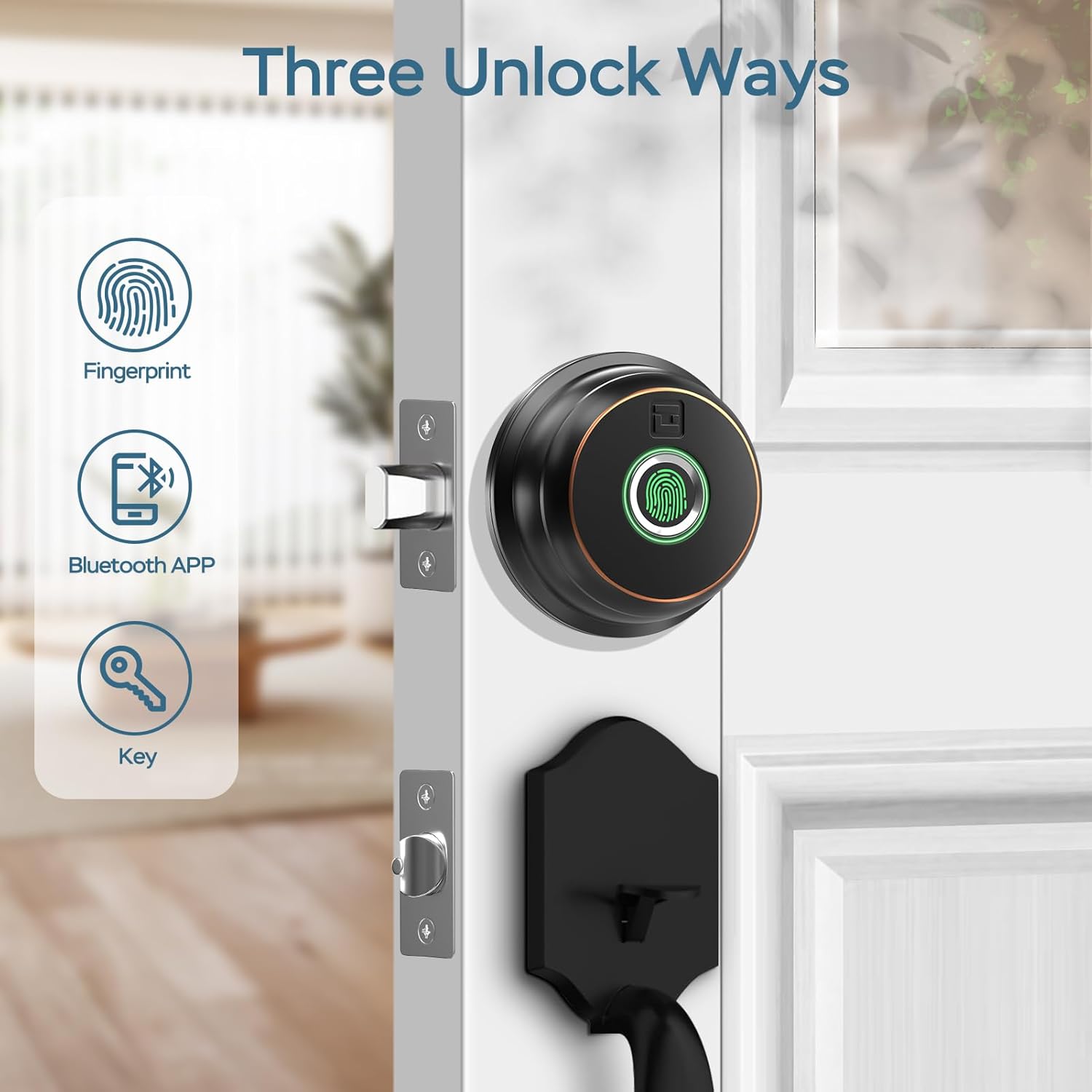
Image: Illustration of the three primary unlock methods: fingerprint, Bluetooth app, and physical key.
4.2 잠금 해제 및 잠금
- 지문 잠금 해제: 등록된 손가락을 지문 센서에 대세요. 약 0.3초 후에 잠금이 해제됩니다.
- 앱 잠금 해제: Open the GeekTale app, ensure Bluetooth connection, and tap the unlock icon.
- 키 잠금 해제: Use the provided backup keys in the emergency keyhole.
- 자동 잠금: Configure auto-lock duration (5-60 seconds) via the app. The lock will automatically engage after the set time.
- 원터치 잠금: Touch the fingerprint sensor with any finger to instantly lock the deadbolt.

Image: A woman carrying groceries, demonstrating the convenience of the auto-lock feature after entering her home.
4.3 앱 기능
- 사용자 관리: Add or delete up to 50 users (fingerprints).
- 액세스 로그: Review a history of unlock events, including method and user.
- 자동 잠금 설정: Adjust the automatic locking delay.
- 음소거 모드: Silence lock sounds for quiet operation.
- Share E-Key: Grant temporary or permanent access to others via the app.
- 배터리 상태: 잠금 장치의 현재 배터리 잔량을 확인하십시오.

Image: Screenshot of the GeekTale app interface, highlighting options for member management, access logs, and settings.
4.4 Remote Access (Gateway Required)
For remote control and notifications, a GeekTale Gateway (sold separately) is required. This allows you to:
- Unlock/lock the door from anywhere.
- Receive instant notifications when the lock is opened.
- Integrate with voice assistants like Alexa and Google Assistant.

Image: Depiction of the smart deadbolt, a gateway device, and a smartphone, illustrating remote unlock capabilities.
5. 유지관리
적절한 유지 관리는 데드볼트의 수명과 최적의 성능을 보장합니다.
- 배터리 교체: The lock requires 4 AA batteries. Replace them when the low battery alert is issued by the app or the lock itself.
- 비상 전원 : In case of complete battery depletion, the lock features a USB-C port for emergency power using a power bank.
- 청소: Wipe the exterior unit and fingerprint sensor with a soft, dry cloth. Avoid abrasive cleaners or solvents.
- 열쇠 구멍 유지 관리: Periodically check the keyhole for obstructions. Do not lubricate with oil-based products; use graphite powder if lubrication is needed.

Image: Illustration of the deadbolt's battery compartment and the USB-C port for emergency power, along with icons for low battery alert and emergency charge.
6. 문제 해결
일반적인 문제와 해결책.
| 문제 | 가능한 원인 | 해결책 |
|---|---|---|
| 잠금이 응답하지 않습니다. | 배터리가 방전되었습니다. | Replace batteries. Use emergency USB-C power if needed. |
| 지문을 인식할 수 없습니다. | Fingerprint not registered, dirty sensor, or incorrect placement. | Ensure finger is clean and dry. Re-register fingerprint if necessary. Place finger flat on sensor. |
| 앱이 잠금 장치에 연결할 수 없습니다. | Bluetooth off, out of range, or app issue. | Ensure Bluetooth is on. Move closer to the lock. Restart the app or your phone. |
| 자동 잠금 기능이 작동하지 않습니다. | Auto-lock feature disabled or incorrect setting. | Check auto-lock settings in the app and ensure it is enabled with a desired delay. |
| Lock is loose after installation. | 나사가 충분히 조여지지 않았습니다. | Re-tighten all mounting screws. Ensure the mounting plate is flush against the door. |
7. 사양
| 특징 | 세부 사항 |
|---|---|
| 모델명 | RD02 |
| 상표 | 괴짜 이야기 |
| 잠금 해제 방법 | Fingerprint, Bluetooth App, Backup Key |
| 지문 용량 | 최대 50개 |
| 인식 속도 | 0.3초 |
| 연결성 | 블루투스 |
| 재료 | 알루미늄(외장재) |
| 전원 | AA 배터리 4개(포함되지 않음) |
| 비상 전원 | USB-C 포트 |
| 문 두께 | 1-3/8인치 ~ 2-1/8인치 (35mm ~ 54mm) |
| 역수 | 조절 가능: 2-3/8인치(60mm) 또는 2-3/4인치(70mm) |
| 치수(길이 x 너비 x 높이) | 2.76 x 1.18 x 3.93 inches (Exterior unit) |
| 무게 | 1.63파운드(0.74kg) |
8. 보증 및 지원
GeekTale provides localized after-sales customer service. For any product-related issues or inquiries, please contact customer support through the designated after-sales channels. Refer to your purchase documentation for specific warranty terms and contact information.
지원팀에 문의: Please refer to the contact information provided with your product packaging or visit the official GeekTale web지원 옵션에 대한 사이트입니다.


